<?xml version="1.0" encoding="utf-8"?>
<feed xmlns="http://www.w3.org/2005/Atom">
  <title>Western Devs</title>
  
  <link href="/feeds/dave_white" rel="self" type="application/atom+xml"/>
  <link href="https://westerndevs.com" rel="alternate" type="application/atom+xml"/>
  
  <updated>2026-03-22T17:42:31.816Z</updated>
  <id>https://westerndevs.com/</id>
  
  <author>
    <name>Western Devs</name>
	<uri>https://westerndevs.com</uri>
    <email>info@westerndevs.com</email>
  </author>
  
  <generator uri="http://hexo.io/">Hexo</generator>
  
  <entry>
    <title type="html">Kubernetes - My Journey</title>
    <link href="https://westerndevs.com/kubernetes/kubernetes-my-journey/" rel="alternate" type="text/html"/>
    <id>https://westerndevs.com/kubernetes/kubernetes-my-journey/</id>
    <published>2020-05-22T17:00:00.000Z</published>
    <updated>2026-03-22T17:42:31.816Z</updated>
	<author>
	
	  
	  <name>Dave White</name>
	  <email>dmhwhite@gmail.com</email>
	
	  <uri>https://westerndevs.com</uri>
	</author>
    
    <content type="html"><![CDATA[<h1>The Journey</h1><p>This is a series of articles chronicling my learning journey as I was asked to build an IdentityServer4-based authentication system for one of my clients. This story included details about my adoption of Kubernetes, Azure Kubernetes Service, and all the things that I had to do to stand-up this client's new IdentityServer4 authentication implementation.</p><p>As with most learning experiences, I've made mistakes, arrived at working applications, adjusted my implementations, and continued to grow. My hope is that this series will continue to grow and evolve and be a bit of a living series of documents. I'll actively change articles when I discover something new or a better way to describe things. I'll add new articles or maybe alternate paths through the series as new topics present themselves. And I'm certainly not an authority on all of these topics, so as I get feedback from friends and peers, I'll certainly be making adjustments.</p><p>I have two primary goals with this series. Documenting the learning journey is the first one, but the second and almost as important goal was to provide someone (you) with a complete set of steps to get a Kubernetes cluster up and running with an IdentityServer4 implementation running inside of it. Once someone has this platform up and running, they can continue to learn and grow in the same manner that I will but hopefully they're path getting to this point was a little smoother than mine was.</p><p>As always, comments and feedback are encouraged and very welcome.</p><p>Now, on to the articles!</p><h2>Series Table of Contents</h2><ol><li><a href="/kubernetes/kubernetes-my-journey-part-1">Business problems</a></li><li><a href="/kubernetes/kubernetes-my-journey-part-2">Initial Assumptions, Technologies, Learning resources</a></li><li><a href="/kubernetes/kubernetes-my-journey-part-3">Tools in Use</a></li><li><a href="/kubernetes/kubernetes-my-journey-part-4">Building an ASP.NET Core IdentityServer Implementation</a></li><li>Getting Started with Kubernetes - Minikube<ul><li><a href="/kubernetes/kubernetes-my-journey-part-5a">Part A - Getting Started with Kubernetes - Minikube</a></li><li><a href="/kubernetes/kubernetes-my-journey-part-5b">Part B - Getting Started with Kubernetes - Minikube</a></li></ul></li><li><a href="/kubernetes/kubernetes-my-journey-part-6">Pause to reflect</a></li><li>Moving to Azure Kubernetes Service<ul><li><a href="/kubernetes/kubernetes-my-journey-part-7a">Part A - Moving to Azure Kubernetes Service</a></li><li><a href="/kubernetes/kubernetes-my-journey-part-7b">Part B - Moving to Azure Kubernetes Service</a></li></ul></li><li><a href="/kubernetes/kubernetes-my-journey-part-8">Making Your Kubernetes Cluster Publicly Accessible</a></li><li><a href="/kubernetes/kubernetes-my-journey-part-9">Adding Cluster Logging (fluentd)</a></li><li><a href="/kubernetes/kubernetes-my-journey-part-10">Tuning resource usage</a></li></ol><h2>Approach to this series</h2><p>I've decided to break this series into discrete posts to make this easier to write and consume. I'll have specific topics for a post that are aligned with the overall vision, and you'll be able to read the parts that are important to you.</p><p>This series is going to strive to demonstrate work that is completely done. Every bit of code in each post should work and be complete. I'll point out bits of knowledge and wisdom I've learned along the way, but the intention is to give you a working system that you can then alter/re-create and learn from that experience.</p><p>All the code, projects, manifests, etc. are (or will be) in <a href="https://github.com/agileramblings/my-kubernetes-journey" target="_blank" rel="noopener">Github here</a>.</p><p><strong>Enjoy</strong></p><p><strong>Next up:</strong><a href="/kubernetes/kubernetes-my-journey-part-1">Business problems</a></p><style>    h1, h2, h3, h4, h5, h6 {       margin-top: 25px;    }    figure.highlight{        background-color: #E8EEFE;    }    figure.highlight .gutter{        color: #0033CD;    }    figure.highlight pre {        font-family: 'Cascadia Code PL', monospace;    }    code {        font-family: 'Cascadia Code PL', sans-serif;        border-width: 0.1em;        border-color: #E8EEFE;        border-style: solid;        border-radius: 0.3em;        background-color: #E8EEFE;        color: #0033CD;        padding: 0em 0.4em;        white-space: nowrap;    }</style>]]></content>
    
    <summary type="html">
    
      &lt;h1&gt;The Journey&lt;/h1&gt;
&lt;p&gt;This is a series of articles chronicling my learning journey as I was asked to build an IdentityServer4-based authen
    
    </summary>
    
      <category term="kubernetes" scheme="https://westerndevs.com/categories/kubernetes/"/>
    
    
      <category term="kubernetes, azure, aks, identityserver, docker, containers" scheme="https://westerndevs.com/tags/kubernetes-azure-aks-identityserver-docker-containers/"/>
    
  </entry>
  
  <entry>
    <title type="html">Kubernetes - My Journey - Part 1</title>
    <link href="https://westerndevs.com/kubernetes/kubernetes-my-journey-part-1/" rel="alternate" type="text/html"/>
    <id>https://westerndevs.com/kubernetes/kubernetes-my-journey-part-1/</id>
    <published>2020-05-22T16:00:00.000Z</published>
    <updated>2026-03-22T17:42:31.814Z</updated>
	<author>
	
	  
	  <name>Dave White</name>
	  <email>dmhwhite@gmail.com</email>
	
	  <uri>https://westerndevs.com</uri>
	</author>
    
    <content type="html"><![CDATA[<p><a href="/kubernetes/kubernetes-my-journey">Series Table of Contents</a></p><h1>The Business Problem</h1><p>My client has been in business since 1993. As you can imagine, software has been an integral part of their ability to deliver services to their customers. About 10 years ago, they had a re-platforming initiative that was the start of their current monolithic, critical LOB system. It is an ASP.NET MVC 5.x application that has evolved over time and is certainly reaching the limits of what its architecture can provide. It isn't &quot;cloud-native&quot; and it basically continues to be enhanced/evolved based on assumptions that were made 10 years ago.</p><p>For this project, the important part to understand is that it used forms authentication and has a user store internally that manages all of the user accounts and authorization rules. It currently only uses cookies to store authenticated user details on the client and doesn't support any modern sort of token-based activities that are needed for modern applications.</p><p>It is also important to understand that the platform is growing as users and customers demand more modern and specific user experiences. New web applications (React), mobile devices (native), IoT devices, and system-to-system integrations are all being added to the platform and all these new applications need to participate in the authentication scheme. In some cases, new applications have been created but because the current LOB system doesn't support modern authentication techniques, they cloned the existing user store and used the data to implement the appropriate authentication techniques for their specific use case. This has led to a bunch of applications re-implementing their own authentication, with everyone sharing the user store (or a copy of it) of the core LOB system.</p><p>So, the current system has demonstrated a few key problems that the new system needs to address.</p><h3>Security is hard and incredibly important</h3><p>One of the plagues of modern business is bad actors attacking various systems trying to gain access and cause lots of troubles. This is an ever-present problem for most corporations. Security needs to be a first-class citizen in all projects. Using modern authentication platforms that are proven and community-reviewed is seen as a requirement.</p><p>Speaking of security, in this series, you will find a lot of usernames, passwords, and internal details about the systems that is being built. I would ask that you <strong>please take a great deal of care when building your systems!</strong> I'm not worried about presenting these details as I'm tearing all of this down all the time and it won't be left running on my Azure accounts. I will change passwords, usernames, and all kinds of other details to make it harder for anyone to break into a running system. I strongly encourage you to do the same.</p><h3>Decentralized identity management sucks</h3><p>The platform is currently a monolithic LOB system that provides <strong>all</strong> functional aspects for the various business groups. The platform is also growing a collection of loosely related applications that basically represent specific implementations that are tailored for each individual area of the business. All the systems are re-implementing authentication while using, in most cases, a copy of the LOB user store. This basically means that we have multiple user stores that all must be managed independently. There are SSIS workflows trying to keep the right data in sync while not clobbering specific customizations to the user store data.</p><p>This is all complicated, complex, and error prone. We generally don't have a lot of troubles with authentication, but it is expensive and time-consuming to setup and maintain and as new applications are added, it adds more things to manage and has more things that can go wrong.</p><h3>New applications require modern Identity technologies</h3><p>In 2020, business that used to be well-served by a monolithic web application, are finding that this is no longer the case. Native applications, new web applications based on new technologies (SPA), IoT devices and System-to-System integrations all require more modern authentication technologies and these applications are being added to platform ecosystems at an increasing pace.</p><h3>Reduce the costs of running applications</h3><p>One of the overall initiatives for this client is to become more cloud-native and reduce the running costs of applications. There is already an initiative to move all the platform servers to Azure, but we didn't want any new applications continuing the pattern of &quot;lift and shift&quot; used for the existing apps. There is a strong desire to leverage containers (docker) and orchestrators (Kubernetes) at an increasing rate for all the applications in order to reduce overall run costs.</p><h3>Being able to scale up is important</h3><p>As with all businesses, we expect growth. My client is heavily reliant on devices for their current business needs and will be adding customers, native apps, and IoT devices at an ever-increasing rate. This means that having the ability to scale vertically or horizontally needs to be present from the start. Growth was anticipated (pre-COVID19) to be &gt; 30% year over year for the next 3-5 years so there were going to be lots of people and devices needing to use the system in the future.</p><h2>Summary (TL;DR;)</h2><p>Security is hard! De-centralized (read: many) authentication systems are expensive. Old Application are ... well... old! Modern applications need support! Moving to the cloud is happening! And businesses grow!!</p><p>I hope that this gives some context that helps you understand some of the decisions that I'll be sharing in the next section!</p><p><strong>Next up:</strong><a href="/kubernetes/kubernetes-my-journey-part-2">Initial Assumptions, Technologies, Learning resources</a></p><style>    h1, h2, h3, h4, h5, h6 {       margin-top: 25px;    }        figure.highlight{        background-color: #E8EEFE;    }    figure.highlight .gutter{        color: #0033CD;    }    figure.highlight pre {        font-family: 'Cascadia Code PL', monospace;    }    code {        font-family: 'Cascadia Code PL', sans-serif;        border-width: 0.1em;        border-color: #E8EEFE;        border-style: solid;        border-radius: 0.3em;        background-color: #E8EEFE;        color: #0033CD;        padding: 0em 0.4em;        white-space: nowrap;    }</style>]]></content>
    
    <summary type="html">
    
      &lt;p&gt;&lt;a href=&quot;/kubernetes/kubernetes-my-journey&quot;&gt;Series Table of Contents&lt;/a&gt;&lt;/p&gt;
&lt;h1&gt;The Business Problem&lt;/h1&gt;
&lt;p&gt;My client has been in busin
    
    </summary>
    
      <category term="kubernetes" scheme="https://westerndevs.com/categories/kubernetes/"/>
    
    
      <category term="kubernetes, azure, aks, identityserver, docker, containers" scheme="https://westerndevs.com/tags/kubernetes-azure-aks-identityserver-docker-containers/"/>
    
  </entry>
  
  <entry>
    <title type="html">Kubernetes - My Journey - Part 2</title>
    <link href="https://westerndevs.com/kubernetes/kubernetes-my-journey-part-2/" rel="alternate" type="text/html"/>
    <id>https://westerndevs.com/kubernetes/kubernetes-my-journey-part-2/</id>
    <published>2020-05-22T15:00:00.000Z</published>
    <updated>2026-03-22T17:42:31.815Z</updated>
	<author>
	
	  
	  <name>Dave White</name>
	  <email>dmhwhite@gmail.com</email>
	
	  <uri>https://westerndevs.com</uri>
	</author>
    
    <content type="html"><![CDATA[<p><a href="/kubernetes/kubernetes-my-journey">Series Table of Contents</a></p><p><strong>Previously:</strong><a href="/kubernetes/kubernetes-my-journey-part-1">Business problems</a></p><h1>Initial Assumptions, Technologies, Learning Resources</h1><p>There are some assumptions that were made before my involvement with this company that made some of this decision making easy. Those assumptions were driven by the business problems we discussed previously.</p><p>Some of these decisions were made by me throughout this project. It was important for me to understand the organization's business, goals, and culture when making these decisions so they weren't as easy to make. The good thing is that I've got a great group of leaders and developers in this organization that helped me and trusted me to make better decisions on their behalf.</p><h2>Pre-defined Assumptions</h2><p>So, there are a bunch of things that we're decided before me arriving on the scene! These decisions governed my initial decision making to just get the project started.</p><h3>We're going to the cloud</h3><p>I'm not sure this needs a lot of elaboration. Everyone is going to the cloud. Owning and operating data centres is hard. Companies like Microsoft, Amazon, and Google have commoditized hardware setup, management, and maintenance so much so that it almost doesn't makes sense to own your own data centre. So, anything I did should strive to be cloud-native.</p><h4>Azure</h4><p>Azure was chosen as the vendor for all our cloud services prior to my involvement. This certainly plays to my strength as a Microsoft-based technologist and an avid Azure user for all my own projects.</p><h4>ASP.NET Core (C#)</h4><p>This company is a Microsoft shop. All the developers are C# developers who are familiar with Microsoft technologies, so it only makes sense that we are going to leverage the existing people and skills that are present in the organization. Using .NET Core and ASP.NET Core 3+ in all projects going forward was made a requirement (and is probably simple common sense) by the assumption of moving to the cloud.</p><p>I couldn't build something that only I could maintain or would require the company to go and try to find new developers or acquire new skills in their current developers. There is going to be a lot of learning being done by everyone here, but we don't need to add to the pile of new stuff to learn.</p><h4>HTTPS</h4><p>One of the things that seems obvious, but turns out isn't always obvious, is the fact that in today's world, we should be using HTTPS everywhere. It has become easier and easier to do this, and part of this project's mandate was to ensure that we accelerated the adoption of HTTPS throughout the deployed platform and make it <em>easier to own and maintain</em>. Simply doing an Identity implementation will drive this.</p><h2>Decisions I made</h2><p>During the planning of this project, I had the flexibility to make a lot of decisions. I didn't make them in isolation, but I did get to make the final decisions.</p><h3>Containers and Orchestration</h3><p>Going to the cloud can be as simple as lift-and-shift. Pick up your server, virtualize it if necessary, and place it in the cloud. In some cases, we can make this even simpler by provisioning a VM with all the pre-installed parts we need and simply deploying our application into that new VM. This is certainly &quot;going to the cloud&quot; but it isn't considered <em>cloud-native</em>.</p><h4>Docker</h4><p>I'm not an expert on what <em>cloud-native</em> entirely means, but I've discerned that one thing you need to do is containers. So today, that means <strong>Docker</strong>. Being a Microsoft shop, going to Azure, using Visual Studio and the az cli as tools, Docker was a no-brainer for a container engine with all the great tool support in Visual Studio, Azure DevOps Server, and the other tools, so I just rolled with it.</p><h4>Kubernetes</h4><p>When using Azure and running containers in the cloud, you have several options. Two easy ones are Azure Container Instances (server-less container hosting) and <strong>Azure Kubernetes Services (aka AKS)</strong>. Since our environment was going to be far more complicated than running a bunch of single containers in the cloud, we needed an orchestration platform. There are two options for that today: Kubernetes and DockerCompose and we chose Kubernetes. The community support for Kubernetes is incredible, the momentum it has in the marketplace can't be denied, and it is natively supported by Azure via the <strong>AKS</strong> product, so it was another easy decision.</p><h3>Cloud-Hosted</h3><p>I sort of covered this one off, but there is an option to stand up your own Kubernetes cluster manually in Azure simply using Virtual Machines. <strong>AKS</strong> effectively took this option off the table. In my experience so far, <strong>AKS</strong> is a polished product, easy to use, and the control plane components are included for free. You simply pay for all the other Azure products that will make up your cluster. These include VMs, Storage, Networking, and any other products you leverage in your implementation.</p><h4>Azure Kubernetes Service (<strong>AKS</strong>)</h4><p><strong>AKS</strong> also makes some of our <em>ability to scale</em> requirements much easier to address. You can scale vertically by dynamically increasing the size of the VMs in the cluster and we can scale horizontally by dynamically adding (or removing) nodes from the cluster.</p><h3>Identity Implementation</h3><p>While this project has many objectives, they key objective for all this work was to deliver a new Identity management implementation to the platform that would enable a secure, modern way for all users, applications, and devices to authenticate with each other.</p><p>One of the underlying cultural desires at this client that I should state is a strong desire to minimize subscriptions and dependencies on 3rd party vendors. This desire precluded us from selecting any of the current Identity providers that exist on the marketplace today. AuthO and Okta are two such companies and while I'm sure they have great products, wedecided to build our own Identity system.</p><h4>IdentityServer4</h4><p>Now, we didn't want to build all the identity system from scratch! That doesn't make sense. We'd have to become experts in OAuth, OpenID Connect, flows, encryption, tokens, and all those technologies that are implemented by great communities out there already. This OSS frameworks are also scrutinized and vetted by the community, so you know that a lot of people care that they are done right. Basically, we wanted to take the best implementation of a security framework in the Microsoft open-source community, host it in our infrastructure, and be able to customize it to our specific use-cases. This led us to IdentityServer4, which is the core technical component of our Identity implementation.</p><h4>Skoruba IdentityServer4 Admin</h4><p>One of the things about identity implementations is that there is a lot of configuration and user data to manage. To be honest, client configuration and user data is one of the biggest PITA about doing Identity work. Once you get it, it isn't so bad but so much of a successful roll-out with an identity platform hinges on getting all this data right. And to do that, it helps to have a good administrative platform.</p><p>While I'd love to have had the time to write an application that gives a good user experience for the administration of this data, I didn't have that time. So, I went looking for something in the community that used IdentityServer4 as a foundational component and added the user experience I wanted. And after several pilots, I found and selected Skoruba IdentityServer4 Admin. This is an ASP.NET Core 3.x web application that provides the Security Token Service (STS), and Administrative Application, and an Administrative API, all in one easy to use package! I've been really happy that I found it.</p><h3>Data Persistence</h3><p>The Skoruba templates allows for the selection of one from three different built-in persistence providers via Entity Framework Core. SqlServer, MySql and Postgres.</p><h4>Postgres</h4><p>Postgres was the database provider the I selected. This reduced our licensing costs, provides the appropriate level of performance and functionality, and with us being in Azure, we always have the option of moving to <strong>Azure Database for PostgreSQL</strong> which has single instance SKU and an HA/Hyperscale SKU if that eventually becomes a needed capability. There is also a ton of community support around the product, which means libraries, documentation, and examples are plentiful.</p><h3>Logging</h3><p>I cannot under-state how important logging is when developing, maintaining, and owning a multi-container environment, spread across multiple servers (nodes) that are hosted in the cloud. This isn't the first and hopefully won't be the last blog post to emphasize this point. The community building cloud-based applications already blogs about this, you've almost certainly read about it somewhere before here, but it still may not have sunk in that, perhaps, this needs to be the first thing you figure out in your new container-based platform. I paid some attention at the beginning, but not enough.</p><h4>Seq - Log Ingestion and Analytics</h4><p>When I first arrived at my client, they were still relying on file-based logging, spread over all the servers in the farm. They had a lot of logging in the application, but it wasn't easily accessible, and it wasn't easy at all to find out what happened across a workflow, sometimes broken, that traversed a bunch of servers.</p><p>The other thing that wasn't possible was querying and basic analytics of the log data that was being generated. It was inconsistent, unstructured, and just barely helping them solve problems.</p><p>At a previous engagement, I had used Splunk and really came to love it! The tool was great. Powerful queries, visualization, dashboard, alerts, integrations! Splunk has it all. There was only one problem. Splunk is expensive. That isn't a problem if your needs justify the spend and you have the required expertise in owning and operating Splunk, but that wasn't the case here, so I needed to find something easier to bring into the ecosystem. This was when I found Seq!</p><p>Seq is a great entry-level tool (that keeps on getting better) for organizations that are just getting started on getting logs into a central product and using that log data to analyze problems and operational aspects of the platform. Seq is built by Datalust.co, who also makes Serilog the .NET library that we use for logging internally in the application. This combination has turned out to be a cost-effective, easy to learn, setup and maintain logging infrastructure for our apps, so it was quite easy for me to bring this into the Identity project and the <strong>Kubernetes (k8s)</strong> infrastructure.</p><h4>Fluentd</h4><p>In addition to the identity applications that are in the <strong>k8s</strong> cluster that will be logging to Seq, the infrastructure applications in the cluster <em>itself</em> will generate an incredible amount of information about its operations and problems. This is a non-trivial log ingestion problem that has been made very approachable with a product called <strong>fluentd</strong>. Built to live inside of <strong>k8s</strong> clusters, fluentd is basically an event processing pipeline implementation that takes events from log files that are written all over the <strong>k8s</strong> cluster. It takes care of finding the files, processing them as they get additional entries, and sending those events &quot;somewhere&quot;. In this case, I used an fluentd docker image that emits logs to <strong>graylog</strong> consumers, which thankfully, Seq is with an addon. So, with Serilog in the applications, fluentd in the cluster using a graylog variant and Seq running in the cluster to ingest and aggregate all the log information, we have a very compact, useful logging strategy to get us started.</p><p>I don't know how far this logging implementation will grow with the cluster into the future, but it is designed to have pieces replaced as we outgrow their capabilities.</p><h3>Learning Resources</h3><p>This adventure required an incredible amount of learning on my part. The way that I learn best is by reading/learning enough to get started, and then building like crazy, discovering deficiencies in what I know, resolving the deficiency, and then finding the next thing I don't know.</p><p>This series of blog posts will hopefully capture some of that learning experience, but I wanted to make sure I shared the places that I started.</p><h4>Pluralsight</h4><p>There are a lot of courses on Pluralsight. I think I've enjoyed all them, with some courses being better than others for me at that point in my learning. For this project, I didn't need any help with C# or ASP.NET Core or any of that part. I needed to get familiar with Kubernetes and I needed to become familiar with authentication flows using OAuth2 and OpenID Connect.</p><p>The <strong>k8s</strong> courses were from Nigel Poulton were great places to get started with <strong>k8s</strong>. The ones that I watched are:</p><ul><li><a href="https://app.pluralsight.com/library/courses/getting-started-kubernetes/table-of-contents" target="_blank" rel="noopener">Getting Started with Kubernetes</a></li><li><a href="https://app.pluralsight.com/library/courses/docker-kubernetes-big-picture/table-of-contents" target="_blank" rel="noopener">Docker and Kubernetes: The Big Picture</a></li></ul><p>When getting more details on OAuth2 and OpenId Connect, Kevin Dockx and Micah Silverman had two nice courses to review.</p><ul><li><a href="https://app.pluralsight.com/library/courses/securing-aspdotnet-core2-oauth2-openid-connect/table-of-contents" target="_blank" rel="noopener">Securing ASP.NET Core 2 with OAuth2 and OpenID Connect</a></li><li><a href="https://app.pluralsight.com/library/courses/that-conference-2019-session-07/table-of-contents" target="_blank" rel="noopener">THAT Conference '19: OAuth 2.0 and OpenID Connect (In Plain English)</a></li></ul><blockquote><p>There is a new version of Kevin Dockx course available using ASP.NET Core 3 <a href="https://app.pluralsight.com/library/courses/securing-aspnet-core-3-oauth2-openid-connect/table-of-contents" target="_blank" rel="noopener">here</a></p></blockquote><h4>Kubernetes.io</h4><p>Based on what and how I was learning <strong>k8s</strong> from Nigel on Pluralsight, Kubernetes.io became an invaluable resource for me to learn about <strong>k8s</strong> and its ecosystem. Nigel's courses encourage you to work with manifests, building your <strong>k8s</strong> cluster in a declarative manner, and kubernetes.io supported that approach well. I would highly recommend working with manifests and understanding them and how they work when learning <strong>k8s</strong>. We'll discover later that I don't work directly with manifests when provisioning my cluster resources, but you have to know manifests because all the examples in the communities are in manifests!</p><h4>Community blogs</h4><p>This would have been much harder without the incredibly vibrant community of bloggers in the world who are sharing what they are doing, the problems, and how they are solving those problems. I'm hoping that my addition in writing this blog fills a gap and makes it a bit easier for you or someone else to put this all together, but this would have been incredibly difficult without this vibrant community.</p><p><strong>Next up:</strong><a href="/kubernetes/kubernetes-my-journey-part-3">Tools in Use</a></p><h5>Links</h5><ul><li><a href="https://azure.microsoft.com/en-us/" target="_blank" rel="noopener">Azure</a></li><li><a href="https://azure.microsoft.com/en-us/-services/kubernetes-service/" target="_blank" rel="noopener">Azure Kubernetes Services</a></li><li><a href="https://www.kubernetes.io" target="_blank" rel="noopener">Kubernetes</a></li><li><a href="https://identityserver4.readthedocs.io/en/latest/" target="_blank" rel="noopener">IdentityServer4</a></li><li><a href="https://github.com/skoruba/IdentityServer4.Admin" target="_blank" rel="noopener">Skoruba IdentityServe4 Administration</a></li><li><a href="https://www.pulumi.com/" target="_blank" rel="noopener">Pulumi</a></li><li><a href="https://datalust.co/seq" target="_blank" rel="noopener">Seq Log Ingestion</a></li><li><a href="https://docs.fluentd.org/" target="_blank" rel="noopener">Fluentd</a></li><li><a href="https://www.postgresql.org/" target="_blank" rel="noopener">Postgres</a></li><li><a href="https://www.postgresql.org/" target="_blank" rel="noopener">pgAdmin4</a></li><li><a href="https://github.com/jetstack/cert-manager" target="_blank" rel="noopener">CertManager</a></li><li><a href="https://www.nginx.com/" target="_blank" rel="noopener">Nginx</a></li><li><a href="https://containo.us/traefik/" target="_blank" rel="noopener">Traefix</a></li></ul><style>    h1, h2, h3, h4, h5, h6 {       margin-top: 25px;    }    figure.highlight{        background-color: #E8EEFE;    }    figure.highlight .gutter{        color: #0033CD;    }    figure.highlight pre {        font-family: 'Cascadia Code PL', monospace;    }    code {        font-family: 'Cascadia Code PL', sans-serif;        border-width: 0.1em;        border-color: #E8EEFE;        border-style: solid;        border-radius: 0.3em;        background-color: #E8EEFE;        color: #0033CD;        padding: 0em 0.4em;        white-space: nowrap;    }</style>]]></content>
    
    <summary type="html">
    
      &lt;p&gt;&lt;a href=&quot;/kubernetes/kubernetes-my-journey&quot;&gt;Series Table of Contents&lt;/a&gt;&lt;/p&gt;
&lt;p&gt;&lt;strong&gt;Previously:&lt;/strong&gt;
&lt;a href=&quot;/kubernetes/kuberne
    
    </summary>
    
      <category term="kubernetes" scheme="https://westerndevs.com/categories/kubernetes/"/>
    
    
      <category term="kubernetes, azure, **AKS**, identityserver, docker, containers" scheme="https://westerndevs.com/tags/kubernetes-azure-AKS-identityserver-docker-containers/"/>
    
  </entry>
  
  <entry>
    <title type="html">Kubernetes - My Journey - Part 3</title>
    <link href="https://westerndevs.com/kubernetes/kubernetes-my-journey-part-3/" rel="alternate" type="text/html"/>
    <id>https://westerndevs.com/kubernetes/kubernetes-my-journey-part-3/</id>
    <published>2020-05-22T14:00:00.000Z</published>
    <updated>2026-03-22T17:42:31.815Z</updated>
	<author>
	
	  
	  <name>Dave White</name>
	  <email>dmhwhite@gmail.com</email>
	
	  <uri>https://westerndevs.com</uri>
	</author>
    
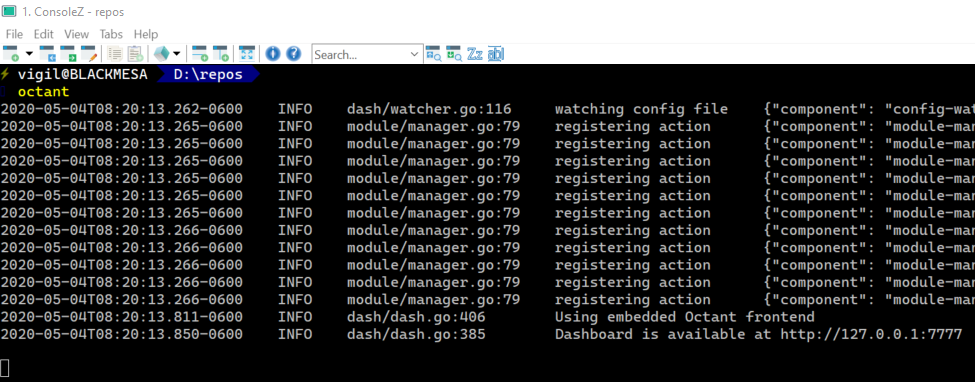
    <content type="html"><![CDATA[<p><a href="/kubernetes/kubernetes-my-journey">Series Table of Contents</a></p><p><strong>Previously:</strong><a href="/kubernetes/kubernetes-my-journey-part-2">Initial Assumptions, Technologies, Learning resources</a></p><h1>Tools in Use</h1><p>Tooling is an incredibly important aspect of a developer's daily life. IDEs, CLIs, Automations, Visualizations; the list goes on and on. Sifting through the set of tools that are available and finding out if they work for you can take a lot of time. As a former Microsoft MVP (Dev Tools), I'm always interested in tooling because I know the importance it can make in developer productivity and the overall productivity and quality for an organization! I'm hoping that by sharing my base set of tools, and what I use them for, you'll get a bit of tool-curation time savings back to spend on learning other things.</p><p>These are the tools I use <strong>every day</strong> on this project.</p><h2>Visual Studio</h2><table><thead><tr><th></th><th style="text-align:center"></th></tr></thead><tbody><tr><td><a href="https://visualstudio.microsoft.com/vs/" target="_blank" rel="noopener">Visual Studio</a> has come a long, long way since the first time I ever used is as Microsoft Visual Studio 97 (5.x). Wow! This IDE has been my constant companion for the entirety of my development career, and I have to say that the current VS 2019 version of the tool is a pleasure to work with. Given the complex nature of building projects and supporting all of the ecosystems that we build projects for, VS 2019 does a fantastic job of supporting <em>my</em> needs.</td><td style="text-align:center"><img width="200px" src="https://s3.amazonaws.com/neowin/news/images/uploaded/2017/02/1486663278_visual-studio-97.jpg" alt="Visual Studio 97"></td></tr></tbody></table><p>With this project, I obviously appreciate all of the normal C# coding functions that are present, but the docker/docker-compose support is particularly important and the ability to debug applications running in docker containers is great.</p><p>I still have <a href="https://www.jetbrains.com/resharper/" target="_blank" rel="noopener">ReSharper</a> and I still have many extensions (Thanks <a href="https://marketplace.visualstudio.com/publishers/MadsKristensen" target="_blank" rel="noopener">Mads</a>!) running in Visual Studio, but this IDE is the workhorse of my day-to-day activities when I'm working in C#.</p><blockquote><p>I don't recommend that you download and try to use Microsoft Visual Studio 97!</p></blockquote><h2>VS Code</h2><p><a href="https://code.visualstudio.com/" target="_blank" rel="noopener">Visual Studio Code</a> is a fantastic, light-weight text editor with an incredible extensibility feature that the community has taken full advantage of! Out of the box, it is very good at one thing. Editing text files. With all the extensions being written and placed on the marketplace, it has become some people's full-time IDE. The great thing about VS Code is that it runs on macOS, Linux, and Windows, so you take it wherever you go! And, it's free! It has mostly replaced all my other text editors, with the exception of <strong>Notepad</strong>. Still use that one from time to time.</p><p>I use VS Code for editing all my manifests, <strong>Pulumi</strong> Typescript applications, and markdown files for documentation. This blog post was written in Markdown using VS Code! With an integrated terminal window using PS Core, I can do pretty much all my <strong>k8s</strong> deployment and resource work without leaving VS Code.</p><h2>Pulumi</h2><p>I've mentioned that while I find manifests a great way to learn <strong>k8s</strong>, I've adopted a different approach for deploying <strong>k8s</strong>. That approach is from a company called <a href="https://www.pulumi.com/" target="_blank" rel="noopener">Pulumi</a>! What they've basically done is built a platform and multiple SDKs in various languages that allow us to do <strong>Infrastructure as Code</strong> in a programming language of our choice!! It's a great way to define and manage your cloud resources. Once you have written your application that knows what you want to do, you simply tell the <strong>pulumi cli</strong> to <code>up</code> or <code>destroy</code> your infrastructure! <code>pulumi up</code> and it will create or update your infrastructure resources as needed, and <code>pulumi destroy</code> tears it all down and cleans everything up!</p><h2>Git</h2><p><a href="https://git-scm.com/" target="_blank" rel="noopener">Git</a> is the most popular and arguably the defacto source control system in the world today. All my manifests and pulumi typescript files are version controlled in git, as are all the Identity application projects that we'll be building later on.</p><h2>Azure DevOps Services (Server 2019)</h2><p><a href="https://azure.microsoft.com/en-ca/services/devops/" target="_blank" rel="noopener">Azure DevOps (Server)</a> is our DevOps management software. Source control (Git and TFVC), Work Item Management, Builds, and Deployments are all provided by this service. It provides us a tremendous amount of automation, and it gives us a place to make our knowledge about how to build and deploy our applications concrete! If you haven't tried Azure DevOps recently, you really should give it another go. It's been a tremendously valuable addition to the development process.</p><h2>Kubernetes Web UI (Dashboard)</h2><p><a href="https://kubernetes.io/docs/tasks/access-application-cluster/web-ui-dashboard/" target="_blank" rel="noopener">Kubernetes Web UI (Dashboard)</a> is a great dashboard that is built into your <strong>k8s</strong> cluster that provides a User experience to help you visualize and manage your <strong>k8s</strong> cluster.</p><h2>Octant</h2><p><a href="https://octant.dev/" target="_blank" rel="noopener">Octant</a> is a dashboard for your <strong>k8s</strong> cluster, similar to the Kubernetes Dashboard, but it doesn't require you to port-forward to your local machine to get at the dashboard, it simply runs on your local development machine and uses the kubectl current context to access the cluster! This makes is quite easy to spin up. It provides port-forwarding capabilities in addition to many of the capabilities present in the Kubernetes Web UI. I find myself using them both quite often throughout the day.</p><h2>K9s</h2><p><a href="https://k9scli.io/" target="_blank" rel="noopener">K9s</a> is a console-based user experience for managing your <strong>k8s</strong> cluster! As with Octant, it uses kubectl and your current context to determine which <strong>k8s</strong> cluster it is managing. I quite like it! I also find it really interesting how I have three different tools for managing the <strong>k8s</strong> cluster and depending on what I'm doing or even my mood, I can pick from any of the three tools.</p><h2>Honorable Mention - Docker Desktop for Windows</h2><p><a href="https://hub.docker.com/editions/community/docker-ce-desktop-windows" target="_blank" rel="noopener">Docker Desktop for Windows</a> is the easiest way to get docker containers running on a windows desktop. You need a CPU that supports virtualization and you have to have Windows 10 Pro for the HyperV/WSL2 support. There are other options if you aren't running Windows 10 Pro and up, but I'll leave that as an exercise for you to figure out. But during initial development of the Skoruba project, it was immensely helpful to be able to build, deploy, and debug the application without having to deal with <strong>k8s</strong> or <strong>minikube</strong>. There are additional complexities involved with that that you will want to defer for a while.</p><p><strong>Next up:</strong><a href="/kubernetes/kubernetes-my-journey-part-4">Building an ASP.NET Core IdentityServer Implementation</a></p><h3>Links</h3><ul><li><a href="https://visualstudio.microsoft.com/" target="_blank" rel="noopener">Visual Studio</a></li><li><a href="https://code.visualstudio.com/" target="_blank" rel="noopener">VS Code</a></li><li><a href="https://www.pulumi.com/" target="_blank" rel="noopener">Pulumi</a></li><li><a href="https://git-scm.com/" target="_blank" rel="noopener">Git</a></li><li><a href="https://www.github.com" target="_blank" rel="noopener">Github</a><ul><li><a href="http://git-school.github.io/visualizing-git/" target="_blank" rel="noopener">Git Simulator - Github</a></li></ul></li><li><a href="https://azure.microsoft.com/en-ca/services/devops/" target="_blank" rel="noopener">Azure DevOps (Server)</a></li><li><a href="https://kubernetes.io/docs/tasks/access-application-cluster/web-ui-dashboard/" target="_blank" rel="noopener">Kubernetes Dashboard</a></li><li><a href="https://octant.dev/" target="_blank" rel="noopener">Octant</a> - <a href="https://github.com/vmware-tanzu/octant" target="_blank" rel="noopener">Github</a></li><li><a href="https://k9scli.io/" target="_blank" rel="noopener">K9s</a> - <a href="https://github.com/derailed/k9s" target="_blank" rel="noopener">Github</a></li><li><a href="https://www.virtuallyghetto.com/2020/04/useful-interactive-terminal-and-graphical-ui-tools-for-kubernetes.html" target="_blank" rel="noopener">Useful Interactive Terminal And Graphical UI Tools For Kubernetes - Virtually Ghetto</a></li></ul><style>    h1, h2, h3, h4, h5, h6 {       margin-top: 25px;    }    figure.highlight{        background-color: #E8EEFE;    }    figure.highlight .gutter{        color: #0033CD;    }    figure.highlight pre {        font-family: 'Cascadia Code PL', monospace;    }    code {        font-family: 'Cascadia Code PL', sans-serif;        border-width: 0.1em;        border-color: #E8EEFE;        border-style: solid;        border-radius: 0.3em;        background-color: #E8EEFE;        color: #0033CD;        padding: 0em 0.4em;        white-space: nowrap;    }</style>]]></content>
    
    <summary type="html">
    
      &lt;p&gt;&lt;a href=&quot;/kubernetes/kubernetes-my-journey&quot;&gt;Series Table of Contents&lt;/a&gt;&lt;/p&gt;
&lt;p&gt;&lt;strong&gt;Previously:&lt;/strong&gt;
&lt;a href=&quot;/kubernetes/kuberne
    
    </summary>
    
      <category term="kubernetes" scheme="https://westerndevs.com/categories/kubernetes/"/>
    
    
      <category term="kubernetes, azure, aks, identityserver, docker, containers" scheme="https://westerndevs.com/tags/kubernetes-azure-aks-identityserver-docker-containers/"/>
    
  </entry>
  
  <entry>
    <title type="html">Kubernetes - My Journey - Part 4</title>
    <link href="https://westerndevs.com/kubernetes/kubernetes-my-journey-part-4/" rel="alternate" type="text/html"/>
    <id>https://westerndevs.com/kubernetes/kubernetes-my-journey-part-4/</id>
    <published>2020-05-22T13:00:00.000Z</published>
    <updated>2026-03-22T17:42:31.815Z</updated>
	<author>
	
	  
	  <name>Dave White</name>
	  <email>dmhwhite@gmail.com</email>
	
	  <uri>https://westerndevs.com</uri>
	</author>
    
    <content type="html"><![CDATA[<p><a href="/kubernetes/kubernetes-my-journey">Series Table of Contents</a></p><p><strong>Previously:</strong><a href="/kubernetes/kubernetes-my-journey-part-3">Tools in Use</a></p><h1>Building an ASP.NET Core IdentityServer Implementation</h1><p>This is where the articles start to get a bit longer. I've broken a couple up into a-b parts. We won't be talking about tasks in <strong>k8s</strong> for a bit, so if you want to skip on to that, you can go <a href="/kubernetes/kubernetes-my-journey-part-5">here</a>.</p><p>There are, in my opinion, 2 parts that need to be considered when building up this IdentityServer4 implementation, and the 2nd part can arguably be split into 2 smaller parts, which is how this implementation is built.</p><p>The first part of the system needs to be the <strong>Security Token Services (STS)</strong> implementation. This part of the system is simply responsible for managing tokens. This means validating log in credentials, creating tokens, refreshing tokens, and sending along the appropriate metadata and claims. I would want this broken into a separate service because it will probably have different operational characteristics then the other parts of the application, and so we can scale is separately. If there are 1000s of request per minute to generate/validate/refresh tokens and send along metadata, that is different than administrating the data that the system relies on. Additionally, it makes it easier to secure the administrative access if it is a separate application.</p><p>The second part of the system is the <strong>Administrative (Admin)</strong> implementation. The application that provides a user experience that will help identity administrators do the right things.</p><p>In our implementation, which is based on the Skoruba project, there is actually a third part to the administrative side of the system and that is a <strong>Admin WebAPI</strong> that does all of the actual CRUD on the database. I'm happy with this setup and I'm glad the Skoruba project went in this direction.</p><p>Let's get into the details of what I did.</p><h2>Start Learning with the IdentityServer4 Quickstart</h2><p>If you are new to IdentityServer4 or even newer to OAuth2 and OpenID Connect, your first stop needs to be the <a href="https://identityserver4.readthedocs.io/en/latest/quickstarts/0_overview.html" target="_blank" rel="noopener">IdentityServer4 Quickstarts</a>. These quickstart modules will walk you through all of the steps required to incrementally build an IdentityServer4 server. They are all self-contained, building your knowledge from one to the next, and by the end of the quickstarts, you've built a functional IdentityServer4 implementation. I'm not going to re-produce any of these quickstarts or even how to get you started on them, other than providing the <a href="https://identityserver4.readthedocs.io/en/latest/quickstarts/0_overview.html" target="_blank" rel="noopener">link</a> and some encouragement. Go do the quickstarts, then come back here and continue reading!</p><blockquote><p>It was during the quickstarts that I side-stepped and did the Pluralsight courses on OAuth2 and OpenID Connect.</p></blockquote><h2>Starting your project with Skoruba</h2><p>So, you've done the quickstarts, or you're already experienced with IdentityServer4 and the real reason you are here is because the quickstarts left you wanting more! You wanted an Administrative application!! You wanted databases to persist all of this configuration and the quickstarts don't give you any of that! You're in the right place! I was in that position just a little while ago myself.</p><p>After doing the quickstarts, I realized I had to build/find an administrative experience for our platform. It isn't hard to find a couple when you google <em>IdentityServer4 Administration</em>. There are a number of Github repos that you'll find, and perhaps a couple products that you can purchase. Again, because of the desire to build/own vs. buy/subscribe, we continued looking until we found the <a href="https://github.com/skoruba/IdentityServer4.Admin" target="_blank" rel="noopener">Skoruba IdentityServer4 Admin</a> project on Github. This is a great project and I've been very happy that I found it. It is put together well and is super easy to get started with.</p><p>In order to use the project, you'll need to have the latest ASP.NET Core 3.x SDK and development tools.</p><p>The first thing I did was get the awesome template that the Skoruba team build to get you started using their project. This command tells the dotnet tooling to go off to nuget.org and get the template.</p><p><code>dotnet new -i Skoruba.IdentityServer4.Admin.Templates::1.0.0-rc1-update2</code></p><p>Once you have the template, you are ready to start creating your solution. You can start by using the template.</p><figure class="highlight ps"><table><tr><td class="gutter"><pre><span class="line">1</span><br><span class="line">2</span><br><span class="line">3</span><br><span class="line">4</span><br></pre></td><td class="code"><pre><span class="line">dotnet new skoruba.is4admin -<span class="literal">-name</span> MyProject -<span class="literal">-title</span> MyProject `</span><br><span class="line">-<span class="literal">-adminemail</span> <span class="string">"admin@codingwithdave.xyz"</span> -<span class="literal">-adminpassword</span> <span class="string">"P@ssw0rd!"</span> `</span><br><span class="line">-<span class="literal">-adminrole</span> IdentityAdminRole -<span class="literal">-adminclientid</span> MyClientId `</span><br><span class="line">-<span class="literal">-adminclientsecret</span> MyClientSecret -<span class="literal">-dockersupport</span> true</span><br></pre></td></tr></table></figure><p>A couple notes about that command that make sense once you have done the ID4 Quickstarts:</p><ul><li><code>-adminrole IdentityAdminRole</code> is the User Role that will be used in the Admin application and the AdminAPI to know if a user is an administrator of the Identity system. This role will be assigned to your admin user account.</li><li><code>-adminclientid MyClientId</code> is the ClientId (username of your application) for the Admin application in the STS. Your Admin application needs this id to be allowed to access the STS.</li><li><code>-adminclientsecret MyClientSecret</code> is the ClientSecret (password of your application) for the Admin application in the STS. It is used with ClientId.</li></ul><p>Since we are planning to run this all in Docker locally and eventually deploying this to a <strong>k8s</strong> cluster, Docker support is required. All of the yaml examples in this post are in the docker-compose.yml file.</p><p>Once that command has run, you should have a project that looks something like this:</p><img src="/images/dwhite/Skoruba-projects-initial.png" alt="Skoruba Initial Projects Setup" height="250px"><h3>Select your DB Platform</h3><p>One of the cool things about the Skoruba template is that it comes out of the box with 3 different database persistence mechanism already waiting for you. You can just select the one you want to use, and off it goes. I don't need to provide the ability to switch mechanisms, so I'm simply going to remove the templated <strong>MySql</strong> and <strong>SqlServer</strong> options.</p><p>If you are planning to use SqlServer in your <strong>k8s</strong> cluster, you can <strong>skip</strong> these instructions and the next Postgres/pgAdmin4 instructions. You could delete everything except for SqlServer implementation details. I understand why the template spits it out, but your running application probably won't need persistence choices.</p><h3>So you selected PostgreSQL</h3><p><a href="https://www.postgresql.org/" target="_blank" rel="noopener">PostgreSQL (Postgres) is an open-source database</a> that is more than sufficient for our use-cases. It is free to use/run and has great support in the community. In order to minimize costs, I choose to use PostgresSQL.</p><p>The first thing I did was delete the MySql and SqlServer projects. I wasn't planning to use them and as such, just deleting them is the right course. They can always be put back in if the need ever arose to migrate to a different database platform. This is going to immediately break your solution. You can just go and delete/fix all of the broken code. You're just removing <code>using</code> statements and adjusting/removing <code>if {}</code> blocks. I also deleted all of the database types/selection code and configuration settings.</p><img src="/images/dwhite/delete-switch-block.png" alt="Deleting a Switch Block" height="250px"><p>That should leave you with a solution that builds and that only contains these projects.</p><img src="/images/dwhite/skoruba-projects-only-postgres.png" alt="Skoruba Final Projects Setup" height="250px"><p>You probably also want to delete the <code>db</code> entry in the docker-compose.yml file. The SqlServer image is a large image and you don't necessarily need to download it.</p><figure class="highlight yaml"><table><tr><td class="gutter"><pre><span class="line">1</span><br><span class="line">2</span><br><span class="line">3</span><br><span class="line">4</span><br><span class="line">5</span><br><span class="line">6</span><br><span class="line">7</span><br><span class="line">8</span><br><span class="line">9</span><br><span class="line">10</span><br><span class="line">11</span><br></pre></td><td class="code"><pre><span class="line"><span class="comment"># remove this entry</span></span><br><span class="line">  <span class="attr">db:</span></span><br><span class="line">    <span class="attr">image:</span> <span class="string">"mcr.microsoft.com/mssql/server"</span></span><br><span class="line">    <span class="attr">ports:</span></span><br><span class="line">      <span class="bullet">-</span> <span class="number">1433</span><span class="string">:1433</span></span><br><span class="line">    <span class="attr">container_name:</span> <span class="string">skoruba-identityserver4-DB</span></span><br><span class="line">    <span class="attr">environment:</span></span><br><span class="line">      <span class="attr">SA_PASSWORD:</span> <span class="string">"$&#123;DB_PASSWORD:-Password_123&#125;"</span></span><br><span class="line">      <span class="attr">ACCEPT_EULA:</span> <span class="string">"Y"</span></span><br><span class="line">    <span class="attr">volumes:</span></span><br><span class="line">      <span class="bullet">-</span> <span class="string">dbdata:/var/opt/mssql</span></span><br></pre></td></tr></table></figure><blockquote><p>In case you didn't know, Docker Desktop is the local image registry for all things Docker on your Windows workstation. All images will be downloaded and cached here. Docker Desktop is <em>not</em> the local image registry for <strong>k8s</strong> (minikube).</p></blockquote><h2>Backend Containers - Postgres,  pgAdmin4 &amp; Seq</h2><p>Now, your solution is building and ready to run, but our local infrastructure isn't quite there yet. We're going to need a Postgres database instance on our local machine to run this in Visual Studio, so we can do that in the docker-compose.yml file.</p><p>To bring a Postgres database container into Docker Desktop, add the following:</p><figure class="highlight yaml"><table><tr><td class="gutter"><pre><span class="line">1</span><br><span class="line">2</span><br><span class="line">3</span><br><span class="line">4</span><br><span class="line">5</span><br><span class="line">6</span><br><span class="line">7</span><br><span class="line">8</span><br><span class="line">9</span><br><span class="line">10</span><br><span class="line">11</span><br><span class="line">12</span><br><span class="line">13</span><br><span class="line">14</span><br><span class="line">15</span><br><span class="line">16</span><br></pre></td><td class="code"><pre><span class="line"><span class="attr">postgresdb:</span></span><br><span class="line">  <span class="attr">image:</span> <span class="string">postgres:alpine</span></span><br><span class="line">  <span class="attr">hostname:</span> <span class="string">postgres</span></span><br><span class="line">  <span class="attr">ports:</span></span><br><span class="line">    <span class="bullet">-</span> <span class="number">5432</span><span class="string">:5432</span></span><br><span class="line">  <span class="attr">container_name:</span> <span class="string">postgresdb</span></span><br><span class="line">  <span class="attr">environment:</span></span><br><span class="line">    <span class="bullet">-</span> <span class="string">"POSTGRES_USER=admin"</span></span><br><span class="line">    <span class="bullet">-</span> <span class="string">"POSTGRES_PASSWORD=P@ssw0rd!"</span></span><br><span class="line">    <span class="bullet">-</span> <span class="string">"POSTGRES_DB=identity"</span> <span class="comment"># this is the DB name that will be generated by EFCore</span></span><br><span class="line">  <span class="attr">volumes:</span></span><br><span class="line">    <span class="bullet">-</span> <span class="string">postgresdata:/var/lib/postgresql/data</span></span><br><span class="line">  <span class="attr">networks:</span></span><br><span class="line">    <span class="attr">default:</span></span><br><span class="line">      <span class="attr">aliases:</span></span><br><span class="line">        <span class="bullet">-</span> <span class="string">postgres</span></span><br></pre></td></tr></table></figure><p>What this does is get the latest version of the Postgres container image from DockerHub. It exposes the default Postgres port of <strong>5432</strong>, gives this container an alias in the DNS of <strong>postgres</strong>, and hooks the container up to a persistent volume, mapped to a volume on the local host, to store its identity data. We need to add that mapping near the bottom of the existing docker-compose.yml file. We will add a mapping for <strong>pgAdmin4</strong> while we are at it.</p><figure class="highlight yaml"><table><tr><td class="gutter"><pre><span class="line">1</span><br><span class="line">2</span><br><span class="line">3</span><br><span class="line">4</span><br><span class="line">5</span><br></pre></td><td class="code"><pre><span class="line"><span class="attr">volumes:</span></span><br><span class="line">  <span class="attr">postgresdata:</span></span><br><span class="line">    <span class="attr">driver:</span> <span class="string">local</span></span><br><span class="line">  <span class="attr">pgdata:</span></span><br><span class="line">    <span class="attr">driver:</span> <span class="string">local</span></span><br></pre></td></tr></table></figure><blockquote><p>There is a lot of YAML in <strong>k8s</strong> and <strong>docker</strong>. You are going to have to become familiar with it. I'm going to assume that you'll work through any yaml syntax errors that may come out of working through the articles.</p></blockquote><p>After adding in Postgre, we can now add in our pgAdmin4 container instance. pgAdmin4 is a database management tool built as a web application. If you have another Postgre management tool, you don't need to follow these steps.</p><figure class="highlight yaml"><table><tr><td class="gutter"><pre><span class="line">1</span><br><span class="line">2</span><br><span class="line">3</span><br><span class="line">4</span><br><span class="line">5</span><br><span class="line">6</span><br><span class="line">7</span><br><span class="line">8</span><br><span class="line">9</span><br><span class="line">10</span><br><span class="line">11</span><br></pre></td><td class="code"><pre><span class="line"><span class="attr">pgAdmin4:</span></span><br><span class="line">  <span class="attr">image:</span> <span class="string">dpage/pgadmin4:4.20</span></span><br><span class="line">  <span class="attr">ports:</span></span><br><span class="line">    <span class="bullet">-</span> <span class="number">5050</span><span class="string">:80</span></span><br><span class="line">  <span class="attr">container_name:</span> <span class="string">pgAdmin4</span></span><br><span class="line">  <span class="attr">environment:</span></span><br><span class="line">    <span class="bullet">-</span> <span class="string">"PGADMIN_DEFAULT_EMAIL=admin@codingwithdave.xyz"</span></span><br><span class="line">    <span class="bullet">-</span> <span class="string">"PGADMIN_DEFAULT_PASSWORD=P@ssw0rd!"</span></span><br><span class="line">    <span class="bullet">-</span> <span class="string">"PGDATA=/mnt/data/pgdata"</span></span><br><span class="line">  <span class="attr">volumes:</span></span><br><span class="line">    <span class="bullet">-</span> <span class="string">pgdata:/mnt/data/pgdata</span></span><br></pre></td></tr></table></figure><p>The pgAdmin4 container doesn't need an alias. We gave the Postgre instance a DNS alias so that all of the running containers in the cluster can simply reference the database (in the connection string) by the DNS entry of postgres. The IdentityServer4 apps and pgAdmin4 don't really need this kind of mapping so we'll leave them as accessible at the <strong>http://127.0.0.1.xip.io:port</strong> addresses.</p><p>If you want to explore more options in the pgAdmin4 configuration that are available to you, you can go to the <a href="https://www.pgadmin.org/docs/pgadmin4/latest/container_deployment.html" target="_blank" rel="noopener">pgAdmin4 Container Configuration</a> page for more details.</p><p>We're also going to add a Seq instance into our docker-compose.yml file.</p><figure class="highlight yaml"><table><tr><td class="gutter"><pre><span class="line">1</span><br><span class="line">2</span><br><span class="line">3</span><br><span class="line">4</span><br><span class="line">5</span><br><span class="line">6</span><br><span class="line">7</span><br></pre></td><td class="code"><pre><span class="line"><span class="attr">seq:</span></span><br><span class="line">  <span class="attr">container_name:</span> <span class="string">seq</span></span><br><span class="line">  <span class="attr">image:</span> <span class="string">datalust/seq:preview</span></span><br><span class="line">  <span class="attr">ports:</span></span><br><span class="line">    <span class="bullet">-</span> <span class="string">"5341:80"</span></span><br><span class="line">  <span class="attr">environment:</span></span><br><span class="line">    <span class="bullet">-</span> <span class="string">"ACCEPT_EULA=Y"</span></span><br></pre></td></tr></table></figure><p>When I added the <strong>Seq</strong> container, I did <em>not</em> give it a persistent volume on the host to store log data. In the case of Seq, I'm using it for transient purposes in docker so I don't really care if the history of log entries goes away when the container is re-started. If you do want to keep your log files, you can give it a persistent volume on the host, in the same way as the databases.</p><blockquote><p>Persistent Volumes do not survive a Docker Desktop data purge.</p></blockquote><p>We are going to add <em>one</em> more little container that I want to introduce now before it really appeared in my story, but I wish that I had found it earlier. It is a small little container from <strong>Google</strong> that helps me do DNS diagnostics and debugging in the containers/<strong>k8s</strong> network. You can quickly and easily add this container at just about any time, do your diagnostics, and then remove it from the cluster. It automatically stops after 1 hour as well.</p><figure class="highlight yaml"><table><tr><td class="gutter"><pre><span class="line">1</span><br><span class="line">2</span><br><span class="line">3</span><br><span class="line">4</span><br></pre></td><td class="code"><pre><span class="line"><span class="attr">dnsutil:</span></span><br><span class="line">  <span class="attr">container_name:</span> <span class="string">dnsutils</span></span><br><span class="line">  <span class="attr">image:</span> <span class="string">gcr.io/kubernetes-e2e-test-images/dnsutils:1.3</span></span><br><span class="line">  <span class="attr">command:</span> <span class="string">"sleep 3600"</span></span><br></pre></td></tr></table></figure><h2>Configuration Changes</h2><p>We aren't quite ready to run things yet. We need to make some more configuration adjustments.</p><blockquote><p>You should be prepared to make a lot of configuration adjustments in your IdentityServer4 and <strong>k8s</strong> career!</p></blockquote><p>Here are the things I've done to make this easier/cleaner for running locally.</p><ol><li>Change all usernames to <strong>admin</strong></li><li>Change all admin passwords to <strong>P@ssw0rd!</strong></li><li>Change all Role entries to <strong>IdentityAdminRole</strong></li><li>Delete all of the unnecessary launchSettings profiles</li><li>Tweak the URL configuration values</li><li>Change all of the database connection strings to point at our local Postgres instance</li><li>Tweak the code to always run migrations and seeding data on startup</li><li>Configure Serilog to use Seq and the console</li></ol><h3>Change Credentials and Role</h3><p>You will have lots of chances once you've explored and learned about all of these configurations to change usernames, potentially move to Azure Managed Identities, or use something like Azure KeyVault to store your credentials. For the time being, we want this to be quite easy to do, so we're going to simplify this and make all the admin accounts the same.</p><ul><li><strong>Postgres</strong> - If you revisit the Postgre yaml snippet, you see the default Postgre power user is <strong>admin</strong> and <strong>P@ssword!</strong>.</li><li><strong>pgAdmin4</strong> - You'll see that the pgAdmin4 wants an email address, so in the yaml snippet we see the username <strong>admin@codingwithdave.xyz</strong> and <strong>P@ssw0rd!</strong></li><li><strong>Seq</strong> - currently requires no authentication</li></ul><p>There are three .json files in a file in the root of the solution called <strong>shared</strong>. These files hold seed data for the applications. They are joined to the docker containers and are used by the running instances of the applications when they are in docker. You need to edit the copies of these files.</p><img src="/images/dwhite/Shared_seed_data_files_location.png" alt="Seed data JSON files" height="175px"><p>I added a <strong>solution folder</strong> to the solution and added these files to it.</p><img src="/images/dwhite/solution-add-existing-shared-files.png" alt="Add shared files to solution" height="175px"><p>I changed the following:</p><ul><li><strong>identitydata.json</strong><ul><li>change the initial username credentials to <strong>admin</strong> and <strong>P@ssw0rd!</strong></li><li>change the <strong>Roles</strong> entry to <strong>IdentityAdminRole</strong>.</li></ul></li></ul><p>In the three projects, we need to make a few tweaks in the appsettings.json files. I did this for a little added clarity.</p><ul><li>appsettings.json in MyProject.Admin</li><li>appsettings.json in MyProject.Admin.Api</li><li>appsettings.json in MyProject.STS.Identity<ul><li>change the <strong>AdminApiConfiguration:AdministrationRole</strong> to <strong>IdentityAdminRole</strong></li></ul></li></ul><br/><p>Here is an example from the STS <strong>appsettings.json</strong> file.</p><figure class="highlight"><table><tr><td class="gutter"><pre><span class="line">1</span><br><span class="line">2</span><br><span class="line">3</span><br><span class="line">4</span><br><span class="line">5</span><br><span class="line">6</span><br><span class="line">7</span><br></pre></td><td class="code"><pre><span class="line">"AdminConfiguration": &#123;</span><br><span class="line">    "PageTitle": "Skoruba IdentityServer4",</span><br><span class="line">    "HomePageLogoUri": "/images/skoruba-icon.png",</span><br><span class="line">    "FaviconUri": "/favicon.ico",</span><br><span class="line">    "IdentityAdminBaseUrl": "http://127.0.0.1.xip.io:9000",</span><br><span class="line">    "AdministrationRole": "IdentityAdminRole"</span><br><span class="line">&#125;,</span><br></pre></td></tr></table></figure><h3>Delete Unnecessary LaunchSettings Profiles</h3><p>This one is fairly simple and just a cleaning exercise. I can debug with Docker Desktop and the DockerCompose project, so good riddance to all the other clutter! I don't plan to run this in IIS or single Docker containers, so I can remove those profiles and settings. I will leave the Kestrel settings since I can envision <em>someone</em> doing that. Otherwise, I'm only planning to run ecosystem this via DockerCompose or sending it to a <strong>k8s</strong> cluster.</p><figure class="highlight json"><table><tr><td class="gutter"><pre><span class="line">1</span><br><span class="line">2</span><br><span class="line">3</span><br><span class="line">4</span><br><span class="line">5</span><br><span class="line">6</span><br><span class="line">7</span><br><span class="line">8</span><br><span class="line">9</span><br><span class="line">10</span><br><span class="line">11</span><br><span class="line">12</span><br><span class="line">13</span><br><span class="line">14</span><br><span class="line">15</span><br><span class="line">16</span><br><span class="line">17</span><br><span class="line">18</span><br><span class="line">19</span><br><span class="line">20</span><br><span class="line">21</span><br><span class="line">22</span><br><span class="line">23</span><br><span class="line">24</span><br><span class="line">25</span><br><span class="line">26</span><br><span class="line">27</span><br><span class="line">28</span><br><span class="line">29</span><br><span class="line">30</span><br><span class="line">31</span><br><span class="line">32</span><br><span class="line">33</span><br><span class="line">34</span><br></pre></td><td class="code"><pre><span class="line">&#123;</span><br><span class="line">  <span class="attr">"iisSettings"</span>: &#123;</span><br><span class="line">    <span class="attr">"windowsAuthentication"</span>: <span class="literal">false</span>,</span><br><span class="line">    <span class="attr">"anonymousAuthentication"</span>: <span class="literal">true</span>,</span><br><span class="line">    <span class="attr">"iisExpress"</span>: &#123;</span><br><span class="line">      <span class="attr">"applicationUrl"</span>: <span class="string">"http://127.0.0.1.xip.io:5000"</span>,</span><br><span class="line">      <span class="attr">"sslPort"</span>: <span class="number">0</span></span><br><span class="line">    &#125;</span><br><span class="line">  &#125;,</span><br><span class="line">  <span class="attr">"profiles"</span>: &#123;</span><br><span class="line">    <span class="attr">"IIS Express"</span>: &#123;</span><br><span class="line">      <span class="attr">"commandName"</span>: <span class="string">"IISExpress"</span>,</span><br><span class="line">      <span class="attr">"launchBrowser"</span>: <span class="literal">true</span>,</span><br><span class="line">      <span class="attr">"environmentVariables"</span>: &#123;</span><br><span class="line">        <span class="attr">"ASPNETCORE_ENVIRONMENT"</span>: <span class="string">"Development"</span></span><br><span class="line">      &#125;</span><br><span class="line">    &#125;,</span><br><span class="line">    <span class="attr">"MyProject.AspNetIdentity"</span>: &#123;</span><br><span class="line">      <span class="attr">"commandName"</span>: <span class="string">"Project"</span>,</span><br><span class="line">      <span class="attr">"launchBrowser"</span>: <span class="literal">true</span>,</span><br><span class="line">      <span class="attr">"environmentVariables"</span>: &#123;</span><br><span class="line">        <span class="attr">"ASPNETCORE_ENVIRONMENT"</span>: <span class="string">"Development"</span></span><br><span class="line">      &#125;,</span><br><span class="line">      <span class="attr">"applicationUrl"</span>: <span class="string">"http://127.0.0.1.xip.io:5000"</span></span><br><span class="line">    &#125;,</span><br><span class="line">    <span class="attr">"Docker"</span>: &#123;</span><br><span class="line">      <span class="attr">"commandName"</span>: <span class="string">"Docker"</span>,</span><br><span class="line">      <span class="attr">"launchBrowser"</span>: <span class="literal">true</span>,</span><br><span class="line">      <span class="attr">"launchUrl"</span>: <span class="string">"&#123;Scheme&#125;://&#123;ServiceHost&#125;:&#123;ServicePort&#125;"</span>,</span><br><span class="line">      <span class="attr">"environmentVariables"</span>: &#123;&#125;,</span><br><span class="line">      <span class="attr">"httpPort"</span>: <span class="number">10000</span></span><br><span class="line">    &#125;</span><br><span class="line">  &#125;</span><br><span class="line">&#125;</span><br></pre></td></tr></table></figure><p>becomes</p><figure class="highlight json"><table><tr><td class="gutter"><pre><span class="line">1</span><br><span class="line">2</span><br><span class="line">3</span><br><span class="line">4</span><br><span class="line">5</span><br><span class="line">6</span><br><span class="line">7</span><br><span class="line">8</span><br><span class="line">9</span><br><span class="line">10</span><br><span class="line">11</span><br><span class="line">12</span><br></pre></td><td class="code"><pre><span class="line">&#123;</span><br><span class="line">  <span class="attr">"profiles"</span>: &#123;</span><br><span class="line">    <span class="attr">"MyProject.AspNetIdentity"</span>: &#123;</span><br><span class="line">      <span class="attr">"commandName"</span>: <span class="string">"Project"</span>,</span><br><span class="line">      <span class="attr">"launchBrowser"</span>: <span class="literal">true</span>,</span><br><span class="line">      <span class="attr">"environmentVariables"</span>: &#123;</span><br><span class="line">        <span class="attr">"ASPNETCORE_ENVIRONMENT"</span>: <span class="string">"Development"</span></span><br><span class="line">      &#125;,</span><br><span class="line">      <span class="attr">"applicationUrl"</span>: <span class="string">"http://127.0.0.1.xip.io:5000"</span></span><br><span class="line">    &#125;</span><br><span class="line">  &#125;</span><br><span class="line">&#125;</span><br></pre></td></tr></table></figure><p>Repeat for all of the launchSettings.json files.</p><h3>The URL configuration values</h3><p>Identity implementations require a lot of information about people and applications in order to work. One of those pieces of information is the URL of the caller. The Skoruba template spits out all of the URLs in the form of <strong>127.0.0.1.xip.io</strong>. These URLs are using the <a href="http://xip.io/" target="_blank" rel="noopener">xip.io</a> service provided by the makers of Basecamp. This DNS server basically takes the DNS entry request, pulls the IP address out of it, and send that IP address base as the resolved IP. You can basically get a public DNS to resolve to an IP address that is your local machine.</p><img src="/images/dwhite/xip-io-landingpage.png" alt="Xip.io Landing Page" height="200px"><p>One thing I found while looking over the project was a blend of <strong>localhost</strong> configurations and <strong>127.0.0.1.xip.io</strong>. Because of the way that xip.io works, we can get rid of all of the localhost references. So, you can do a <strong>Replace in Files</strong> and replace all of the localhost with 127.0.0.1.xip.io.</p><blockquote><p>We could also replace all of the 127.0.0.1.xip.io with <strong>lvh.me</strong> which is a public DNS entry that resolves to 127.0.0.1 as well. <a href="https://nickjanetakis.com/blog/ngrok-lvhme-nipio-a-trilogy-for-local-development-and-testing" target="_blank" rel="noopener">This link</a> describes lvh.me and some other good utilities.</p></blockquote><p>These URLs are in the <strong>launchSettings.json</strong> file and the <strong>appsettings.json</strong>. Remember that in ASP.NET Core applications, by convention the <strong>environmental variable</strong> configurations are loaded last and overwrite anything in the appsettings.json files.</p><blockquote><p>One thing about configuration in this adventure is making sure that your configuration supports anywhere you run. That is why you see this crazy overlap of appsettings.json files or environmental variables managed all over the place. You have to develop a good understanding of how the configuration systems work in the runtime environments and take advantage of them.</p></blockquote><p>While we are doing this work, I also adjusted the ports that everything lives at. There are some mistakes in the Skoruba template that state that the Admin API is at 5001. So in this exercise I've set:</p><ul><li>STS to port 80 (no port)</li><li>Admin is at port 9000</li><li>Admin API is at port 5000</li></ul><p>These go along with pgAdmin4 already being at port 5050 and Seq being at port 5341.</p><h3>Database Connection strings</h3><p>The Skoruba uses 5 different DbContext to do its work. This in theory allows you to maintain smaller, more specific entity sets and could also spread some of this persistence work across different servers, but in practice, we'll only use one server. You can replace all connection strings with this one connection string.</p><figure class="highlight plain"><table><tr><td class="gutter"><pre><span class="line">1</span><br></pre></td><td class="code"><pre><span class="line">Server&#x3D;postgres; User Id&#x3D;admin; Database&#x3D;identity; Port&#x3D;5432; Password&#x3D;P@ssw0rd!; SSL Mode&#x3D;Prefer; Trust Server Certificate&#x3D;true;</span><br></pre></td></tr></table></figure><blockquote><p>Notice that we can reference the Postgre DB at its DNS alias of <strong>postgres</strong>.</p></blockquote><h3>Tweak Code to Run Migrations Always</h3><p>You can see that the Skoruba team already had this idea in mind when they created the template. You just need to make the switch in <strong>Program.cs</strong> around line <strong>32</strong> and the MyProject.Admin project.</p><figure class="highlight csharp"><table><tr><td class="gutter"><pre><span class="line">1</span><br><span class="line">2</span><br><span class="line">3</span><br><span class="line">4</span><br><span class="line">5</span><br><span class="line">6</span><br><span class="line">7</span><br><span class="line">8</span><br><span class="line">9</span><br><span class="line">10</span><br><span class="line">11</span><br><span class="line">12</span><br><span class="line">13</span><br><span class="line">14</span><br><span class="line">15</span><br></pre></td><td class="code"><pre><span class="line"><span class="comment">// Uncomment this to seed upon startup, alternatively pass in `dotnet run /seed` to seed using CLI</span></span><br><span class="line"><span class="keyword">await</span> DbMigrationHelpers.EnsureSeedData&lt;IdentityServerConfigurationDbContext,</span><br><span class="line">                                        AdminIdentityDbContext,</span><br><span class="line">                                        IdentityServerPersistedGrantDbContext,</span><br><span class="line">                                        AdminLogDbContext,</span><br><span class="line">                                        AdminAuditLogDbContext,</span><br><span class="line">                                        UserIdentity,</span><br><span class="line">                                        UserIdentityRole&gt;(host);</span><br><span class="line"><span class="comment">//if (seed)</span></span><br><span class="line"><span class="comment">//&#123;</span></span><br><span class="line"><span class="comment">//    await DbMigrationHelpers</span></span><br><span class="line"><span class="comment">//        .EnsureSeedData&lt;IdentityServerConfigurationDbContext, AdminIdentityDbContext,</span></span><br><span class="line"><span class="comment">//            IdentityServerPersistedGrantDbContext, AdminLogDbContext, AdminAuditLogDbContext,</span></span><br><span class="line"><span class="comment">//            UserIdentity, UserIdentityRole&gt;(host);</span></span><br><span class="line"><span class="comment">//&#125;</span></span><br></pre></td></tr></table></figure><h3>Configure Serilog to use Seq</h3><p>This is going to require a little bit of work in Visual Studio. The Skoruba template already makes use of Serilog as the logging engine, but it doesn't have the Seq sink that will be used to send all of the structured log messages to Seq. We need to add that bit to the Identity applications.</p><ol><li>Add the <code>Serilog.Sinks.Seq</code> package to all three Identity projects<img src="/images/dwhite/add-serilog-sink-seq-package.png" alt="Add Serilog Sink Seq Package to Projects" height="250px"></li><li>Change the configuration in the <strong>/shared/serilog.json</strong> file that will be used by the docker containers. <figure class="highlight json"><table><tr><td class="gutter"><pre><span class="line">1</span><br><span class="line">2</span><br><span class="line">3</span><br><span class="line">4</span><br><span class="line">5</span><br><span class="line">6</span><br><span class="line">7</span><br><span class="line">8</span><br><span class="line">9</span><br><span class="line">10</span><br><span class="line">11</span><br><span class="line">12</span><br><span class="line">13</span><br><span class="line">14</span><br><span class="line">15</span><br><span class="line">16</span><br><span class="line">17</span><br><span class="line">18</span><br><span class="line">19</span><br><span class="line">20</span><br><span class="line">21</span><br><span class="line">22</span><br><span class="line">23</span><br><span class="line">24</span><br><span class="line">25</span><br><span class="line">26</span><br></pre></td><td class="code"><pre><span class="line">&#123;</span><br><span class="line">  <span class="attr">"Serilog"</span>: &#123;</span><br><span class="line">    <span class="attr">"Using"</span>: [ <span class="string">"Serilog.Sinks.Console"</span> ],</span><br><span class="line">    <span class="attr">"MinimumLevel"</span>: &#123;</span><br><span class="line">      <span class="attr">"Default"</span>: <span class="string">"Debug"</span>,</span><br><span class="line">      <span class="attr">"Override"</span>: &#123;</span><br><span class="line">        <span class="attr">"Microsoft"</span>: <span class="string">"Information"</span>,</span><br><span class="line">        <span class="attr">"System"</span>: <span class="string">"Error"</span></span><br><span class="line">      &#125;</span><br><span class="line">    &#125;,</span><br><span class="line">    <span class="attr">"WriteTo"</span>: [</span><br><span class="line">      &#123;</span><br><span class="line">        <span class="attr">"Name"</span>: <span class="string">"Console"</span>,</span><br><span class="line">        <span class="attr">"Args"</span>: &#123; <span class="attr">"outputTemplate"</span>: <span class="string">"[&#123;Timestamp:o&#125;][&#123;Level:u4&#125;][&#123;SourceContext&#125;] &#123;Message&#125;&#123;NewLine&#125;&#123;Exception&#125;"</span> &#125;</span><br><span class="line">      &#125;,&#123;</span><br><span class="line">        <span class="attr">"Name"</span>: <span class="string">"Seq"</span>,</span><br><span class="line">        <span class="attr">"Args"</span>: &#123; <span class="attr">"serverUrl"</span>: <span class="string">"http://seq:5341"</span> &#125;</span><br><span class="line">      &#125;</span><br><span class="line">    ],</span><br><span class="line">    <span class="attr">"Enrich"</span>: [ <span class="string">"FromLogContext"</span>, <span class="string">"WithMachineName"</span> ],</span><br><span class="line">    <span class="attr">"Properties"</span>: &#123;</span><br><span class="line">      <span class="attr">"Product"</span>: <span class="string">"IdentityServer4"</span>,</span><br><span class="line">      <span class="attr">"Platform"</span>: <span class="string">"Docker"</span></span><br><span class="line">    &#125;</span><br><span class="line">  &#125;</span><br><span class="line">&#125;</span><br></pre></td></tr></table></figure></li><li><strong>Optional</strong> Change the individual <strong>serilog.json</strong> files in each project to approximately match. Remember that the docker containers all use the <strong>shared/serilog.json</strong> file, not the individual serilog.json file via the <code>volumes:</code> directive <figure class="highlight yaml"><table><tr><td class="gutter"><pre><span class="line">1</span><br><span class="line">2</span><br><span class="line">3</span><br><span class="line">4</span><br></pre></td><td class="code"><pre><span class="line"><span class="attr">volumes:</span></span><br><span class="line">  <span class="bullet">-</span> <span class="string">"./shared/serilog.json:/app/serilog.json"</span></span><br><span class="line">  <span class="bullet">-</span> <span class="string">"./shared/identitydata.json:/app/identitydata.json"</span></span><br><span class="line">  <span class="bullet">-</span> <span class="string">"./shared/identityserverdata.json:/app/identityserverdata.json"</span></span><br></pre></td></tr></table></figure></li></ol><h2>Ready to run</h2><p>Alright! We've scaffolded the IdentityServer4/Skoruba applications, we've put all of our infrastructure in place, and we've adjusted all of our configuration! We should be ready to run this application!</p><ol><li>Select the docker-compose project in the solution explorer!<img src="/images/dwhite/select-docker-compose-project.png" alt="Select Docker Compose file" height="200px"></li><li>You should see only the docker-compose option in the Visual Studio Run button<img src="/images/dwhite/docker-compose-run-button.png" alt="Docker Compose Run Button" height="200px"></li><li>Run your docker-compose orchestration!<img src="/images/dwhite/containers-running-in-docker.png" alt="Container Explorer in Visual Studio" height="200px"></li></ol><p>Now we can start to explore what we've got running in the container network.</p><ol><li>pgAdmin4</li><li>Seq</li><li>STS</li><li>Admin</li><li>AdminApi</li></ol><h3>pgAdmin4</h3><p>You should be able now to navigate to <a href="http://127.0.0.1.xip.io:5050" target="_blank" rel="noopener">http://127.0.0.1.xip.io:5050</a> in order to see the pgAdmin4 login screen.</p><img src="/images/dwhite/pgadmin4-login.png" alt="pgAdmin4 Login Screen" height="250px"><p>Now we enter our login credentials that we set in the pgAdmin4 section in the docker-compose.yml file.</p><figure class="highlight yaml"><table><tr><td class="gutter"><pre><span class="line">1</span><br><span class="line">2</span><br><span class="line">3</span><br><span class="line">4</span><br><span class="line">5</span><br><span class="line">6</span><br><span class="line">7</span><br><span class="line">8</span><br><span class="line">9</span><br><span class="line">10</span><br><span class="line">11</span><br></pre></td><td class="code"><pre><span class="line"><span class="attr">pgAdmin4:</span></span><br><span class="line">  <span class="attr">image:</span> <span class="string">dpage/pgadmin4:4.20</span></span><br><span class="line">  <span class="attr">ports:</span></span><br><span class="line">    <span class="bullet">-</span> <span class="string">"5050:80"</span></span><br><span class="line">  <span class="attr">container_name:</span> <span class="string">pgAdmin4</span></span><br><span class="line">  <span class="attr">environment:</span></span><br><span class="line">    <span class="bullet">-</span> <span class="string">"PGADMIN_DEFAULT_EMAIL=admin@codingwithdave.xyz"</span></span><br><span class="line">    <span class="bullet">-</span> <span class="string">"PGADMIN_DEFAULT_PASSWORD=P@ssw0rd!"</span></span><br><span class="line">    <span class="bullet">-</span> <span class="string">"PGDATA=/mnt/data/pgdata"</span></span><br><span class="line">  <span class="attr">volumes:</span></span><br><span class="line">    <span class="bullet">-</span> <span class="string">pgdata:/mnt/data/pgdata</span></span><br></pre></td></tr></table></figure><img src="/images/dwhite/pgadmin4-login-details.png" alt="pgAdmin4 Login Screen" height="250px"><p>Once we've logged in! We need to add a connection to the Postgre database into pgAdmin4.</p><ol><li>Create Server Listing Entry<img src="/images/dwhite/pgadmin4-create-server-listing.png" alt="pgAdmin4 Create Server Entry" height="250px"></li><li>Enter server location (DNS)<img src="/images/dwhite/pgadmin4-server-listing-name.png" alt="pgAdmin4 Enter Server DNS location" height="150px"></li><li>Enter Postgre server admin credentials <figure class="highlight yaml"><table><tr><td class="gutter"><pre><span class="line">1</span><br><span class="line">2</span><br><span class="line">3</span><br><span class="line">4</span><br><span class="line">5</span><br><span class="line">6</span><br><span class="line">7</span><br><span class="line">8</span><br><span class="line">9</span><br><span class="line">10</span><br></pre></td><td class="code"><pre><span class="line"><span class="attr">postgresdb:</span></span><br><span class="line">  <span class="attr">image:</span> <span class="string">postgres:alpine</span></span><br><span class="line">  <span class="attr">hostname:</span> <span class="string">postgres</span></span><br><span class="line">  <span class="attr">ports:</span></span><br><span class="line">    <span class="bullet">-</span> <span class="string">"5432:5432"</span></span><br><span class="line">  <span class="attr">container_name:</span> <span class="string">postgresdb</span></span><br><span class="line">  <span class="attr">environment:</span></span><br><span class="line">    <span class="bullet">-</span> <span class="string">"POSTGRES_USER=admin"</span></span><br><span class="line">    <span class="bullet">-</span> <span class="string">"POSTGRES_PASSWORD=P@ssw0rd!"</span></span><br><span class="line">    <span class="bullet">-</span> <span class="string">"POSTGRES_DB=identity"</span> <span class="comment"># this is the DB name that will be generated by EFCore</span></span><br></pre></td></tr></table></figure> <img src="/images/dwhite/pgadmin4-server-login-credentials.png" alt="pgAdmin4 Postgres Admin Credentials" height="250px"></li></ol><p>And voila! We can administer our Postgre-based Identity store that is used by the 3 applications in the platform!</p><img src="/images/dwhite/pgadmin4-identity-database.png" alt="pgAdmin4 Identity Database Structure" height="250px"><p>We can now run Postgre queries and sql commands to look at or manipulate our data.</p><img src="/images/dwhite/pgadmin4-identity-query-users-table.png" alt="pgAdmin4 Identity Database Query" height="250px"><h3>Seq</h3><p>Looking at Seq is a little easier! We just need to go to the <a href="http://127.0.0.1.xip.io:5341" target="_blank" rel="noopener">http://127.0.0.1.xip.io:5341</a> URL. Since we are in a single-user license and with no authentication turned on or hooked up, we'll simply land on the query screen!</p><img src="/images/dwhite/Seq-landing-page.png" alt="Seq Landing Page" height="250px"><p>Now, we can start to just get a taste of the benefit of a embedded log-ingestion application. We can see that the apps are all logging into the Seq platform.</p><img src="/images/dwhite/Seq-application-name-query.png" alt="Seq distinct query" height="250px"><p>And now we can start to look at basic loads across all three applications <em>in the same timeframe</em>.</p><img src="/images/dwhite/seq-query-visualization-all-apps.png" alt="Seq load query for all applications" height="250px"><p>I'll leave a much deeper exploration of what Seq can do for you as homework! I know your probably already at home (or work?!?!) but I'm not going to directly explore Seq's capabilities in this blog post! I'll save that for another series. But you should definitely go check out <a href="https://www.datalust.co/seq" target="_blank" rel="noopener">Seq by DataLust.co</a>.</p><blockquote><p>I am not affiliated with Datalust or Seq in anyway. I get no money for this. I just really like the product.</p></blockquote><h3>STS</h3><p>Database. Check!Database Admin. Check!Log Ingestion. Check!</p><p>Now we get to see the applications (finally) that is the reason we are doing all of the rest of this work.</p><blockquote><p>Ensure the <strong>DockerCompose</strong> project is running in Visual Studio.</p></blockquote><p>If you navigate to <a href="http://127.0.0.1.xip.io" target="_blank" rel="noopener">http://127.0.0.1.xip.io</a> you will land on the STS login page.</p><img src="/images/dwhite/sts-landing-page.png" alt="Security Token Service Landing Page" height="250px"><blockquote><p>If you have another web server running and serving pages on port 80 you may have a conflict here.</p></blockquote><p>We can log into this application using the account that was created for us! We saw the <strong>admin</strong> account in the pgAdmin4 query of the <code>Users</code> table!</p><img src="/images/dwhite/sts-login-page.png" alt="Security Token Service Login Page" height="250px"><figure class="highlight json"><table><tr><td class="gutter"><pre><span class="line">1</span><br><span class="line">2</span><br><span class="line">3</span><br><span class="line">4</span><br><span class="line">5</span><br><span class="line">6</span><br><span class="line">7</span><br><span class="line">8</span><br><span class="line">9</span><br><span class="line">10</span><br><span class="line">11</span><br><span class="line">12</span><br><span class="line">13</span><br><span class="line">14</span><br><span class="line">15</span><br><span class="line">16</span><br><span class="line">17</span><br><span class="line">18</span><br><span class="line">19</span><br><span class="line">20</span><br><span class="line">21</span><br><span class="line">22</span><br><span class="line">23</span><br><span class="line">24</span><br><span class="line">25</span><br></pre></td><td class="code"><pre><span class="line">&#123;</span><br><span class="line">  <span class="attr">"IdentityData"</span>: &#123;</span><br><span class="line">    <span class="attr">"Roles"</span>: [</span><br><span class="line">      &#123;</span><br><span class="line">        <span class="attr">"Name"</span>: <span class="string">"IdentityAdminRole"</span></span><br><span class="line">      &#125;</span><br><span class="line">    ],</span><br><span class="line">    <span class="attr">"Users"</span>: [</span><br><span class="line">      &#123;</span><br><span class="line">        <span class="attr">"Username"</span>: <span class="string">"admin"</span>,</span><br><span class="line">        <span class="attr">"Password"</span>: <span class="string">"P@ssw0rd!"</span>,</span><br><span class="line">        <span class="attr">"Email"</span>: <span class="string">"admin@codingwithdave.xyz"</span>,</span><br><span class="line">        <span class="attr">"Roles"</span>: [</span><br><span class="line">          <span class="string">"IdentityAdminRole"</span></span><br><span class="line">        ],</span><br><span class="line">        <span class="attr">"Claims"</span>: [</span><br><span class="line">          &#123;</span><br><span class="line">            <span class="attr">"Type"</span>: <span class="string">"name"</span>,</span><br><span class="line">            <span class="attr">"Value"</span>: <span class="string">"admin"</span></span><br><span class="line">          &#125;</span><br><span class="line">        ]</span><br><span class="line">      &#125;</span><br><span class="line">    ]</span><br><span class="line">  &#125;</span><br><span class="line">&#125;</span><br></pre></td></tr></table></figure><p>Once we are logged into the STS, we can see that users can manage <em>their</em> details. They can look at the applications they've granted permissions to, they can look at their profile data. They can delete their personal data, turn on MFA, and change their password! Phew!</p><img src="/images/dwhite/sts-user-functions.png" alt="Security Token Service User Functions" height="250px"><p>Again, I'll leave a deeper exploration of the STS for homework. You should have enough familiarity after working through the IdentityServer4 Quickstarts that most of this will seem familiar. Also, this is only the user profile information, so it isn't exciting.</p><h3>Admin</h3><p>Next, we'll open a tab to the Admin application. If you are already logged into the STS, you won't be challenged for a username/password but have no doubt, you were authenticated!</p><p>Navigate to <a href="http://127.0.0.1.xip.io:9000" target="_blank" rel="noopener">http://127.0.0.1.xip.io:9000</a> you will land on the Admin application landing page.</p><img src="/images/dwhite/admin-landing-page.png" alt="Admin Landing Page" height="250px"><p>If you were not logged in, you would have been re-directed to the STS to enter your credentials, prove who you were, and then returned to the Admin page. Give it a try. Log out of the STS and try going to the admin URL again!</p><p>There is a lot to learn about administering an IdentityServer4 implementation. I'm going to cop out again and leave you to explore this as homework.</p><h3>Admin Api</h3><p>Last but not least, the Swashbuckle Api Explorer application (swagger) that is embedded in the AdminApi project!</p><p>Navigate to <a href="http://127.0.0.1.xip.io:5000/swagger" target="_blank" rel="noopener">http://127.0.0.1.xip.io:5000/swagger</a> you will land on the Admin WebApi ApiExplorer page.</p><img src="/images/dwhite/swashbuckle-api-explorer.png" alt="Swashbuckle Api Explorer" height="250px"><p>The Api Explorer is already setup to leverage token-based authentication, so if you hit the Authorize button, you'll be directed to log in (authenticate) with the STS (if you haven't already). If you are already authenticated, you may be asked by the Api Explorer app for your consent to use your profile details, but you won't have to type in your username/password again. And if you allow your consent to be remembered, you won't be challenged for it again.</p><p>If you execute any of the API methods before you are authorized, you'll get the dreaded <strong>401</strong> Unauthorized HTTP status code!</p><img src="/images/dwhite/swashbuckle-api-explorer-unauthorized.png" alt="Swashbuckle Api Explorer Unauthorized" height="250px"><p>Now get authenticated!</p><img src="/images/dwhite/swashbuckle-api-explorer-authorize.png" alt="Swashbuckle Api Explorer Authorize" height="250px"><p>And this time, we are authorized and our API call succeeds!</p><img src="/images/dwhite/swashbuckle-api-explorer-authorized.png" alt="Swashbuckle Api Explorer Authorized" height="250px"><h2>Summary</h2><p>Now that is it! Wow! That was a lot of work! But we have been rewarded by a fully functioning IdentityServer4 running on our machine with a Postgres DB as persistence, pgAdmin4 for database administration, and Seq for log ingestion!</p><p>One thing I didn't do for demonstration purposes is do any sort of custom-branding on the Skoruba applications, but they are just ASP.NET Core 3.1 <em>web applications</em> that you already know how to modify and enhance. The Skoruba template has a little bit of built-in branding configuration, but you can certainly charge ahead and make this look however you'd like.</p><p>So, there we go. We have a fully functional system running in Docker, but that isn't going to help us where we are going. Time for the next step and we move our platform to <strong>Kubernetes</strong>!!</p><p><strong>Next up:</strong><a href="/kubernetes/kubernetes-my-journey-part-5a">Getting Started with Kubernetes - Minikube</a></p><style>    h1, h2, h3, h4, h5, h6 {       margin-top: 25px;    }    figure.highlight{        background-color: #E8EEFE;    }    figure.highlight .gutter{        color: #0033CD;    }    figure.highlight pre {        font-family: 'Cascadia Code PL', monospace;    }    code {        font-family: 'Cascadia Code PL', sans-serif;        border-width: 0.1em;        border-color: #E8EEFE;        border-style: solid;        border-radius: 0.3em;        background-color: #E8EEFE;        color: #0033CD;        padding: 0em 0.4em;        white-space: nowrap;    }</style><link  href="https://cdnjs.cloudflare.com/ajax/libs/viewerjs/1.5.0/viewer.min.css" rel="stylesheet"><script src="https://cdnjs.cloudflare.com/ajax/libs/viewerjs/1.5.0/viewer.min.js"></script><script>// View an imageconst gallery = new Viewer(document.getElementById('mainPostContent', {    "navbar": false,    "toolbar": false}));</script>]]></content>
    
    <summary type="html">
    
      &lt;p&gt;&lt;a href=&quot;/kubernetes/kubernetes-my-journey&quot;&gt;Series Table of Contents&lt;/a&gt;&lt;/p&gt;
&lt;p&gt;&lt;strong&gt;Previously:&lt;/strong&gt;
&lt;a href=&quot;/kubernetes/kuberne
    
    </summary>
    
      <category term="kubernetes" scheme="https://westerndevs.com/categories/kubernetes/"/>
    
    
      <category term="kubernetes, azure, aks, identityserver, docker, containers" scheme="https://westerndevs.com/tags/kubernetes-azure-aks-identityserver-docker-containers/"/>
    
  </entry>
  
  <entry>
    <title type="html">Kubernetes - My Journey - Part 5a</title>
    <link href="https://westerndevs.com/kubernetes/kubernetes-my-journey-part-5a/" rel="alternate" type="text/html"/>
    <id>https://westerndevs.com/kubernetes/kubernetes-my-journey-part-5a/</id>
    <published>2020-05-22T12:00:00.000Z</published>
    <updated>2026-03-22T17:42:31.815Z</updated>
	<author>
	
	  
	  <name>Dave White</name>
	  <email>dmhwhite@gmail.com</email>
	
	  <uri>https://westerndevs.com</uri>
	</author>
    
    <content type="html"><![CDATA[<p><a href="/kubernetes/kubernetes-my-journey">Series Table of Contents</a></p><p><strong>Previously:</strong><a href="/kubernetes/kubernetes-my-journey-part-4">Building an ASP.NET Core IdentityServer Implementation</a></p><h1>Getting Started with Kubernetes - Minikube - Part A</h1><p>We're finally getting to the part of the series where we have a group of applications and we want to have them live in <strong>Kubernetes (k8s)</strong>. In order to do that, we need to have <strong>k8s</strong> on our local development machine and we are going to use <strong>Minikube</strong> to do that.</p><h2>Important Caveat</h2><p>I'm going to make an assumption that at a minimum, you've reviewed various types of <strong>k8s</strong> resources on <a href="https://kubernetes.io" target="_blank" rel="noopener">kubernetes.io</a> and in a best case scenario, you've watched Nigel Poulton's Pluralsight course <a href="https://app.pluralsight.com/library/courses/getting-started-kubernetes/table-of-contents" target="_blank" rel="noopener">Getting Started with Kubernetes</a>. If you haven't, my discussions about these topics may be harder to understand because they do not cover these basics.</p><p>Also, my understanding of Kubernetes is certainly not as extensive as I'd like. I'm not sure I'd hazard calling myself an expert. I've got a working cluster and applications in that cluster but I am not going to make the statement that I've done it all right or with the current best practices in place. This is a learning exercise for me (and you) and while I want to get you with a cluster up and running as soon as possible, I expect you to learn/challenge/grow your <strong>k8s</strong> cluster knowledge as well.</p><h2>Getting started</h2><p>Thankfully, I don't have to create a huge blog post on this! There is already some great documentation at <a href="https://kubernetes.io" target="_blank" rel="noopener">kubernetes.io</a> that gets you setup with <a href="https://kubernetes.io/docs/setup/learning-environment/minikube/#installation" target="_blank" rel="noopener">a learning environment based on minikube</a> so I'll just let you go there and read the installation guide! I'm using v1.9.2 of minikube during the creation of this series of articles.</p><h3>A Powershell Script</h3><p>It is certainly easy enough to remember some commands when standing up your environment, but as we work through getting everything into minikube using the command-line and manifests, it can become quite a list of commands and so I'd recommend creating a powershell script that you can capture your commands in the order that you are likely to execute them.</p><p>The way that I've been structuring my source files is:</p><figure class="highlight plain"><table><tr><td class="gutter"><pre><span class="line">1</span><br><span class="line">2</span><br><span class="line">3</span><br><span class="line">4</span><br></pre></td><td class="code"><pre><span class="line">project_root</span><br><span class="line">      |- infra</span><br><span class="line">      |- manifests</span><br><span class="line">      |- src</span><br></pre></td></tr></table></figure><p>The <strong>src</strong> folder is where the ASP.NET Core applications are. You can ignore the <strong>infra</strong> directory for a while, but for this part of the journey, we'll be using the <strong>manifests</strong> folder to store all of our <strong>k8s</strong> declarative manifest files. This is also where I store my <strong>stand-up.ps1</strong> powershell script file!</p><p>The first line in your stand-up.ps1 file should probably be (if your on windows):</p><figure class="highlight powershell"><table><tr><td class="gutter"><pre><span class="line">1</span><br></pre></td><td class="code"><pre><span class="line">minikube start -<span class="literal">-vm</span><span class="literal">-driver</span>=hyperv -<span class="literal">-cpus</span>=<span class="number">4</span> -<span class="literal">-memory</span>=<span class="number">16</span>g -<span class="literal">-extra</span><span class="literal">-config</span>=apiserver.service<span class="literal">-node</span><span class="literal">-port</span><span class="literal">-range</span>=<span class="number">80</span><span class="literal">-33000</span></span><br></pre></td></tr></table></figure><p>This is saying:</p><ul><li>start minikube<ul><li>use the hyperv driver</li><li>with 4 logical CPUS (4 of the <em>n</em> you have in Task Manager - Performance Tab)</li><li>with 16 gb of memory</li><li>20 gb of disk space (default value)</li><li>and expanding the range of usable ports in minikube</li></ul></li></ul><p>You're going to want to adjust these numbers to what make sense for your workstation. I have a i9-9900k with 64 gbs of memory, so these numbers makes sense for me. You can certainly run all of this on 1 CPU and 4 gb of RAM with no problems. As you build <strong>k8s</strong> clusters with more hosted pods, you'll probably need to increase the values when starting minikube.</p><blockquote><p>It is important to understand that this command creates a virtual machine, running linux, in hyperv, on your local workstation. If you want to change these parameters, you'll need to destroy your current minikube instance and re-create a new one.</p></blockquote><p>Out of the box, <strong>k8s</strong> (minikube) limits the port range of containers in the cluster to 30000-33000. I've expanded this range because I want to use the same port values that we used in docker. This expanded range allows <strong>k8s</strong> in minikube to use more ports, but it doesn't claim all of them.</p><p>After the minikube VM has been created (which may take a few minutes), we can then invoke our next command to make sure it is up and running!</p><figure class="highlight powershell"><table><tr><td class="gutter"><pre><span class="line">1</span><br><span class="line">2</span><br><span class="line">3</span><br></pre></td><td class="code"><pre><span class="line"><span class="comment"># Start a tunnel from your local machine into minikube and the kubernetes dashboard</span></span><br><span class="line"><span class="comment"># 127.0.0.1 should open in a browser window for you and it should be the Kubernetes Web UI in minikube</span></span><br><span class="line"><span class="built_in">Start-Process</span> <span class="literal">-NoNewWindow</span> minikube dashboard</span><br></pre></td></tr></table></figure><p>Using this powershell command, the process creating the tunnel is started and control of the shell is returned to you, but the process remains running. When you close down this shell, the running process will also be closed and the tunnel will close.</p><p>Hopefully, the tunnel started, a browser window opened and you can see the Kubernetes Web UI for your new minikube <strong>k8s</strong> cluster! Let's leave this browser window open and we can keep our eyes on it.</p><h2>Putting your backend into the cluster</h2><p>Now that <strong>k8s</strong> is running on your local machine, we can start to install our backend services into the cluster. We'll do this activity first, with easy to configure pods, to get used to working with manifests. Installing our IdentityServer4-based applications will require some additional resources and automation.</p><p>In this section, we will start the process of converting our docker-compose.yml into a bunch of <strong>k8s</strong> <em>manifest</em> files. We could do this as a monolithic manifest file, but I prefer smaller manifest files. They are easier to think about and just as easy to use.</p><h3>Postgres manifests</h3><p>If we look at the postgres section of our docker-compose.yml file, we will see a couple of things.</p><figure class="highlight yaml"><table><tr><td class="gutter"><pre><span class="line">1</span><br><span class="line">2</span><br><span class="line">3</span><br><span class="line">4</span><br><span class="line">5</span><br><span class="line">6</span><br><span class="line">7</span><br><span class="line">8</span><br><span class="line">9</span><br><span class="line">10</span><br><span class="line">11</span><br><span class="line">12</span><br><span class="line">13</span><br><span class="line">14</span><br><span class="line">15</span><br><span class="line">16</span><br></pre></td><td class="code"><pre><span class="line"><span class="attr">postgresdb:</span></span><br><span class="line">  <span class="attr">image:</span> <span class="string">postgres:alpine</span></span><br><span class="line">  <span class="attr">hostname:</span> <span class="string">postgres</span></span><br><span class="line">  <span class="attr">ports:</span></span><br><span class="line">    <span class="bullet">-</span> <span class="string">"5432:5432"</span></span><br><span class="line">  <span class="attr">container_name:</span> <span class="string">postgresdb</span></span><br><span class="line">  <span class="attr">environment:</span></span><br><span class="line">    <span class="bullet">-</span> <span class="string">"POSTGRES_USER=admin"</span></span><br><span class="line">    <span class="bullet">-</span> <span class="string">"POSTGRES_PASSWORD=P@ssw0rd!"</span></span><br><span class="line">    <span class="bullet">-</span> <span class="string">"POSTGRES_DB=identity"</span> <span class="comment"># this is the db name that will be generated by EFCore</span></span><br><span class="line">  <span class="attr">volumes:</span></span><br><span class="line">    <span class="bullet">-</span> <span class="string">postgresdata:/var/lib/postgresql/data</span></span><br><span class="line">  <span class="attr">networks:</span></span><br><span class="line">    <span class="attr">default:</span></span><br><span class="line">      <span class="attr">aliases:</span></span><br><span class="line">        <span class="bullet">-</span> <span class="string">postgres</span></span><br></pre></td></tr></table></figure><ul><li>an image from DockerHub</li><li>container name</li><li>ports that are exposed</li><li>environmental variable declarations</li><li>attached persistent volumes</li><li>network alias</li></ul><p>In <strong>k8s</strong>, those concepts are separated into different types of resources that we will want to provision. Generally speaking, the container-based resources will be described in a <strong>Deployment</strong> manifest and the network-based resources will be described in a <strong>Service</strong> manifest.</p><blockquote><p>I tend to clump container-based concerns into a <em>manifest</em> file. So in this case, with postgres, I will also describe the <strong>PersistentVolume</strong> resources in with the Deployment resources.</p></blockquote><figure class="highlight yaml"><table><tr><td class="gutter"><pre><span class="line">1</span><br><span class="line">2</span><br><span class="line">3</span><br><span class="line">4</span><br><span class="line">5</span><br><span class="line">6</span><br><span class="line">7</span><br><span class="line">8</span><br><span class="line">9</span><br><span class="line">10</span><br><span class="line">11</span><br><span class="line">12</span><br><span class="line">13</span><br><span class="line">14</span><br><span class="line">15</span><br><span class="line">16</span><br><span class="line">17</span><br><span class="line">18</span><br><span class="line">19</span><br><span class="line">20</span><br><span class="line">21</span><br><span class="line">22</span><br><span class="line">23</span><br><span class="line">24</span><br><span class="line">25</span><br><span class="line">26</span><br><span class="line">27</span><br><span class="line">28</span><br><span class="line">29</span><br><span class="line">30</span><br><span class="line">31</span><br><span class="line">32</span><br><span class="line">33</span><br><span class="line">34</span><br><span class="line">35</span><br><span class="line">36</span><br><span class="line">37</span><br><span class="line">38</span><br><span class="line">39</span><br><span class="line">40</span><br><span class="line">41</span><br><span class="line">42</span><br><span class="line">43</span><br><span class="line">44</span><br><span class="line">45</span><br><span class="line">46</span><br><span class="line">47</span><br><span class="line">48</span><br><span class="line">49</span><br><span class="line">50</span><br><span class="line">51</span><br><span class="line">52</span><br><span class="line">53</span><br><span class="line">54</span><br><span class="line">55</span><br><span class="line">56</span><br><span class="line">57</span><br><span class="line">58</span><br><span class="line">59</span><br><span class="line">60</span><br><span class="line">61</span><br><span class="line">62</span><br><span class="line">63</span><br><span class="line">64</span><br></pre></td><td class="code"><pre><span class="line"><span class="attr">apiVersion:</span> <span class="string">v1</span></span><br><span class="line"><span class="attr">kind:</span> <span class="string">PersistentVolume</span></span><br><span class="line"><span class="attr">metadata:</span></span><br><span class="line">  <span class="attr">name:</span> <span class="string">postgres-pv-volume</span></span><br><span class="line">  <span class="attr">labels:</span></span><br><span class="line">    <span class="attr">type:</span> <span class="string">local</span></span><br><span class="line"><span class="attr">spec:</span></span><br><span class="line">  <span class="attr">storageClassName:</span> <span class="string">manual</span></span><br><span class="line">  <span class="attr">accessModes:</span></span><br><span class="line">    <span class="bullet">-</span> <span class="string">ReadWriteOnce</span></span><br><span class="line">  <span class="attr">capacity:</span></span><br><span class="line">    <span class="attr">storage:</span> <span class="string">1Gi</span></span><br><span class="line">  <span class="attr">hostPath:</span></span><br><span class="line">    <span class="attr">path:</span> <span class="string">/var/lib/postgresql/data</span></span><br><span class="line"><span class="comment"># divider to separate resource declarations in a yaml file</span></span><br><span class="line"><span class="meta">---</span></span><br><span class="line"><span class="attr">apiVersion:</span> <span class="string">v1</span></span><br><span class="line"><span class="attr">kind:</span> <span class="string">PersistentVolumeClaim</span></span><br><span class="line"><span class="attr">metadata:</span></span><br><span class="line">  <span class="attr">name:</span> <span class="string">postgres-pv-claim</span></span><br><span class="line"><span class="attr">spec:</span></span><br><span class="line">  <span class="attr">storageClassName:</span> <span class="string">manual</span></span><br><span class="line">  <span class="attr">accessModes:</span></span><br><span class="line">    <span class="bullet">-</span> <span class="string">ReadWriteOnce</span></span><br><span class="line">  <span class="attr">resources:</span></span><br><span class="line">    <span class="attr">requests:</span></span><br><span class="line">      <span class="attr">storage:</span> <span class="string">1Gi</span></span><br><span class="line"><span class="meta">---</span></span><br><span class="line"><span class="attr">apiVersion:</span> <span class="string">apps/v1</span></span><br><span class="line"><span class="attr">kind:</span> <span class="string">Deployment</span></span><br><span class="line"><span class="attr">metadata:</span></span><br><span class="line">  <span class="attr">name:</span> <span class="string">postgres-dep</span></span><br><span class="line">  <span class="attr">labels:</span></span><br><span class="line">    <span class="attr">app:</span> <span class="string">postgres</span></span><br><span class="line"><span class="attr">spec:</span></span><br><span class="line">  <span class="attr">replicas:</span> <span class="number">1</span></span><br><span class="line">  <span class="attr">revisionHistoryLimit:</span> <span class="number">2</span></span><br><span class="line">  <span class="attr">selector:</span></span><br><span class="line">    <span class="attr">matchLabels:</span></span><br><span class="line">      <span class="attr">app:</span> <span class="string">postgres</span></span><br><span class="line">  <span class="attr">template:</span></span><br><span class="line">    <span class="attr">metadata:</span></span><br><span class="line">      <span class="attr">labels:</span></span><br><span class="line">        <span class="attr">app:</span> <span class="string">postgres</span></span><br><span class="line">    <span class="attr">spec:</span></span><br><span class="line">      <span class="attr">volumes:</span></span><br><span class="line">        <span class="bullet">-</span> <span class="attr">name:</span> <span class="string">postgres-pv-storage</span></span><br><span class="line">          <span class="attr">persistentVolumeClaim:</span></span><br><span class="line">            <span class="attr">claimName:</span> <span class="string">postgres-pv-claim</span></span><br><span class="line">      <span class="attr">containers:</span></span><br><span class="line">        <span class="bullet">-</span> <span class="attr">name:</span> <span class="string">postgres</span></span><br><span class="line">          <span class="attr">image:</span> <span class="string">postgres:alpine</span></span><br><span class="line">          <span class="attr">env:</span></span><br><span class="line">            <span class="bullet">-</span> <span class="attr">name:</span> <span class="string">POSTGRES_USER</span></span><br><span class="line">              <span class="attr">value:</span> <span class="string">"admin"</span></span><br><span class="line">            <span class="bullet">-</span> <span class="attr">name:</span> <span class="string">POSTGRES_PASSWORD</span></span><br><span class="line">              <span class="attr">value:</span> <span class="string">"P@ssw0rd!"</span></span><br><span class="line">            <span class="bullet">-</span> <span class="attr">name:</span> <span class="string">POSTGRES_DB</span></span><br><span class="line">              <span class="attr">value:</span> <span class="string">"identity"</span></span><br><span class="line">          <span class="attr">ports:</span></span><br><span class="line">            <span class="bullet">-</span> <span class="attr">containerPort:</span> <span class="number">5432</span></span><br><span class="line">          <span class="attr">volumeMounts:</span></span><br><span class="line">            <span class="bullet">-</span> <span class="attr">mountPath:</span> <span class="string">"/var/lib/postgresql/data"</span></span><br><span class="line">              <span class="attr">name:</span> <span class="string">postgres-pv-storage</span></span><br></pre></td></tr></table></figure><p>Let's decompose that Deployment manifest in more detail.</p><h4>PersistenVolume</h4><p>From <em>kubernetes.io</em>...</p><p><em>A PersistentVolume (PV) is a piece of storage in the cluster that has been provisioned by an administrator or dynamically provisioned using Storage Classes. It is a resource in the cluster just like a node is a cluster resource.</em></p><p>So we need to have some disk space made available for us to use in the cluster.</p><p><a href="https://kubernetes.io/docs/concepts/storage/persistent-volumes/" target="_blank" rel="noopener">PersistentVolumes</a></p><figure class="highlight yaml"><table><tr><td class="gutter"><pre><span class="line">1</span><br><span class="line">2</span><br><span class="line">3</span><br><span class="line">4</span><br><span class="line">5</span><br><span class="line">6</span><br><span class="line">7</span><br><span class="line">8</span><br><span class="line">9</span><br><span class="line">10</span><br><span class="line">11</span><br><span class="line">12</span><br><span class="line">13</span><br><span class="line">14</span><br><span class="line">15</span><br></pre></td><td class="code"><pre><span class="line"><span class="attr">apiVersion:</span> <span class="string">v1</span></span><br><span class="line"><span class="attr">kind:</span> <span class="string">PersistentVolume</span></span><br><span class="line"><span class="attr">metadata:</span></span><br><span class="line">  <span class="attr">name:</span> <span class="string">postgres-pv-volume</span></span><br><span class="line">  <span class="attr">labels:</span></span><br><span class="line">    <span class="attr">type:</span> <span class="string">local</span></span><br><span class="line">    <span class="attr">app:</span> <span class="string">postgres</span></span><br><span class="line"><span class="attr">spec:</span></span><br><span class="line">  <span class="attr">storageClassName:</span> <span class="string">manual</span></span><br><span class="line">  <span class="attr">accessModes:</span></span><br><span class="line">    <span class="bullet">-</span> <span class="string">ReadWriteOnce</span></span><br><span class="line">  <span class="attr">capacity:</span></span><br><span class="line">    <span class="attr">storage:</span> <span class="string">1Gi</span></span><br><span class="line">  <span class="attr">hostPath:</span></span><br><span class="line">    <span class="attr">path:</span> <span class="string">/var/lib/postgresql/data</span></span><br></pre></td></tr></table></figure><p>The <strong>TL;DR;</strong> (too long; didn't read it) description of this resource description is:</p><ul><li>Create a volume on the linux host (<strong>k8s</strong> <em>node</em>)<ul><li>at the path described</li><li>make it 1Gi large</li><li>only let <em>one</em> node (VM/host) connect to it</li></ul></li></ul><h4>PersistentVolumeClaim</h4><p>From <em>kubernetes.io</em>...</p><p><em>A PersistentVolumeClaim (PVC) is a request for storage by a user. It is similar to a Pod. Pods consume node resources and PVCs consume PV resources. Pods can request specific levels of resources (CPU and Memory).</em></p><p>We need to claim some of the disk resources from the cluster (the PersistentVolume) in the same way that we would request some CPU or memory capacity from the cluster. It is important to explore the relationship between PV and PVC. <a href="https://rancher.com/blog/2018/2018-09-20-unexpected-kubernetes-part-1/" target="_blank" rel="noopener">This blog article</a> provides some insights as does this <a href="https://stackoverflow.com/questions/48956049/what-is-the-difference-between-persistent-volume-pv-and-persistent-volume-clai" target="_blank" rel="noopener">Stack Overflow Question/Answer</a>.</p><p>As I understand it, we will need to do this PV+PVC technique because we are using minikube, not AKS, and the storageClassName that we are using (manual) doesn't allow for <em>dynamic</em> provisioning of the storage resource. This will change when we move to AKS.</p><p><a href="https://kubernetes.io/docs/concepts/storage/persistent-volumes/#persistentvolumeclaims" target="_blank" rel="noopener">PersistentVolumeClaims</a></p><figure class="highlight yaml"><table><tr><td class="gutter"><pre><span class="line">1</span><br><span class="line">2</span><br><span class="line">3</span><br><span class="line">4</span><br><span class="line">5</span><br><span class="line">6</span><br><span class="line">7</span><br><span class="line">8</span><br><span class="line">9</span><br><span class="line">10</span><br><span class="line">11</span><br><span class="line">12</span><br><span class="line">13</span><br></pre></td><td class="code"><pre><span class="line"><span class="attr">apiVersion:</span> <span class="string">v1</span></span><br><span class="line"><span class="attr">kind:</span> <span class="string">PersistentVolumeClaim</span></span><br><span class="line"><span class="attr">metadata:</span></span><br><span class="line">  <span class="attr">name:</span> <span class="string">postgres-pv-claim</span></span><br><span class="line">  <span class="attr">labels:</span></span><br><span class="line">    <span class="attr">app:</span> <span class="string">postgres</span></span><br><span class="line"><span class="attr">spec:</span></span><br><span class="line">  <span class="attr">storageClassName:</span> <span class="string">manual</span></span><br><span class="line">  <span class="attr">accessModes:</span></span><br><span class="line">    <span class="bullet">-</span> <span class="string">ReadWriteOnce</span></span><br><span class="line">  <span class="attr">resources:</span></span><br><span class="line">    <span class="attr">requests:</span></span><br><span class="line">      <span class="attr">storage:</span> <span class="string">1Gi</span></span><br></pre></td></tr></table></figure><h4>Deployment</h4><p>So we have the persistent storage that we want for our database setup. Now we need to get postgres deployed into our cluster.</p><figure class="highlight yaml"><table><tr><td class="gutter"><pre><span class="line">1</span><br><span class="line">2</span><br><span class="line">3</span><br><span class="line">4</span><br><span class="line">5</span><br><span class="line">6</span><br><span class="line">7</span><br><span class="line">8</span><br><span class="line">9</span><br><span class="line">10</span><br><span class="line">11</span><br><span class="line">12</span><br><span class="line">13</span><br><span class="line">14</span><br><span class="line">15</span><br><span class="line">16</span><br><span class="line">17</span><br><span class="line">18</span><br><span class="line">19</span><br><span class="line">20</span><br><span class="line">21</span><br><span class="line">22</span><br><span class="line">23</span><br><span class="line">24</span><br><span class="line">25</span><br><span class="line">26</span><br><span class="line">27</span><br><span class="line">28</span><br><span class="line">29</span><br><span class="line">30</span><br><span class="line">31</span><br><span class="line">32</span><br><span class="line">33</span><br><span class="line">34</span><br><span class="line">35</span><br><span class="line">36</span><br></pre></td><td class="code"><pre><span class="line"><span class="attr">apiVersion:</span> <span class="string">apps/v1</span></span><br><span class="line"><span class="attr">kind:</span> <span class="string">Deployment</span></span><br><span class="line"><span class="attr">metadata:</span></span><br><span class="line">  <span class="attr">name:</span> <span class="string">postgres-dep</span></span><br><span class="line">  <span class="attr">labels:</span></span><br><span class="line">    <span class="attr">app:</span> <span class="string">postgres</span></span><br><span class="line"><span class="attr">spec:</span></span><br><span class="line">  <span class="attr">replicas:</span> <span class="number">1</span></span><br><span class="line">  <span class="attr">revisionHistoryLimit:</span> <span class="number">2</span></span><br><span class="line">  <span class="attr">selector:</span></span><br><span class="line">    <span class="attr">matchLabels:</span></span><br><span class="line">      <span class="attr">app:</span> <span class="string">postgres</span></span><br><span class="line">  <span class="attr">template:</span></span><br><span class="line">    <span class="attr">metadata:</span></span><br><span class="line">      <span class="attr">labels:</span></span><br><span class="line">        <span class="attr">app:</span> <span class="string">postgres</span></span><br><span class="line">    <span class="attr">spec:</span></span><br><span class="line">      <span class="attr">volumes:</span> <span class="comment">#this pod is going to claim this PVC and call it postgres-pv-storage</span></span><br><span class="line">        <span class="bullet">-</span> <span class="attr">name:</span> <span class="string">postgres-pv-storage</span></span><br><span class="line">          <span class="attr">persistentVolumeClaim:</span></span><br><span class="line">            <span class="attr">claimName:</span> <span class="string">postgres-pv-claim</span></span><br><span class="line">      <span class="attr">containers:</span></span><br><span class="line">        <span class="bullet">-</span> <span class="attr">name:</span> <span class="string">postgres</span></span><br><span class="line">          <span class="attr">image:</span> <span class="string">postgres:alpine</span></span><br><span class="line">          <span class="attr">env:</span></span><br><span class="line">            <span class="bullet">-</span> <span class="attr">name:</span> <span class="string">POSTGRES_USER</span></span><br><span class="line">              <span class="attr">value:</span> <span class="string">"admin"</span></span><br><span class="line">            <span class="bullet">-</span> <span class="attr">name:</span> <span class="string">POSTGRES_PASSWORD</span></span><br><span class="line">              <span class="attr">value:</span> <span class="string">"P@ssw0rd!"</span></span><br><span class="line">            <span class="bullet">-</span> <span class="attr">name:</span> <span class="string">POSTGRES_DB</span></span><br><span class="line">              <span class="attr">value:</span> <span class="string">"identity"</span></span><br><span class="line">          <span class="attr">ports:</span></span><br><span class="line">            <span class="bullet">-</span> <span class="attr">containerPort:</span> <span class="number">5432</span></span><br><span class="line">          <span class="attr">volumeMounts:</span> <span class="comment"># this container is going to mount the volume that is the claimed PVC</span></span><br><span class="line">            <span class="bullet">-</span> <span class="attr">mountPath:</span> <span class="string">"/var/lib/postgresql/data"</span></span><br><span class="line">              <span class="attr">name:</span> <span class="string">postgres-pv-storage</span></span><br></pre></td></tr></table></figure><p>There is a lot that goes into a Deployment manifest. You can <a href="https://kubernetes.io/docs/concepts/workloads/controllers/deployment/" target="_blank" rel="noopener">see more details here</a> in the event that you need a refresher.</p><p>We've created this manifest that will stand-up Postgres in the <strong>k8s</strong> cluster. Now we can use <strong>kubectl</strong> to run this manifest against our cluster.</p><p>First, let's make sure our kubectl is configured to point at minikube.</p><p><code>kubectl config current-context</code> should report <strong>minikube</strong>.</p><p>Next, let's run the postgre-dep.yml file through kubectl.</p><p><code>kubectl create -f .\postgres-dep.yml</code></p><figure class="highlight bash"><table><tr><td class="gutter"><pre><span class="line">1</span><br><span class="line">2</span><br><span class="line">3</span><br><span class="line">4</span><br><span class="line">5</span><br><span class="line">6</span><br><span class="line">7</span><br></pre></td><td class="code"><pre><span class="line">PS D:\temp\testidentity\MyProject\manifests&gt; kubectl create -f .\postgres-dep.yml</span><br><span class="line"></span><br><span class="line">persistentvolume/postgres-pv-volume created</span><br><span class="line">persistentvolumeclaim/postgres-pv-claim created</span><br><span class="line">deployment.apps/postgres-dep created</span><br><span class="line"></span><br><span class="line">PS D:\temp\testidentity\MyProject\manifests&gt;</span><br></pre></td></tr></table></figure><p>Now go to the browser window that is showing you the <strong>Kubernetes Web UI</strong> and you should see all of the new resources in your cluster!</p><h5>PersistentVolume In the Cluster</h5><img src="/images/dwhite/postgres-deployment-persistentvolume.png" alt="Postgres PersistentVolume Created" height="250px"><p>Notice how this PV is a resource <em>in the cluster</em> and not related to any particular pod.</p><h5>Postgres-based Resources</h5><p>If you'd like to see only the Postgres resources,you can use the Search bar to filter everything else out.</p><img src="/images/dwhite/kubernetes-search-bar.png" alt="Postgres Deployment Completed" height="120px"><p>And now we can see all of the resources we just deployed, and explore them in more detail individually.</p><img src="/images/dwhite/postgres-deployment-completed.png" alt="Postgres Deployment Completed" height="250px"><p>So that completes putting our Postgres database into the cluster! Now we have to expose it.</p><h4>Postgres Service Manifest</h4><p>From <em>kubernetes.io</em>...</p><p><em>An abstract way to expose an application running on a set of Pods as a network service.</em><em>With Kubernetes you don’t need to modify your application to use an unfamiliar service discovery mechanism. Kubernetes gives Pods their own IP addresses and a single DNS name for a set of Pods, and can load-balance across them.</em></p><p><a href="https://kubernetes.io/docs/concepts/services-networking/service/" target="_blank" rel="noopener">Services</a></p><p>Generally, you want to present as little surface area for security reasons as possible, so I have no desire to expose the database outside of the cluster. We still need a service resource created so that the container gets a DNS name within the cluster, and as containers/pods come and go, the cluster will ensure that the DNS entry always points to the right place.</p><p>So in this service manifest, we are basically telling <strong>k8s</strong> to map the DNS entry <strong>postgres-svc</strong> to whatever pod spins up with the label <strong>app:postgres</strong>.</p><figure class="highlight yaml"><table><tr><td class="gutter"><pre><span class="line">1</span><br><span class="line">2</span><br><span class="line">3</span><br><span class="line">4</span><br><span class="line">5</span><br><span class="line">6</span><br><span class="line">7</span><br><span class="line">8</span><br><span class="line">9</span><br><span class="line">10</span><br></pre></td><td class="code"><pre><span class="line"><span class="attr">apiVersion:</span> <span class="string">v1</span></span><br><span class="line"><span class="attr">kind:</span> <span class="string">Service</span></span><br><span class="line"><span class="attr">metadata:</span></span><br><span class="line">  <span class="attr">name:</span> <span class="string">postgres-svc</span></span><br><span class="line"><span class="attr">spec:</span></span><br><span class="line">  <span class="attr">selector:</span></span><br><span class="line">    <span class="attr">app:</span> <span class="string">postgres</span></span><br><span class="line">  <span class="attr">ports:</span></span><br><span class="line">    <span class="bullet">-</span> <span class="attr">protocol:</span> <span class="string">TCP</span></span><br><span class="line">      <span class="attr">port:</span> <span class="number">5432</span></span><br></pre></td></tr></table></figure><h3>pgAdmin4 Deployment manifests</h3><p>The pgAdmin4 deployment manifest is very similar to the postgres-dep.yml file we've created already. So I'll just post it in here so you can take a look at it. The only things that are really different are the environmental variables and the names of things.</p><figure class="highlight yaml"><table><tr><td class="gutter"><pre><span class="line">1</span><br><span class="line">2</span><br><span class="line">3</span><br><span class="line">4</span><br><span class="line">5</span><br><span class="line">6</span><br><span class="line">7</span><br><span class="line">8</span><br><span class="line">9</span><br><span class="line">10</span><br><span class="line">11</span><br><span class="line">12</span><br><span class="line">13</span><br><span class="line">14</span><br><span class="line">15</span><br><span class="line">16</span><br><span class="line">17</span><br><span class="line">18</span><br><span class="line">19</span><br><span class="line">20</span><br><span class="line">21</span><br><span class="line">22</span><br><span class="line">23</span><br><span class="line">24</span><br><span class="line">25</span><br><span class="line">26</span><br><span class="line">27</span><br><span class="line">28</span><br><span class="line">29</span><br><span class="line">30</span><br><span class="line">31</span><br><span class="line">32</span><br><span class="line">33</span><br><span class="line">34</span><br><span class="line">35</span><br><span class="line">36</span><br><span class="line">37</span><br><span class="line">38</span><br><span class="line">39</span><br><span class="line">40</span><br><span class="line">41</span><br><span class="line">42</span><br><span class="line">43</span><br><span class="line">44</span><br><span class="line">45</span><br><span class="line">46</span><br><span class="line">47</span><br><span class="line">48</span><br><span class="line">49</span><br><span class="line">50</span><br><span class="line">51</span><br><span class="line">52</span><br><span class="line">53</span><br><span class="line">54</span><br><span class="line">55</span><br><span class="line">56</span><br><span class="line">57</span><br><span class="line">58</span><br><span class="line">59</span><br><span class="line">60</span><br><span class="line">61</span><br></pre></td><td class="code"><pre><span class="line"><span class="attr">apiVersion:</span> <span class="string">v1</span></span><br><span class="line"><span class="attr">kind:</span> <span class="string">PersistentVolume</span></span><br><span class="line"><span class="attr">metadata:</span></span><br><span class="line">  <span class="attr">name:</span> <span class="string">pgadmin4-pv-volume</span></span><br><span class="line">  <span class="attr">labels:</span></span><br><span class="line">    <span class="attr">type:</span> <span class="string">local</span></span><br><span class="line"><span class="attr">spec:</span></span><br><span class="line">  <span class="attr">storageClassName:</span> <span class="string">manual</span></span><br><span class="line">  <span class="attr">accessModes:</span></span><br><span class="line">    <span class="bullet">-</span> <span class="string">ReadWriteOnce</span></span><br><span class="line">  <span class="attr">capacity:</span></span><br><span class="line">    <span class="attr">storage:</span> <span class="string">1Gi</span></span><br><span class="line">  <span class="attr">hostPath:</span></span><br><span class="line">    <span class="attr">path:</span> <span class="string">/var/lib/pgadmin4/data</span></span><br><span class="line"><span class="meta">---</span></span><br><span class="line"><span class="attr">apiVersion:</span> <span class="string">v1</span></span><br><span class="line"><span class="attr">kind:</span> <span class="string">PersistentVolumeClaim</span></span><br><span class="line"><span class="attr">metadata:</span></span><br><span class="line">  <span class="attr">name:</span> <span class="string">pgadmin4-pv-claim</span></span><br><span class="line"><span class="attr">spec:</span></span><br><span class="line">  <span class="attr">storageClassName:</span> <span class="string">manual</span></span><br><span class="line">  <span class="attr">accessModes:</span></span><br><span class="line">    <span class="bullet">-</span> <span class="string">ReadWriteOnce</span></span><br><span class="line">  <span class="attr">resources:</span></span><br><span class="line">    <span class="attr">requests:</span></span><br><span class="line">      <span class="attr">storage:</span> <span class="string">1Gi</span></span><br><span class="line"><span class="meta">---</span></span><br><span class="line"><span class="attr">apiVersion:</span> <span class="string">apps/v1</span></span><br><span class="line"><span class="attr">kind:</span> <span class="string">Deployment</span></span><br><span class="line"><span class="attr">metadata:</span></span><br><span class="line">  <span class="attr">name:</span> <span class="string">pgadmin4-dep</span></span><br><span class="line">  <span class="attr">labels:</span></span><br><span class="line">    <span class="attr">app:</span> <span class="string">pgadmin4</span></span><br><span class="line"><span class="attr">spec:</span></span><br><span class="line">  <span class="attr">replicas:</span> <span class="number">1</span></span><br><span class="line">  <span class="attr">revisionHistoryLimit:</span> <span class="number">2</span></span><br><span class="line">  <span class="attr">selector:</span></span><br><span class="line">    <span class="attr">matchLabels:</span></span><br><span class="line">      <span class="attr">app:</span> <span class="string">pgadmin4</span></span><br><span class="line">  <span class="attr">template:</span></span><br><span class="line">    <span class="attr">metadata:</span></span><br><span class="line">      <span class="attr">labels:</span></span><br><span class="line">        <span class="attr">app:</span> <span class="string">pgadmin4</span></span><br><span class="line">    <span class="attr">spec:</span></span><br><span class="line">      <span class="attr">volumes:</span></span><br><span class="line">        <span class="bullet">-</span> <span class="attr">name:</span> <span class="string">pgadmin4-pv-storage</span></span><br><span class="line">          <span class="attr">persistentVolumeClaim:</span></span><br><span class="line">            <span class="attr">claimName:</span> <span class="string">pgadmin4-pv-claim</span></span><br><span class="line">      <span class="attr">containers:</span></span><br><span class="line">        <span class="bullet">-</span> <span class="attr">name:</span> <span class="string">pgadmin4</span></span><br><span class="line">          <span class="attr">image:</span> <span class="string">dpage/pgadmin4</span></span><br><span class="line">          <span class="attr">env:</span></span><br><span class="line">            <span class="bullet">-</span> <span class="attr">name:</span> <span class="string">PGADMIN_DEFAULT_EMAIL</span></span><br><span class="line">              <span class="attr">value:</span> <span class="string">"admin@codingwithdave.xyz"</span></span><br><span class="line">            <span class="bullet">-</span> <span class="attr">name:</span> <span class="string">PGADMIN_DEFAULT_PASSWORD</span></span><br><span class="line">              <span class="attr">value:</span> <span class="string">"P@ssw0rd!"</span></span><br><span class="line">          <span class="attr">ports:</span></span><br><span class="line">            <span class="bullet">-</span> <span class="attr">containerPort:</span> <span class="number">80</span></span><br><span class="line">          <span class="attr">volumeMounts:</span></span><br><span class="line">            <span class="bullet">-</span> <span class="attr">mountPath:</span> <span class="string">"/var/lib/pgadmin/data"</span></span><br><span class="line">              <span class="attr">name:</span> <span class="string">pgadmin-pv-storage</span></span><br></pre></td></tr></table></figure><h3>pgAdmin4 Service manifests</h3><p>Since I do want to be able to access the pgAdmin4 application from outside of the cluster, we need to make a service manifest that exposes the pgAdmin4 pod.</p><figure class="highlight yaml"><table><tr><td class="gutter"><pre><span class="line">1</span><br><span class="line">2</span><br><span class="line">3</span><br><span class="line">4</span><br><span class="line">5</span><br><span class="line">6</span><br><span class="line">7</span><br><span class="line">8</span><br><span class="line">9</span><br><span class="line">10</span><br><span class="line">11</span><br><span class="line">12</span><br></pre></td><td class="code"><pre><span class="line"><span class="attr">apiVersion:</span> <span class="string">v1</span></span><br><span class="line"><span class="attr">kind:</span> <span class="string">Service</span></span><br><span class="line"><span class="attr">metadata:</span></span><br><span class="line">  <span class="attr">name:</span> <span class="string">pgadmin4-svc</span></span><br><span class="line"><span class="attr">spec:</span></span><br><span class="line">  <span class="attr">selector:</span></span><br><span class="line">    <span class="attr">app:</span> <span class="string">pgadmin4</span></span><br><span class="line">  <span class="attr">type:</span> <span class="string">NodePort</span></span><br><span class="line">  <span class="attr">ports:</span></span><br><span class="line">    <span class="bullet">-</span> <span class="attr">protocol:</span> <span class="string">TCP</span></span><br><span class="line">      <span class="attr">port:</span> <span class="number">80</span></span><br><span class="line">      <span class="attr">nodePort:</span> <span class="number">5050</span></span><br></pre></td></tr></table></figure><p>Simply speaking, this manifest says to create a NodePort service resource for this pod and expose it on port 5050. Notice that the <strong>spec: selector:</strong> is saying that this service will be applied to pods with the same label of <strong>pgadmin4</strong>. Remember, in <strong>k8s</strong>, labels are usually very important. And because of the <strong>type: NodePort</strong> on this service, we will be able to access this pod from outside of the cluster.</p><blockquote><p>If you want to expose your Postgres resource outside of the cluster, you can change that manifest to create a <strong>type: NodePort</strong> service exposing the postgres pod on port 5432.</p></blockquote><p>Now we need to use kubectl to create this resource in the cluster.</p><p><code>kubectl create -f .\pgadmin4-svc.yml</code></p><p>You should see the new pgAdmin4 resources in your cluster.</p><p>We can also now use another feature of minikube which allows you to expose services in your cluster to the outside world on minikube's IP address. In order to expose pgAdmin4, simply type:</p><p><code>minikube service pgadmin4-svc</code></p><p>Minikube should then create a tunnel into the cluster for you, and open a web browser to the URL that was generated!</p><p>You can also use <code>minikube service list</code> at any time to see a list of the exposed services in your cluster.</p><figure class="highlight bash"><table><tr><td class="gutter"><pre><span class="line">1</span><br><span class="line">2</span><br><span class="line">3</span><br><span class="line">4</span><br><span class="line">5</span><br><span class="line">6</span><br><span class="line">7</span><br><span class="line">8</span><br><span class="line">9</span><br><span class="line">10</span><br><span class="line">11</span><br><span class="line">12</span><br></pre></td><td class="code"><pre><span class="line">PS D:\temp\testidentity\MyProject\manifests&gt; minikube service list  </span><br><span class="line"></span><br><span class="line">|----------------------|---------------------------|--------------|----------------------------|</span><br><span class="line">|      NAMESPACE       |           NAME            | TARGET PORT  |            URL             |</span><br><span class="line">|----------------------|---------------------------|--------------|----------------------------|</span><br><span class="line">| default              | kubernetes                | No node port |                            |</span><br><span class="line">| default              | pgadmin4-svc              |           80 | http://172.28.129.202:5050 |</span><br><span class="line">| default              | postgres-svc              | No node port |                            |</span><br><span class="line">| kube-system          | kube-dns                  | No node port |                            |</span><br><span class="line">| kubernetes-dashboard | dashboard-metrics-scraper | No node port |                            |</span><br><span class="line">| kubernetes-dashboard | kubernetes-dashboard      | No node port |                            |</span><br><span class="line">|----------------------|---------------------------|--------------|----------------------------|</span><br></pre></td></tr></table></figure><p>You should be able to log into pgAdmin4 with the credentials we've come to know and love (<strong>user:</strong> admin@codingwithdave.xyz <strong>pwd:</strong> P@ssw0rd!). Once in there, you will be able to re-create your server list entry, but this time, the location of the server is the name of the postgres service, as described in the metadata: element of the yaml.</p><figure class="highlight yaml"><table><tr><td class="gutter"><pre><span class="line">1</span><br><span class="line">2</span><br></pre></td><td class="code"><pre><span class="line"><span class="attr">metadata:</span></span><br><span class="line">  <span class="attr">name:</span> <span class="string">postgres-svc</span></span><br></pre></td></tr></table></figure><img src="/images/dwhite/minikube-postgres-server-location.png" alt="Postgres Deployment Completed" height="250px"><h3>Seq Deployment manifests</h3><p>The Seq deployment manifest is very similar to the others we've created already. So take a look, and then put Seq into your minikube cluster.</p><figure class="highlight yaml"><table><tr><td class="gutter"><pre><span class="line">1</span><br><span class="line">2</span><br><span class="line">3</span><br><span class="line">4</span><br><span class="line">5</span><br><span class="line">6</span><br><span class="line">7</span><br><span class="line">8</span><br><span class="line">9</span><br><span class="line">10</span><br><span class="line">11</span><br><span class="line">12</span><br><span class="line">13</span><br><span class="line">14</span><br><span class="line">15</span><br><span class="line">16</span><br><span class="line">17</span><br><span class="line">18</span><br><span class="line">19</span><br><span class="line">20</span><br><span class="line">21</span><br><span class="line">22</span><br><span class="line">23</span><br><span class="line">24</span><br><span class="line">25</span><br><span class="line">26</span><br><span class="line">27</span><br><span class="line">28</span><br><span class="line">29</span><br><span class="line">30</span><br><span class="line">31</span><br><span class="line">32</span><br><span class="line">33</span><br><span class="line">34</span><br><span class="line">35</span><br><span class="line">36</span><br><span class="line">37</span><br><span class="line">38</span><br><span class="line">39</span><br><span class="line">40</span><br><span class="line">41</span><br><span class="line">42</span><br><span class="line">43</span><br><span class="line">44</span><br><span class="line">45</span><br><span class="line">46</span><br><span class="line">47</span><br><span class="line">48</span><br><span class="line">49</span><br><span class="line">50</span><br><span class="line">51</span><br><span class="line">52</span><br><span class="line">53</span><br><span class="line">54</span><br><span class="line">55</span><br><span class="line">56</span><br><span class="line">57</span><br><span class="line">58</span><br><span class="line">59</span><br></pre></td><td class="code"><pre><span class="line"><span class="attr">apiVersion:</span> <span class="string">v1</span></span><br><span class="line"><span class="attr">kind:</span> <span class="string">PersistentVolume</span></span><br><span class="line"><span class="attr">metadata:</span></span><br><span class="line">  <span class="attr">name:</span> <span class="string">seq-pv-volume</span></span><br><span class="line">  <span class="attr">labels:</span></span><br><span class="line">    <span class="attr">type:</span> <span class="string">local</span></span><br><span class="line"><span class="attr">spec:</span></span><br><span class="line">  <span class="attr">storageClassName:</span> <span class="string">manual</span></span><br><span class="line">  <span class="attr">accessModes:</span></span><br><span class="line">    <span class="bullet">-</span> <span class="string">ReadWriteOnce</span></span><br><span class="line">  <span class="attr">capacity:</span></span><br><span class="line">    <span class="attr">storage:</span> <span class="string">3Gi</span></span><br><span class="line">  <span class="attr">hostPath:</span></span><br><span class="line">    <span class="attr">path:</span> <span class="string">/mnt/data/seqv6/</span></span><br><span class="line"><span class="meta">---</span></span><br><span class="line"><span class="attr">apiVersion:</span> <span class="string">v1</span></span><br><span class="line"><span class="attr">kind:</span> <span class="string">PersistentVolumeClaim</span></span><br><span class="line"><span class="attr">metadata:</span></span><br><span class="line">  <span class="attr">name:</span> <span class="string">seq-pv-claim</span></span><br><span class="line"><span class="attr">spec:</span></span><br><span class="line">  <span class="attr">storageClassName:</span> <span class="string">manual</span></span><br><span class="line">  <span class="attr">accessModes:</span></span><br><span class="line">    <span class="bullet">-</span> <span class="string">ReadWriteOnce</span></span><br><span class="line">  <span class="attr">resources:</span></span><br><span class="line">    <span class="attr">requests:</span></span><br><span class="line">      <span class="attr">storage:</span> <span class="string">3Gi</span></span><br><span class="line"><span class="meta">---</span></span><br><span class="line"><span class="attr">apiVersion:</span> <span class="string">apps/v1</span></span><br><span class="line"><span class="attr">kind:</span> <span class="string">Deployment</span></span><br><span class="line"><span class="attr">metadata:</span></span><br><span class="line">  <span class="attr">name:</span> <span class="string">seq-dep</span></span><br><span class="line">  <span class="attr">labels:</span></span><br><span class="line">    <span class="attr">app:</span> <span class="string">seq</span></span><br><span class="line"><span class="attr">spec:</span></span><br><span class="line">  <span class="attr">replicas:</span> <span class="number">1</span></span><br><span class="line">  <span class="attr">revisionHistoryLimit:</span> <span class="number">2</span></span><br><span class="line">  <span class="attr">selector:</span></span><br><span class="line">    <span class="attr">matchLabels:</span></span><br><span class="line">      <span class="attr">app:</span> <span class="string">seq</span></span><br><span class="line">  <span class="attr">template:</span></span><br><span class="line">    <span class="attr">metadata:</span></span><br><span class="line">      <span class="attr">labels:</span></span><br><span class="line">        <span class="attr">app:</span> <span class="string">seq</span> </span><br><span class="line">    <span class="attr">spec:</span></span><br><span class="line">      <span class="attr">volumes:</span></span><br><span class="line">        <span class="bullet">-</span> <span class="attr">name:</span> <span class="string">seq-pv-storage</span></span><br><span class="line">          <span class="attr">persistentVolumeClaim:</span></span><br><span class="line">            <span class="attr">claimName:</span> <span class="string">seq-pv-claim</span></span><br><span class="line">      <span class="attr">containers:</span></span><br><span class="line">      <span class="bullet">-</span> <span class="attr">name:</span> <span class="string">seq</span> </span><br><span class="line">        <span class="attr">image:</span> <span class="string">datalust/seq:preview</span></span><br><span class="line">        <span class="attr">ports:</span></span><br><span class="line">        <span class="bullet">-</span> <span class="attr">containerPort:</span> <span class="number">80</span></span><br><span class="line">        <span class="attr">volumeMounts:</span></span><br><span class="line">        <span class="bullet">-</span> <span class="attr">mountPath:</span> <span class="string">"/data"</span></span><br><span class="line">          <span class="attr">name:</span> <span class="string">seq-pv-storage</span></span><br><span class="line">        <span class="attr">env:</span></span><br><span class="line">        <span class="bullet">-</span> <span class="attr">name:</span> <span class="string">ACCEPT_EULA</span></span><br><span class="line">          <span class="attr">value:</span> <span class="string">"Y"</span></span><br></pre></td></tr></table></figure><p><code>kubectl create -f .\seq-dep.yml</code> will get your resources created!</p><h3>Seq Service manifests</h3><p>We want to see Seq outside of the cluster, so we will also want to expose it with a <strong>NodePort</strong> service.</p><figure class="highlight yaml"><table><tr><td class="gutter"><pre><span class="line">1</span><br><span class="line">2</span><br><span class="line">3</span><br><span class="line">4</span><br><span class="line">5</span><br><span class="line">6</span><br><span class="line">7</span><br><span class="line">8</span><br><span class="line">9</span><br><span class="line">10</span><br><span class="line">11</span><br><span class="line">12</span><br></pre></td><td class="code"><pre><span class="line"><span class="attr">apiVersion:</span> <span class="string">v1</span></span><br><span class="line"><span class="attr">kind:</span> <span class="string">Service</span></span><br><span class="line"><span class="attr">metadata:</span></span><br><span class="line">  <span class="attr">name:</span> <span class="string">seq-svc</span></span><br><span class="line"><span class="attr">spec:</span></span><br><span class="line">  <span class="attr">selector:</span></span><br><span class="line">    <span class="attr">app:</span> <span class="string">seq</span></span><br><span class="line">  <span class="attr">type:</span> <span class="string">NodePort</span></span><br><span class="line">  <span class="attr">ports:</span></span><br><span class="line">    <span class="bullet">-</span> <span class="attr">protocol:</span> <span class="string">TCP</span></span><br><span class="line">      <span class="attr">port:</span> <span class="number">80</span></span><br><span class="line">      <span class="attr">nodePort:</span> <span class="number">5341</span></span><br></pre></td></tr></table></figure><p><code>kubectl create -f .\seq-dep.yml</code> will get your service resource created!</p><p>Then expose your service via:</p><p><code>minikube service seq-svc</code></p><p>And voila! A browser window opens and you'll see Seq!! Nothing is logging there yet, but it's there! Woo hoo!!</p><h2>Summary</h2><p>Hopefully now, you've shifted all of the backend services required for our IdentityServer4 applications into minikube! They are all up and running, and you've been able to access pgAdmin4 (connected to the postgres db) and you've been able to access Seq, even if nothing is logging to it!</p><p>This has been really long post, so I'm going to take a break, let you have a break, and continue on to Part B of putting our system in Minikube!</p><p><strong>Next up:</strong><a href="/kubernetes/kubernetes-my-journey-part-5b">Getting Started with Kubernetes - Minikube - Part B</a></p><style>    h1, h2, h3, h4, h5, h6 {       margin-top: 25px;    }    figure.highlight{        background-color: #E8EEFE;    }    figure.highlight .gutter{        color: #0033CD;    }    figure.highlight pre {        font-family: 'Cascadia Code PL', monospace;    }    code {        font-family: 'Cascadia Code PL', sans-serif;        border-width: 0.1em;        border-color: #E8EEFE;        border-style: solid;        border-radius: 0.3em;        background-color: #E8EEFE;        color: #0033CD;        padding: 0em 0.4em;        white-space: nowrap;    }</style><link  href="https://cdnjs.cloudflare.com/ajax/libs/viewerjs/1.5.0/viewer.min.css" rel="stylesheet"><script src="https://cdnjs.cloudflare.com/ajax/libs/viewerjs/1.5.0/viewer.min.js"></script><script>// View an imageconst gallery = new Viewer(document.getElementById('mainPostContent', {    "navbar": false,    "toolbar": false}));</script>]]></content>
    
    <summary type="html">
    
      &lt;p&gt;&lt;a href=&quot;/kubernetes/kubernetes-my-journey&quot;&gt;Series Table of Contents&lt;/a&gt;&lt;/p&gt;
&lt;p&gt;&lt;strong&gt;Previously:&lt;/strong&gt;
&lt;a href=&quot;/kubernetes/kuberne
    
    </summary>
    
      <category term="kubernetes" scheme="https://westerndevs.com/categories/kubernetes/"/>
    
    
      <category term="kubernetes, azure, aks, identityserver, docker, containers" scheme="https://westerndevs.com/tags/kubernetes-azure-aks-identityserver-docker-containers/"/>
    
  </entry>
  
  <entry>
    <title type="html">Kubernetes - My Journey - Part 5b</title>
    <link href="https://westerndevs.com/kubernetes/kubernetes-my-journey-part-5b/" rel="alternate" type="text/html"/>
    <id>https://westerndevs.com/kubernetes/kubernetes-my-journey-part-5b/</id>
    <published>2020-05-22T11:00:00.000Z</published>
    <updated>2026-03-22T17:42:31.815Z</updated>
	<author>
	
	  
	  <name>Dave White</name>
	  <email>dmhwhite@gmail.com</email>
	
	  <uri>https://westerndevs.com</uri>
	</author>
    
    <content type="html"><![CDATA[<p><a href="/kubernetes/kubernetes-my-journey">Series Table of Contents</a></p><p><strong>Previously:</strong><a href="/kubernetes/kubernetes-my-journey-part-5a">Getting Started with Kubernetes - Minikube - Part A</a></p><h1>Getting Started with Kubernetes - Minikube - Part B</h1><p>We're finally getting to the part of the series where we have a group of applications and we want to have them live in <strong>Kubernetes (k8s)</strong>. In order to do that, we need to have <strong>k8s</strong> on our local development machine and we are going to use <strong>Minikube</strong> to do that.</p><h2>Important Caveat</h2><p>I'm going to make an assumption that at a minimum, you've reviewed various types of <strong>k8s</strong> resources on kubernetes.io and in a best case scenario, you've watched Nigel Poulton's Pluralsight course <a href="https://app.pluralsight.com/library/courses/getting-started-kubernetes/table-of-contents" target="_blank" rel="noopener">Getting Started with Kubernetes</a>. If you haven't, some of the stuff I discuss will not have sufficient detail in this post to close the gap.</p><p>Also, my understanding of Kubernetes is certainly not as extensive as I'd like. I'm not sure I'd hazzard calling myself an expert. I've got a working cluster and applications in that cluster but I am not going to make the statement that I've done it all right or with the current best practices in place. This is a learning exercise for me (and you) and while I want to get you with a cluster up and running as soon as possible, I expect you to learn/challenge/grow your <strong>k8s</strong> cluster knowledge as well.</p><h2>Continuing on...</h2><p>So we've now deployed all of our backend services into minikube. There is a little detail that probably went un-noticed until now. Where did minikube get the container images from? In this case, it pulled the postgres, pgAdmin4, and Seq container images from <a href="https://hub.docker.com/" target="_blank" rel="noopener">DockerHub</a>, a public container registry. So if you want to publish your custom-built Skoruba templates to DockerHub, everything will keep on working without any changes. But chances are, your going to want to publish those images to a private container registry such a DockerHub (private) or in my case, an Azure Container Registry hosted in our Azure subscription.</p><h3>What about my local docker repository?</h3><p>You may be asking, you've built your app locally and deployed it to Docker Desktop registry, why can't I just get it from there?</p><p>Minikube (<strong>k8s</strong> in the VM) has it's own docker daemon instance running, so now you have two docker daemons running on your machine. One in Docker Desktop and one in minikube. And the one in minikube didn't build/deploy your applications, the Docker Desktop one did. But minikube doesn't use that one. It uses its own internal docker container registry or a public/private one from the internet. I've read that you can use minikube's docker daemon for builds, but I don't want to make any adjustments to your environment that might break the Docker Desktop experience so we'll just continue on with creating a private container registry. We need to get there eventually no matter what, so let's keep going!</p><h2>Azure Container Registry (ACR)</h2><p>For this part of the journey, we are going to leave Visual Studio and the comfort of C# and yaml and journey to the <a href="https://portal.azure.com" target="_blank" rel="noopener">Azure Subscription</a> that we want to host our private container registry in!</p><p>At this point, you'll need to have access to a Azure subscription. Microsoft has made it very easy to create them (they are free) and use them (there are lots of free services)! The ACR service is not free, but it is pretty inexpensive for the Basic SKU which holds up to 10gb of container images.</p><p>If an Azure ACR is not in the cards for you, you can continue (without my help for the moment) with a free DockerHub public registry, or a private container registry that you may already have access to.</p><p>For this part of the project, I'll be using my Depth Consulting Azure Subscription and Azure DevOps Service instance. My client, who has the identity management business problem, also has Azure DevOps Server 2019 and an Azure subscription that holds their private ACR.</p><h3>Creating the ACR</h3><p>Creating a ACR is very easy.</p><ol><li>Log into the <a href="https://portal.azure.com" target="_blank" rel="noopener">Azure Portal</a></li><li>Create a new ACR Resource<br/><img src="/images/dwhite/azure-container-registry-create.png" alt="Create an Azure Container Registry" height="250px"></li><li>Follow the wizard and complete the creation of your ACR<ul><li>pick the <strong>Basic</strong> SKU. It is more than enough for now and you can upgrade later.</li><li>The Basic ACR costs about $0.17 per day for 10GiB of storage.</li></ul></li></ol><p>Tada! ACR created!</p><img src="/images/dwhite/azure-container-registry-created.png" alt="Azure Container Registry Created" height="250px"><blockquote><p>I could create the ACR via Pulumi but it is a one-and-done kind of activity, so I didn't do that. It's just easier to create it in the portal.</p></blockquote><h3>Secrets! Secrets! Secrets!</h3><p>In order to access a private container registry, you need credentials! And more specifically, your <strong>k8s</strong> <em>cluster</em> needs the credentials for your private container registry. And it isn't just <strong>k8s</strong> that needs those credentials, your DevOps pipeline will need those credentials as well in order to publish container images into the registry.</p><p>Our ACR credentials are available in the Azure Portal. You can find the ones we'll need there.</p><img src="/images/dwhite/azure-container-registry-credentials.png" alt="Azure Container Registry Created" height="250px"><p>Remember where they are. When we get back to manifest land, we'll need them.</p><h2>Azure DevOps Service (Server 2019)</h2><p>Now that we have a private container registry, we need to build our IdentityServer4 applications and publish those container images to our ACR. If you do not have an Azure DevOps Service instance, you can <a href="https://azure.microsoft.com/en-ca/services/devops/" target="_blank" rel="noopener">create one for free</a>.</p><blockquote><p>I will try to create blog post sometime doing something like this from <a href="https://github.com/" target="_blank" rel="noopener">GitHub</a>, using <a href="https://github.com/features/actions" target="_blank" rel="noopener">GitHub Actions</a> with a public <a href="https://hub.docker.com/" target="_blank" rel="noopener">DockerHub</a> Registry.</p></blockquote><h3>Assumptions</h3><p>I'm progressing on the assumption that your IdentityServer4 implementation projects have been checked into a git repository somewhere. If this is in an Azure DevOps Services instance, that's great, but it can be GitHub or any other repository that Azure DevOps Pipelines can monitor for changes.</p><h3>Build and Publish in one Pipeline</h3><p>The next step is to build and publish our applications. For this, we're going to leverage Azure DevOps Pipelines that contain a couple DockerCompose tasks. Thankfully, this is very easy to setup in thanks to the pipeline templates and the integration between Azure Portal and Azure DevOps Services.</p><ol><li><p>Go to your Pipelines in Azure DevOps Service instance</p></li><li><p>Create a new Pipeline<img src="/images/dwhite/azure-pipelines-create.png" alt="Create new Azure Pipeline" height="180px"></p></li><li><p>Connect the pipeline to your repository</p></li><li><p>On the <em>Configure your pipeline</em> wizard step, select <strong>Docker - Build and Push an Image to Azure Container Registry</strong><img src="/images/dwhite/azure-pipelines-configure-pipeline.png" alt="Configure the pipeline" height="250px"></p></li><li><p>Select your Azure subscription with the ACR in it<img src="/images/dwhite/azure-pipelines-select-azure-subscription.png" alt="Select your Azure Subscription" height="250px"></p></li><li><p>Select your ACR that you want the images in<img src="/images/dwhite/azure-pipelines-select-acr.png" alt="Select your ACR in the subscription" height="250px"></p><ul><li>don't worry about the <strong>image name</strong> or <strong>Dockerfile</strong> parameters. They'll be deleted in a moment</li></ul></li><li><p>Create the new pipeline</p></li><li><p>Delete the whole Docker@2 task</p> <figure class="highlight yaml"><table><tr><td class="gutter"><pre><span class="line">1</span><br><span class="line">2</span><br><span class="line">3</span><br><span class="line">4</span><br><span class="line">5</span><br><span class="line">6</span><br><span class="line">7</span><br><span class="line">8</span><br><span class="line">9</span><br><span class="line">10</span><br><span class="line">11</span><br><span class="line">12</span><br><span class="line">13</span><br><span class="line">14</span><br><span class="line">15</span><br><span class="line">16</span><br><span class="line">17</span><br><span class="line">18</span><br></pre></td><td class="code"><pre><span class="line"><span class="attr">stages:</span></span><br><span class="line"><span class="bullet">-</span> <span class="attr">stage:</span> <span class="string">Build</span></span><br><span class="line">  <span class="attr">displayName:</span> <span class="string">Build</span> <span class="string">and</span> <span class="string">push</span> <span class="string">stage</span></span><br><span class="line">  <span class="attr">jobs:</span>  </span><br><span class="line">  <span class="bullet">-</span> <span class="attr">job:</span> <span class="string">Build</span></span><br><span class="line">    <span class="attr">displayName:</span> <span class="string">Build</span></span><br><span class="line">    <span class="attr">pool:</span></span><br><span class="line">      <span class="attr">vmImage:</span> <span class="string">$(vmImageName)</span></span><br><span class="line">    <span class="attr">steps:</span></span><br><span class="line">    <span class="bullet">-</span> <span class="attr">task:</span> <span class="string">Docker@2</span> <span class="comment"># &lt;-- remove this whole task</span></span><br><span class="line">      <span class="attr">displayName:</span> <span class="string">Build</span> <span class="string">and</span> <span class="string">push</span> <span class="string">an</span> <span class="string">image</span> <span class="string">to</span> <span class="string">container</span> <span class="string">registry</span></span><br><span class="line">      <span class="attr">inputs:</span></span><br><span class="line">        <span class="attr">command:</span> <span class="string">buildAndPush</span></span><br><span class="line">        <span class="attr">repository:</span> <span class="string">$(imageRepository)</span></span><br><span class="line">        <span class="attr">dockerfile:</span> <span class="string">$(dockerfilePath)</span></span><br><span class="line">        <span class="attr">containerRegistry:</span> <span class="string">$(dockerRegistryServiceConnection)</span></span><br><span class="line">        <span class="attr">tags:</span> <span class="string">|</span></span><br><span class="line">          <span class="string">$(tag)</span></span><br></pre></td></tr></table></figure></li><li><p>Delete the Docker@2 task variables</p> <figure class="highlight yaml"><table><tr><td class="gutter"><pre><span class="line">1</span><br><span class="line">2</span><br><span class="line">3</span><br><span class="line">4</span><br><span class="line">5</span><br><span class="line">6</span><br><span class="line">7</span><br></pre></td><td class="code"><pre><span class="line"><span class="attr">variables:</span></span><br><span class="line">  <span class="comment"># Container registry service connection established during pipeline creation</span></span><br><span class="line">  <span class="attr">dockerRegistryServiceConnection:</span> <span class="string">'&lt;your service connection Id&gt;'</span></span><br><span class="line">  <span class="attr">imageRepository:</span> <span class="string">'identityserver'</span> <span class="comment"># &lt;-- delete</span></span><br><span class="line">  <span class="attr">containerRegistry:</span> <span class="string">'depthconsulting.azurecr.io'</span> <span class="comment"># &lt;-- delete</span></span><br><span class="line">  <span class="attr">dockerfilePath:</span> <span class="string">'$(Build.SourcesDirectory)/src/DepthConsulting.Identity.Admin.Api/Dockerfile'</span> <span class="comment"># &lt;-- delete</span></span><br><span class="line">  <span class="attr">tag:</span> <span class="string">'$(Build.BuildId)'</span></span><br></pre></td></tr></table></figure></li><li><p>With your cursor under the <strong>steps</strong> yaml entry, Add a Docker Compose task</p><ul><li>Work through the wizard and the Command is <strong>build</strong></li></ul></li><li><p>With your cursor under the last DockerCompose@0 task, Add another Docker Compose task</p><ul><li>Work through the wizard again and the Command is <strong>push</strong></li></ul></li><li><p>Save the pipeline and run it!</p><ul><li>You may need to give your pipeline permission to use a service principal to connect to the ACR. If you see that your pipeline is queued and waiting for persmission, go ahead and give it permission.</li></ul></li></ol><p>Your final pipeline yaml should look something like this.</p><figure class="highlight yaml"><table><tr><td class="gutter"><pre><span class="line">1</span><br><span class="line">2</span><br><span class="line">3</span><br><span class="line">4</span><br><span class="line">5</span><br><span class="line">6</span><br><span class="line">7</span><br><span class="line">8</span><br><span class="line">9</span><br><span class="line">10</span><br><span class="line">11</span><br><span class="line">12</span><br><span class="line">13</span><br><span class="line">14</span><br><span class="line">15</span><br><span class="line">16</span><br><span class="line">17</span><br><span class="line">18</span><br><span class="line">19</span><br><span class="line">20</span><br><span class="line">21</span><br><span class="line">22</span><br><span class="line">23</span><br><span class="line">24</span><br><span class="line">25</span><br><span class="line">26</span><br><span class="line">27</span><br><span class="line">28</span><br><span class="line">29</span><br><span class="line">30</span><br><span class="line">31</span><br><span class="line">32</span><br><span class="line">33</span><br><span class="line">34</span><br><span class="line">35</span><br><span class="line">36</span><br><span class="line">37</span><br><span class="line">38</span><br><span class="line">39</span><br><span class="line">40</span><br><span class="line">41</span><br><span class="line">42</span><br><span class="line">43</span><br></pre></td><td class="code"><pre><span class="line"><span class="comment"># Docker</span></span><br><span class="line"><span class="comment"># Build and push an image to Azure Container Registry</span></span><br><span class="line"><span class="comment"># https://docs.microsoft.com/azure/devops/pipelines/languages/docker</span></span><br><span class="line"></span><br><span class="line"><span class="attr">trigger:</span></span><br><span class="line"><span class="bullet">-</span> <span class="string">master</span></span><br><span class="line"></span><br><span class="line"><span class="attr">resources:</span></span><br><span class="line"><span class="bullet">-</span> <span class="attr">repo:</span> <span class="string">self</span></span><br><span class="line"></span><br><span class="line"><span class="attr">variables:</span></span><br><span class="line">  <span class="comment"># Container registry service connection established during pipeline creation</span></span><br><span class="line">  <span class="attr">dockerRegistryServiceConnection:</span> <span class="string">'&lt;your service connection guid here&gt;'</span></span><br><span class="line">  <span class="attr">tag:</span> <span class="string">'$(Build.BuildId)'</span></span><br><span class="line">  </span><br><span class="line">  <span class="comment"># Agent VM image name</span></span><br><span class="line">  <span class="attr">vmImageName:</span> <span class="string">'ubuntu-latest'</span></span><br><span class="line"></span><br><span class="line"><span class="attr">stages:</span></span><br><span class="line"><span class="bullet">-</span> <span class="attr">stage:</span> <span class="string">Build</span></span><br><span class="line">  <span class="attr">displayName:</span> <span class="string">Build</span> <span class="string">and</span> <span class="string">push</span> <span class="string">stage</span></span><br><span class="line">  <span class="attr">jobs:</span>  </span><br><span class="line">  <span class="bullet">-</span> <span class="attr">job:</span> <span class="string">Build</span></span><br><span class="line">    <span class="attr">displayName:</span> <span class="string">Build</span></span><br><span class="line">    <span class="attr">pool:</span></span><br><span class="line">      <span class="attr">vmImage:</span> <span class="string">$(vmImageName)</span></span><br><span class="line">    <span class="attr">steps:</span></span><br><span class="line">    <span class="bullet">-</span> <span class="attr">task:</span> <span class="string">DockerCompose@0</span></span><br><span class="line">      <span class="attr">inputs:</span></span><br><span class="line">        <span class="attr">containerregistrytype:</span> <span class="string">'Azure Container Registry'</span></span><br><span class="line">        <span class="attr">azureSubscription:</span> <span class="string">'&lt;your subscription id here&gt;'</span></span><br><span class="line">        <span class="attr">azureContainerRegistry:</span> <span class="string">'&#123;"loginServer":"depthconsulting.azurecr.io", "id" : "/subscriptions/&lt;your subscription id here&gt;/resourceGroups/&lt;your resource group here&gt;/providers/Microsoft.ContainerRegistry/registries/depthconsulting"&#125;'</span></span><br><span class="line">        <span class="attr">dockerComposeFile:</span> <span class="string">'**/docker-compose.yml'</span></span><br><span class="line">        <span class="attr">action:</span> <span class="string">'Run a Docker Compose command'</span></span><br><span class="line">        <span class="attr">dockerComposeCommand:</span> <span class="string">'build'</span></span><br><span class="line">    <span class="bullet">-</span> <span class="attr">task:</span> <span class="string">DockerCompose@0</span></span><br><span class="line">      <span class="attr">inputs:</span></span><br><span class="line">        <span class="attr">containerregistrytype:</span> <span class="string">'Azure Container Registry'</span></span><br><span class="line">        <span class="attr">azureSubscription:</span> <span class="string">'&lt;your subscription id here&gt;'</span></span><br><span class="line">        <span class="attr">azureContainerRegistry:</span> <span class="string">'&#123;"loginServer":"depthconsulting.azurecr.io", "id" : "/subscriptions/&lt;your subscription id here&gt;/resourceGroups/&lt;your resource group here&gt;/providers/Microsoft.ContainerRegistry/registries/depthconsulting"&#125;'</span></span><br><span class="line">        <span class="attr">dockerComposeFile:</span> <span class="string">'**/docker-compose.yml'</span></span><br><span class="line">        <span class="attr">action:</span> <span class="string">'Run a Docker Compose command'</span></span><br><span class="line">        <span class="attr">dockerComposeCommand:</span> <span class="string">'push'</span></span><br></pre></td></tr></table></figure><p>After the build has run, we should now see our IdentityServer4 container images in the ACR!</p><img src="/images/dwhite/azure-pipelines-acr-success.png" alt="Successfully pushed container images to ACR" height="250px"><p>You should navigate the ACR repositories and look at what images are in each repository. Also, all of our images were tagged as <strong>latest</strong> so every time the build runs, we'll have new a <strong>latest</strong> image that will be pulled down as needed by the <strong>k8s</strong> cluster. I'll leave container image tag management to another blog post. We're just trying to get to <strong>k8s</strong> today.</p><h2>Adding our ACR Secrets to minikube</h2><p>Now that we have our IdentityServer4 applications published to a container registery, we need to give our <strong>k8s</strong> cluster the credentials that will allow it to pull those images down from the ACR into the cluster. To do that, we will create a <strong>k8s</strong> Secret resource.</p><p><a href="https://kubernetes.io/docs/concepts/configuration/secret/" target="_blank" rel="noopener">Secrets</a></p><p>For this step in the process, the easiest way to do this is to use <strong>kubectl</strong> to create a secret in the cluster.</p><figure class="highlight powershell"><table><tr><td class="gutter"><pre><span class="line">1</span><br><span class="line">2</span><br><span class="line">3</span><br><span class="line">4</span><br><span class="line">5</span><br></pre></td><td class="code"><pre><span class="line">kubectl -<span class="literal">-namespace</span> default create secret docker<span class="literal">-registry</span> docker<span class="literal">-credentials</span> `</span><br><span class="line">-<span class="literal">-docker</span><span class="literal">-server</span>=&lt;acr url&gt; `</span><br><span class="line">-<span class="literal">-docker</span><span class="literal">-username</span>=&lt;acr username&gt; `</span><br><span class="line">-<span class="literal">-docker</span><span class="literal">-password</span>=&lt;acr password&gt; `</span><br><span class="line">-<span class="literal">-docker</span><span class="literal">-email</span>=&lt;your@email.address.com&gt;</span><br></pre></td></tr></table></figure><blockquote><p>Put this command in your start-up.ps1 file for now</p></blockquote><p>This will create a Secret resource in the <strong>k8s</strong> cluster that it's docker daemon will use to access your private container registry. You can look at the secret that was created using kubectl.</p><p><code>kubectl get secrets</code></p><figure class="highlight bash"><table><tr><td class="gutter"><pre><span class="line">1</span><br><span class="line">2</span><br><span class="line">3</span><br></pre></td><td class="code"><pre><span class="line">NAME                  TYPE                                  DATA   AGE</span><br><span class="line">default-token-7n4h4   kubernetes.io/service-account-token   3      26h</span><br><span class="line">docker-credentials    kubernetes.io/dockerconfigjson        1      17s</span><br></pre></td></tr></table></figure><p>And you can look at the specific secret in yaml with kubectl as well.</p><p><code>kubectl get secret docker-credentials -o yaml</code></p><figure class="highlight yaml"><table><tr><td class="gutter"><pre><span class="line">1</span><br><span class="line">2</span><br><span class="line">3</span><br><span class="line">4</span><br><span class="line">5</span><br><span class="line">6</span><br><span class="line">7</span><br><span class="line">8</span><br><span class="line">9</span><br><span class="line">10</span><br><span class="line">11</span><br><span class="line">12</span><br><span class="line">13</span><br><span class="line">14</span><br><span class="line">15</span><br><span class="line">16</span><br><span class="line">17</span><br><span class="line">18</span><br><span class="line">19</span><br><span class="line">20</span><br><span class="line">21</span><br><span class="line">22</span><br><span class="line">23</span><br></pre></td><td class="code"><pre><span class="line"><span class="attr">apiVersion:</span> <span class="string">v1</span></span><br><span class="line"><span class="attr">data:</span></span><br><span class="line">  <span class="string">.dockerconfigjson:</span> <span class="string">&lt;snipped&gt;</span></span><br><span class="line"><span class="attr">kind:</span> <span class="string">Secret</span></span><br><span class="line"><span class="attr">metadata:</span></span><br><span class="line">  <span class="attr">creationTimestamp:</span> <span class="string">"2020-04-30T16:15:02Z"</span></span><br><span class="line">  <span class="attr">managedFields:</span></span><br><span class="line">  <span class="bullet">-</span> <span class="attr">apiVersion:</span> <span class="string">v1</span></span><br><span class="line">    <span class="attr">fieldsType:</span> <span class="string">FieldsV1</span></span><br><span class="line">    <span class="attr">fieldsV1:</span></span><br><span class="line">      <span class="attr">f:data:</span></span><br><span class="line">        <span class="string">.:</span> <span class="string">&#123;&#125;</span></span><br><span class="line">        <span class="attr">f:.dockerconfigjson:</span> <span class="string">&#123;&#125;</span></span><br><span class="line">      <span class="attr">f:type:</span> <span class="string">&#123;&#125;</span></span><br><span class="line">    <span class="attr">manager:</span> <span class="string">kubectl.exe</span></span><br><span class="line">    <span class="attr">operation:</span> <span class="string">Update</span></span><br><span class="line">    <span class="attr">time:</span> <span class="string">"2020-04-30T16:15:02Z"</span></span><br><span class="line">  <span class="attr">name:</span> <span class="string">docker-credentials</span></span><br><span class="line">  <span class="attr">namespace:</span> <span class="string">default</span></span><br><span class="line">  <span class="attr">resourceVersion:</span> <span class="string">"207328"</span></span><br><span class="line">  <span class="attr">selfLink:</span> <span class="string">/api/v1/namespaces/default/secrets/docker-credentials</span></span><br><span class="line">  <span class="attr">uid:</span> <span class="string">419c553b-bcaa-49e5-831e-1388c9fad5fe</span></span><br><span class="line"><span class="attr">type:</span> <span class="string">kubernetes.io/dockerconfigjson</span></span><br></pre></td></tr></table></figure><p>You could take this yaml and create a <code>docker-secret.yml</code> manifest file and declaratively create your secret. I'll leave that to you as homework.</p><p>Now our <strong>k8s</strong> cluster should be able to get the container images. We'll prove that in the next section!</p><h2>Deploying our IdentityServer4 applications to minikube</h2><p>Now that we have our applications in our container registry, we can build up the manifest files for these applications and we can reasonablly expect our <strong>k8s</strong> to be able to fulfill the Deployments that we have in those manifest files.</p><h3>STS</h3><p>Here is the deployment and service manifests for the STS.</p><h4>Deployment Manifest</h4><figure class="highlight yaml"><table><tr><td class="gutter"><pre><span class="line">1</span><br><span class="line">2</span><br><span class="line">3</span><br><span class="line">4</span><br><span class="line">5</span><br><span class="line">6</span><br><span class="line">7</span><br><span class="line">8</span><br><span class="line">9</span><br><span class="line">10</span><br><span class="line">11</span><br><span class="line">12</span><br><span class="line">13</span><br><span class="line">14</span><br><span class="line">15</span><br><span class="line">16</span><br><span class="line">17</span><br><span class="line">18</span><br><span class="line">19</span><br><span class="line">20</span><br><span class="line">21</span><br><span class="line">22</span><br><span class="line">23</span><br><span class="line">24</span><br><span class="line">25</span><br><span class="line">26</span><br><span class="line">27</span><br><span class="line">28</span><br><span class="line">29</span><br><span class="line">30</span><br><span class="line">31</span><br><span class="line">32</span><br><span class="line">33</span><br></pre></td><td class="code"><pre><span class="line"><span class="attr">apiVersion:</span> <span class="string">apps/v1</span></span><br><span class="line"><span class="attr">kind:</span> <span class="string">Deployment</span></span><br><span class="line"><span class="attr">metadata:</span></span><br><span class="line">  <span class="attr">name:</span> <span class="string">identity-sts-dep</span></span><br><span class="line">  <span class="attr">labels:</span></span><br><span class="line">    <span class="attr">app:</span> <span class="string">identity-sts</span></span><br><span class="line"><span class="attr">spec:</span></span><br><span class="line">  <span class="attr">replicas:</span> <span class="number">1</span></span><br><span class="line">  <span class="attr">revisionHistoryLimit:</span> <span class="number">2</span></span><br><span class="line">  <span class="attr">selector:</span></span><br><span class="line">    <span class="attr">matchLabels:</span></span><br><span class="line">      <span class="attr">app:</span> <span class="string">identity-sts</span></span><br><span class="line">  <span class="attr">template:</span></span><br><span class="line">    <span class="attr">metadata:</span></span><br><span class="line">      <span class="attr">labels:</span></span><br><span class="line">        <span class="attr">app:</span> <span class="string">identity-sts</span></span><br><span class="line">    <span class="attr">spec:</span></span><br><span class="line">      <span class="attr">containers:</span></span><br><span class="line">      <span class="bullet">-</span> <span class="attr">name:</span> <span class="string">identity-sts</span></span><br><span class="line">        <span class="attr">image:</span> <span class="string">depthconsulting.azurecr.io/depthconsulting.identity.sts:latest</span></span><br><span class="line">        <span class="attr">env:</span></span><br><span class="line">        <span class="bullet">-</span> <span class="attr">name:</span> <span class="string">ASPNETCORE_ENVIRONMENT</span></span><br><span class="line">          <span class="attr">value:</span> <span class="string">"Development"</span></span><br><span class="line">        <span class="bullet">-</span> <span class="attr">name:</span> <span class="string">SEQ_URL</span></span><br><span class="line">          <span class="attr">value:</span> <span class="string">"http://seq-svc"</span></span><br><span class="line">        <span class="bullet">-</span> <span class="attr">name:</span> <span class="string">AdminConfiguration__IdentityAdminBaseUrl</span></span><br><span class="line">          <span class="attr">value:</span> <span class="string">http://127.0.0.1.xip.io:9000</span></span><br><span class="line">        <span class="bullet">-</span> <span class="attr">name:</span> <span class="string">ASPNETCORE_URLS</span></span><br><span class="line">          <span class="attr">value:</span> <span class="string">"http://+:80"</span></span><br><span class="line">        <span class="attr">ports:</span></span><br><span class="line">        <span class="bullet">-</span> <span class="attr">containerPort:</span> <span class="number">80</span></span><br><span class="line">      <span class="attr">imagePullSecrets:</span></span><br><span class="line">      <span class="bullet">-</span> <span class="attr">name:</span> <span class="string">docker-credentials</span></span><br></pre></td></tr></table></figure><p>Interesting entries in this manifest are:</p><ul><li>Labels are important. They match a Service to a Deployment</li><li>We are telling the deployment where to get the container images from</li><li>our Seq url is the DNS entry created for the Seq post in the cluster</li><li>we are telling <strong>k8s</strong> to use the <strong>docker-credentials</strong> secret when trying to pull down the container images from our ACR<ul><li>this allows us to pull images from multiple private repositories if needed</li></ul></li></ul><h4>Service Manifest</h4><figure class="highlight yaml"><table><tr><td class="gutter"><pre><span class="line">1</span><br><span class="line">2</span><br><span class="line">3</span><br><span class="line">4</span><br><span class="line">5</span><br><span class="line">6</span><br><span class="line">7</span><br><span class="line">8</span><br><span class="line">9</span><br><span class="line">10</span><br><span class="line">11</span><br><span class="line">12</span><br></pre></td><td class="code"><pre><span class="line"><span class="attr">apiVersion:</span> <span class="string">v1</span></span><br><span class="line"><span class="attr">kind:</span> <span class="string">Service</span></span><br><span class="line"><span class="attr">metadata:</span></span><br><span class="line">  <span class="attr">name:</span> <span class="string">identity-sts-svc</span></span><br><span class="line"><span class="attr">spec:</span></span><br><span class="line">  <span class="attr">selector:</span></span><br><span class="line">    <span class="attr">app:</span> <span class="string">identity-sts</span></span><br><span class="line">  <span class="attr">type:</span> <span class="string">NodePort</span></span><br><span class="line">  <span class="attr">ports:</span></span><br><span class="line">    <span class="bullet">-</span> <span class="attr">protocol:</span> <span class="string">TCP</span></span><br><span class="line">      <span class="attr">port:</span> <span class="number">80</span></span><br><span class="line">      <span class="attr">nodePort:</span> <span class="number">80</span></span><br></pre></td></tr></table></figure><p>A simple Service manifest telling us that:</p><ul><li>use the <strong>type: NodePort</strong> to expose the STS service to the external network on port 80</li><li>the label will hook this Service up with the pods with the matching label</li></ul><h3>Admin</h3><h4>Deployment Manifest</h4><figure class="highlight yaml"><table><tr><td class="gutter"><pre><span class="line">1</span><br><span class="line">2</span><br><span class="line">3</span><br><span class="line">4</span><br><span class="line">5</span><br><span class="line">6</span><br><span class="line">7</span><br><span class="line">8</span><br><span class="line">9</span><br><span class="line">10</span><br><span class="line">11</span><br><span class="line">12</span><br><span class="line">13</span><br><span class="line">14</span><br><span class="line">15</span><br><span class="line">16</span><br><span class="line">17</span><br><span class="line">18</span><br><span class="line">19</span><br><span class="line">20</span><br><span class="line">21</span><br><span class="line">22</span><br><span class="line">23</span><br><span class="line">24</span><br><span class="line">25</span><br><span class="line">26</span><br><span class="line">27</span><br><span class="line">28</span><br><span class="line">29</span><br><span class="line">30</span><br><span class="line">31</span><br><span class="line">32</span><br><span class="line">33</span><br><span class="line">34</span><br><span class="line">35</span><br></pre></td><td class="code"><pre><span class="line"><span class="attr">apiVersion:</span> <span class="string">apps/v1</span></span><br><span class="line"><span class="attr">kind:</span> <span class="string">Deployment</span></span><br><span class="line"><span class="attr">metadata:</span></span><br><span class="line">  <span class="attr">name:</span> <span class="string">identity-admin-dep</span></span><br><span class="line">  <span class="attr">labels:</span></span><br><span class="line">    <span class="attr">app:</span> <span class="string">identity-admin</span></span><br><span class="line"><span class="attr">spec:</span></span><br><span class="line">  <span class="attr">replicas:</span> <span class="number">1</span></span><br><span class="line">  <span class="attr">revisionHistoryLimit:</span> <span class="number">2</span></span><br><span class="line">  <span class="attr">selector:</span></span><br><span class="line">    <span class="attr">matchLabels:</span></span><br><span class="line">      <span class="attr">app:</span> <span class="string">identity-admin</span></span><br><span class="line">  <span class="attr">template:</span></span><br><span class="line">    <span class="attr">metadata:</span></span><br><span class="line">      <span class="attr">labels:</span></span><br><span class="line">        <span class="attr">app:</span> <span class="string">identity-admin</span></span><br><span class="line">    <span class="attr">spec:</span></span><br><span class="line">      <span class="attr">containers:</span></span><br><span class="line">      <span class="bullet">-</span> <span class="attr">name:</span> <span class="string">identity-admin</span></span><br><span class="line">        <span class="attr">image:</span> <span class="string">depthconsulting.azurecr.io/depthconsulting.identity.admin:latest</span></span><br><span class="line">        <span class="attr">env:</span></span><br><span class="line">        <span class="bullet">-</span> <span class="attr">name:</span> <span class="string">ASPNETCORE_ENVIRONMENT</span></span><br><span class="line">          <span class="attr">value:</span> <span class="string">"Development"</span></span><br><span class="line">        <span class="bullet">-</span> <span class="attr">name:</span> <span class="string">SEQ_URL</span></span><br><span class="line">          <span class="attr">value:</span> <span class="string">"http://seq-svc"</span></span><br><span class="line">        <span class="bullet">-</span> <span class="attr">name:</span> <span class="string">AdminConfiguration__IdentityServerBaseUrl</span></span><br><span class="line">          <span class="attr">value:</span> <span class="string">http://127.0.0.1.xip.io</span></span><br><span class="line">        <span class="bullet">-</span> <span class="attr">name:</span> <span class="string">AdminConfiguration__IdentityAdminRedirectUri</span></span><br><span class="line">          <span class="attr">value:</span> <span class="string">http://127.0.0.1.xip.io:9000/signin-oidc</span></span><br><span class="line">        <span class="bullet">-</span> <span class="attr">name:</span> <span class="string">ASPNETCORE_URLS</span></span><br><span class="line">          <span class="attr">value:</span> <span class="string">"http://+:9000"</span></span><br><span class="line">        <span class="attr">ports:</span></span><br><span class="line">        <span class="bullet">-</span> <span class="attr">containerPort:</span> <span class="number">80</span></span><br><span class="line">      <span class="attr">imagePullSecrets:</span></span><br><span class="line">      <span class="bullet">-</span> <span class="attr">name:</span> <span class="string">docker-credentials</span></span><br></pre></td></tr></table></figure><h4>Service Manifest</h4><figure class="highlight yaml"><table><tr><td class="gutter"><pre><span class="line">1</span><br><span class="line">2</span><br><span class="line">3</span><br><span class="line">4</span><br><span class="line">5</span><br><span class="line">6</span><br><span class="line">7</span><br><span class="line">8</span><br><span class="line">9</span><br><span class="line">10</span><br><span class="line">11</span><br><span class="line">12</span><br></pre></td><td class="code"><pre><span class="line"><span class="attr">apiVersion:</span> <span class="string">v1</span></span><br><span class="line"><span class="attr">kind:</span> <span class="string">Service</span></span><br><span class="line"><span class="attr">metadata:</span></span><br><span class="line">  <span class="attr">name:</span> <span class="string">identity-admin-svc</span></span><br><span class="line"><span class="attr">spec:</span></span><br><span class="line">  <span class="attr">selector:</span></span><br><span class="line">    <span class="attr">app:</span> <span class="string">identity-admin</span></span><br><span class="line">  <span class="attr">type:</span> <span class="string">NodePort</span></span><br><span class="line">  <span class="attr">ports:</span></span><br><span class="line">    <span class="bullet">-</span> <span class="attr">protocol:</span> <span class="string">TCP</span></span><br><span class="line">      <span class="attr">port:</span> <span class="number">80</span></span><br><span class="line">      <span class="attr">nodePort:</span> <span class="number">9000</span></span><br></pre></td></tr></table></figure><h3>Admin Api</h3><h4>Deployment Manifest</h4><figure class="highlight yaml"><table><tr><td class="gutter"><pre><span class="line">1</span><br><span class="line">2</span><br><span class="line">3</span><br><span class="line">4</span><br><span class="line">5</span><br><span class="line">6</span><br><span class="line">7</span><br><span class="line">8</span><br><span class="line">9</span><br><span class="line">10</span><br><span class="line">11</span><br><span class="line">12</span><br><span class="line">13</span><br><span class="line">14</span><br><span class="line">15</span><br><span class="line">16</span><br><span class="line">17</span><br><span class="line">18</span><br><span class="line">19</span><br><span class="line">20</span><br><span class="line">21</span><br><span class="line">22</span><br><span class="line">23</span><br><span class="line">24</span><br><span class="line">25</span><br><span class="line">26</span><br><span class="line">27</span><br><span class="line">28</span><br><span class="line">29</span><br><span class="line">30</span><br><span class="line">31</span><br><span class="line">32</span><br><span class="line">33</span><br><span class="line">34</span><br><span class="line">35</span><br></pre></td><td class="code"><pre><span class="line"><span class="attr">apiVersion:</span> <span class="string">apps/v1</span></span><br><span class="line"><span class="attr">kind:</span> <span class="string">Deployment</span></span><br><span class="line"><span class="attr">metadata:</span></span><br><span class="line">  <span class="attr">name:</span> <span class="string">identity-admin-api-dep</span></span><br><span class="line">  <span class="attr">labels:</span></span><br><span class="line">    <span class="attr">app:</span> <span class="string">identity-admin-api</span></span><br><span class="line"><span class="attr">spec:</span></span><br><span class="line">  <span class="attr">replicas:</span> <span class="number">1</span></span><br><span class="line">  <span class="attr">revisionHistoryLimit:</span> <span class="number">2</span></span><br><span class="line">  <span class="attr">selector:</span></span><br><span class="line">    <span class="attr">matchLabels:</span></span><br><span class="line">      <span class="attr">app:</span> <span class="string">identity-admin-api</span></span><br><span class="line">  <span class="attr">template:</span></span><br><span class="line">    <span class="attr">metadata:</span></span><br><span class="line">      <span class="attr">labels:</span></span><br><span class="line">        <span class="attr">app:</span> <span class="string">identity-admin-api</span></span><br><span class="line">    <span class="attr">spec:</span></span><br><span class="line">      <span class="attr">containers:</span></span><br><span class="line">      <span class="bullet">-</span> <span class="attr">name:</span> <span class="string">identity-admin-api</span></span><br><span class="line">        <span class="attr">image:</span> <span class="string">depthconsulting.azurecr.io/depthconsulting.identity.adminapi:latest</span></span><br><span class="line">        <span class="attr">env:</span></span><br><span class="line">        <span class="bullet">-</span> <span class="attr">name:</span> <span class="string">ASPNETCORE_ENVIRONMENT</span></span><br><span class="line">          <span class="attr">value:</span> <span class="string">"Development"</span></span><br><span class="line">        <span class="bullet">-</span> <span class="attr">name:</span> <span class="string">SEQ_URL</span></span><br><span class="line">          <span class="attr">value:</span> <span class="string">"http://seq-svc"</span></span><br><span class="line">        <span class="bullet">-</span> <span class="attr">name:</span> <span class="string">AdminApiConfiguration__IdentityServerBaseUrl</span></span><br><span class="line">          <span class="attr">value:</span> <span class="string">http://127.0.0.1.xip.io</span></span><br><span class="line">        <span class="bullet">-</span> <span class="attr">name:</span> <span class="string">AdminApiConfiguration__ApiBaseUrl</span></span><br><span class="line">          <span class="attr">value:</span> <span class="string">http://127.0.0.1.xip.io:5000</span></span><br><span class="line">        <span class="bullet">-</span> <span class="attr">name:</span> <span class="string">ASPNETCORE_URLS</span></span><br><span class="line">          <span class="attr">value:</span> <span class="string">"http://+:80"</span></span><br><span class="line">        <span class="attr">ports:</span></span><br><span class="line">        <span class="bullet">-</span> <span class="attr">containerPort:</span> <span class="number">80</span></span><br><span class="line">      <span class="attr">imagePullSecrets:</span></span><br><span class="line">      <span class="bullet">-</span> <span class="attr">name:</span> <span class="string">docker-credentials</span></span><br></pre></td></tr></table></figure><h4>Service manifest</h4><figure class="highlight yaml"><table><tr><td class="gutter"><pre><span class="line">1</span><br><span class="line">2</span><br><span class="line">3</span><br><span class="line">4</span><br><span class="line">5</span><br><span class="line">6</span><br><span class="line">7</span><br><span class="line">8</span><br><span class="line">9</span><br><span class="line">10</span><br><span class="line">11</span><br><span class="line">12</span><br></pre></td><td class="code"><pre><span class="line"><span class="attr">apiVersion:</span> <span class="string">v1</span></span><br><span class="line"><span class="attr">kind:</span> <span class="string">Service</span></span><br><span class="line"><span class="attr">metadata:</span></span><br><span class="line">  <span class="attr">name:</span>  <span class="string">identity-admin-api-svc</span></span><br><span class="line"><span class="attr">spec:</span></span><br><span class="line">  <span class="attr">selector:</span></span><br><span class="line">    <span class="attr">app:</span>  <span class="string">identity-admin-api</span></span><br><span class="line">  <span class="attr">type:</span> <span class="string">NodePort</span></span><br><span class="line">  <span class="attr">ports:</span></span><br><span class="line">    <span class="bullet">-</span> <span class="attr">protocol:</span> <span class="string">TCP</span></span><br><span class="line">      <span class="attr">port:</span> <span class="number">80</span></span><br><span class="line">      <span class="attr">nodePort:</span> <span class="number">5002</span></span><br></pre></td></tr></table></figure><p>Now we can kubectl all of these manifests into our <strong>k8s</strong> cluster and we should see them all appear in the Web UI.</p><ul><li><p><code>kubectl create -f .\sts-dep.yml</code></p></li><li><p><code>kubectl create -f .\sts-svc.yml</code></p></li><li><p><code>kubectl create -f .\admin-dep.yml</code></p></li><li><p><code>kubectl create -f .\admin-svc.yml</code></p></li><li><p><code>kubectl create -f .\adminapi-dep.yml</code></p></li><li><p><code>kubectl create -f .\adminapi-svc.yml</code></p></li></ul><blockquote><p>Feel free to put put these into a single manifest file or any other combination that makes sense to you.</p></blockquote><p>Now expose all of the services from minikube.</p><figure class="highlight powershell"><table><tr><td class="gutter"><pre><span class="line">1</span><br><span class="line">2</span><br><span class="line">3</span><br><span class="line">4</span><br></pre></td><td class="code"><pre><span class="line"><span class="comment"># expose the services from minikube</span></span><br><span class="line">minikube service identity<span class="literal">-sts</span><span class="literal">-svc</span></span><br><span class="line">minikube service identity<span class="literal">-admin</span><span class="literal">-svc</span></span><br><span class="line">minikube service identity<span class="literal">-admin</span><span class="literal">-api</span><span class="literal">-svc</span></span><br></pre></td></tr></table></figure><h4>Inspect The Pods In Kubernetes</h4><p>Now is a good time, before we go try to use these applications, to see if the Pods are up and healthy in your <strong>k8s</strong> cluster in minikube. If you haven't yes, you can use the <code>minikube dashboard</code> command to get to the <strong>Kubernetes Web UI</strong> or you can go to a command prompt and type <code>octant</code> to start that tool if you've installed it.</p><h5>Octant</h5><img src="/images/dwhite/octant-started.png" alt="Start Octant" height="200px"><p>We're taking a look at the state of the pods now because with our approach to putting pod resources into <strong>k8s</strong>, we are taking an indirect path to getting actual pods running. Our approach is to:</p><ul><li>create a <code>Deployment</code> resource<ul><li>which creates a <code>ReplicateSet</code> resource<ul><li>which creates <code>Pod</code> resource(s) as necessary</li></ul></li></ul></li></ul><p>In our previous steps, the backend infrastructure resources that we wanted running came from DockerHub (a public repository) and they are pretty easy to get started, so we were unlikely to see any Pod start-up failures. With our own Skoruba-based applications in a private repository, there is a greater chance that our pods will fail to start up, and we'd like to see that now.</p><p>Hopefully, everything worked and what you see in Octant is this:</p><img src="/images/dwhite/octant-pods-running.png" alt="Pods running in as seen in Octant" height="250px"><p>What we see in this image is all the pods having fulfilled their ReplicaSet <code>replicas:</code> pod count and that they are all <code>running</code>.</p><p>When I did this the first time, my <strong>Pods</strong> did <em>not</em> all end up running. I encountered for the first time the dreaded <strong>ImagePullBackoff</strong> error condition! This is a condition where the <strong>k8es</strong> control plane is having troubles acquiring an image, for any of a number of reasons, and is now slowing down the rate that it tries to acquire the image.</p><img src="/images/dwhite/octant-image-pull-backoff-sts-pending.png" alt="STS pod cannot run" height="90px"><img src="/images/dwhite/octant-image-pull-backoff.png" alt="Image Pull Backoff Condition" height="150px"><p>In this case, I've simply changed the image that the Deployment is trying to pull to create this error condition. If the image name is incorrect, this error condition will occur.</p><p>Another reason that it occurred for me was because I had my <em>private container registry</em> credentials wrong. If you are missing the docker-secret or you have the wrong username/password in that secret, you will also get an <strong>ImagePullBackoff</strong> error condition.</p><p>I'd encourage you to give this a try! You only need to <code>kubectl apply -f .\identity-sts-dep.yml</code> with an incorrect image name and you'll see this error. Change it back and apply again and you'll see it fixed. You could also remove the <strong>docker-secret</strong> to see how that affects things.</p><p>It should go without saying, that if you have this problem, you have to resolve this prior to continuing.</p><h2>We need DNS entries for IdentityServer4</h2><p>The combination of hosting our <strong>k8s</strong> cluster on minikube and running this all on our local machine and the fact that this is an bunch of Identity applications where the <code>hostname</code> is really important, we have to do a little extra work. You're going to want to put this into your <strong>start-up.ps1</strong> file.</p><h3>Update your Windows host file</h3><p>We need to be able to use hostnames for our web applications, so we are going to have to alter our <strong>host</strong> file in order to make that happen. Here is a powershell script (<strong>that you should 100% review yourself!</strong>) that will udpate your <strong>host</strong> file to make this work with the <strong>127.0.0.1.xip.io</strong> DNS/hostname. This should not damage your existing host file entries, but <strong>please back-up your hosts file first.</strong></p><figure class="highlight powershell"><table><tr><td class="gutter"><pre><span class="line">1</span><br><span class="line">2</span><br><span class="line">3</span><br><span class="line">4</span><br><span class="line">5</span><br><span class="line">6</span><br><span class="line">7</span><br><span class="line">8</span><br><span class="line">9</span><br><span class="line">10</span><br><span class="line">11</span><br><span class="line">12</span><br><span class="line">13</span><br><span class="line">14</span><br><span class="line">15</span><br><span class="line">16</span><br><span class="line">17</span><br><span class="line">18</span><br><span class="line">19</span><br><span class="line">20</span><br><span class="line">21</span><br><span class="line">22</span><br><span class="line">23</span><br><span class="line">24</span><br><span class="line">25</span><br><span class="line">26</span><br><span class="line">27</span><br></pre></td><td class="code"><pre><span class="line"><span class="comment"># edit your workstations host file to add minikube ip and DNS alias</span></span><br><span class="line"><span class="variable">$hostFileLocation</span> = <span class="string">"C:\Windows\System32\drivers\etc\hosts"</span></span><br><span class="line"><span class="variable">$ip</span> = minikube ip <span class="comment"># get the minikube IP adddress put the address in a variable call $ip</span></span><br><span class="line"><span class="variable">$localDnsEntry</span> = <span class="string">"127.0.0.1.xip.io"</span> <span class="comment"># our fake DNS entry/hostname</span></span><br><span class="line"></span><br><span class="line"><span class="built_in">Write-Host</span> <span class="string">"We are going to set the minikube IP address <span class="variable">$ip</span> to DNS entry of <span class="variable">$localDnsEntry</span>"</span></span><br><span class="line"><span class="variable">$dump</span> =  <span class="built_in">Get-Content</span> <span class="literal">-Path</span> <span class="variable">$hostFileLocation</span></span><br><span class="line"><span class="variable">$hostFile</span> = [<span class="type">System.Collections.Generic.List</span>[<span class="built_in">string</span>]] <span class="variable">$dump</span></span><br><span class="line"><span class="variable">$entriesCount</span> = <span class="variable">$hostFile</span>.Count</span><br><span class="line"><span class="built_in">Write-host</span> <span class="string">"Found <span class="variable">$entriesCount</span> entries in the hosts file"</span></span><br><span class="line"><span class="keyword">if</span>(<span class="variable">$hostFile</span>.Contains(<span class="string">"# minikube section"</span>))</span><br><span class="line">&#123;</span><br><span class="line">    <span class="built_in">Write-Host</span> <span class="string">"Found a minikube section... replacing it."</span></span><br><span class="line">    <span class="variable">$hostFile</span>.Remove(<span class="string">"# minikube section"</span>) | <span class="built_in">Out-Null</span></span><br><span class="line">    <span class="variable">$hostFile</span>.FindAll(&#123;<span class="keyword">param</span>(<span class="variable">$line</span>) <span class="variable">$line</span>.Contains(<span class="variable">$localDnsEntry</span>)&#125;) | % &#123; <span class="variable">$hostFile</span>.Remove(<span class="variable">$_</span>) | <span class="built_in">Out-Null</span> &#125;</span><br><span class="line">    <span class="variable">$hostFile</span>.Remove(<span class="string">"# minikube end section"</span>) | <span class="built_in">Out-Null</span></span><br><span class="line">&#125;</span><br><span class="line"><span class="variable">$hostFile</span>.Add(<span class="string">"# minikube section"</span>)</span><br><span class="line"><span class="variable">$hostFile</span>.Add(<span class="string">"<span class="variable">$ip</span>`t<span class="variable">$localDnsEntry</span>"</span>)</span><br><span class="line"><span class="variable">$hostFile</span>.Add(<span class="string">"# minikube end section"</span>)</span><br><span class="line"></span><br><span class="line"><span class="keyword">if</span> (<span class="variable">$hostFile</span>.Count <span class="operator">-ge</span> <span class="variable">$entriesCount</span>) <span class="comment"># test to ensure we don't put fewer entries back in host file</span></span><br><span class="line">&#123;</span><br><span class="line">  <span class="built_in">Write-Host</span> <span class="string">"Updating our hosts file with <span class="variable">$</span>(<span class="variable">$hostFile</span>.Count) entries."</span></span><br><span class="line">  <span class="built_in">Set-Content</span> <span class="literal">-path</span> C:\Windows\System32\drivers\etc\hosts <span class="variable">$hostFile</span></span><br><span class="line">&#125;</span><br><span class="line"><span class="built_in">Write-Host</span> <span class="string">"Done"</span></span><br></pre></td></tr></table></figure><p>This powershell script <strong>will</strong> change the way that the DNS system works on your Windows workstation. The <strong>hosts</strong> file takes precedence over a DNS query to the internet, so once we do this, our Windows machine will resolve the IP address we've stated and not the one that would have been return by xip.io. This will break our ability to use DockerCompose. Comment out the entry to use DockerCompose again. The alternative is to create separate domains/configurations for each environment (Docker &amp; minikube) on your local workstation. This is a bit cumbersome with the way seed data is handled today, but it is a problem that could be solved.</p><p>You should now be able to visit the following URLs and only be challenged for your username/password once and you will be asked for consent from each set that you visit.</p><ul><li><a href="http://127.0.0.1.xip.io" target="_blank" rel="noopener">http://127.0.0.1.xip.io</a> - STS Landing page</li><li><a href="http://127.0.0.1.xip.io:9000" target="_blank" rel="noopener">http://127.0.0.1.xip.io:9000</a> - Admin Application</li><li><a href="http://127.0.0.1.xip.io:5000/swagger" target="_blank" rel="noopener">http://127.0.0.1.xip.io:5000/swagger</a> - Admin API Swagger Api Explorer</li></ul><p>With the Admin Application, if you have not already logged in, you should be re-directed to the STS login page, hence the single-sign on aspect of our authentication ecosystem!</p><h2>Victory!!</h2><p>So! I'm crossing my fingers (virtually and into perpetuity) that you've arrived at a place that you can test the IdentityServer4 applications (all three), running in a minikube-based <strong>K8S</strong> cluster! If you can't, you'll have to work at it a bit and if you really get stuck, try reaching out to me on Twitter! I'm usually paying attention to notifications there!</p><p>I certainly encourage you to explore and experiment with <strong>k8s</strong> and IdentityServer4 in this environment. With these instructions, your manifests, and a little bit of luck, you should be able to always get back to a known working state, even if that means a little bit of lost data.</p><p>You can always start from scratch very easily from a minikube <strong>k8s</strong> cluster perspective. The following commands will tear down and re-build you minikube cluster. This destroys everything and gives you a totally clean slate.</p><figure class="highlight powershell"><table><tr><td class="gutter"><pre><span class="line">1</span><br><span class="line">2</span><br><span class="line">3</span><br></pre></td><td class="code"><pre><span class="line">minikube stop</span><br><span class="line">minikube destroy</span><br><span class="line">minikube start -<span class="literal">-vm</span><span class="literal">-driver</span>=hyperv -<span class="literal">-cpus</span>=<span class="number">4</span> -<span class="literal">-memory</span>=<span class="number">16</span>g -<span class="literal">-extra</span><span class="literal">-config</span>=apiserver.service<span class="literal">-node</span><span class="literal">-port</span><span class="literal">-range</span>=<span class="number">80</span><span class="literal">-33000</span></span><br></pre></td></tr></table></figure><p>Our next stop will be a bit of a reflection point, and then, on to AKS!!</p><p><strong>Next up:</strong><a href="/kubernetes/kubernetes-my-journey-part-6">Pause to reflect</a></p><style>    h1, h2, h3, h4, h5, h6 {       margin-top: 25px;    }    figure.highlight{        background-color: #E8EEFE;    }    figure.highlight .gutter{        color: #0033CD;    }    figure.highlight pre {        font-family: 'Cascadia Code PL', monospace;    }    code {        font-family: 'Cascadia Code PL', sans-serif;        border-width: 0.1em;        border-color: #E8EEFE;        border-style: solid;        border-radius: 0.3em;        background-color: #E8EEFE;        color: #0033CD;        padding: 0em 0.4em;        white-space: nowrap;    }</style><link  href="https://cdnjs.cloudflare.com/ajax/libs/viewerjs/1.5.0/viewer.min.css" rel="stylesheet"><script src="https://cdnjs.cloudflare.com/ajax/libs/viewerjs/1.5.0/viewer.min.js"></script><script>// View an imageconst gallery = new Viewer(document.getElementById('mainPostContent', {    "navbar": false,    "toolbar": false}));</script>]]></content>
    
    <summary type="html">
    
      &lt;p&gt;&lt;a href=&quot;/kubernetes/kubernetes-my-journey&quot;&gt;Series Table of Contents&lt;/a&gt;&lt;/p&gt;
&lt;p&gt;&lt;strong&gt;Previously:&lt;/strong&gt;
&lt;a href=&quot;/kubernetes/kuberne
    
    </summary>
    
      <category term="kubernetes" scheme="https://westerndevs.com/categories/kubernetes/"/>
    
    
      <category term="kubernetes, azure, aks, identityserver, docker, containers" scheme="https://westerndevs.com/tags/kubernetes-azure-aks-identityserver-docker-containers/"/>
    
  </entry>
  
  <entry>
    <title type="html">Kubernetes - My Journey - Part 6</title>
    <link href="https://westerndevs.com/kubernetes/kubernetes-my-journey-part-6/" rel="alternate" type="text/html"/>
    <id>https://westerndevs.com/kubernetes/kubernetes-my-journey-part-6/</id>
    <published>2020-05-22T10:00:00.000Z</published>
    <updated>2026-03-22T17:42:31.815Z</updated>
	<author>
	
	  
	  <name>Dave White</name>
	  <email>dmhwhite@gmail.com</email>
	
	  <uri>https://westerndevs.com</uri>
	</author>
    
    <content type="html"><![CDATA[<p><a href="/kubernetes/kubernetes-my-journey">Series Table of Contents</a></p><p><strong>Previously:</strong><a href="/kubernetes/kubernetes-my-journey-part-5b">Getting Started with Kubernetes - Minikube - Part B</a></p><h1>Pause to reflect</h1><p>There was a point in this development effort that things started to click in my head, and I wanted to put this chapter in here as a more concrete reflection point and not leave it to luck that you'll have yours as well. I also wanted to share my epiphany(s) so this spot makes as good a place as any.</p><p>There were a bunch of things that clicked for me after moving this from docker to <strong>k8s</strong>.</p><h2>Kubernetes is not hard</h2><p>Kubernetes, all by itself, is very approachable with the tools and the self-guided training I started. With <strong>minikube</strong>, <a href="https://www.kubernetes.io" target="_blank" rel="noopener">kubernetes.io</a>, and <a href="https://www.pluralsight.com" target="_blank" rel="noopener">Pluralsight</a>, I was able to stand-up a cluster and just do simple things like put resources into the cluster! Sure there are some things that turned out to be a bit of a pain in the butt that we'll discuss later on, but Kubernetes itself isn't hard.</p><h2>Getting a running system in Kubernetes IS hard</h2><p>So, as easy as kubernetes was, getting an actual working business solution running in kubernetes was much harder! This exercise has really adjusted my perspective about the scope of DevOps and it has adjusted my perspective of what &quot;full-stack&quot; could really mean. Let's step back for a second and look at what I had to create and stand-up in my <strong>k8s</strong> cluster for things to work.</p><ul><li>a database (Postgres)<ul><li>needs Postgres-specific configuration</li><li>needs networking configuration</li><li>needs persistent volumes</li><li>needs secrets</li></ul></li><li>a database administration application (pgAdmin4)<ul><li>needs pgAdmin-specific configuration</li><li>needs networking configuration</li><li>needs persistent volumes</li><li>needs secrets</li></ul></li><li>log ingestion (Seq)<ul><li>needs Seq-specific configuration (minimal)</li><li>needs networking configuration</li><li>needs persistent volumes</li></ul></li><li>raw log consumption (fluentd/graylog/sqelf)<ul><li>needs fluentd-specific configuration</li><li>needs rule pipelines designed</li><li>needs networking configuration</li></ul></li><li>the identityserver4 group (STS, Admin, AdminAPI)<ul><li>build the applications (ASP.NET Core, Web Apps, etc)</li><li>OAuth2, OpenID Connect is all about configuration!</li><li>needs networking configuration</li></ul></li><li>Ingress Controller (nginx and/or traefik)<ul><li>needs nginx-specific configuration</li><li>needs traefik-specific configuration</li><li>Azure-specific annotations</li></ul></li><li>DNS rules (CoreDNS)<ul><li>forwarding and rewrite rule configuration</li></ul></li><li>certificate management (CertManager)</li></ul><p>The interesting thing about all of these applications is that they are all <strong>completely independent</strong> pieces of software/products that you need to become proficient, if not an expert, in configuring, running, and maintaining. Kubernetes makes it pretty easy to put all of these things in the cluster. Making it all work, in a manner than you can own and operate in an enterprise production setting, is non-trivial and I'll just come out and say it, Hard!</p><p>I don't want it to be a doom and gloom story though. There is a light at the end of the tunnel. These are modern pieces of software that are really good to work with. But you still should plan to work with them if you are doing this yourself. If you are on a bigger team with lots of support, then make sure you delegate tasks to those with skills and or experience to get that part of it done. Then automate it, and share the knowledge you've learned.</p><h2>Getting it running in the cloud is not bad</h2><p>The good thing about getting it working in the cloud is, your probably going to focus on one cloud. Could you get it working in multiple clouds? You bet! The <strong>k8s</strong> resources are all the same, it would just be the cloud provisioning application(s) that would be different. Getting to be really familiar with what services your cloud provider offers and how to use those services will be key. But, again, you will need to be very proficient if not an expert in your cloud providers services to own and operate your <strong>k8s</strong> cluster in the cloud.</p><p>The Azure services that we are using and need to understand are:</p><ul><li>Azure Kubernetes Service</li><li>Public IP Address</li><li>Load Balancer</li><li>Azure Storage Accounts<ul><li>azureFile</li><li>azureDisk</li></ul></li><li>Virtual Network</li><li>Virutal Machine Scale Set</li><li>Route Table</li><li>Network Security Group</li></ul><p>Thankfully, programmatically approaching my infrastructure with <a href="https://www.pulumi.com" target="_blank" rel="noopener">Pulumi</a> has made this much easier, especially with intellisense support, so don't worry about this too much. I'll show you what I did shortly.</p><h2>You do not need to master ALL runtime environments</h2><p>One thing I discovered quickly is I don't need to keep my web applications running in:</p><ol><li>Windows Native - IIS</li><li>Kestrel</li><li>Docker</li><li><strong>AKS</strong></li></ol><p>Trying to do this will lead to a lot of work that just isn't going to be needed. It is potentially a valuable learning experience so I'm not saying <em>don't</em> do it, but once you decide on your runtime environment(s), do what is best to make sure it is configured and runnable there.</p><p>In this case, I felt I did want to keep it running in Docker for the local developer debugging experience. But my primary runtime target was going to be <strong>AKS</strong> so I didn't spend any time keeping this running in Kestrel or IIS via Visual Studio from a configuration perspective, and Docker did not get the full-fidelity experience that eventually <strong>AKS</strong> did. I do keep the DockerCompose experience working so I can debug the IdentityServer4 applications on my local machine.</p><h2>Cluster Logging from the Start</h2><p>When I started this, I already knew I wanted to do logging in my applications, but I really didn't think about logging across the cluster. I knew it happened and I did solve some problems by looking at the logs in various pods, I should have explored and found <strong>fluentd</strong> sooner in my journey. Logs are so important in this environment because we have many applications and kubernetes itself spread across multiple nodes and who knows how many pods.</p><h2>IaC and Automation are Awesome</h2><p>I am really glad that I started down the path of <strong>Infrastructure as Code</strong> right from the very start of the <strong>AKS</strong> journey, and I'm going to get my <strong>Pulumi</strong> IaC applications running against minikube as well. Being able to capture what you've learned about your infrastructure as application code is a fantastic benefit, in addition to the actual automation that you can invoke with a couple key strokes, the push of a button, or a commit/push. If I was going to give myself some advice, I'd tell myself I should really make sure I pay attention to the next post in the series.</p><h2>Be Prepared to need a LOT of Permissions</h2><p>At the beginning of your project, if you aren't in full control of the whole ecosystem, you should start the process of getting the required permissions. This whole series generally assumes you have full-control when we start working on the <strong>AKS</strong> components, but you'll also need access to DNS registrations, and you may need permissions to acquire and use some of the tooling.</p><h2>Summary</h2><p>This was intended to be a brief stop. A chance to pause, catch your breath, and reflect on what you might of learned based on what I did learn. Don't be discouraged if all of this is hard or tricky or taking longer than you expected. This has been an incredible amount of learning if you started from scratch like me with <strong>k8s</strong> and you should be proud of where you've gotten too.</p><p><strong>Next up:</strong><a href="/kubernetes/kubernetes-my-journey-part-7a">Moving to Azure Kubernetes Service - Part A</a></p><style>    h1, h2, h3, h4, h5, h6 {       margin-top: 25px;    }    figure.highlight{        background-color: #E8EEFE;    }    figure.highlight .gutter{        color: #0033CD;    }    figure.highlight pre {        font-family: 'Cascadia Code PL', monospace;    }    code {        font-family: 'Cascadia Code PL', sans-serif;        border-width: 0.1em;        border-color: #E8EEFE;        border-style: solid;        border-radius: 0.3em;        background-color: #E8EEFE;        color: #0033CD;        padding: 0em 0.4em;        white-space: nowrap;    }</style><link  href="https://cdnjs.cloudflare.com/ajax/libs/viewerjs/1.5.0/viewer.min.css" rel="stylesheet"><script src="https://cdnjs.cloudflare.com/ajax/libs/viewerjs/1.5.0/viewer.min.js"></script><script>// View an imageconst gallery = new Viewer(document.getElementById('mainPostContent', {    "navbar": false,    "toolbar": false}));</script>]]></content>
    
    <summary type="html">
    
      &lt;p&gt;&lt;a href=&quot;/kubernetes/kubernetes-my-journey&quot;&gt;Series Table of Contents&lt;/a&gt;&lt;/p&gt;
&lt;p&gt;&lt;strong&gt;Previously:&lt;/strong&gt;
&lt;a href=&quot;/kubernetes/kuberne
    
    </summary>
    
      <category term="kubernetes" scheme="https://westerndevs.com/categories/kubernetes/"/>
    
    
      <category term="kubernetes, azure, aks, identityserver, docker, containers" scheme="https://westerndevs.com/tags/kubernetes-azure-aks-identityserver-docker-containers/"/>
    
  </entry>
  
  <entry>
    <title type="html">Kubernetes - My Journey - Part 7a</title>
    <link href="https://westerndevs.com/kubernetes/kubernetes-my-journey-part-7a/" rel="alternate" type="text/html"/>
    <id>https://westerndevs.com/kubernetes/kubernetes-my-journey-part-7a/</id>
    <published>2020-05-22T09:00:00.000Z</published>
    <updated>2026-03-22T17:42:31.815Z</updated>
	<author>
	
	  
	  <name>Dave White</name>
	  <email>dmhwhite@gmail.com</email>
	
	  <uri>https://westerndevs.com</uri>
	</author>
    
    <content type="html"><![CDATA[<p><a href="/kubernetes/kubernetes-my-journey">Series Table of Contents</a></p><p><strong>Previously:</strong><a href="/kubernetes/kubernetes-my-journey-part-6">Pause to reflect</a></p><h1>Moving to Azure Kubernetes Service - Part A</h1><p>It would be great if we could get this all working in minikube and call it done, but we're not quite that lucky! We're probably going to need a platform with a bit more breathing room and additional capabilities to run our production workloads, so we'll have to figure out a way to move all of this into that platform. In our case, that platform is going to be <strong>Azure</strong> and the <strong>Azure Kubernetes Services (AKS)</strong>.</p><p>With the desire to move our resources into a new <strong>k8s</strong> cluster in the cloud, there are a lot of moving parts in the infrastructure as compared to what minikube has. Here is a picture of the basic resources we'll have in Azure after we stand up this <strong>k8s</strong> cluster.</p><img src="/images/dwhite/azure-basic-aks-resources.png" alt="Basic Azure Kubernetes Services Resources" height="400px"><p>I also had to consider managing the <strong>k8s</strong> resources (apps in manifests). I want that to be a part of any automation as well.</p><p>With all of this in mind, I knew I was going to want something more than a collection of PowerShell scripts to manage the <strong>AKS</strong> resources <em>and</em> the <strong>k8s</strong> resources in our cluster. Thankfully, a new product called <a href="https://www.pulumi.com" target="_blank" rel="noopener">Pulumi</a> had recently joined the market that looked like it would fit the bill as far as ease of use, community support, and a full IaC ecosystem for me to work with.</p><p>This part of the series is mostly going to be about Pulumi, with side discussions about the specific Azure resources that we will instantiate with Pulumi.</p><h2>Important Assumption</h2><p>Now that we are moving our activites off of our development machines and into the cloud, it is very important that you have all of the required permissions to act (or for Pulumi to act on your behalf) in your Azure subscription. We will be creating many resources in Azure and you <strong>must</strong> have permission to create these resources.</p><h2>Pulumi - Getting Started</h2><p><a href="https://www.pulumi.com" target="_blank" rel="noopener">Pulumi</a> is a platform that includes:</p><ol><li>A cloud-platform that stores data about your preferences, your settings for projects (stacks), and the results of your executions.</li><li>Multiple language-specific SDKs (see languages below) that allow you to create a Pulumi application that will run and deploy your infrastructure. You can choose the language you are most comfortable with to write <em>your</em> application.</li><li>The Pulumi CLI tool that will allow you to manage your infrastructure and run your application to stand-up, tear down, or manage your project (stack).</li></ol><p>In addition to the actual tooling, there is a tremendous amount of documentation and community support. I've generally been happy with the documentation even though I think it is still lacking in a couple places, but the community support has been really good. <a href="https://slack.pulumi.com/" target="_blank" rel="noopener">Pulumi has a Slack</a> that anyone can join; it has logical channels that will generally meet your needs, and the Pulumi team have been very responsive in this slack whenever I encountered a problem.</p><blockquote><p>I don't know about you, but when I have a programming problem, I skip all of the &quot;conceptual&quot; stuff, dive in, and thrash around a bunch. But, if you are inclined to understand the core Pulumi architecture and concepts, you should <a href="https://www.pulumi.com/docs/intro/concepts/" target="_blank" rel="noopener">start reading here.</a></p></blockquote><h3>Creating an Account</h3><p>Pulumi is a platform and a part of that platform are cloud-based services, associated to an account, that stores your settings, secrets, and outcomes from deployments. Pulumi has 4 pricing tiers, the first of which is Community and is free! This is the one I'm currently using. In the Community edition, your user is basically mapped one to one with an <em>Organization</em> and this organziation can have <em>stacks</em> which are (sort of) the Pulumi term for a deployment target. These stacks are associated with deployment projects so a project can have <em>n</em> stacks in it. The Community SKU of Pulumi is free and so far, it has been everything I needed.</p><figure class="highlight plain"><table><tr><td class="gutter"><pre><span class="line">1</span><br><span class="line">2</span><br><span class="line">3</span><br><span class="line">4</span><br><span class="line">5</span><br><span class="line">6</span><br><span class="line">7</span><br><span class="line">8</span><br><span class="line">9</span><br><span class="line">10</span><br><span class="line">11</span><br><span class="line">12</span><br><span class="line">13</span><br><span class="line">14</span><br><span class="line">15</span><br></pre></td><td class="code"><pre><span class="line">Pulumi Organization</span><br><span class="line">  |- User Account(s)</span><br><span class="line">  |- Project A</span><br><span class="line">  |   |- Pulumi application</span><br><span class="line">  |   |- stack (dev)</span><br><span class="line">  |      |- config, history, etc</span><br><span class="line">  |   |- stack (prod)</span><br><span class="line">  |      |- config, history, etc</span><br><span class="line">  |</span><br><span class="line">  |-Project B</span><br><span class="line">      |_ Pulumi application</span><br><span class="line">      |- stack (dev)</span><br><span class="line">         |- config, history, etc</span><br><span class="line">      |- stack (prod)</span><br><span class="line">         |- config, history, etc</span><br></pre></td></tr></table></figure><p>You may already know that you need to have more than one person working on this or you may be concerned that you'll outgrow the Community edition, but you shouldn't be concerned. It looks like Pulumi has a seamless upgrade path (that I haven't used) and Pulumi also has a feature that allows you to transfer a stack to another account, so you aren't going to be stuck as you grow with the platform. Additionally, everything that you create to use Pulumi (apps and scripts) is <strong>yours</strong> and can be version controlled, shared, and re-used as you see fit. It would be quite easy to re-create a stack in a new organization as needed.</p><p>So, unless you know you are going to have multiple people involved in the IaC part of the project, you can just create a Community-based account and start deploying!</p><h3>Install the Tools</h3><p>Pulumi has a great set of tutorials <a href="https://www.pulumi.com/docs/get-started/azure/" target="_blank" rel="noopener">here</a> for getting started with Azure. I'm going to repeat some of it, but you should definitely check out their learning resources.</p><p>Now that you've created an account, it is time to start building your application! First, you'll need to install the Pulumi CLI in your development environment and sign into your cloud account.</p><h4>Pulumi CLI</h4><p>You have a couple choices to get the Pulumi CLI!</p><figure class="highlight powershell"><table><tr><td class="gutter"><pre><span class="line">1</span><br><span class="line">2</span><br><span class="line">3</span><br><span class="line">4</span><br></pre></td><td class="code"><pre><span class="line">choco install pulumi <span class="comment"># requires chocolatey</span></span><br><span class="line"><span class="comment"># -or-</span></span><br><span class="line"><span class="comment"># plain powershell</span></span><br><span class="line">iex ((<span class="built_in">New-Object</span> System.Net.WebClient).DownloadString(<span class="string">'https://get.pulumi.com/install.ps1'</span>))</span><br></pre></td></tr></table></figure><p>Once you have the CLI, you can login via a username/password redirect to a browser or you can use an access token that you've created in the web admin pages for your Pulumi account.</p><img src="/images/dwhite/pulumi-login-cli.png" alt="Logging into Pulumi" height="150px"><p>You can use the <code>pulumi whoami</code> to see if you are currently logged in (or who you are logged in as) as well.</p><h4>Language-specific SDKs</h4><p>Next, you'll need to consider what <a href="https://www.pulumi.com/docs/intro/languages/" target="_blank" rel="noopener">language</a> you are going to use when creating your Pulumi application. There are many choices. <strong>Typescript/JavaScript, Go, .NET Core (C#, F#, VB), and Python</strong>. Pick whichever one your organization has the most skills in. I like Typescript so that is what I picked and what my code will be written in. If you want, you can write an SDK in your favorite language. This is all open-source.</p><h4>Project Structure</h4><p>Once you've selected a language, you can use the Pulumi <strong>CLI</strong> to create your first <strong>deployment project and stack</strong>. I treat a stack as a deployment that I want to put in a specific environment. For example, I would have 2 stacks for my <strong>k8s</strong> infrastructure. One is the dev infrastructure in our Development Azure subscription, and the other is the production infrastructure which would be in the Production Azure subscription. These 2 stacks stand-up all of the Azure <strong>AKS</strong> resources. I would also have 2 stacks for the <strong>k8s</strong> resources that go into those <strong>k8s</strong> clusters.</p><p>Projects are mostly containers for stacks (configuration, history) and an application. Stacks have specific configuration settings and histories that are important. The application that you run for the project can use each stack for specific deployment details.</p><blockquote><p>A monolithic stack with a single app is a good way to learn and this is how most of the tutorials work. However, I found that it wasn't how I wanted to manage my deployments.</p></blockquote><p>I originally created a single monolithic project with a single stack and one application but have since changed this to two projects with a single application and a dev/prod stack each. The first project for the <strong>AKS</strong> infrastructure was less volatile and I didn't need to tear it all down all the time. It takes about 18 minutes to stand-up our cluster and 10 minutes to tear it all down. The second project for the <strong>k8s</strong> resources changed much more frequently and I would often want to clear out the <strong>k8s</strong> cluster and start from a clean slate. <strong>k8s</strong> resources can be added or removed from the cluster quickly and frequently. This series will only show the multi-project approach.</p><p>First, using the Pulumi CLI, we are going to create a deployment application, in the Typescript language, for the Azure cloud, for only the AKS infrastructure. We'll do our <strong>k8s</strong> resource deployment application later.</p><p>Let's create a folder in our infrastructure folder for the <strong>AKS</strong> deployment stack.</p><img src="/images/dwhite/pulumi-create-new-stack.png" alt="Create a new Pulumi stack" height="450px"><p>Once that is done, we can use the Pulumi CLI to build our new project with its initial stack.</p><p><code>pulumi new azure-typescript --secrets-provider=passphrase</code></p><p>This will kick off the workflow to acquire some details before it creates the stack. In my case, I answered the workflow questions with:</p><ol><li>project name (aks) &lt;-- hit enter and accepted default</li><li>project description: <strong>Deploy our kubernetes infrastructure</strong></li><li>stack name: (dev) &lt;-- hit enter and accepted default</li><li>Enter your passphrase to protect config/secrets: <strong>P@ssw0rd!</strong></li><li>azure:environment: (public) &lt;-- hit enter and accept default</li><li>azure:location: (WestUS) <strong>WestUS</strong></li></ol><p>After answering those questions, the CLI will finish off by:</p><ul><li>creating your project and first stack<ul><li>saving them in the cloud - this happens automatically</li></ul></li><li>scaffolding out the initial application files locally<ul><li>pulling down all of the correct npm modules based on your cloud provider selection and language choices.</li></ul></li></ul><img src="/images/dwhite/pulumi-created-dev-stack.png" alt="Create a new Pulumi stack" height="300px"><p>We can also look in the web portal for our Pulumi account and see the new stack is available there!</p><img src="/images/dwhite/pulumi-new-project-in-web.png" alt="The new stack in the web portal" height="300px"><p>You can click the the stack to see what information has been published to the Pulumi cloud. There isn't much there yet, but there are some instructions on how to get more information there. We'll see that shortly.</p><h5>A Note about --secrets-provider</h5><p>You should have noticed that I've used the <code>--secrets-provider</code> parameter in the pulumi CLI invocation. If you are going to be building a single stack like many of the pulumi examples you'll find, you will not use or see this parameter. By default, each stack as a unique secrets provider and stacks <strong>cannot</strong> read each other's secrets. I already plan to have multiple stacks that I want to be able to share secrets between so I need to use this parameter in order to create secrets providers that can reach each other's secrets.</p><p>Passphrase is the simplest to use and get working so I'm using that for this article, but you can also use external 3rd party secrets providers. Support providers include:</p><ul><li>awskms: AWS Key Management Service (KMS)</li><li>azurekeyvault: Azure Key Vault</li><li>gcpkms: Google Cloud Key Management Service (KMS)</li><li>hashivault: HashiCorp Vault Transit Secrets Engine</li></ul><p>More details about how to use these encryption providers can be found <a href="https://www.pulumi.com/docs/intro/concepts/config/" target="_blank" rel="noopener">here -- Alternate Secrets Encryption.</a></p><p>We will re-visit secrets in a little while. Now back to our new project.</p><h4>Scaffolded Files</h4><p>If we inspect the scaffolded application in the aks folder, we'll see the following:</p><table><thead><tr><th style="text-align:left"></th><th style="text-align:left"></th></tr></thead><tbody><tr><td style="text-align:left"><strong>node_modules</strong></td><td style="text-align:left">This is where our SDK lives, we use NPM to add SDK components</td></tr><tr><td style="text-align:left"><strong>.gitignore</strong></td><td style="text-align:left">Version controlled application development, just like you already do!</td></tr><tr><td style="text-align:left"><strong>index.ts</strong></td><td style="text-align:left">the entry-point for our TypeScript-based IaC application</td></tr><tr><td style="text-align:left"><strong>packages.json</strong></td><td style="text-align:left">The list of packages used in our application</td></tr><tr><td style="text-align:left"><strong>Pulumi.dev.yaml</strong></td><td style="text-align:left">stack-specific configuration values</td></tr><tr><td style="text-align:left"><strong>Pulumi.yaml</strong></td><td style="text-align:left">project-specific values</td></tr><tr><td style="text-align:left"><strong>tsconfig.json</strong></td><td style="text-align:left">TypeScript application configuration</td></tr></tbody></table><h2>More Tooling - azure-cli</h2><p>So, we have the Pulumi CLI, maybe git CLI, and now we need to make sure we have one more tool in place. We need the <strong>azure-cli</strong> command line tool. Pulumi will use the <strong>azure-cli</strong> to actually do all of the work in the correct subscription.</p><p>You'll need to install the <strong>azure-cli</strong> with <a href="https://docs.microsoft.com/en-us/cli/azure/install-azure-cli-windows?view=azure-cli-latest#install-or-update" target="_blank" rel="noopener">instructions here</a>. I like the little PowerShell script that does it for you myself.</p><p>Once the azure-cli is installed, you'll need to log into your Azure subscription that you want to work with.</p><p><code>az login</code> will open a browser window and help you log into your subscription.</p><p><code>az account list</code> will list all of the available subscriptions (if there is more than one)</p><p><code>az account set &lt;subscription name&gt;</code> will set the current context to the desired subscription</p><blockquote><p>If you have multiple subscriptions, you'll probably spend a bit of time switching back and forth. One thing I would suggest is to be careful when working with multiple subscriptions. Pulumi, via the current azure-cli context, will happily deploy or tear-down your infrastructure when asked. There are some safe-guards in place with regard to tear-down or changing, but I've found Pulumi is always happy to stand new things up into a subscription! I accidentally installed a minecraft server into my client's development subscription this way once! Ok, maybe twice!</p></blockquote><p>With Pulumi ready and azure-cli ready, we should be ready to start coding! If you haven't done this already, it's time to open VS Code or your favorite text editor!</p><h2>Your first Pulumi Application</h2><p>I like to open VS Code right away for a couple reasons. It is a nice text editor with excellent TypeScript support and it also has a built-in terminal window that I can set to use PowerShell Core and I can leave the directory set to the one that holds the files I'm working in.</p><p>Open your <strong>index.ts</strong> file and take a look at what the Pulumi CLI scaffolded.</p><figure class="highlight typescript"><table><tr><td class="gutter"><pre><span class="line">1</span><br><span class="line">2</span><br><span class="line">3</span><br><span class="line">4</span><br><span class="line">5</span><br><span class="line">6</span><br><span class="line">7</span><br><span class="line">8</span><br><span class="line">9</span><br><span class="line">10</span><br><span class="line">11</span><br><span class="line">12</span><br><span class="line">13</span><br><span class="line">14</span><br><span class="line">15</span><br><span class="line">16</span><br></pre></td><td class="code"><pre><span class="line"><span class="keyword">import</span> * <span class="keyword">as</span> pulumi <span class="keyword">from</span> <span class="string">"@pulumi/pulumi"</span>; <span class="comment">// Add the Pulumi core SDK module to your application</span></span><br><span class="line"><span class="keyword">import</span> * <span class="keyword">as</span> azure <span class="keyword">from</span> <span class="string">"@pulumi/azure"</span>;   <span class="comment">// Add the Azure core SDK module to your application</span></span><br><span class="line"></span><br><span class="line"><span class="comment">// Create an Azure Resource Group</span></span><br><span class="line"><span class="keyword">const</span> resourceGroup = <span class="keyword">new</span> azure.core.ResourceGroup(<span class="string">"resourceGroup"</span>);</span><br><span class="line"></span><br><span class="line"><span class="comment">// Create an Azure resource (Storage Account)</span></span><br><span class="line"><span class="keyword">const</span> account = <span class="keyword">new</span> azure.storage.Account(<span class="string">"storage"</span>, &#123;</span><br><span class="line">    <span class="comment">// The location for the storage account will be derived automatically from the resource group.</span></span><br><span class="line">    resourceGroupName: resourceGroup.name,</span><br><span class="line">    accountTier: <span class="string">"Standard"</span>,</span><br><span class="line">    accountReplicationType: <span class="string">"LRS"</span>,</span><br><span class="line">&#125;);</span><br><span class="line"></span><br><span class="line"><span class="comment">// Export the connection string for the storage account</span></span><br><span class="line"><span class="keyword">export</span> <span class="keyword">const</span> connectionString = account.primaryConnectionString;</span><br></pre></td></tr></table></figure><p>At the top, you'll see that two modules have been added for you. The Pulumi Core SDK module and the Azure Core SDK module. Depending on what you need, you only add the modules to your application that you are actually using. If you need additional modules, we can use <code>npm install @pulumi/&lt;module name&gt;</code> to get those SDK modules.</p><p>Next, we see code that is creating a new ResourceGroup in Azure to hold all of our new resources.</p><p>Then, we see code that is creating a new Storage account.</p><p>And finally, we have a snippet of code that is going to export the storage account's connection string for use later.</p><blockquote><p>Anything that you <code>export</code> in your TypeScript will be published to the cloud for review or use by another Pulumi stack/application at a later date. If you don't want these properties publicly accessible, do not export them. We will demonstrate this later. This is important to understand when working with stacks that are dependent on other stacks.</p></blockquote><p>The next step is deploying this stack! Go ahead! Type:</p><p><code>pulumi up</code></p><p>You will see the Pulumi CLI kick off your IaC application. It builds the app, does some analysis of what it wants to do, and then asks you if you'd like to continue!</p><blockquote><p>If your TypeScript application won't build, the process stops here, and you have to fix it.</p></blockquote><img src="/images/dwhite/pulumi-first-up.png" alt="Logging into Pulumi" height="250px"><p>Once you accept, it finishes doing what you've coded, and it deploys your new Azure infrastructure to your subscription.</p><img src="/images/dwhite/pulumi-first-up-completed.png" alt="Logging into Pulumi" height="250px"><p>And it also publishes details into your Pulumi cloud account for this project/stack. You can see the exported connnectionString. Also available in the cloud is a historical log of what has happened in this stack in the <strong>Activity</strong> tab.</p><img src="/images/dwhite/pulumi-first-up-completed-web.png" alt="Logging into Pulumi" height="600px"><img src="/images/dwhite/pulumi-first-stack-history.png" alt="Logging into Pulumi" height="300px"><p>And here are the Azure resources that were created.</p><img src="/images/dwhite/pulumi-first-up-azure-storage-account.png" alt="Azure Storage Account" height="300px"><blockquote><p>Notice that Pulumi has appended a segment of characters on your resource names to try and ensure they are unique within the subscription. I haven't tried to alter that behaviour. You can create a resource directly in Azure and import it into your stack and Pulumi will respect the name it was given.</p></blockquote><p>That's pretty cool! The only problem is, I don't want a lone storage account in my Azure subscription.</p><p>So, what do we do now? Tear it all down and let Pulumi clean up everything it created.</p><p><code>pulumi destroy</code></p><p>This will ask you for confirmation, so you are protected that way. Just let the Pulumi CLI finish it's work and go look in your Azure subscriptions! It will be clean as a whistle!</p><h2>Deploying an AKS</h2><p>I hope that was a good introduction to Pulumi, but what we really wanted to do was build an application that would deploy our <strong>AKS</strong> into our subscription. Let's get to that.</p><p>Before getting started, <strong>delete all of the existing lines of code in your index.ts</strong>. We will not be using anything created during the initial scaffolding.</p><h3>Importing more Pulumi SDK modules</h3><p>Standing up an <strong>AKS</strong> service cluster is move involved that a simple storage account. We will need more SDK modules in our application in order to make that happen. Let's add some import statements into our Pulumi application.</p><figure class="highlight typescript"><table><tr><td class="gutter"><pre><span class="line">1</span><br><span class="line">2</span><br><span class="line">3</span><br><span class="line">4</span><br></pre></td><td class="code"><pre><span class="line"><span class="keyword">import</span> * <span class="keyword">as</span> azure <span class="keyword">from</span> <span class="string">"@pulumi/azure"</span>;</span><br><span class="line"><span class="keyword">import</span> * <span class="keyword">as</span> pulumi <span class="keyword">from</span> <span class="string">"@pulumi/pulumi"</span>;</span><br><span class="line"><span class="keyword">import</span> * <span class="keyword">as</span> k8s <span class="keyword">from</span> <span class="string">"@pulumi/kubernetes"</span>;</span><br><span class="line"><span class="keyword">import</span> * <span class="keyword">as</span> azuread <span class="keyword">from</span> <span class="string">"@pulumi/azuread"</span>;</span><br></pre></td></tr></table></figure><p>This is what the top of you <strong>index.ts</strong> should look like. If you are doing this in VS Code, you probably have some red squiggly lines under the bottom two imports. This is where we ask NPM to go get those modules for us!</p><p><code>npm install @pulumi/kubernetes</code> <strong>Get kubernetes module of the SDK</strong><code>npm install @pulumi/azuread</code>  <strong>Get Azure ActiveDirectory module of the SDK</strong></p><p>Once that is done, the red squiggly lines should go away and you'll see that you can use those SDK modules in your application now.</p><h3>Initial Configuration Values</h3><p>The next part of our app initializes and exports configuration variables that we'll need for the <strong>AKS</strong> provisioning. The names for these variables are intended to be informative, but they are names that I've chosen. The values are determined by the intended usage. Azure expects some of these values to be specific, such as <strong>location</strong> or <strong>nodeSize</strong>. The <strong>nodeCount</strong> variable needs to be an int. The string <strong>const</strong> values that I export are for consistency in the same way that you would have an <strong>enum</strong> or a class containing <strong>consts</strong> values in a C# application. I believe this initial list of variables are the bare minimum you need to create a cluster. You may eventually have many more in your application.</p><p>This is what the configuration section will look like <em>when it is complete</em>. We will add these lines of code into the application as we work though the configuration setup so that we can <code>pulumi up</code> multiple times and see the incremental changes.</p><figure class="highlight typescript"><table><tr><td class="gutter"><pre><span class="line">1</span><br><span class="line">2</span><br><span class="line">3</span><br><span class="line">4</span><br><span class="line">5</span><br><span class="line">6</span><br><span class="line">7</span><br><span class="line">8</span><br><span class="line">9</span><br><span class="line">10</span><br><span class="line">11</span><br><span class="line">12</span><br><span class="line">13</span><br><span class="line">14</span><br></pre></td><td class="code"><pre><span class="line"><span class="comment">// Acquire stack configuration values and export application-defined configuration variables</span></span><br><span class="line"><span class="keyword">const</span> config = <span class="keyword">new</span> pulumi.Config();</span><br><span class="line"><span class="keyword">const</span> password = config.requireSecret(<span class="string">"password"</span>);</span><br><span class="line"><span class="keyword">const</span> sshPublicKey = config.require(<span class="string">"sshPublicKey"</span>);</span><br><span class="line"><span class="keyword">export</span> <span class="keyword">const</span> location = config.get(<span class="string">"stackLocation"</span>) || (config.get(<span class="string">"azure:location"</span>) || <span class="string">"WestUS"</span>);</span><br><span class="line"><span class="keyword">export</span> <span class="keyword">const</span> nodeCount = config.getNumber(<span class="string">"nodeCount"</span>) || <span class="number">2</span>;</span><br><span class="line"><span class="keyword">export</span> <span class="keyword">const</span> nodeSize = config.get(<span class="string">"nodeSize"</span>) || <span class="string">"Standard_B2s"</span>;</span><br><span class="line"><span class="keyword">export</span> <span class="keyword">const</span> storageClassName = <span class="string">"managed-premium"</span>;</span><br><span class="line"><span class="keyword">export</span> <span class="keyword">const</span> resourceGroupName = <span class="string">"rg_identity_dev_zwus_aks"</span>;</span><br><span class="line"><span class="keyword">export</span> <span class="keyword">const</span> publicIpAddressName = <span class="string">"pip_identity_dev_zwus_aks"</span>;</span><br><span class="line"><span class="keyword">export</span> <span class="keyword">const</span> k8sDnsName = <span class="string">"identity-auth-dev"</span>;</span><br><span class="line"></span><br><span class="line"><span class="keyword">const</span> clientConfig = azure.core.getClientConfig();</span><br><span class="line"><span class="keyword">export</span> <span class="keyword">const</span> subscriptionId = clientConfig.subscriptionId;</span><br></pre></td></tr></table></figure><h4>Pulumi Config Object</h4><p><code>const config = new pulumi.Config();</code></p><p>The first thing we do is ask the Pulumi SDK to get our stacks configuration in the form of an object of type <strong>pulumi.Config</strong>. This object lets us get configuration values (secret/non-secret) for our application, specific to this stack, from the Pulumi cloud. You're probably wondering how they got there though?</p><p>The Pulumi CLI has a number of methods that allow us to manage our stack configuration values. In this case, we need to get 5 different values from the cloud.</p><h4>Passwords and Secrets</h4><p>Here we get to meet another part of the Pulumi cloud infrastructure. Stacks can contain plaintext configuration information, and they can also contain secret configuration information. We can acquire this configuration information from the cloud when our application runs in order to provision our cluster. Let's work through this for a moment.</p><p>This password will be used for our administrative user in our <strong>AKS</strong> cluster. We probably don't want this to be saved as plaintext anywhere, so we're going to use the <strong>--secret</strong> flag when we use the Pulumi CLI to set this configuration value in our stack.</p><figure class="highlight bash"><table><tr><td class="gutter"><pre><span class="line">1</span><br></pre></td><td class="code"><pre><span class="line">pulumi config <span class="built_in">set</span> password --secret [your-cluster-password-here] <span class="comment"># P@ssw0rd!</span></span><br></pre></td></tr></table></figure><p>This command tells the Pulumi CLI to set a property on our stack configuration called <strong>password</strong> to the value provided and make sure it is treated securely.</p><p>Since we delete all of the text, let's <code>pulumi up</code> and get that value into the cloud to see what happens.</p><img src="/images/dwhite/pulumi-set-config-password.png" alt="Set the admin password in the configuration" height="450px"><blockquote><p>Other than the initial <strong>pulumi new azure-typescript</strong> CLI command, any changes we make to our local context wil not be available in the web portal until we use the <code>pulumi up</code> command.</p></blockquote><p>In order to access this secret from the pulumi.Config object, we add this line of code to our application.</p><p><code>const password = config.require(&quot;password&quot;);</code></p><blockquote><p>You can use config.requireSecret(&quot;password&quot;) to mark a variable as secret and at that point it's safe to export because it will always be encrypted/masked (in the state as well as CLI and console)</p></blockquote><h4>SSH Public Key</h4><p>If you'd like to be able to SSH into your linux nodes (VMs) that are in the cluster, you'll need to provide an SSH key that is provisioned into your nodes. Using a tool called <code>ssh-keygen</code> we can create an SSH key and then we can put that key into our Pulumi stack config for use anytime we create the cluster.</p><figure class="highlight bash"><table><tr><td class="gutter"><pre><span class="line">1</span><br><span class="line">2</span><br></pre></td><td class="code"><pre><span class="line">ssh-keygen -t rsa -f key.rsa</span><br><span class="line">pulumi config <span class="built_in">set</span> sshPublicKey &lt; key.rsa.pub</span><br></pre></td></tr></table></figure><p><code>ssh-keygen</code> will walk you through the process of creating an SSH key.</p><p>Then we will use the Pulumi config to set the sshPublicKey configuration variable on the stack. If you are running a PowerShell terminal, this won't work. PowerShell doesn't like the <strong>&lt;</strong> operator. You can get around that by using this command.</p><p><code>cmd.exe /c &quot;pulumi config set sshPublicKey &lt; key.rsa.pub&quot;</code></p><p>Now you can <code>pulumi up</code> and go take a look at your configuration in the web portal again.</p><p>In order to use this variable in our application, add this line of code to our application.</p><p><code>const sshPublicKey = config.require(&quot;sshPublicKey&quot;);</code></p><img src="/images/dwhite/pulumi-set-config-sshPublicKey.png" alt="Set the SSH Public Key in the configuration" height="225px"><h4>Location, NodeCount, NodeSize</h4><p>Azure is going to want to know:</p><ol><li>What region to create your resources in</li><li>How many nodes do we want in our cluster</li><li>What VMs SKUs (size) do we want to use for our cluster</li></ol><p>The location configuration value is interesting!</p><figure class="highlight typescript"><table><tr><td class="gutter"><pre><span class="line">1</span><br></pre></td><td class="code"><pre><span class="line"><span class="keyword">export</span> <span class="keyword">const</span> stackLocation = config.get(<span class="string">"stackLocation"</span>) || (config.get(<span class="string">"azure:location"</span>) || <span class="string">"WestUS"</span>);</span><br></pre></td></tr></table></figure><p>In this code, we look for a configuration value called <strong>stackLocation</strong> that we can set if we want. This supports DR/HA-specific stack scenarios that I'll discuss later. If it isn't present, we can use the the default location set in the <strong>azure:location</strong> configuration value that was set for us when we created the project. You can take a look again with the Pulumi CLI command <code>pulumi config get &quot;azure:location&quot;</code> or you can look in the web portal as well. In the event that there is no configuration values, we've provided a fallback value of <strong>WestUS</strong>.</p><p>I love being able to use programmatic logic in my infrastructure deployments!!</p><blockquote><p><strong>az account list-locations</strong> will list supported regions for the current subscription. It will spit out a JSON blob of regions and you can use the name property. It seems that commands that take a region parameter name are case-insensitive.</p></blockquote><p>In order to create a <strong>k8s</strong> cluster, we need VMs (nodes) in the cluster. We can configure how big we want cluster to be and store that data in the stack configuration. Our fallback value is <strong>2</strong>.</p><p><code>pulumi config set nodeCount 2</code></p><blockquote><p>A <strong>k8</strong> cluster only needs 1 node to operate. This is certainly sufficient for dev contexts, but you probably want 3+ nodes in production.</p></blockquote><p>Add <code>export const nodeCount = config.getNumber(&quot;nodeCount&quot;) || 2;</code> to the application.</p><p>Azure also needs to know what SKU our nodes (VMs) should be.</p><blockquote><p><code>az vm list-skus</code> is the azure-cli command that will list out all of the SKUs you can pick from but it spews an enormous JSON blob that lists them all and their capabilities. You're probably better off visiting <a href="https://azure.microsoft.com/en-us/pricing/details/virtual-machines/linux/" target="_blank" rel="noopener">here</a> to help you decide what SKU to use.</p></blockquote><p><code>pulumi config set nodeSize Standard_B2s</code></p><p>Add <code>export const nodeSize = config.get(&quot;nodeSize&quot;) || &quot;Standard_B2s&quot;;</code> to the application.</p><p>Again, we provided a fallback value in the application.</p><p><code>pulumi up</code> and look at the configuration values in the web portal.</p><img src="/images/dwhite/pulumi-set-config-done.png" alt="All Configurations Set" height="350px"><h4>Exports From Your Application</h4><p>Finally, we want to provide some <strong>const</strong> values that will be available in the stack, displayed in the web portal, and also available to any other stack that belongs to the Pulumi organization.</p><figure class="highlight typescript"><table><tr><td class="gutter"><pre><span class="line">1</span><br><span class="line">2</span><br><span class="line">3</span><br><span class="line">4</span><br><span class="line">5</span><br></pre></td><td class="code"><pre><span class="line"><span class="keyword">export</span> <span class="keyword">const</span> storageClassName = <span class="string">"managed-premium"</span>;</span><br><span class="line"><span class="keyword">export</span> <span class="keyword">const</span> resourceGroupName = <span class="string">"rg_identity_dev_zncu_aks"</span>;</span><br><span class="line"><span class="keyword">export</span> <span class="keyword">const</span> publicIpAddressName = <span class="string">"pip_identity_dev_zncu_aks"</span>;</span><br><span class="line"><span class="keyword">export</span> <span class="keyword">const</span> k8sDnsName = <span class="string">"identity-auth-dev"</span>;</span><br><span class="line"><span class="keyword">export</span> <span class="keyword">const</span> acrSecretName = <span class="string">"docker-credentials"</span>;</span><br></pre></td></tr></table></figure><p><code>pulumi up</code> and you'll see all the rest of our configuration values in the web portal. Exports are shown in a different group in the web portal. The are considered <strong>outputs</strong> of the stack.</p><img src="/images/dwhite/pulumi-set-config-outputs.png" alt="Outputs from the application" height="400px"><blockquote><p>You should recognize when you export a value that you will get a value in the <strong>outputs</strong> section of the web portal and it also be in the <strong>config</strong>. You don't have to export <code>const</code> values if you want to avoid that confusion.</p></blockquote><h4>Getting the Azure Subscription Id</h4><p>We need one more value for our application and that is the <strong>subscriptionId</strong>. In this case, we could use the <code>pulumi config set</code> command to manually set it, but we can get the subscription from the Azure context that we are already connected to. This is exposed via an SDK component.</p><figure class="highlight typescript"><table><tr><td class="gutter"><pre><span class="line">1</span><br><span class="line">2</span><br><span class="line">3</span><br></pre></td><td class="code"><pre><span class="line"><span class="comment">// getClientConfig is an async call, so wrap in pulumi.output</span></span><br><span class="line"><span class="keyword">const</span> clientConfig = pulumi.output(azure.core.getClientConfig());</span><br><span class="line"><span class="keyword">export</span> <span class="keyword">const</span> subscriptionId = clientConfig.subscriptionId;</span><br></pre></td></tr></table></figure><h2>Add AKS resources to Azure</h2><p>Now that we have the basic configuration values that are required for our <strong>AKS</strong> cluster resources, we can start to add them into our Pulumi application.</p><blockquote><p>After each section, you can <code>pulumi up</code> and see what happens. When you are done that increment, you can <code>pulumi destroy</code> to clean up the resources.</p></blockquote><h4>A Pre-Defined ResourceGroup</h4><p>While Pulumi is quite capable of building a ResourceGroup from scratch, you may want to use one that already exists in your Azure subscription. Financial reporting, permissions, operational activities, etc may be leveraging ResourceGroups in this way. For this example, we are going to use a pre-existing ResourceGroup. This code is also the reason that we acquired the <strong>subscriptionId</strong> and set the <strong>resourceGroupName</strong> in our configuration section.</p><p>You will need to create this ResourceGroup in Azure via the <strong>azure-cli</strong> or in the Azure Portal. The `azure-cli command is</p><figure class="highlight powershell"><table><tr><td class="gutter"><pre><span class="line">1</span><br><span class="line">2</span><br></pre></td><td class="code"><pre><span class="line"><span class="comment"># this resourceGroupName matches our const value in the config section</span></span><br><span class="line">az group create -<span class="literal">-location</span> WestUs -<span class="literal">-name</span> rg_identity_dev_zwus_aks</span><br></pre></td></tr></table></figure><p>Here is the code to get the resourceGroup object for using in the application code.</p><figure class="highlight typescript"><table><tr><td class="gutter"><pre><span class="line">1</span><br><span class="line">2</span><br><span class="line">3</span><br></pre></td><td class="code"><pre><span class="line"><span class="comment">// get the Azure Resource Group</span></span><br><span class="line"><span class="keyword">var</span> resouceGroupId = pulumi.interpolate <span class="string">`/subscriptions/<span class="subst">$&#123;subscriptionId&#125;</span>/resourceGroups/<span class="subst">$&#123;resourceGroupName&#125;</span>`</span>;</span><br><span class="line"><span class="keyword">const</span> resourceGroup = azure.core.ResourceGroup.get(resourceGroupName, resouceGroupId);</span><br></pre></td></tr></table></figure><blockquote><p>TypeScript <strong>string interpolation</strong> doesn't work very good with Pulumi Output<T> objects. You need to use the <strong>pulumi.interpolate</strong> syntax to create strings from Output<T></p></blockquote><h4>Creating an Azure Service Principal</h4><p>Your new <strong>AKS</strong> service instance is going to need to be able to create a lot of Azure resources. It will do all of this for you, but in order to create these resources, it will need to log in as a Service Principal that you've created in your subscription. The first thing we'll do is get our application to create that Service Principal.</p><figure class="highlight typescript"><table><tr><td class="gutter"><pre><span class="line">1</span><br><span class="line">2</span><br><span class="line">3</span><br><span class="line">4</span><br><span class="line">5</span><br><span class="line">6</span><br><span class="line">7</span><br><span class="line">8</span><br><span class="line">9</span><br><span class="line">10</span><br><span class="line">11</span><br><span class="line">12</span><br><span class="line">13</span><br><span class="line">14</span><br><span class="line">15</span><br></pre></td><td class="code"><pre><span class="line"><span class="comment">// Original example: https://github.com/pulumi/examples/blob/master/azure-ts-aks-helm/README.md</span></span><br><span class="line"><span class="comment">// Create an Azure AD Application</span></span><br><span class="line"><span class="keyword">const</span> adApp = <span class="keyword">new</span> azuread.Application(<span class="string">"aksSSO"</span>);</span><br><span class="line"><span class="keyword">export</span> <span class="keyword">const</span> adAppId = adApp.applicationId;</span><br><span class="line"></span><br><span class="line"><span class="comment">// Create an Azure Service Principal for that application</span></span><br><span class="line"><span class="keyword">const</span> adSp = <span class="keyword">new</span> azuread.ServicePrincipal(<span class="string">"aksSSOSp"</span>, &#123; applicationId: adApp.applicationId &#125;);</span><br><span class="line"><span class="keyword">export</span> <span class="keyword">const</span> adSpId = adSp.id;</span><br><span class="line"></span><br><span class="line"><span class="comment">// Assign the password from our configuration values to the Service Principal</span></span><br><span class="line"><span class="keyword">const</span> adSpPassword:<span class="built_in">any</span> = <span class="keyword">new</span> azuread.ServicePrincipalPassword(<span class="string">"aksSpPassword"</span>, &#123;</span><br><span class="line">    servicePrincipalId: adSpId,</span><br><span class="line">    value: password,</span><br><span class="line">    endDate: <span class="string">"2099-01-01T00:00:00Z"</span></span><br><span class="line">&#125;);</span><br></pre></td></tr></table></figure><p>We are not exporting any of these values. We won't need to see them in the Pulumi web portal or use them in any other project or stack. You can see this application and Service Principal in the AAD that your subscription is connected to.</p><blockquote><p>Creating an AAD Service Principal sometimes takes a bit of time. Operations that depend on the SP being created (the AKS Service creation code) may fail until the SP is finished being created. If this happens, simply <code>pulumi up</code> again.</p></blockquote><h4>Storage Account for Database backups</h4><p>Our business problem requires a database and a good thing to do once in a while is backup that database and put those backups somewhere. For this activity, we are creating an Azure Storage Account, in our <strong>AKS</strong> specific resource group, that we will use as a volume in the pgAdmin4 pod.</p><figure class="highlight typescript"><table><tr><td class="gutter"><pre><span class="line">1</span><br><span class="line">2</span><br><span class="line">3</span><br><span class="line">4</span><br><span class="line">5</span><br><span class="line">6</span><br><span class="line">7</span><br><span class="line">8</span><br><span class="line">9</span><br><span class="line">10</span><br><span class="line">11</span><br><span class="line">12</span><br><span class="line">13</span><br><span class="line">14</span><br><span class="line">15</span><br><span class="line">16</span><br><span class="line">17</span><br><span class="line">18</span><br><span class="line">19</span><br><span class="line">20</span><br><span class="line">21</span><br></pre></td><td class="code"><pre><span class="line"><span class="comment">// Create storage account for Azure Files</span></span><br><span class="line"><span class="keyword">const</span> storageAccountK8s = <span class="keyword">new</span> azure.storage.Account(<span class="string">"Identity"</span>,&#123;</span><br><span class="line">    resourceGroupName: resourceGroupName,</span><br><span class="line">    accountTier: <span class="string">"Standard"</span>,</span><br><span class="line">    accountReplicationType: <span class="string">"LRS"</span>,</span><br><span class="line">&#125;);</span><br><span class="line"></span><br><span class="line"><span class="keyword">export</span> <span class="keyword">const</span> storageAccountName = storageAccountK8s.name;</span><br><span class="line"><span class="keyword">export</span> <span class="keyword">const</span> storageAccountKeyPrimary = pulumi.secret(storageAccountK8s.primaryAccessKey);</span><br><span class="line"><span class="keyword">export</span> <span class="keyword">const</span> storageAccountKeySecondary = pulumi.secret(storageAccountK8s.secondaryAccessKey);</span><br><span class="line"><span class="keyword">export</span> <span class="keyword">const</span> storageAccountConnectionStringPrimary = pulumi.secret(storageAccountK8s.primaryConnectionString);</span><br><span class="line"><span class="keyword">export</span> <span class="keyword">const</span> storageAccountConnectionStringSecondary = pulumi.secret(storageAccountK8s.secondaryConnectionString);</span><br><span class="line"></span><br><span class="line"><span class="keyword">const</span> fileShare = <span class="keyword">new</span> azure.storage.Share(<span class="string">"k8sFileShare"</span>, &#123;</span><br><span class="line">    name: <span class="string">"k8s-file-share"</span>,</span><br><span class="line">    storageAccountName: storageAccountK8s.name,</span><br><span class="line">    quota: <span class="number">10</span></span><br><span class="line">&#125;);</span><br><span class="line"></span><br><span class="line"><span class="keyword">export</span> <span class="keyword">const</span> fileShareName = fileShare.name;</span><br><span class="line"><span class="keyword">export</span> <span class="keyword">const</span> fileShareUrl = fileShare.url;</span><br></pre></td></tr></table></figure><p>You'll notice that during the creation of the storage account, we get back the connection strings and keys which we'll need to use later on. We can use the <code>pulumi.secret()</code> method to ensure that these are treated as secrets by the Pulumi cloud infrastructure.</p><img src="/images/dwhite/pulumi-secrets-output.png" alt="Outputs as secrets" height="200px"><h4>Azure Kubernetes Service</h4><p>We are finally going to create our <strong>Azure Kubernetes Service (AKS)</strong> instance! w00 h00!! Or I should say, we're going to code it up in Pulumi and we'll let Pulumi take care of creating it!</p><figure class="highlight typescript"><table><tr><td class="gutter"><pre><span class="line">1</span><br><span class="line">2</span><br><span class="line">3</span><br><span class="line">4</span><br><span class="line">5</span><br><span class="line">6</span><br><span class="line">7</span><br><span class="line">8</span><br><span class="line">9</span><br><span class="line">10</span><br><span class="line">11</span><br><span class="line">12</span><br><span class="line">13</span><br><span class="line">14</span><br><span class="line">15</span><br><span class="line">16</span><br><span class="line">17</span><br><span class="line">18</span><br><span class="line">19</span><br><span class="line">20</span><br><span class="line">21</span><br><span class="line">22</span><br><span class="line">23</span><br><span class="line">24</span><br><span class="line">25</span><br><span class="line">26</span><br><span class="line">27</span><br><span class="line">28</span><br><span class="line">29</span><br><span class="line">30</span><br><span class="line">31</span><br></pre></td><td class="code"><pre><span class="line"><span class="comment">// Creates an AKS cluster.</span></span><br><span class="line"><span class="keyword">const</span> k8sCluster = <span class="keyword">new</span> azure.containerservice.KubernetesCluster(<span class="string">"aksCluster"</span>, &#123;</span><br><span class="line">    resourceGroupName: resourceGroupName,</span><br><span class="line">    kubernetesVersion: <span class="string">"1.17.3"</span>,</span><br><span class="line">    location: stackLocation,</span><br><span class="line">    defaultNodePool:&#123;</span><br><span class="line">        name: <span class="string">"aksagentpool"</span>,</span><br><span class="line">        nodeCount: nodeCount,</span><br><span class="line">        enableAutoScaling: <span class="literal">false</span>,</span><br><span class="line">        vmSize: nodeSize</span><br><span class="line">    &#125;,</span><br><span class="line">    dnsPrefix: k8sDnsName,</span><br><span class="line">    linuxProfile: &#123;</span><br><span class="line">        adminUsername: <span class="string">"aksuser"</span>,</span><br><span class="line">        sshKey: &#123; keyData: sshPublicKey &#125;</span><br><span class="line">    &#125;,</span><br><span class="line">    servicePrincipal: &#123;</span><br><span class="line">        clientId: adAppId,</span><br><span class="line">        clientSecret: password,</span><br><span class="line">    &#125;,</span><br><span class="line"><span class="comment">/* This is commented out because we do not want to do this. Please see my</span></span><br><span class="line"><span class="comment">   blurb about LogAnalytics at the bottom of this post.</span></span><br><span class="line"><span class="comment">    addonProfile: &#123;</span></span><br><span class="line"><span class="comment">        omsAgent: &#123;</span></span><br><span class="line"><span class="comment">            enabled: true,</span></span><br><span class="line"><span class="comment">            logAnalyticsWorkspaceId: loganalytics.id,</span></span><br><span class="line"><span class="comment">        &#125;,</span></span><br><span class="line"><span class="comment">    &#125; */</span></span><br><span class="line">&#125;);</span><br><span class="line"></span><br><span class="line"><span class="keyword">export</span> <span class="keyword">const</span> nodeResourceGroup = k8sCluster.nodeResourceGroup;</span><br></pre></td></tr></table></figure><p>This is a pretty simple pulumi declaration given everything it took to get here. You'll notice the following parameters are mostly using our configuration. This is important when we add additional stacks (deployment target environments):</p><ul><li>resourceGroupName</li><li>kubernetesVersion: &quot;1.17.3&quot;<ul><li>you can only use kubernetes versions supported by Azure. This is the most recent at the time of writing</li></ul></li><li>location</li><li>nodeCount</li><li>vmSize</li><li>dnsPrefix</li><li>sshKey</li><li>servicePrincpal<ul><li>generated during creation</li></ul></li></ul><p>One of the things that does happen when Azure creates this <strong>AKS</strong> instance is that the cluster will use the Service Principal to create all of the resources and that all of the cluster resources will be placed in a in an auto-generated ResourceGroup. I haven't discovered to how to alter this behaviour. The name of the resource group that you create the <strong>AKS</strong> service in will be a component of this auto-generated ResourceGroup's name.</p><blockquote><p>If you <code>pulumi up</code> after this section be aware that creating a cluster takes time and requires the Service Principal to exist as well. <code>pulumi destroy</code> also takes a few minutes to run when an <strong>AKS</strong> instance is involved.</p></blockquote><h4>Interacting with Kubernetes in our Cluster</h4><p>Now that we have an <strong>k8s</strong> cluster running, we need to start interacting with the cluster and not Azure. In order to do that, we need a Pulumi object that is comparable to <code>kubectl</code>. In Pulumi, this is the <strong>k8s.Provider</strong> object.</p><figure class="highlight typescript"><table><tr><td class="gutter"><pre><span class="line">1</span><br><span class="line">2</span><br><span class="line">3</span><br><span class="line">4</span><br><span class="line">5</span><br><span class="line">6</span><br><span class="line">7</span><br><span class="line">8</span><br><span class="line">9</span><br><span class="line">10</span><br><span class="line">11</span><br><span class="line">12</span><br></pre></td><td class="code"><pre><span class="line"><span class="comment">// Expose a k8s provider instance using our custom cluster instance.</span></span><br><span class="line"><span class="keyword">const</span> k8sProvider = <span class="keyword">new</span> k8s.Provider(<span class="string">"aksK8s"</span>, &#123;</span><br><span class="line">    kubeconfig: k8sCluster.kubeConfigRaw,</span><br><span class="line">&#125;);</span><br><span class="line"></span><br><span class="line"><span class="comment">// put our new clusterName in Pulumi service</span></span><br><span class="line"><span class="keyword">export</span> <span class="keyword">const</span> clusterName = k8sCluster.name;</span><br><span class="line"><span class="comment">// put the az aks get-credentials command in Pulumi service</span></span><br><span class="line"><span class="keyword">export</span> <span class="keyword">const</span> kubeCtrlCredentialsCommand = pulumi.interpolate <span class="string">`az aks get-credentials --resource-group <span class="subst">$&#123;resourceGroupName&#125;</span> --name <span class="subst">$&#123;clusterName&#125;</span> --context "MyProject.Identity"`</span>;</span><br><span class="line"></span><br><span class="line"><span class="comment">// Export the kubeConfig</span></span><br><span class="line"><span class="keyword">export</span> <span class="keyword">const</span> kubeConfig = pulumi.secret(k8sCluster.kubeConfigRaw);</span><br></pre></td></tr></table></figure><p>In this code, you can see that we create a k8s.Provider instance using the kubeConfig that we can get from our <strong>AKS</strong> cluster instance. We also want to export that kubeConfig so that we can use it in our next Pulumi application that will create all of the <strong>k8s</strong> resources in the cluster. Remember, the kubeConfig is credentials to get into your cluster, so you should treat it as a very important <strong>secret</strong>.</p><p>I've also exported the new clusterName and a helper output value of the <code>az aks get-credentials</code> command that will help you put your new <strong>k8s</strong> credentials in your local kubeConfig file.</p><p>We will use the <strong>k8sProvider</strong> object in the remainder of this script to interact with our <strong>k8s</strong> cluster.</p><h4>Kubernetes Secrets</h4><p>The finish our basic <strong>AKS</strong> deployment, I am going to install a couple secrets that our <strong>k8s</strong> cluster will need to operate.</p><p>For our Azure Container Registry secrets, we need to get the ACR instance, ask it for it's secrets, and put them into <strong>k8s</strong>. This is the safest way to manage these secrets since we don't want them in our code base.</p><blockquote><p>Please treat these and all other secrets with all due care.</p></blockquote><figure class="highlight typescript"><table><tr><td class="gutter"><pre><span class="line">1</span><br><span class="line">2</span><br><span class="line">3</span><br><span class="line">4</span><br><span class="line">5</span><br><span class="line">6</span><br><span class="line">7</span><br><span class="line">8</span><br><span class="line">9</span><br><span class="line">10</span><br></pre></td><td class="code"><pre><span class="line"><span class="keyword">const</span> acrInstanceName = <span class="string">"depthconsulting"</span>;</span><br><span class="line"><span class="keyword">const</span> acrIdentifier:<span class="built_in">string</span> =  <span class="string">"/subscriptions/&lt;your subscriptionId&gt;/resourceGroups/&lt;your resourceGroup&gt;/providers/Microsoft.ContainerRegistry/registries/&lt;your RegistryName&gt;"</span>;</span><br><span class="line"><span class="keyword">const</span> privateACRInstance = azure.containerservice.Registry.get(acrInstanceName, myAcrIdentifier);</span><br><span class="line"></span><br><span class="line"><span class="keyword">const</span> k8sDockerSecret = helpers.createImagePullSecret(</span><br><span class="line">    acrSecretName, <span class="comment">// secret name</span></span><br><span class="line">    privateACRInstance.adminUsername,</span><br><span class="line">    privateACRInstance.adminPassword,</span><br><span class="line">    privateACRInstance.loginServer,</span><br><span class="line">    k8sProvider);</span><br></pre></td></tr></table></figure><p>There is a help function that we are using that hides the complexity of this.</p><figure class="highlight typescript"><table><tr><td class="gutter"><pre><span class="line">1</span><br><span class="line">2</span><br><span class="line">3</span><br><span class="line">4</span><br><span class="line">5</span><br><span class="line">6</span><br><span class="line">7</span><br><span class="line">8</span><br><span class="line">9</span><br><span class="line">10</span><br><span class="line">11</span><br><span class="line">12</span><br><span class="line">13</span><br><span class="line">14</span><br><span class="line">15</span><br><span class="line">16</span><br><span class="line">17</span><br><span class="line">18</span><br><span class="line">19</span><br><span class="line">20</span><br><span class="line">21</span><br><span class="line">22</span><br><span class="line">23</span><br><span class="line">24</span><br><span class="line">25</span><br><span class="line">26</span><br><span class="line">27</span><br></pre></td><td class="code"><pre><span class="line"><span class="keyword">export</span> <span class="function"><span class="keyword">function</span> <span class="title">createImagePullSecret</span>(<span class="params"></span></span></span><br><span class="line"><span class="function"><span class="params">    secretName: <span class="built_in">string</span>,</span></span></span><br><span class="line"><span class="function"><span class="params">    username: pulumi.Output&lt;<span class="built_in">string</span>&gt;,</span></span></span><br><span class="line"><span class="function"><span class="params">    password: pulumi.Output&lt;<span class="built_in">string</span>&gt;,</span></span></span><br><span class="line"><span class="function"><span class="params">    registry : pulumi.Output&lt;<span class="built_in">string</span>&gt;,</span></span></span><br><span class="line"><span class="function"><span class="params">    k8sProvider : k8s.Provider</span>): <span class="title">k8s</span>.<span class="title">core</span>.<span class="title">v1</span>.<span class="title">Secret</span> </span>&#123;</span><br><span class="line"></span><br><span class="line">    <span class="comment">// Put the username password into dockerconfigjson format.</span></span><br><span class="line">    <span class="keyword">let</span> base64JsonEncodedCredentials : pulumi.Output&lt;<span class="built_in">string</span>&gt; = </span><br><span class="line">        pulumi.all([username, password, registry])</span><br><span class="line">        .apply(<span class="function">(<span class="params">[username, password, registry]</span>) =&gt;</span> &#123;</span><br><span class="line">            <span class="keyword">const</span> base64Credentials = Buffer.from(username + <span class="string">':'</span> + password).toString(<span class="string">'base64'</span>)</span><br><span class="line">            <span class="keyword">const</span> json =  <span class="string">`&#123;"auths":&#123;"<span class="subst">$&#123;registry&#125;</span>":&#123;"auth":"<span class="subst">$&#123;base64Credentials&#125;</span>"&#125;&#125;&#125;`</span></span><br><span class="line">            <span class="built_in">console</span>.log(json)</span><br><span class="line">            <span class="keyword">return</span> Buffer.from(json).toString(<span class="string">'base64'</span>)</span><br><span class="line">        &#125;)</span><br><span class="line"></span><br><span class="line">    <span class="keyword">return</span> <span class="keyword">new</span> k8s.core.v1.Secret(secretName, &#123;</span><br><span class="line">        metadata: &#123;</span><br><span class="line">            name: secretName,</span><br><span class="line">        &#125;,</span><br><span class="line">        <span class="keyword">type</span>: <span class="string">'kubernetes.io/dockerconfigjson'</span>,</span><br><span class="line">        data: &#123;</span><br><span class="line">            <span class="string">".dockerconfigjson"</span>: base64JsonEncodedCredentials,</span><br><span class="line">        &#125;,</span><br><span class="line">    &#125;, &#123; provider: k8sProvider &#125;)</span><br><span class="line">&#125;;</span><br></pre></td></tr></table></figure><p>We will also need to create a way for our <strong>k8s</strong> cluster to connect to the various storage providers that are available to us in Azure. In this case, we want to enable <strong>k8s</strong> to connect to the file storage we are going to use for our database backups. This uses some of the variables that we captured when creating our Storage Account as well as a helper function.</p><p><a href="https://docs.microsoft.com/en-us/azure/aks/azure-files-volume" target="_blank" rel="noopener">Microsoft Documentation</a></p><p>This is the <strong>kubectl</strong> command that would create this secret.</p><p><code>kubectl create secret generic azure-secret --from-literal=azurestorageaccountname=$AKS_PERS_STORAGE_ACCOUNT_NAME --from-literal=azurestorageaccountkey=$STORAGE_KEY</code></p><p>Now we convert that into a TypeScript function.</p><figure class="highlight typescript"><table><tr><td class="gutter"><pre><span class="line">1</span><br><span class="line">2</span><br><span class="line">3</span><br><span class="line">4</span><br><span class="line">5</span><br></pre></td><td class="code"><pre><span class="line"><span class="keyword">const</span> azureStorageSecret = helpers.createAzureFileSecret(</span><br><span class="line">    azureStorageSecretName,</span><br><span class="line">    storageAccountName,</span><br><span class="line">    storageAccountKeyPrimary,</span><br><span class="line">    k8sProvider);</span><br></pre></td></tr></table></figure><p>Here is a helper function that will create the secret properly for us.</p><figure class="highlight typescript"><table><tr><td class="gutter"><pre><span class="line">1</span><br><span class="line">2</span><br><span class="line">3</span><br><span class="line">4</span><br><span class="line">5</span><br><span class="line">6</span><br><span class="line">7</span><br><span class="line">8</span><br><span class="line">9</span><br><span class="line">10</span><br><span class="line">11</span><br><span class="line">12</span><br><span class="line">13</span><br><span class="line">14</span><br><span class="line">15</span><br><span class="line">16</span><br><span class="line">17</span><br><span class="line">18</span><br><span class="line">19</span><br><span class="line">20</span><br><span class="line">21</span><br><span class="line">22</span><br><span class="line">23</span><br><span class="line">24</span><br></pre></td><td class="code"><pre><span class="line"><span class="keyword">export</span> <span class="function"><span class="keyword">function</span> <span class="title">createAzureFileSecret</span>(<span class="params"></span></span></span><br><span class="line"><span class="function"><span class="params">    secretName: <span class="built_in">string</span>,</span></span></span><br><span class="line"><span class="function"><span class="params">    storageAccountName: pulumi.Output&lt;<span class="built_in">string</span>&gt;,</span></span></span><br><span class="line"><span class="function"><span class="params">    storageAccountKey: pulumi.Output&lt;<span class="built_in">string</span>&gt;, </span></span></span><br><span class="line"><span class="function"><span class="params">    k8sProvider : k8s.Provider</span>): <span class="title">k8s</span>.<span class="title">core</span>.<span class="title">v1</span>.<span class="title">Secret</span> </span>&#123;</span><br><span class="line"></span><br><span class="line">    <span class="keyword">let</span> dataValue = pulumi</span><br><span class="line">        .all([storageAccountName, storageAccountKey])</span><br><span class="line">        .apply(<span class="function">(<span class="params">[san,sak]</span>) =&gt;</span>&#123;</span><br><span class="line">            <span class="keyword">const</span> b64SAN = Buffer.from(san).toString(<span class="string">'base64'</span>);</span><br><span class="line">            <span class="keyword">const</span> b64SAK = Buffer.from(sak).toString(<span class="string">'base64'</span>);</span><br><span class="line">            <span class="keyword">return</span> &#123; azurestorageaccountname: b64SAN, azurestorageaccountkey: b64SAK &#125;;</span><br><span class="line">        &#125;</span><br><span class="line">    );</span><br><span class="line"></span><br><span class="line">    <span class="keyword">return</span> <span class="keyword">new</span> k8s.core.v1.Secret(secretName, &#123;</span><br><span class="line">        <span class="keyword">type</span>: <span class="string">"kubernetes.io/generic"</span>,</span><br><span class="line">        metadata: &#123;</span><br><span class="line">            name: secretName,</span><br><span class="line">            <span class="keyword">namespace</span>: <span class="string">"default"</span></span><br><span class="line">        &#125;,</span><br><span class="line">        data: dataValue</span><br><span class="line">    &#125;,&#123;provider: k8sProvider&#125;);</span><br><span class="line">&#125;;</span><br></pre></td></tr></table></figure><blockquote><p>I'll eventually make this a more generic mechanism for creating secrets.</p></blockquote><h3>Our Full AKS Application</h3><p>We have now completed our whole Pulumi application that will stand up a basic <strong>AKS</strong> cluster in Azure. Here is the entire script for completeness.</p><figure class="highlight typescript"><table><tr><td class="gutter"><pre><span class="line">1</span><br><span class="line">2</span><br><span class="line">3</span><br><span class="line">4</span><br><span class="line">5</span><br><span class="line">6</span><br><span class="line">7</span><br><span class="line">8</span><br><span class="line">9</span><br><span class="line">10</span><br><span class="line">11</span><br><span class="line">12</span><br><span class="line">13</span><br><span class="line">14</span><br><span class="line">15</span><br><span class="line">16</span><br><span class="line">17</span><br><span class="line">18</span><br><span class="line">19</span><br><span class="line">20</span><br><span class="line">21</span><br><span class="line">22</span><br><span class="line">23</span><br><span class="line">24</span><br><span class="line">25</span><br><span class="line">26</span><br><span class="line">27</span><br><span class="line">28</span><br><span class="line">29</span><br><span class="line">30</span><br><span class="line">31</span><br><span class="line">32</span><br><span class="line">33</span><br><span class="line">34</span><br><span class="line">35</span><br><span class="line">36</span><br><span class="line">37</span><br><span class="line">38</span><br><span class="line">39</span><br><span class="line">40</span><br><span class="line">41</span><br><span class="line">42</span><br><span class="line">43</span><br><span class="line">44</span><br><span class="line">45</span><br><span class="line">46</span><br><span class="line">47</span><br><span class="line">48</span><br><span class="line">49</span><br><span class="line">50</span><br><span class="line">51</span><br><span class="line">52</span><br><span class="line">53</span><br><span class="line">54</span><br><span class="line">55</span><br><span class="line">56</span><br><span class="line">57</span><br><span class="line">58</span><br><span class="line">59</span><br><span class="line">60</span><br><span class="line">61</span><br><span class="line">62</span><br><span class="line">63</span><br><span class="line">64</span><br><span class="line">65</span><br><span class="line">66</span><br><span class="line">67</span><br><span class="line">68</span><br><span class="line">69</span><br><span class="line">70</span><br><span class="line">71</span><br><span class="line">72</span><br><span class="line">73</span><br><span class="line">74</span><br><span class="line">75</span><br><span class="line">76</span><br><span class="line">77</span><br><span class="line">78</span><br><span class="line">79</span><br><span class="line">80</span><br><span class="line">81</span><br><span class="line">82</span><br><span class="line">83</span><br><span class="line">84</span><br><span class="line">85</span><br><span class="line">86</span><br><span class="line">87</span><br><span class="line">88</span><br><span class="line">89</span><br><span class="line">90</span><br><span class="line">91</span><br><span class="line">92</span><br><span class="line">93</span><br><span class="line">94</span><br><span class="line">95</span><br><span class="line">96</span><br><span class="line">97</span><br><span class="line">98</span><br><span class="line">99</span><br><span class="line">100</span><br><span class="line">101</span><br><span class="line">102</span><br><span class="line">103</span><br><span class="line">104</span><br><span class="line">105</span><br><span class="line">106</span><br><span class="line">107</span><br><span class="line">108</span><br><span class="line">109</span><br><span class="line">110</span><br><span class="line">111</span><br><span class="line">112</span><br><span class="line">113</span><br><span class="line">114</span><br><span class="line">115</span><br><span class="line">116</span><br><span class="line">117</span><br><span class="line">118</span><br><span class="line">119</span><br><span class="line">120</span><br><span class="line">121</span><br><span class="line">122</span><br><span class="line">123</span><br><span class="line">124</span><br><span class="line">125</span><br><span class="line">126</span><br><span class="line">127</span><br><span class="line">128</span><br><span class="line">129</span><br><span class="line">130</span><br><span class="line">131</span><br><span class="line">132</span><br><span class="line">133</span><br><span class="line">134</span><br><span class="line">135</span><br><span class="line">136</span><br><span class="line">137</span><br><span class="line">138</span><br><span class="line">139</span><br><span class="line">140</span><br><span class="line">141</span><br><span class="line">142</span><br><span class="line">143</span><br><span class="line">144</span><br><span class="line">145</span><br><span class="line">146</span><br><span class="line">147</span><br><span class="line">148</span><br><span class="line">149</span><br><span class="line">150</span><br><span class="line">151</span><br><span class="line">152</span><br><span class="line">153</span><br><span class="line">154</span><br><span class="line">155</span><br></pre></td><td class="code"><pre><span class="line"><span class="keyword">import</span> * <span class="keyword">as</span> azure <span class="keyword">from</span> <span class="string">"@pulumi/azure"</span>;</span><br><span class="line"><span class="keyword">import</span> * <span class="keyword">as</span> pulumi <span class="keyword">from</span> <span class="string">"@pulumi/pulumi"</span>;</span><br><span class="line"><span class="keyword">import</span> * <span class="keyword">as</span> k8s <span class="keyword">from</span> <span class="string">"@pulumi/kubernetes"</span>;</span><br><span class="line"><span class="keyword">import</span> * <span class="keyword">as</span> azuread <span class="keyword">from</span> <span class="string">"@pulumi/azuread"</span>;</span><br><span class="line"></span><br><span class="line"><span class="comment">// Import some stack configuration and export used configuration variables for the AKS stack.</span></span><br><span class="line"><span class="keyword">const</span> config = <span class="keyword">new</span> pulumi.Config();</span><br><span class="line"><span class="keyword">const</span> password = config.requireSecret(<span class="string">"password"</span>);</span><br><span class="line"><span class="keyword">const</span> sshPublicKey = config.require(<span class="string">"sshPublicKey"</span>);</span><br><span class="line"><span class="keyword">export</span> <span class="keyword">const</span> stackLocation = config.get(<span class="string">"stackLocation"</span>) || (config.get(<span class="string">"azure:location"</span>) || <span class="string">"WestUS"</span>);</span><br><span class="line"><span class="keyword">export</span> <span class="keyword">const</span> nodeCount = config.getNumber(<span class="string">"nodeCount"</span>) || <span class="number">2</span>;</span><br><span class="line"><span class="keyword">export</span> <span class="keyword">const</span> nodeSize = config.get(<span class="string">"nodeSize"</span>) || <span class="string">"Standard_B2s"</span>;</span><br><span class="line"><span class="keyword">export</span> <span class="keyword">const</span> storageClassName = <span class="string">"managed-premium"</span>;</span><br><span class="line"><span class="keyword">export</span> <span class="keyword">const</span> resourceGroupName = <span class="string">"rg_identity_dev_zwus_aks"</span>;</span><br><span class="line"><span class="keyword">export</span> <span class="keyword">const</span> publicIpAddressName = <span class="string">"pip_identity_dev_zwus_aks"</span>;</span><br><span class="line"><span class="keyword">export</span> <span class="keyword">const</span> k8sDnsName = <span class="string">"identity-auth-dev"</span>;</span><br><span class="line"><span class="keyword">export</span> <span class="keyword">const</span> acrSecretName = <span class="string">"docker-credentials"</span>;</span><br><span class="line"></span><br><span class="line"><span class="keyword">const</span> clientConfig = pulumi.output(azure.core.getClientConfig());</span><br><span class="line"><span class="keyword">export</span> <span class="keyword">const</span> subscriptionId = clientConfig.subscriptionId;</span><br><span class="line"></span><br><span class="line"><span class="comment">// Get reference to pre-existing Azure ResourceGroup</span></span><br><span class="line"><span class="comment">// get the Azure Resource Group</span></span><br><span class="line"><span class="keyword">var</span> resouceGroupId:pulumi.Output&lt;<span class="built_in">string</span>&gt; = pulumi.interpolate <span class="string">`/subscriptions/<span class="subst">$&#123;subscriptionId&#125;</span>/resourceGroups/<span class="subst">$&#123;resourceGroupName&#125;</span>`</span>;</span><br><span class="line"><span class="keyword">const</span> resourceGroup = azure.core.ResourceGroup.get(resourceGroupName, resouceGroupId);</span><br><span class="line"></span><br><span class="line"><span class="comment">// Create AAD Application and Service Principal for AKS Cluster to use to create resources in the subscription</span></span><br><span class="line"><span class="comment">// https://github.com/pulumi/examples/blob/master/azure-ts-aks-helm/README.md</span></span><br><span class="line"><span class="comment">// Create the AD service principal for the k8s cluster.</span></span><br><span class="line"><span class="keyword">const</span> adApp = <span class="keyword">new</span> azuread.Application(<span class="string">"aksSSO"</span>);</span><br><span class="line"><span class="keyword">export</span> <span class="keyword">const</span> adAppId = adApp.applicationId;</span><br><span class="line"></span><br><span class="line"><span class="keyword">const</span> adSp = <span class="keyword">new</span> azuread.ServicePrincipal(<span class="string">"aksSSOSp"</span>, &#123; applicationId: adApp.applicationId &#125;);</span><br><span class="line"><span class="keyword">export</span> <span class="keyword">const</span> adSpId = adSp.id;</span><br><span class="line"></span><br><span class="line"><span class="keyword">const</span> adSpPassword:<span class="built_in">any</span> = <span class="keyword">new</span> azuread.ServicePrincipalPassword(<span class="string">"aksSpPassword"</span>, &#123;</span><br><span class="line">    servicePrincipalId: adSpId,</span><br><span class="line">    value: password,</span><br><span class="line">    endDate: <span class="string">"2099-01-01T00:00:00Z"</span></span><br><span class="line">&#125;);</span><br><span class="line"></span><br><span class="line"><span class="comment">// Create storage account for Azure Files</span></span><br><span class="line"><span class="keyword">const</span> storageAccountK8s = <span class="keyword">new</span> azure.storage.Account(<span class="string">"Identity"</span>,&#123;</span><br><span class="line">    resourceGroupName: resourceGroupName,</span><br><span class="line">    accountTier: <span class="string">"Standard"</span>,</span><br><span class="line">    accountReplicationType: <span class="string">"LRS"</span>,</span><br><span class="line">&#125;);</span><br><span class="line"></span><br><span class="line"><span class="keyword">export</span> <span class="keyword">const</span> storageAccountName = storageAccountK8s.name;</span><br><span class="line"><span class="keyword">export</span> <span class="keyword">const</span> storageAccountKeyPrimary = pulumi.secret(storageAccountK8s.primaryAccessKey);</span><br><span class="line"><span class="keyword">export</span> <span class="keyword">const</span> storageAccountKeySecondary = pulumi.secret(storageAccountK8s.secondaryAccessKey);</span><br><span class="line"><span class="keyword">export</span> <span class="keyword">const</span> storageAccountConnectionStringPrimary = pulumi.secret(storageAccountK8s.primaryConnectionString);</span><br><span class="line"><span class="keyword">export</span> <span class="keyword">const</span> storageAccountConnectionStringSecondary = pulumi.secret(storageAccountK8s.secondaryConnectionString);</span><br><span class="line"></span><br><span class="line"><span class="keyword">const</span> fileShare = <span class="keyword">new</span> azure.storage.Share(<span class="string">"k8sFileShare"</span>, &#123;</span><br><span class="line">    name: <span class="string">"k8s-file-share"</span>,</span><br><span class="line">    storageAccountName: storageAccountK8s.name,</span><br><span class="line">    quota: <span class="number">10</span></span><br><span class="line">&#125;);</span><br><span class="line"><span class="keyword">export</span> <span class="keyword">const</span> fileShareName = fileShare.name;</span><br><span class="line"><span class="keyword">export</span> <span class="keyword">const</span> fileShareUrl = pulumi.secret(fileShare.url);</span><br><span class="line"></span><br><span class="line"><span class="comment">// Create AKS Cluster</span></span><br><span class="line"><span class="keyword">const</span> k8sCluster = <span class="keyword">new</span> azure.containerservice.KubernetesCluster(<span class="string">"aksCluster"</span>, &#123;</span><br><span class="line">    resourceGroupName: resourceGroupName,</span><br><span class="line">    kubernetesVersion: <span class="string">"1.17.3"</span>,</span><br><span class="line">    location: stackLocation,</span><br><span class="line">    defaultNodePool:&#123;</span><br><span class="line">        name: <span class="string">"aksagentpool"</span>,</span><br><span class="line">        nodeCount: nodeCount,</span><br><span class="line">        enableAutoScaling: <span class="literal">false</span>,</span><br><span class="line">        vmSize: nodeSize</span><br><span class="line">    &#125;,</span><br><span class="line">    dnsPrefix: k8sDnsName,</span><br><span class="line">    linuxProfile: &#123;</span><br><span class="line">        adminUsername: <span class="string">"aksuser"</span>,</span><br><span class="line">        sshKey: &#123; keyData: sshPublicKey &#125;</span><br><span class="line">    &#125;,</span><br><span class="line">    servicePrincipal: &#123;</span><br><span class="line">        clientId: adAppId,</span><br><span class="line">        clientSecret: password,</span><br><span class="line">    &#125;</span><br><span class="line">&#125;);</span><br><span class="line"></span><br><span class="line"><span class="comment">// Expose a k8s provider instance using our custom cluster instance.</span></span><br><span class="line"><span class="keyword">const</span> k8sProvider = <span class="keyword">new</span> k8s.Provider(<span class="string">"aksK8s"</span>, &#123;</span><br><span class="line">    kubeconfig: k8sCluster.kubeConfigRaw,</span><br><span class="line">&#125;);</span><br><span class="line"></span><br><span class="line"><span class="comment">// put our new clusterName in Pulumi service</span></span><br><span class="line"><span class="keyword">export</span> <span class="keyword">const</span> clusterName = k8sCluster.name;</span><br><span class="line"><span class="comment">// put the az aks get-credentials command in Pulumi service</span></span><br><span class="line"><span class="keyword">export</span> <span class="keyword">const</span> kubeCtrlCredentialsCommand = pulumi.interpolate <span class="string">`az aks get-credentials --resource-group <span class="subst">$&#123;resourceGroupName&#125;</span> --name <span class="subst">$&#123;clusterName&#125;</span> --context "MyProject.Identity"`</span>;</span><br><span class="line"></span><br><span class="line"><span class="comment">// Export the kubeConfig as a secret</span></span><br><span class="line"><span class="keyword">export</span> <span class="keyword">const</span> kubeConfig = pulumi.secret(k8sCluster.kubeConfigRaw);</span><br><span class="line"></span><br><span class="line"><span class="comment">// Create secrets in **k8s** cluster to allow certain operations</span></span><br><span class="line"></span><br><span class="line"><span class="comment">// Docker Registry credentials</span></span><br><span class="line"><span class="keyword">const</span> acrInstanceName = <span class="string">"&lt;your ACR name here&gt;"</span>;</span><br><span class="line"><span class="comment">//const acrIdentifier = config.requireSecret("acrIdentifier");</span></span><br><span class="line"><span class="keyword">const</span> acrIdentifier:<span class="built_in">string</span> =  <span class="string">"/&lt;your ACR ID (uri) here&gt;"</span>;</span><br><span class="line"><span class="keyword">let</span> myAcrIdentifier = pulumi.output(acrIdentifier);</span><br><span class="line"><span class="keyword">const</span> privateACRInstance = azure.containerservice.Registry.get(acrInstanceName, myAcrIdentifier);</span><br><span class="line"></span><br><span class="line"><span class="keyword">const</span> k8sDockerSecret = helpers.createImagePullSecret(</span><br><span class="line">    <span class="string">"docker-credentials"</span>,</span><br><span class="line">    privateACRInstance.adminUsername,</span><br><span class="line">    privateACRInstance.adminPassword,</span><br><span class="line">    privateACRInstance.loginServer,</span><br><span class="line">    k8sProvider);</span><br><span class="line"></span><br><span class="line"></span><br><span class="line"><span class="comment">// Azure Storage Account Credentials</span></span><br><span class="line"><span class="keyword">export</span> <span class="keyword">const</span> azureStorageSecretName = <span class="string">"azure-storage-secret"</span>;</span><br><span class="line"><span class="keyword">const</span> azureStorageSecret = <span class="keyword">new</span> k8s.core.v1.Secret(azureStorageSecretName, &#123;</span><br><span class="line">    <span class="keyword">type</span>: <span class="string">"kubernetes.io/generic"</span>,</span><br><span class="line">    metadata: &#123;</span><br><span class="line">        name: azureStorageSecretName,</span><br><span class="line">        <span class="keyword">namespace</span>: <span class="string">"default"</span></span><br><span class="line">    &#125;,</span><br><span class="line">    data:&#123;</span><br><span class="line">        azurestorageaccountname: storageAccountName,</span><br><span class="line">        azurestorageaccountkey: storageAccountK8s.primaryAccessKey</span><br><span class="line">    &#125;</span><br><span class="line">&#125;,&#123;provider: k8sProvider&#125;);</span><br><span class="line"></span><br><span class="line"><span class="keyword">export</span> <span class="function"><span class="keyword">function</span> <span class="title">createImagePullSecret</span>(<span class="params"></span></span></span><br><span class="line"><span class="function"><span class="params">    secretName: <span class="built_in">string</span>,</span></span></span><br><span class="line"><span class="function"><span class="params">    username: pulumi.Output&lt;<span class="built_in">string</span>&gt;,</span></span></span><br><span class="line"><span class="function"><span class="params">    password: pulumi.Output&lt;<span class="built_in">string</span>&gt;, </span></span></span><br><span class="line"><span class="function"><span class="params">    registry : pulumi.Output&lt;<span class="built_in">string</span>&gt;,</span></span></span><br><span class="line"><span class="function"><span class="params">    k8sProvider : k8s.Provider</span>): <span class="title">k8s</span>.<span class="title">core</span>.<span class="title">v1</span>.<span class="title">Secret</span> </span>&#123;</span><br><span class="line"></span><br><span class="line">    <span class="comment">// Put the username password into dockerconfigjson format.</span></span><br><span class="line">    <span class="keyword">let</span> base64JsonEncodedCredentials : pulumi.Output&lt;<span class="built_in">string</span>&gt; = </span><br><span class="line">        pulumi.all([username, password, registry])</span><br><span class="line">        .apply(<span class="function">(<span class="params">[username, password, registry]</span>) =&gt;</span> &#123;</span><br><span class="line">            <span class="keyword">const</span> base64Credentials = Buffer.from(username + <span class="string">':'</span> + password).toString(<span class="string">'base64'</span>);</span><br><span class="line">            <span class="keyword">const</span> json =  <span class="string">`&#123;"auths":&#123;"<span class="subst">$&#123;registry&#125;</span>":&#123;"auth":"<span class="subst">$&#123;base64Credentials&#125;</span>"&#125;&#125;&#125;`</span>;</span><br><span class="line">            <span class="built_in">console</span>.log(json);</span><br><span class="line">            <span class="keyword">return</span> Buffer.from(json).toString(<span class="string">'base64'</span>);</span><br><span class="line">        &#125;);</span><br><span class="line"></span><br><span class="line">    <span class="keyword">return</span> <span class="keyword">new</span> k8s.core.v1.Secret(secretName, &#123;</span><br><span class="line">        metadata: &#123;</span><br><span class="line">            name: secretName,</span><br><span class="line">        &#125;,</span><br><span class="line">        <span class="keyword">type</span>: <span class="string">'kubernetes.io/dockerconfigjson'</span>,</span><br><span class="line">        data: &#123;</span><br><span class="line">            <span class="string">".dockerconfigjson"</span>: base64JsonEncodedCredentials,</span><br><span class="line">        &#125;,</span><br><span class="line">    &#125;, &#123; provider: k8sProvider &#125;);</span><br><span class="line">&#125;;</span><br></pre></td></tr></table></figure><p>A last <code>pulumi up</code> and you should have your <strong>AKS</strong> cluster completely provisioned in your Azure subscription.</p><h2>Creating a Production Stack</h2><p>One of the things about using a Pulumi application with multiple stacks is that each stack holds environment-specific configuration, so we can re-use our application for different environments via stacks. You will probably create your <strong>dev</strong> and <strong>prod</strong> stacks, but you could also manage your <strong>Disaster Recover(DR)</strong> or <strong>High-Availability (HA)</strong> (different region) as stacks as well.</p><p>In this case, we're going to use the Pulumi CLI <a href="https://www.pulumi.com/docs/intro/concepts/stack/" target="_blank" rel="noopener">to create a prod stack</a> for our <strong>k8s</strong> infrastructure. To create a new stack, the command is:</p><p><code>pulumi stack init prod</code></p><p>We can list all available stacks in a project using:</p><p><code>pulumi stack ls</code> and selecting a different stack is <code>pulumi stack select &lt;stack-name&gt;</code></p><p>Once our production stack is created, we can set all of the <code>pulumi config</code> variables that are required for the stack to operate and voila! We can create a <strong>prod</strong> deployment of our <strong>AKS</strong> infrastructure that should look exactly like our <strong>dev</strong> stack infrastructure.</p><h2>Summary</h2><p>This has been a very long post! I hope you've been able to successfully deploy your <strong>AKS</strong> instance. We will need it for the next article in this series where we put our resources into that <strong>k8s</strong> cluster!</p><h2>A Note about Log Analytics</h2><p>In your research about <strong>AKS</strong> you will probably come across examples that show attaching Log Analytics instances to your <strong>AKS</strong> cluster.</p><p>I did this and a week or so later, I was looking at costs in my Azure subscription and I saw that our <strong>AKS</strong> resource group had cost way more than I expected! Digging into the reasons, I found that Log Analytics actually cost <strong>more</strong> than our <strong>AKS</strong> VM resources! I immediately turned it off. Log Analytics is too expensive for us at this point in time. Perhaps when you have a large Kubernetes installation it is worth it, but right now, our Log Analytics bill couldn't be justified!</p><p>When I was turning it off, I wanted to make sure that we removed all traces of it from our subscription and the <strong>AKS</strong> cluster. First, I deleted the Log Analytics components in Azure. The cluster still worked! Great! Stop the billing and keep everything working. Then I wanted to clean out all of the <code>omsagents</code> from the cluster, but those pods/deployments/services are impossible to remove from the AKS Cluster. I'm guessing that something on the outside that is managing the cluster is watching them and putting them in there all the time. I had to do something else, which lead me to this document.</p><p><a href="https://docs.microsoft.com/en-us/azure/azure-monitor/insights/container-insights-optout" target="_blank" rel="noopener">Link to Microsoft Documents</a></p><p>For the time being, because I have a lot of internal logging happening in the cluster and I don't want to spend more money on monitoring than the cluster itself, I'll just leave it off and recommend that you start without it.</p><p>If you do want Log Analytics in your <strong>AKS</strong> cluster, you can add this code into your application...</p><figure class="highlight typescript"><table><tr><td class="gutter"><pre><span class="line">1</span><br><span class="line">2</span><br><span class="line">3</span><br><span class="line">4</span><br><span class="line">5</span><br><span class="line">6</span><br><span class="line">7</span><br></pre></td><td class="code"><pre><span class="line"><span class="comment">// Setup log analytics for k8s</span></span><br><span class="line"><span class="keyword">const</span> loganalytics = <span class="keyword">new</span> azure.operationalinsights.AnalyticsWorkspace(<span class="string">"aksloganalytics"</span>, &#123;</span><br><span class="line">    resourceGroupName: resourceGroupName,</span><br><span class="line">    location: location,</span><br><span class="line">    sku: <span class="string">"PerGB2018"</span>,</span><br><span class="line">    retentionInDays: <span class="number">30</span>,</span><br><span class="line">&#125;);</span><br></pre></td></tr></table></figure><p>... and un-comment out these JSON parameters in the <strong>AKS</strong> cluster creation method.</p><figure class="highlight typescript"><table><tr><td class="gutter"><pre><span class="line">1</span><br><span class="line">2</span><br><span class="line">3</span><br><span class="line">4</span><br><span class="line">5</span><br><span class="line">6</span><br><span class="line">7</span><br><span class="line">8</span><br></pre></td><td class="code"><pre><span class="line"><span class="comment">/* This is commented out because we do not want to do this. Please see my</span></span><br><span class="line"><span class="comment">   blurb about LogAnalytics at the bottom of this post.</span></span><br><span class="line"><span class="comment">    addonProfile: &#123;</span></span><br><span class="line"><span class="comment">        omsAgent: &#123;</span></span><br><span class="line"><span class="comment">            enabled: true,</span></span><br><span class="line"><span class="comment">            logAnalyticsWorkspaceId: loganalytics.id,</span></span><br><span class="line"><span class="comment">        &#125;,</span></span><br><span class="line"><span class="comment">    &#125; */</span></span><br></pre></td></tr></table></figure><p><strong>Next up:</strong><a href="/kubernetes/kubernetes-my-journey-part-7b">Moving to Azure Kubernetes Service - Part B</a></p><style>    h1, h2, h3, h4, h5, h6 {       margin-top: 25px;    }    img {       margin: 25px 0px;    }    figure.highlight{        background-color: #E8EEFE;    }    figure.highlight .gutter{        color: #0033CD;    }    figure.highlight pre {        font-family: 'Cascadia Code PL', monospace;    }    code {        font-family: 'Cascadia Code PL', sans-serif;        border-width: 0.1em;        border-color: #E8EEFE;        border-style: solid;        border-radius: 0.3em;        background-color: #E8EEFE;        color: #0033CD;        padding: 0em 0.4em;        white-space: nowrap;    }</style><link  href="https://cdnjs.cloudflare.com/ajax/libs/viewerjs/1.5.0/viewer.min.css" rel="stylesheet"><script src="https://cdnjs.cloudflare.com/ajax/libs/viewerjs/1.5.0/viewer.min.js"></script><script>// View an imageconst gallery = new Viewer(document.getElementById('mainPostContent', {    "navbar": false,    "toolbar": false}));</script>]]></content>
    
    <summary type="html">
    
      &lt;p&gt;&lt;a href=&quot;/kubernetes/kubernetes-my-journey&quot;&gt;Series Table of Contents&lt;/a&gt;&lt;/p&gt;
&lt;p&gt;&lt;strong&gt;Previously:&lt;/strong&gt;
&lt;a href=&quot;/kubernetes/kuberne
    
    </summary>
    
      <category term="kubernetes" scheme="https://westerndevs.com/categories/kubernetes/"/>
    
    
      <category term="kubernetes, azure, aks, identityserver, docker, containers" scheme="https://westerndevs.com/tags/kubernetes-azure-aks-identityserver-docker-containers/"/>
    
  </entry>
  
  <entry>
    <title type="html">Kubernetes - My Journey - Part 7b</title>
    <link href="https://westerndevs.com/kubernetes/kubernetes-my-journey-part-7b/" rel="alternate" type="text/html"/>
    <id>https://westerndevs.com/kubernetes/kubernetes-my-journey-part-7b/</id>
    <published>2020-05-22T08:00:00.000Z</published>
    <updated>2026-03-22T17:42:31.816Z</updated>
	<author>
	
	  
	  <name>Dave White</name>
	  <email>dmhwhite@gmail.com</email>
	
	  <uri>https://westerndevs.com</uri>
	</author>
    
    <content type="html"><![CDATA[<p><a href="/kubernetes/kubernetes-my-journey">Series Table of Contents</a></p><p><strong>Previously:</strong><a href="/kubernetes/kubernetes-my-journey-part-7a">Moving to Azure Kubernetes Service - Part A</a></p><h1>Moving to Azure Kubernetes Service - Part B</h1><p>We're really making some progress! We should have our <strong>AKS</strong> cluster running now and ready for use to start putting some resources into. If you don't, head on back to the previous article in the series and get your <strong>k8s</strong> standing up in Azure!</p><h2>Continuing with Pulumi</h2><p>In the prevoius article, we used Pulumi exclusively to describe what we wanted in our <strong>AKS</strong> infrastructure and we had the Pulumi CLI do all the hard work of provisioning our <strong>k8s</strong> cluster. Now we are going to ask Pulumi to do a little more work and help us get our <strong>k8s</strong> resources into the cluster.</p><p>First, let's create a new Pulumi Project and Stack to hold our resource specific configuration values, application, and history.</p><p>Let's create a folder in our infrastructure folder for the <strong>k8s</strong> deployment stack. Starting in your <code>infra</code> folder, run the command:</p><p><code>mkdir k8s &amp;&amp; cd k8s</code></p><p>Now use the Pulumi CLI to build our new project with its initial stack.</p><p><code>pulumi new azure-typescript --secrets-provider=passphrase</code></p><p>This will kick off the workflow to acquire some details before it creates the stack. In my case, I answered the workflow questions with:</p><ol><li>project name (k8s) &lt;-- hit enter and accepted default</li><li>project description: <strong>Deploy our kubernetes infrastructure</strong></li><li>stack name: (dev) &lt;-- hit enter and accepted default</li><li>Enter your passphrase to protect config/secrets: <strong>P@ssw0rd!</strong></li><li>azure:environment: (public) &lt;-- hit enter and accept default</li><li>azure:location: (WestUS) <strong>WestUS</strong></li></ol><p>This will scaffold our new project and submit the project and stack details to our Pulumi cloud. Let's open VS Code, open the <strong>index.ts</strong> and delete everything from the file.</p><p>We are going to need to add the Pulumi kubernetes SDK module to our project.</p><p><code>npm install @pulumi/kubernetes</code></p><p>Now, at the top of our empty <strong>index.ts</strong> file, we can add the following imports.</p><figure class="highlight typescript"><table><tr><td class="gutter"><pre><span class="line">1</span><br><span class="line">2</span><br></pre></td><td class="code"><pre><span class="line"><span class="keyword">import</span> * <span class="keyword">as</span> pulumi <span class="keyword">from</span> <span class="string">"@pulumi/pulumi"</span>;</span><br><span class="line"><span class="keyword">import</span> * <span class="keyword">as</span> k8s <span class="keyword">from</span> <span class="string">"@pulumi/kubernetes"</span>;</span><br></pre></td></tr></table></figure><h3>Getting Configuration Values</h3><p>In our <strong>AKS</strong> Pulumi project/stack, we had a number of configuration values that we stored in our Pulumi service. One of those important configuration values was the kubeConfig file that contains the credentials required to connect to our <strong>k8s</strong> instance. We are now going to use the Pulumi SDK to get that kubeConfig value so that we can use it in this project.</p><p><a href="https://www.pulumi.com/docs/intro/concepts/organizing-stacks-projects/#inter-stack-dependencies" target="_blank" rel="noopener">Inter-Stack Dependencies</a></p><figure class="highlight typescript"><table><tr><td class="gutter"><pre><span class="line">1</span><br><span class="line">2</span><br><span class="line">3</span><br><span class="line">4</span><br><span class="line">5</span><br><span class="line">6</span><br><span class="line">7</span><br><span class="line">8</span><br><span class="line">9</span><br></pre></td><td class="code"><pre><span class="line"><span class="comment">// setup config</span></span><br><span class="line"><span class="keyword">const</span> env = pulumi.getStack(); <span class="comment">// reference to this stack</span></span><br><span class="line"><span class="keyword">const</span> stackId = <span class="string">`dave/aks/<span class="subst">$&#123;env&#125;</span>`</span>;</span><br><span class="line"><span class="keyword">const</span> aksStack = <span class="keyword">new</span> pulumi.StackReference(stackId);</span><br><span class="line"><span class="keyword">const</span> kubeConfig = aksStack.getOutput(<span class="string">"kubeConfig"</span>);</span><br><span class="line"><span class="keyword">const</span> k8sProvider = <span class="keyword">new</span> k8s.Provider(<span class="string">"k8s"</span>, &#123; kubeconfig: kubeConfig  &#125;);</span><br><span class="line"></span><br><span class="line"><span class="comment">// output kubeConfig for debugging purposes</span></span><br><span class="line"><span class="keyword">let</span> _ = aksStack.getOutput(<span class="string">"kubeConfig"</span>).apply(<span class="function"><span class="params">unwrapped</span> =&gt;</span> <span class="built_in">console</span>.log(unwrapped));</span><br></pre></td></tr></table></figure><p>If we break down this fragment of Typescript, we see that:</p><ol><li>Get a reference to the current stack</li><li>Ask Pulumi for an object reference to our <strong>AKS</strong> stack variables. We want the kubeConfig secret from it.</li><li>Create a <strong>k8s.Provider</strong> using the acquired kubeConfig values<ul><li>(Option) - Output the kubeConfig to the console for debugging</li></ul></li></ol><p><code>pulumi up</code> to test your application. It should simply compile, access our <strong>aks8</strong> stack, and output the kubeConfig!</p><h3>Labels</h3><p>Almost everything in <strong>k8s</strong> uses labels to perform important actions. For example, Services expose Deployments that match the selector labels. Also, you can use labels to do queries via <strong>kubectl</strong> or as filters in <strong>octant</strong>, <strong>k9s</strong>, or the <strong>Kubernetes Web UI</strong>. You'll see labels used throughout the manifests and the Pulumi code.</p><p>We will define some common label groups that we'll use throughout our application, merging them with service/deployment specific sets of labels as required. You can add to these groups as required for your situation.</p><figure class="highlight typescript"><table><tr><td class="gutter"><pre><span class="line">1</span><br><span class="line">2</span><br><span class="line">3</span><br></pre></td><td class="code"><pre><span class="line"><span class="comment">// Common labels</span></span><br><span class="line"><span class="keyword">const</span> baseBackEndLabels = &#123; tier: <span class="string">"backend"</span>, group: <span class="string">"infrastructure"</span> &#125;;</span><br><span class="line"><span class="keyword">const</span> baseApplicationGroupLabels = &#123;tier: <span class="string">"frontend"</span>, group:<span class="string">"auth"</span>&#125;;</span><br></pre></td></tr></table></figure><h3>Moving Postgres from Manifest to Pulumi</h3><p>Now that we have a <strong>k8s.Provider</strong> that we can use to send instructions to our <strong>AKS</strong> cluster, we need to create the Pulumi instructions to start putting resources into our <strong>k8s</strong> cluster. Starting with postgres, let's take a look at our manifest that we used when putting resources into <strong>minikube</strong>.</p><figure class="highlight yaml"><table><tr><td class="gutter"><pre><span class="line">1</span><br><span class="line">2</span><br><span class="line">3</span><br><span class="line">4</span><br><span class="line">5</span><br><span class="line">6</span><br><span class="line">7</span><br><span class="line">8</span><br><span class="line">9</span><br><span class="line">10</span><br><span class="line">11</span><br><span class="line">12</span><br><span class="line">13</span><br><span class="line">14</span><br><span class="line">15</span><br><span class="line">16</span><br><span class="line">17</span><br><span class="line">18</span><br><span class="line">19</span><br><span class="line">20</span><br><span class="line">21</span><br><span class="line">22</span><br><span class="line">23</span><br><span class="line">24</span><br><span class="line">25</span><br><span class="line">26</span><br><span class="line">27</span><br><span class="line">28</span><br><span class="line">29</span><br><span class="line">30</span><br><span class="line">31</span><br><span class="line">32</span><br><span class="line">33</span><br><span class="line">34</span><br><span class="line">35</span><br><span class="line">36</span><br><span class="line">37</span><br><span class="line">38</span><br><span class="line">39</span><br><span class="line">40</span><br><span class="line">41</span><br><span class="line">42</span><br><span class="line">43</span><br><span class="line">44</span><br><span class="line">45</span><br><span class="line">46</span><br><span class="line">47</span><br><span class="line">48</span><br><span class="line">49</span><br><span class="line">50</span><br><span class="line">51</span><br><span class="line">52</span><br><span class="line">53</span><br><span class="line">54</span><br><span class="line">55</span><br><span class="line">56</span><br><span class="line">57</span><br><span class="line">58</span><br><span class="line">59</span><br><span class="line">60</span><br><span class="line">61</span><br><span class="line">62</span><br><span class="line">63</span><br><span class="line">64</span><br><span class="line">65</span><br><span class="line">66</span><br><span class="line">67</span><br><span class="line">68</span><br><span class="line">69</span><br><span class="line">70</span><br><span class="line">71</span><br><span class="line">72</span><br><span class="line">73</span><br><span class="line">74</span><br><span class="line">75</span><br><span class="line">76</span><br><span class="line">77</span><br></pre></td><td class="code"><pre><span class="line"><span class="attr">apiVersion:</span> <span class="string">v1</span></span><br><span class="line"><span class="attr">kind:</span> <span class="string">PersistentVolume</span></span><br><span class="line"><span class="attr">metadata:</span></span><br><span class="line">  <span class="attr">name:</span> <span class="string">postgres-pv-volume</span></span><br><span class="line">  <span class="attr">labels:</span></span><br><span class="line">    <span class="attr">type:</span> <span class="string">local</span></span><br><span class="line"><span class="attr">spec:</span></span><br><span class="line">  <span class="attr">storageClassName:</span> <span class="string">manual</span></span><br><span class="line">  <span class="attr">accessModes:</span></span><br><span class="line">    <span class="bullet">-</span> <span class="string">ReadWriteOnce</span></span><br><span class="line">  <span class="attr">capacity:</span></span><br><span class="line">    <span class="attr">storage:</span> <span class="string">1Gi</span></span><br><span class="line">  <span class="attr">hostPath:</span></span><br><span class="line">    <span class="attr">path:</span> <span class="string">/var/lib/postgresql/data</span></span><br><span class="line"><span class="meta">---</span></span><br><span class="line"><span class="attr">apiVersion:</span> <span class="string">v1</span></span><br><span class="line"><span class="attr">kind:</span> <span class="string">PersistentVolumeClaim</span></span><br><span class="line"><span class="attr">metadata:</span></span><br><span class="line">  <span class="attr">name:</span> <span class="string">postgres-pv-claim</span></span><br><span class="line"><span class="attr">spec:</span></span><br><span class="line">  <span class="attr">storageClassName:</span> <span class="string">manual</span></span><br><span class="line">  <span class="attr">accessModes:</span></span><br><span class="line">    <span class="bullet">-</span> <span class="string">ReadWriteOnce</span></span><br><span class="line">  <span class="attr">resources:</span></span><br><span class="line">    <span class="attr">requests:</span></span><br><span class="line">      <span class="attr">storage:</span> <span class="string">1Gi</span></span><br><span class="line"><span class="meta">---</span></span><br><span class="line"><span class="attr">apiVersion:</span> <span class="string">apps/v1</span></span><br><span class="line"><span class="attr">kind:</span> <span class="string">Deployment</span></span><br><span class="line"><span class="attr">metadata:</span></span><br><span class="line">  <span class="attr">name:</span> <span class="string">postgres-dep</span></span><br><span class="line">  <span class="attr">labels:</span></span><br><span class="line">    <span class="attr">app:</span> <span class="string">postgres</span></span><br><span class="line">    <span class="attr">tier:</span> <span class="string">backend</span></span><br><span class="line">    <span class="attr">group:</span> <span class="string">infrastructure</span></span><br><span class="line"><span class="attr">spec:</span></span><br><span class="line">  <span class="attr">replicas:</span> <span class="number">1</span></span><br><span class="line">  <span class="attr">revisionHistoryLimit:</span> <span class="number">2</span></span><br><span class="line">  <span class="attr">selector:</span></span><br><span class="line">    <span class="attr">matchLabels:</span></span><br><span class="line">      <span class="attr">app:</span> <span class="string">postgres</span></span><br><span class="line">  <span class="attr">template:</span></span><br><span class="line">    <span class="attr">metadata:</span></span><br><span class="line">      <span class="attr">labels:</span></span><br><span class="line">        <span class="attr">app:</span> <span class="string">postgres</span></span><br><span class="line">    <span class="attr">spec:</span></span><br><span class="line">      <span class="attr">volumes:</span></span><br><span class="line">        <span class="bullet">-</span> <span class="attr">name:</span> <span class="string">postgres-pv-storage</span></span><br><span class="line">          <span class="attr">persistentVolumeClaim:</span></span><br><span class="line">            <span class="attr">claimName:</span> <span class="string">postgres-pv-claim</span></span><br><span class="line">      <span class="attr">containers:</span></span><br><span class="line">        <span class="bullet">-</span> <span class="attr">name:</span> <span class="string">postgres</span></span><br><span class="line">          <span class="attr">image:</span> <span class="string">postgres:alpine</span></span><br><span class="line">          <span class="attr">env:</span></span><br><span class="line">            <span class="bullet">-</span> <span class="attr">name:</span> <span class="string">POSTGRES_USER</span></span><br><span class="line">              <span class="attr">value:</span> <span class="string">"admin"</span></span><br><span class="line">            <span class="bullet">-</span> <span class="attr">name:</span> <span class="string">POSTGRES_PASSWORD</span></span><br><span class="line">              <span class="attr">value:</span> <span class="string">"P@ssw0rd!"</span></span><br><span class="line">            <span class="bullet">-</span> <span class="attr">name:</span> <span class="string">POSTGRES_DB</span></span><br><span class="line">              <span class="attr">value:</span> <span class="string">"identity"</span></span><br><span class="line">          <span class="attr">ports:</span></span><br><span class="line">            <span class="bullet">-</span> <span class="attr">containerPort:</span> <span class="number">5432</span></span><br><span class="line">          <span class="attr">volumeMounts:</span></span><br><span class="line">            <span class="bullet">-</span> <span class="attr">mountPath:</span> <span class="string">"/var/lib/postgresql/data"</span></span><br><span class="line">              <span class="attr">name:</span> <span class="string">postgres-pv-storage</span></span><br><span class="line"><span class="meta">---</span></span><br><span class="line"><span class="comment"># from postgres-svc.yml</span></span><br><span class="line"><span class="attr">apiVersion:</span> <span class="string">v1</span></span><br><span class="line"><span class="attr">kind:</span> <span class="string">Service</span></span><br><span class="line"><span class="attr">metadata:</span></span><br><span class="line">  <span class="attr">name:</span> <span class="string">postgres-svc</span></span><br><span class="line"><span class="attr">spec:</span></span><br><span class="line">  <span class="attr">selector:</span></span><br><span class="line">    <span class="attr">app:</span> <span class="string">postgres</span></span><br><span class="line">  <span class="attr">ports:</span></span><br><span class="line">    <span class="bullet">-</span> <span class="attr">protocol:</span> <span class="string">TCP</span></span><br><span class="line">      <span class="attr">port:</span> <span class="number">5432</span></span><br></pre></td></tr></table></figure><p>We're going to ignore the first resource in the manifest. Because we are using <strong>AKS</strong>, we are able to take advantage of the <em>dynamic persistent volume</em> mechanism that is provided. We simply need to create <strong>PersistentVolumeClaim</strong> with the correct <strong>storageClass</strong> and <strong>Azure/AKS</strong> will take care of provisioning an actual persistent volume for us and attaching it to the correct host/node.</p><p>The second resource is the PersistentVolumeClaim. The important differnce between the manifest and the Pulumi application is going to be the use of the <strong>storageClassName</strong> configuration value that is coming from our <strong>aksStack</strong> configuration. In the <strong>AKS</strong> stack, this value is set to <strong>managed-premium</strong>.</p><p>For our third resource, the actual Deployment, we mostly want to map the values from our manifest into the TypeScript/JSON notation.</p><p>Last but not least, we map the Service manifest settings that will give the postgres-dep resource some network (internal to cluster) configuration into our Pulumi application.</p><figure class="highlight typescript"><table><tr><td class="gutter"><pre><span class="line">1</span><br><span class="line">2</span><br><span class="line">3</span><br><span class="line">4</span><br><span class="line">5</span><br><span class="line">6</span><br><span class="line">7</span><br><span class="line">8</span><br><span class="line">9</span><br><span class="line">10</span><br><span class="line">11</span><br><span class="line">12</span><br><span class="line">13</span><br><span class="line">14</span><br><span class="line">15</span><br><span class="line">16</span><br><span class="line">17</span><br><span class="line">18</span><br><span class="line">19</span><br><span class="line">20</span><br><span class="line">21</span><br><span class="line">22</span><br><span class="line">23</span><br><span class="line">24</span><br><span class="line">25</span><br><span class="line">26</span><br><span class="line">27</span><br><span class="line">28</span><br><span class="line">29</span><br><span class="line">30</span><br><span class="line">31</span><br><span class="line">32</span><br><span class="line">33</span><br><span class="line">34</span><br><span class="line">35</span><br><span class="line">36</span><br><span class="line">37</span><br><span class="line">38</span><br><span class="line">39</span><br><span class="line">40</span><br><span class="line">41</span><br><span class="line">42</span><br><span class="line">43</span><br><span class="line">44</span><br><span class="line">45</span><br><span class="line">46</span><br><span class="line">47</span><br><span class="line">48</span><br><span class="line">49</span><br><span class="line">50</span><br><span class="line">51</span><br><span class="line">52</span><br><span class="line">53</span><br><span class="line">54</span><br><span class="line">55</span><br><span class="line">56</span><br><span class="line">57</span><br><span class="line">58</span><br><span class="line">59</span><br><span class="line">60</span><br><span class="line">61</span><br><span class="line">62</span><br><span class="line">63</span><br><span class="line">64</span><br><span class="line">65</span><br><span class="line">66</span><br><span class="line">67</span><br><span class="line">68</span><br><span class="line">69</span><br><span class="line">70</span><br><span class="line">71</span><br><span class="line">72</span><br><span class="line">73</span><br><span class="line">74</span><br></pre></td><td class="code"><pre><span class="line"><span class="comment">// Add Postgres to AKS Cluster</span></span><br><span class="line"><span class="keyword">const</span> postgresLabels = &#123;...&#123; app: <span class="string">"postgres"</span>, role: <span class="string">"db"</span> &#125;, ...baseBackEndLabels&#125;;</span><br><span class="line"></span><br><span class="line"><span class="keyword">const</span> postgresPVClaimName = <span class="string">"postgres-pv-claim"</span>;</span><br><span class="line"><span class="keyword">const</span> postgresPersistentVolumeClaim = <span class="keyword">new</span> k8s.core.v1.PersistentVolumeClaim(postgresPVClaimName,&#123;</span><br><span class="line">    metadata:&#123; name: postgresPVClaimName&#125;,</span><br><span class="line">    spec: &#123;</span><br><span class="line">        storageClassName: aksStack.getOutput(<span class="string">"storageClassName"</span>),</span><br><span class="line">        accessModes: [<span class="string">"ReadWriteOnce"</span>],</span><br><span class="line">        resources: &#123;</span><br><span class="line">            requests: &#123;</span><br><span class="line">                storage: <span class="string">"32Gi"</span></span><br><span class="line">            &#125;</span><br><span class="line">        &#125;</span><br><span class="line">    &#125;</span><br><span class="line">&#125;, &#123;provider: k8sProvider&#125;);</span><br><span class="line"></span><br><span class="line"><span class="keyword">const</span> postgresDepName = <span class="string">"postgres-dep"</span>;</span><br><span class="line"><span class="keyword">const</span> postgresDeployment = <span class="keyword">new</span> k8s.apps.v1.Deployment(postgresDepName, &#123;</span><br><span class="line">    metadata: &#123; </span><br><span class="line">        name: postgresDepName, </span><br><span class="line">        labels: postgresLabels</span><br><span class="line">    &#125;,</span><br><span class="line">    spec: &#123;</span><br><span class="line">        selector: &#123; matchLabels: postgresLabels &#125;,</span><br><span class="line">        replicas: <span class="number">1</span>,</span><br><span class="line">        revisionHistoryLimit: <span class="number">2</span>,</span><br><span class="line">        template: &#123;</span><br><span class="line">            metadata: &#123; labels: postgresLabels &#125;,</span><br><span class="line">            spec: &#123;</span><br><span class="line">                containers: [&#123;</span><br><span class="line">                    name: <span class="string">"postgres"</span>,</span><br><span class="line">                    image: <span class="string">"postgres:alpine"</span>,</span><br><span class="line">                    volumeMounts: [&#123;</span><br><span class="line">                        mountPath: <span class="string">"/var/lib/postgresql/data"</span>,</span><br><span class="line">                        name: <span class="string">"volume"</span></span><br><span class="line">                    &#125;],</span><br><span class="line">                    resources: &#123;</span><br><span class="line">                        requests: &#123;</span><br><span class="line">                            cpu: <span class="string">"100m"</span>,</span><br><span class="line">                            memory: <span class="string">"100Mi"</span>,</span><br><span class="line">                        &#125;,</span><br><span class="line">                    &#125;,</span><br><span class="line">                    ports: [&#123; containerPort: <span class="number">5432</span> &#125;],</span><br><span class="line">                    env: [</span><br><span class="line">                        &#123;name: <span class="string">"POSTGRES_USER"</span>, value: <span class="string">"admin"</span>&#125;,</span><br><span class="line">                        &#123;name: <span class="string">"POSTGRES_PASSWORD"</span>, value: <span class="string">"P@ssw0rd!"</span>&#125;,</span><br><span class="line">                        &#123;name: <span class="string">"POSTGRES_DB"</span>, value: <span class="string">"identity"</span>&#125;,</span><br><span class="line">                        &#123;name: <span class="string">"PGDATA"</span>, value: <span class="string">"/mnt/data/pgdata"</span>&#125;</span><br><span class="line">                    ]</span><br><span class="line">                &#125;],</span><br><span class="line">                volumes:[&#123;</span><br><span class="line">                    name: <span class="string">"volume"</span>,</span><br><span class="line">                    persistentVolumeClaim: &#123;</span><br><span class="line">                        claimName: postgresPVClaimName</span><br><span class="line">                    &#125;</span><br><span class="line">                &#125;]</span><br><span class="line">            &#125;,</span><br><span class="line">        &#125;,</span><br><span class="line">    &#125;,</span><br><span class="line">&#125;, &#123;provider: k8sProvider&#125;);</span><br><span class="line"></span><br><span class="line"><span class="keyword">const</span> postgresServiceName = <span class="string">"postgres-svc"</span>;</span><br><span class="line"><span class="keyword">const</span> postgresService = <span class="keyword">new</span> k8s.core.v1.Service(postgresServiceName, </span><br><span class="line">    &#123;</span><br><span class="line">        metadata: &#123;</span><br><span class="line">            name: postgresServiceName,</span><br><span class="line">            labels: postgresLabels,</span><br><span class="line">        &#125;,</span><br><span class="line">        spec: &#123;</span><br><span class="line">            ports: [&#123; port: <span class="number">5432</span>, protocol: <span class="string">"TCP"</span>&#125;],</span><br><span class="line">            selector: postgresLabels,</span><br><span class="line">        &#125;,</span><br><span class="line">    &#125;, &#123;provider: k8sProvider&#125;);</span><br></pre></td></tr></table></figure><p><code>pulumi up</code> to compile our application and deploy postgres into the <strong>k8s</strong> cluster!</p><h3>Moving pgAdmin4 from Manifest to Pulumi</h3><p>Our next step is to migrate the pgAdmin4 manifest settings into Pulumi. This is going to be mostly the same as the postgres migration. I'll point out a few differences below.</p><p>For brevity, I've already removed the PersistentVolume manifest declaration.</p><figure class="highlight yaml"><table><tr><td class="gutter"><pre><span class="line">1</span><br><span class="line">2</span><br><span class="line">3</span><br><span class="line">4</span><br><span class="line">5</span><br><span class="line">6</span><br><span class="line">7</span><br><span class="line">8</span><br><span class="line">9</span><br><span class="line">10</span><br><span class="line">11</span><br><span class="line">12</span><br><span class="line">13</span><br><span class="line">14</span><br><span class="line">15</span><br><span class="line">16</span><br><span class="line">17</span><br><span class="line">18</span><br><span class="line">19</span><br><span class="line">20</span><br><span class="line">21</span><br><span class="line">22</span><br><span class="line">23</span><br><span class="line">24</span><br><span class="line">25</span><br><span class="line">26</span><br><span class="line">27</span><br><span class="line">28</span><br><span class="line">29</span><br><span class="line">30</span><br><span class="line">31</span><br><span class="line">32</span><br><span class="line">33</span><br><span class="line">34</span><br><span class="line">35</span><br><span class="line">36</span><br><span class="line">37</span><br><span class="line">38</span><br><span class="line">39</span><br><span class="line">40</span><br><span class="line">41</span><br><span class="line">42</span><br><span class="line">43</span><br><span class="line">44</span><br><span class="line">45</span><br><span class="line">46</span><br><span class="line">47</span><br><span class="line">48</span><br><span class="line">49</span><br><span class="line">50</span><br><span class="line">51</span><br><span class="line">52</span><br><span class="line">53</span><br><span class="line">54</span><br><span class="line">55</span><br><span class="line">56</span><br><span class="line">57</span><br><span class="line">58</span><br><span class="line">59</span><br><span class="line">60</span><br></pre></td><td class="code"><pre><span class="line"><span class="attr">apiVersion:</span> <span class="string">v1</span></span><br><span class="line"><span class="attr">kind:</span> <span class="string">PersistentVolumeClaim</span></span><br><span class="line"><span class="attr">metadata:</span></span><br><span class="line">  <span class="attr">name:</span> <span class="string">pgadmin4-pv-claim</span></span><br><span class="line"><span class="attr">spec:</span></span><br><span class="line">  <span class="attr">storageClassName:</span> <span class="string">manual</span></span><br><span class="line">  <span class="attr">accessModes:</span></span><br><span class="line">    <span class="bullet">-</span> <span class="string">ReadWriteOnce</span></span><br><span class="line">  <span class="attr">resources:</span></span><br><span class="line">    <span class="attr">requests:</span></span><br><span class="line">      <span class="attr">storage:</span> <span class="string">1Gi</span></span><br><span class="line"><span class="meta">---</span></span><br><span class="line"><span class="attr">apiVersion:</span> <span class="string">apps/v1</span></span><br><span class="line"><span class="attr">kind:</span> <span class="string">Deployment</span></span><br><span class="line"><span class="attr">metadata:</span></span><br><span class="line">  <span class="attr">name:</span> <span class="string">pgadmin4-dep</span></span><br><span class="line">  <span class="attr">labels:</span></span><br><span class="line">    <span class="attr">app:</span> <span class="string">pgadmin4</span></span><br><span class="line"><span class="attr">spec:</span></span><br><span class="line">  <span class="attr">replicas:</span> <span class="number">1</span></span><br><span class="line">  <span class="attr">revisionHistoryLimit:</span> <span class="number">2</span></span><br><span class="line">  <span class="attr">selector:</span></span><br><span class="line">    <span class="attr">matchLabels:</span></span><br><span class="line">      <span class="attr">app:</span> <span class="string">pgadmin4</span></span><br><span class="line">  <span class="attr">template:</span></span><br><span class="line">    <span class="attr">metadata:</span></span><br><span class="line">      <span class="attr">labels:</span></span><br><span class="line">        <span class="attr">app:</span> <span class="string">pgadmin4</span></span><br><span class="line">    <span class="attr">spec:</span></span><br><span class="line">      <span class="attr">volumes:</span></span><br><span class="line">        <span class="bullet">-</span> <span class="attr">name:</span> <span class="string">pgadmin4-pv-storage</span></span><br><span class="line">          <span class="attr">persistentVolumeClaim:</span></span><br><span class="line">            <span class="attr">claimName:</span> <span class="string">pgadmin4-pv-claim</span></span><br><span class="line">      <span class="attr">containers:</span></span><br><span class="line">        <span class="bullet">-</span> <span class="attr">name:</span> <span class="string">pgadmin4</span></span><br><span class="line">          <span class="attr">image:</span> <span class="string">dpage/pgadmin4</span></span><br><span class="line">          <span class="attr">env:</span></span><br><span class="line">            <span class="bullet">-</span> <span class="attr">name:</span> <span class="string">PGADMIN_DEFAULT_EMAIL</span></span><br><span class="line">              <span class="attr">value:</span> <span class="string">"admin@codingwithdave.xyz"</span></span><br><span class="line">            <span class="bullet">-</span> <span class="attr">name:</span> <span class="string">PGADMIN_DEFAULT_PASSWORD</span></span><br><span class="line">              <span class="attr">value:</span> <span class="string">"P@ssw0rd!"</span></span><br><span class="line">          <span class="attr">ports:</span></span><br><span class="line">            <span class="bullet">-</span> <span class="attr">containerPort:</span> <span class="number">80</span></span><br><span class="line">          <span class="attr">volumeMounts:</span></span><br><span class="line">            <span class="bullet">-</span> <span class="attr">mountPath:</span> <span class="string">"/var/lib/pgadmin/data"</span></span><br><span class="line">              <span class="attr">name:</span> <span class="string">pgadmin4-pv-storage</span></span><br><span class="line"><span class="meta">---</span></span><br><span class="line"><span class="comment"># from pgadmin4-svc.yml</span></span><br><span class="line"><span class="attr">apiVersion:</span> <span class="string">v1</span></span><br><span class="line"><span class="attr">kind:</span> <span class="string">Service</span></span><br><span class="line"><span class="attr">metadata:</span></span><br><span class="line">  <span class="attr">name:</span> <span class="string">pgadmin4-svc</span></span><br><span class="line"><span class="attr">spec:</span></span><br><span class="line">  <span class="attr">selector:</span></span><br><span class="line">    <span class="attr">app:</span> <span class="string">pgadmin4</span></span><br><span class="line">  <span class="attr">type:</span> <span class="string">NodePort</span></span><br><span class="line">  <span class="attr">ports:</span></span><br><span class="line">    <span class="bullet">-</span> <span class="attr">protocol:</span> <span class="string">TCP</span></span><br><span class="line">      <span class="attr">port:</span> <span class="number">80</span></span><br><span class="line">      <span class="attr">nodePort:</span> <span class="number">5050</span></span><br></pre></td></tr></table></figure><p>There are a few items that are different as we move to Pulumi because we are using Pulumi for the Azure production (eventually) environment and the operationalization of our stack. We will be using pgAdmin4 (the container, if not the application) to do database backups. The pgAdmin4 container has all of the tooling and settings required to do backups. What we need though is somewhere to put the backups. In this case, we will leverage another feature of <strong>AKS</strong> called azureFile storage provider for <strong>k8s</strong>. This bit of configuration instructs <strong>k8s</strong>, via Azure and <strong>AKS</strong>, to use a storage account file share as a volume in our pod.</p><figure class="highlight typescript"><table><tr><td class="gutter"><pre><span class="line">1</span><br><span class="line">2</span><br><span class="line">3</span><br><span class="line">4</span><br><span class="line">5</span><br><span class="line">6</span><br></pre></td><td class="code"><pre><span class="line">name: pgAdminAzureVolumeName, <span class="comment">// &lt;-- This is "azure"</span></span><br><span class="line">  azureFile: &#123;</span><br><span class="line">    secretName: azureStorageSecretName,</span><br><span class="line">    shareName: azureFileShareName,</span><br><span class="line">    readOnly: <span class="literal">false</span></span><br><span class="line">  &#125;</span><br></pre></td></tr></table></figure><p>Recall that these resources were created in the <strong>AKS</strong> project so we need these values from our other stack configuration.</p><blockquote><p>Eventually, I expect we will move to a managed <a href="https://azure.microsoft.com/en-ca/services/postgresql/" target="_blank" rel="noopener">Azure Database for Postgres</a> SaaS offering, so all of this may eventually disappear. For now, we'll manage it all ourselves.</p></blockquote><figure class="highlight typescript"><table><tr><td class="gutter"><pre><span class="line">1</span><br><span class="line">2</span><br><span class="line">3</span><br><span class="line">4</span><br><span class="line">5</span><br><span class="line">6</span><br><span class="line">7</span><br><span class="line">8</span><br><span class="line">9</span><br><span class="line">10</span><br><span class="line">11</span><br><span class="line">12</span><br><span class="line">13</span><br><span class="line">14</span><br><span class="line">15</span><br><span class="line">16</span><br><span class="line">17</span><br><span class="line">18</span><br><span class="line">19</span><br><span class="line">20</span><br><span class="line">21</span><br><span class="line">22</span><br><span class="line">23</span><br><span class="line">24</span><br><span class="line">25</span><br><span class="line">26</span><br><span class="line">27</span><br><span class="line">28</span><br><span class="line">29</span><br><span class="line">30</span><br><span class="line">31</span><br><span class="line">32</span><br><span class="line">33</span><br><span class="line">34</span><br><span class="line">35</span><br><span class="line">36</span><br><span class="line">37</span><br><span class="line">38</span><br><span class="line">39</span><br><span class="line">40</span><br><span class="line">41</span><br><span class="line">42</span><br><span class="line">43</span><br><span class="line">44</span><br><span class="line">45</span><br><span class="line">46</span><br><span class="line">47</span><br><span class="line">48</span><br><span class="line">49</span><br><span class="line">50</span><br><span class="line">51</span><br><span class="line">52</span><br><span class="line">53</span><br><span class="line">54</span><br><span class="line">55</span><br><span class="line">56</span><br><span class="line">57</span><br><span class="line">58</span><br><span class="line">59</span><br><span class="line">60</span><br><span class="line">61</span><br><span class="line">62</span><br></pre></td><td class="code"><pre><span class="line"><span class="comment">// Add pgAdmin4 to AKS Cluster</span></span><br><span class="line"><span class="keyword">const</span> pgAdminLabels = &#123;...&#123; app: <span class="string">"pgAdmin4"</span>, role: <span class="string">"db"</span>&#125;, ...baseBackEndLabels &#125;;</span><br><span class="line"></span><br><span class="line"><span class="keyword">const</span> pgadminServiceName = <span class="string">"pgadmin-svc"</span>;</span><br><span class="line"><span class="keyword">const</span> pgAdminService = <span class="keyword">new</span> k8s.core.v1.Service(pgadminServiceName, &#123;</span><br><span class="line">    metadata: &#123;</span><br><span class="line">        name: pgadminServiceName,</span><br><span class="line">        labels: pgAdminLabels,</span><br><span class="line">    &#125;,</span><br><span class="line">    spec: &#123;</span><br><span class="line">        ports: [&#123; port: <span class="number">80</span>, targetPort: <span class="number">80</span>, protocol: <span class="string">"TCP"</span>&#125;],</span><br><span class="line">        selector: pgAdminLabels,</span><br><span class="line">    &#125;,</span><br><span class="line">&#125;, &#123;provider: k8sProvider&#125;);</span><br><span class="line"></span><br><span class="line"><span class="keyword">const</span> pgAdminAzureVolumeName = <span class="string">"azure"</span>;</span><br><span class="line"><span class="keyword">const</span> pgAdminDepName = <span class="string">"pgadmin-dep"</span>;</span><br><span class="line"><span class="keyword">const</span> pgAdminDeployment = <span class="keyword">new</span> k8s.apps.v1.Deployment(pgAdminDepName, &#123;</span><br><span class="line">    metadata: &#123; name: pgAdminDepName &#125;,</span><br><span class="line">    spec: &#123;</span><br><span class="line">        selector: &#123; matchLabels: pgAdminLabels &#125;,</span><br><span class="line">        replicas: <span class="number">1</span>,</span><br><span class="line">        revisionHistoryLimit: <span class="number">2</span>,</span><br><span class="line">        template: &#123;</span><br><span class="line">            metadata: &#123; labels: pgAdminLabels &#125;,</span><br><span class="line">            spec: &#123;</span><br><span class="line">                containers: [&#123;</span><br><span class="line">                    name: <span class="string">"pgadmin"</span>,</span><br><span class="line">                    image: <span class="string">"dpage/pgadmin4"</span>,</span><br><span class="line">                    resources: &#123;</span><br><span class="line">                        requests: &#123;</span><br><span class="line">                            cpu: <span class="string">"100m"</span>,</span><br><span class="line">                            memory: <span class="string">"150Mi"</span>,</span><br><span class="line">                        &#125;,</span><br><span class="line">                        limits: &#123;</span><br><span class="line">                            memory: <span class="string">"200Mi"</span></span><br><span class="line">                        &#125;</span><br><span class="line">                    &#125;,</span><br><span class="line">                    ports: [&#123; containerPort: <span class="number">80</span> &#125;],</span><br><span class="line">                    env: [</span><br><span class="line">                        &#123;name: <span class="string">"PGADMIN_DEFAULT_EMAIL"</span>, value: <span class="string">"admin@codingwithdave.xyz"</span>&#125;,</span><br><span class="line">                        &#123;name: <span class="string">"PGADMIN_DEFAULT_PASSWORD"</span>, value: <span class="string">"P@ssw0rd!"</span>&#125;,</span><br><span class="line">                        &#123;name: <span class="string">"POSTGRES_USER"</span>, value: <span class="string">"admin"</span>&#125;,</span><br><span class="line">                        &#123;name: <span class="string">"POSTGRES_PASSWORD"</span>, value: <span class="string">"P@ssw0rd!"</span>&#125;,</span><br><span class="line">                        &#123;name: <span class="string">"POSTGRES_DB"</span>, value: <span class="string">"identity"</span>&#125;</span><br><span class="line">                    ],</span><br><span class="line">                    volumeMounts:[</span><br><span class="line">                        &#123;name: pgAdminAzureVolumeName, mountPath: <span class="string">"/var/lib/pgadmin/azure"</span>&#125;</span><br><span class="line">                    ]</span><br><span class="line">                &#125;],</span><br><span class="line">                volumes: [&#123;</span><br><span class="line">                    name: pgAdminAzureVolumeName,</span><br><span class="line">                    azureFile: &#123;</span><br><span class="line">                        secretName: azureStorageSecretName,</span><br><span class="line">                        shareName: azureFileShareName,</span><br><span class="line">                        readOnly: <span class="literal">false</span></span><br><span class="line">                    &#125;</span><br><span class="line">                &#125;],</span><br><span class="line">            &#125;,</span><br><span class="line">        &#125;,</span><br><span class="line">    &#125;,</span><br><span class="line">&#125;, &#123;provider: k8sProvider&#125;);</span><br></pre></td></tr></table></figure><p><code>pulumi up</code> will put the pgAdmin4 application/images into our <strong>k8s</strong> cluster. With the given configuration, it will be able to connect to the postgres database.</p><h3>Moving Seq from Manifest to Pulumi</h3><p>The final step (for now) of moving all of our infrastructure/backend components into pulumi is the Seq instance. This will be similar to the postgres instance as it also uses a PersistentVolumeClaim to get an azureDisk attached to the VM for saving our log data.</p><figure class="highlight yaml"><table><tr><td class="gutter"><pre><span class="line">1</span><br><span class="line">2</span><br><span class="line">3</span><br><span class="line">4</span><br><span class="line">5</span><br><span class="line">6</span><br><span class="line">7</span><br><span class="line">8</span><br><span class="line">9</span><br><span class="line">10</span><br><span class="line">11</span><br><span class="line">12</span><br><span class="line">13</span><br><span class="line">14</span><br><span class="line">15</span><br><span class="line">16</span><br><span class="line">17</span><br><span class="line">18</span><br><span class="line">19</span><br><span class="line">20</span><br><span class="line">21</span><br><span class="line">22</span><br><span class="line">23</span><br><span class="line">24</span><br><span class="line">25</span><br><span class="line">26</span><br><span class="line">27</span><br><span class="line">28</span><br><span class="line">29</span><br><span class="line">30</span><br><span class="line">31</span><br><span class="line">32</span><br><span class="line">33</span><br><span class="line">34</span><br><span class="line">35</span><br><span class="line">36</span><br><span class="line">37</span><br><span class="line">38</span><br><span class="line">39</span><br><span class="line">40</span><br><span class="line">41</span><br><span class="line">42</span><br><span class="line">43</span><br><span class="line">44</span><br><span class="line">45</span><br><span class="line">46</span><br><span class="line">47</span><br><span class="line">48</span><br><span class="line">49</span><br><span class="line">50</span><br><span class="line">51</span><br><span class="line">52</span><br><span class="line">53</span><br><span class="line">54</span><br><span class="line">55</span><br><span class="line">56</span><br><span class="line">57</span><br><span class="line">58</span><br><span class="line">59</span><br><span class="line">60</span><br><span class="line">61</span><br><span class="line">62</span><br><span class="line">63</span><br><span class="line">64</span><br><span class="line">65</span><br><span class="line">66</span><br><span class="line">67</span><br><span class="line">68</span><br><span class="line">69</span><br><span class="line">70</span><br><span class="line">71</span><br><span class="line">72</span><br><span class="line">73</span><br></pre></td><td class="code"><pre><span class="line"><span class="attr">apiVersion:</span> <span class="string">v1</span></span><br><span class="line"><span class="attr">kind:</span> <span class="string">PersistentVolume</span></span><br><span class="line"><span class="attr">metadata:</span></span><br><span class="line">  <span class="attr">name:</span> <span class="string">seq-pv-volume</span></span><br><span class="line">  <span class="attr">labels:</span></span><br><span class="line">    <span class="attr">type:</span> <span class="string">local</span></span><br><span class="line"><span class="attr">spec:</span></span><br><span class="line">  <span class="attr">storageClassName:</span> <span class="string">manual</span></span><br><span class="line">  <span class="attr">accessModes:</span></span><br><span class="line">    <span class="bullet">-</span> <span class="string">ReadWriteOnce</span></span><br><span class="line">  <span class="attr">capacity:</span></span><br><span class="line">    <span class="attr">storage:</span> <span class="string">3Gi</span></span><br><span class="line">  <span class="attr">hostPath:</span></span><br><span class="line">    <span class="attr">path:</span> <span class="string">/mnt/data/seqv6/</span></span><br><span class="line"><span class="meta">---</span></span><br><span class="line"><span class="attr">apiVersion:</span> <span class="string">v1</span></span><br><span class="line"><span class="attr">kind:</span> <span class="string">PersistentVolumeClaim</span></span><br><span class="line"><span class="attr">metadata:</span></span><br><span class="line">  <span class="attr">name:</span> <span class="string">seq-pv-claim</span></span><br><span class="line"><span class="attr">spec:</span></span><br><span class="line">  <span class="attr">storageClassName:</span> <span class="string">manual</span></span><br><span class="line">  <span class="attr">accessModes:</span></span><br><span class="line">    <span class="bullet">-</span> <span class="string">ReadWriteOnce</span></span><br><span class="line">  <span class="attr">resources:</span></span><br><span class="line">    <span class="attr">requests:</span></span><br><span class="line">      <span class="attr">storage:</span> <span class="string">3Gi</span></span><br><span class="line"><span class="meta">---</span></span><br><span class="line"><span class="attr">apiVersion:</span> <span class="string">apps/v1</span></span><br><span class="line"><span class="attr">kind:</span> <span class="string">Deployment</span></span><br><span class="line"><span class="attr">metadata:</span></span><br><span class="line">  <span class="attr">name:</span> <span class="string">seq-dep</span></span><br><span class="line">  <span class="attr">labels:</span></span><br><span class="line">    <span class="attr">app:</span> <span class="string">seq</span></span><br><span class="line"><span class="attr">spec:</span></span><br><span class="line">  <span class="attr">replicas:</span> <span class="number">1</span></span><br><span class="line">  <span class="attr">revisionHistoryLimit:</span> <span class="number">2</span></span><br><span class="line">  <span class="attr">selector:</span></span><br><span class="line">    <span class="attr">matchLabels:</span></span><br><span class="line">      <span class="attr">app:</span> <span class="string">seq</span></span><br><span class="line">  <span class="attr">template:</span></span><br><span class="line">    <span class="attr">metadata:</span></span><br><span class="line">      <span class="attr">labels:</span></span><br><span class="line">        <span class="attr">app:</span> <span class="string">seq</span> </span><br><span class="line">    <span class="attr">spec:</span></span><br><span class="line">      <span class="attr">volumes:</span></span><br><span class="line">        <span class="bullet">-</span> <span class="attr">name:</span> <span class="string">seq-pv-storage</span></span><br><span class="line">          <span class="attr">persistentVolumeClaim:</span></span><br><span class="line">            <span class="attr">claimName:</span> <span class="string">seq-pv-claim</span></span><br><span class="line">      <span class="attr">containers:</span></span><br><span class="line">      <span class="bullet">-</span> <span class="attr">name:</span> <span class="string">seq</span> </span><br><span class="line">        <span class="attr">image:</span> <span class="string">datalust/seq:preview</span></span><br><span class="line">        <span class="attr">ports:</span></span><br><span class="line">        <span class="bullet">-</span> <span class="attr">containerPort:</span> <span class="number">80</span></span><br><span class="line">        <span class="attr">volumeMounts:</span></span><br><span class="line">        <span class="bullet">-</span> <span class="attr">mountPath:</span> <span class="string">"/data"</span></span><br><span class="line">          <span class="attr">name:</span> <span class="string">seq-pv-storage</span></span><br><span class="line">        <span class="attr">env:</span></span><br><span class="line">        <span class="bullet">-</span> <span class="attr">name:</span> <span class="string">ACCEPT_EULA</span></span><br><span class="line">          <span class="attr">value:</span> <span class="string">"Y"</span></span><br><span class="line"><span class="meta">---</span></span><br><span class="line"><span class="comment"># from seq-svc.yml</span></span><br><span class="line"><span class="attr">apiVersion:</span> <span class="string">v1</span></span><br><span class="line"><span class="attr">kind:</span> <span class="string">Service</span></span><br><span class="line"><span class="attr">metadata:</span></span><br><span class="line">  <span class="attr">name:</span> <span class="string">seq-svc</span></span><br><span class="line"><span class="attr">spec:</span></span><br><span class="line">  <span class="attr">selector:</span></span><br><span class="line">    <span class="attr">app:</span> <span class="string">seq</span></span><br><span class="line">  <span class="attr">type:</span> <span class="string">NodePort</span></span><br><span class="line">  <span class="attr">ports:</span></span><br><span class="line">    <span class="bullet">-</span> <span class="attr">protocol:</span> <span class="string">TCP</span></span><br><span class="line">      <span class="attr">port:</span> <span class="number">80</span></span><br><span class="line">      <span class="attr">nodePort:</span> <span class="number">5341</span></span><br></pre></td></tr></table></figure><p>There are two notable differences in Pulumi Application code that were not in the manifests.</p><p>First of all, we are adding a <a href="https://kubernetes.io/docs/concepts/workloads/pods/pod-overview/" target="_blank" rel="noopener">side-car container</a> to this pod now that we are moving to Azure. This means that there are two containers running in this Pod. They are separate images (applications) but they will share the same network space and be able to access each other at the DNS <strong>localhost</strong> with the appropriate port. The side-car container we are adding is a container image called <a href="https://hub.docker.com/r/datalust/sqelf" target="_blank" rel="noopener">sqelf</a> which is a product produced by <a href="https://www.datalust.co" target="_blank" rel="noopener">datalust.co</a> that allows use to ingest log events in the <code>graylog</code> message format and send them directly into Seq.</p><p>The second change is in the Service description. We need to expose the <strong>sqelf</strong> service on a UDP port so that eventually, <strong>fluentd</strong> will be able to send log event messages, in the <strong>graylog</strong> format, to the <strong>sqelf</strong> container. The <strong>squelf</strong> container then just sends it on to <strong>Seq</strong>. We'll discuss <strong>fluentd</strong> in another article.</p><figure class="highlight typescript"><table><tr><td class="gutter"><pre><span class="line">1</span><br><span class="line">2</span><br><span class="line">3</span><br><span class="line">4</span><br><span class="line">5</span><br><span class="line">6</span><br><span class="line">7</span><br><span class="line">8</span><br><span class="line">9</span><br><span class="line">10</span><br><span class="line">11</span><br><span class="line">12</span><br><span class="line">13</span><br><span class="line">14</span><br><span class="line">15</span><br><span class="line">16</span><br><span class="line">17</span><br><span class="line">18</span><br><span class="line">19</span><br><span class="line">20</span><br><span class="line">21</span><br><span class="line">22</span><br><span class="line">23</span><br><span class="line">24</span><br><span class="line">25</span><br><span class="line">26</span><br><span class="line">27</span><br><span class="line">28</span><br><span class="line">29</span><br><span class="line">30</span><br><span class="line">31</span><br><span class="line">32</span><br><span class="line">33</span><br><span class="line">34</span><br><span class="line">35</span><br><span class="line">36</span><br><span class="line">37</span><br><span class="line">38</span><br><span class="line">39</span><br><span class="line">40</span><br><span class="line">41</span><br><span class="line">42</span><br><span class="line">43</span><br><span class="line">44</span><br><span class="line">45</span><br><span class="line">46</span><br><span class="line">47</span><br><span class="line">48</span><br><span class="line">49</span><br><span class="line">50</span><br><span class="line">51</span><br><span class="line">52</span><br><span class="line">53</span><br><span class="line">54</span><br><span class="line">55</span><br><span class="line">56</span><br><span class="line">57</span><br><span class="line">58</span><br><span class="line">59</span><br><span class="line">60</span><br><span class="line">61</span><br><span class="line">62</span><br><span class="line">63</span><br><span class="line">64</span><br><span class="line">65</span><br><span class="line">66</span><br><span class="line">67</span><br><span class="line">68</span><br><span class="line">69</span><br><span class="line">70</span><br><span class="line">71</span><br><span class="line">72</span><br><span class="line">73</span><br><span class="line">74</span><br><span class="line">75</span><br><span class="line">76</span><br><span class="line">77</span><br><span class="line">78</span><br><span class="line">79</span><br><span class="line">80</span><br><span class="line">81</span><br><span class="line">82</span><br><span class="line">83</span><br><span class="line">84</span><br></pre></td><td class="code"><pre><span class="line"><span class="comment">// Add Seq to AKS Cluster</span></span><br><span class="line"><span class="keyword">const</span> seqLabels = &#123;...&#123; app: <span class="string">"seq"</span>, role: <span class="string">"logingestion"</span>&#125;, ...baseBackEndLabels&#125;;</span><br><span class="line"><span class="keyword">const</span> seqPersistentVolumeClaim = <span class="keyword">new</span> k8s.core.v1.PersistentVolumeClaim(<span class="string">"seq-pv-claim"</span>,&#123;</span><br><span class="line">    metadata:&#123; name: <span class="string">"seq-pv-claim"</span>&#125;,</span><br><span class="line">    spec: &#123;</span><br><span class="line">        storageClassName: aksStack.getOutput(<span class="string">"storageClassName"</span>),</span><br><span class="line">        accessModes: [<span class="string">"ReadWriteOnce"</span>],</span><br><span class="line">        resources: &#123;</span><br><span class="line">            requests: &#123;</span><br><span class="line">                storage: <span class="string">"32Gi"</span></span><br><span class="line">            &#125;</span><br><span class="line">        &#125;</span><br><span class="line">    &#125;</span><br><span class="line">&#125;, &#123;provider: k8sProvider&#125;);</span><br><span class="line"></span><br><span class="line"><span class="keyword">const</span> seqServiceName = <span class="string">"seq-svc"</span>;</span><br><span class="line"><span class="keyword">const</span> seqService = <span class="keyword">new</span> k8s.core.v1.Service(seqServiceName, &#123;</span><br><span class="line">    metadata: &#123;</span><br><span class="line">        name: seqServiceName,</span><br><span class="line">        labels: seqLabels,</span><br><span class="line">    &#125;,</span><br><span class="line">    spec: &#123;</span><br><span class="line">        ports: [</span><br><span class="line">            &#123; name: <span class="string">"http-seq"</span>, port: <span class="number">80</span>, targetPort: <span class="number">80</span>, protocol: <span class="string">"TCP"</span>&#125;,</span><br><span class="line">            &#123; name: <span class="string">"udp-sqelf"</span>, port: <span class="number">12201</span>, protocol: <span class="string">"UDP"</span>&#125;],</span><br><span class="line">        selector: seqLabels,</span><br><span class="line">    &#125;,</span><br><span class="line">&#125;,&#123;provider: k8sProvider&#125;);</span><br><span class="line"></span><br><span class="line"><span class="keyword">const</span> seqDeploymentName = <span class="string">"seq-dep"</span>;</span><br><span class="line"><span class="keyword">const</span> seqDeployment = <span class="keyword">new</span> k8s.apps.v1.Deployment(seqDeploymentName, &#123;</span><br><span class="line">    metadata: &#123; name: seqDeploymentName &#125;,</span><br><span class="line">    spec: &#123;</span><br><span class="line">        selector: &#123; matchLabels: seqLabels &#125;,</span><br><span class="line">        replicas: <span class="number">1</span>,</span><br><span class="line">        revisionHistoryLimit: <span class="number">2</span>,</span><br><span class="line">        template: &#123;</span><br><span class="line">            metadata: &#123; labels: seqLabels &#125;,</span><br><span class="line">            spec: &#123;</span><br><span class="line">                volumes: [&#123;</span><br><span class="line">                    name: <span class="string">"seq-pv-storage"</span>,</span><br><span class="line">                    persistentVolumeClaim: &#123;</span><br><span class="line">                        claimName: <span class="string">"seq-pv-claim"</span></span><br><span class="line">                    &#125;</span><br><span class="line">                &#125;],</span><br><span class="line">                containers: [&#123;</span><br><span class="line">                    name: <span class="string">"seq"</span>,</span><br><span class="line">                    image: <span class="string">"datalust/seq:preview"</span>,</span><br><span class="line">                    resources: &#123;</span><br><span class="line">                        requests: &#123;</span><br><span class="line">                            cpu: <span class="string">"100m"</span>,</span><br><span class="line">                            memory: <span class="string">"500Mi"</span>,</span><br><span class="line">                        &#125;,</span><br><span class="line">                        limits:&#123;</span><br><span class="line">                            memory: <span class="string">"1000Mi"</span></span><br><span class="line">                        &#125;</span><br><span class="line">                    &#125;,</span><br><span class="line">                    ports: [&#123; containerPort: <span class="number">80</span>, protocol: <span class="string">"TCP"</span> &#125;],</span><br><span class="line">                    volumeMounts: [&#123;</span><br><span class="line">                        mountPath: <span class="string">"/data"</span>,</span><br><span class="line">                        name: <span class="string">"seq-pv-storage"</span></span><br><span class="line">                    &#125;],</span><br><span class="line">                    env: [&#123;name: <span class="string">"ACCEPT_EULA"</span>, value: <span class="string">"Y"</span>&#125;]</span><br><span class="line">                &#125;,</span><br><span class="line">                &#123;</span><br><span class="line">                    name: <span class="string">"sqelf"</span>,</span><br><span class="line">                    image: <span class="string">"datalust/sqelf"</span>,</span><br><span class="line">                    resources: &#123;</span><br><span class="line">                        requests: &#123;</span><br><span class="line">                            cpu: <span class="string">"100m"</span>,</span><br><span class="line">                            memory: <span class="string">"100Mi"</span>,</span><br><span class="line">                        &#125;,</span><br><span class="line">                    &#125;,</span><br><span class="line">                    ports: [&#123;containerPort: <span class="number">12201</span>, protocol: <span class="string">"UDP"</span>&#125;],</span><br><span class="line">                    env: [</span><br><span class="line">                        &#123;name: <span class="string">"ACCEPT_EULA"</span>, value: <span class="string">"Y"</span>&#125;,</span><br><span class="line">                        &#123;name: <span class="string">"SEQ_ADDRESS"</span>, value: <span class="string">"http://localhost:80"</span>&#125;</span><br><span class="line">                    ]</span><br><span class="line">                &#125;</span><br><span class="line">            ],</span><br><span class="line">            &#125;,</span><br><span class="line">        &#125;,</span><br><span class="line">    &#125;,</span><br><span class="line">&#125;, &#123;provider: k8sProvider&#125;);</span><br></pre></td></tr></table></figure><p><code>pulumi up</code> will get the Seq pod up and running, with 2 containers, in our <strong>k8s</strong> infrastructure.</p><h3>Moving IdentityServer4 from Manifest to Pulumi</h3><p>The final bit of work to get our platform moved from <strong>minikube</strong> to <strong>AKS</strong> is to move our applications. There is nothing terribly special or noteworthy from a container perspective in this mapping. None of these pods need durable storage. The only difference with these pods is that they indicate that they want to use <strong>docker-credentials</strong> secret to access the private ACR.</p><p>There is a particularly important difference for our application when it comes to networking and accessing our applications. Our <strong>k8s</strong> has a public IP address and all of our applications will eventually be accessed via a unique DNS entry, not a shared DNS entry with different ports. I imagine you could use the shared DNS/multiple ports approach, but I did not. I don't think it helps human beings understand what they are using or working on to hide the intention behind a port abstraction. So, we will give everything its own URL.</p><p>This has consequences on our initial database seed data. Once this is all deployed, we will have to go into pgAdmin4 and run a script to update our configuration. Otherwise, the authentication system won't work. The Admin needs to be able <em>and allowed</em> to access the STS from its hostname location so we'll need to change the STS seed data. We're also going to change the configuration that is stored in the environmental variables which are appsettings.json overrides.</p><h4>STS</h4><figure class="highlight yaml"><table><tr><td class="gutter"><pre><span class="line">1</span><br><span class="line">2</span><br><span class="line">3</span><br><span class="line">4</span><br><span class="line">5</span><br><span class="line">6</span><br><span class="line">7</span><br><span class="line">8</span><br><span class="line">9</span><br><span class="line">10</span><br><span class="line">11</span><br><span class="line">12</span><br><span class="line">13</span><br><span class="line">14</span><br><span class="line">15</span><br><span class="line">16</span><br><span class="line">17</span><br><span class="line">18</span><br><span class="line">19</span><br><span class="line">20</span><br><span class="line">21</span><br><span class="line">22</span><br><span class="line">23</span><br><span class="line">24</span><br><span class="line">25</span><br><span class="line">26</span><br><span class="line">27</span><br><span class="line">28</span><br><span class="line">29</span><br><span class="line">30</span><br><span class="line">31</span><br><span class="line">32</span><br><span class="line">33</span><br><span class="line">34</span><br><span class="line">35</span><br><span class="line">36</span><br><span class="line">37</span><br><span class="line">38</span><br><span class="line">39</span><br><span class="line">40</span><br><span class="line">41</span><br><span class="line">42</span><br><span class="line">43</span><br><span class="line">44</span><br><span class="line">45</span><br><span class="line">46</span><br><span class="line">47</span><br><span class="line">48</span><br><span class="line">49</span><br><span class="line">50</span><br><span class="line">51</span><br><span class="line">52</span><br><span class="line">53</span><br></pre></td><td class="code"><pre><span class="line"><span class="attr">apiVersion:</span> <span class="string">apps/v1</span></span><br><span class="line"><span class="attr">kind:</span> <span class="string">Deployment</span></span><br><span class="line"><span class="attr">metadata:</span></span><br><span class="line">  <span class="attr">name:</span> <span class="string">identity-sts-dep</span></span><br><span class="line">  <span class="attr">labels:</span></span><br><span class="line">    <span class="attr">app:</span> <span class="string">identity-sts</span></span><br><span class="line"><span class="attr">spec:</span></span><br><span class="line">  <span class="attr">replicas:</span> <span class="number">1</span></span><br><span class="line">  <span class="attr">revisionHistoryLimit:</span> <span class="number">2</span></span><br><span class="line">  <span class="attr">selector:</span></span><br><span class="line">    <span class="attr">matchLabels:</span></span><br><span class="line">      <span class="attr">app:</span> <span class="string">identity-sts</span></span><br><span class="line">  <span class="attr">template:</span></span><br><span class="line">    <span class="attr">metadata:</span></span><br><span class="line">      <span class="attr">labels:</span></span><br><span class="line">        <span class="attr">app:</span> <span class="string">identity-sts</span></span><br><span class="line">    <span class="attr">spec:</span></span><br><span class="line">      <span class="attr">containers:</span></span><br><span class="line">      <span class="bullet">-</span> <span class="attr">name:</span> <span class="string">identity-sts</span></span><br><span class="line">        <span class="attr">image:</span> <span class="string">depthconsulting.azurecr.io/skoruba-identityserver4-sts-identity:latest</span></span><br><span class="line">        <span class="attr">env:</span></span><br><span class="line">        <span class="bullet">-</span> <span class="attr">name:</span> <span class="string">ASPNETCORE_ENVIRONMENT</span></span><br><span class="line">          <span class="attr">value:</span> <span class="string">"Development"</span></span><br><span class="line">        <span class="bullet">-</span> <span class="attr">name:</span> <span class="string">SEQ_URL</span></span><br><span class="line">          <span class="attr">value:</span> <span class="string">"http://seq-svc"</span></span><br><span class="line">        <span class="bullet">-</span> <span class="attr">name:</span> <span class="string">ConnectionStrings__ConfigurationDbConnection</span></span><br><span class="line">          <span class="attr">value:</span> <span class="string">"User ID=admin;Password=P@ssw0rd!;Host=postgres-svc;Port=5432;Database=identity;Pooling=true;"</span></span><br><span class="line">        <span class="bullet">-</span> <span class="attr">name:</span> <span class="string">ConnectionStrings__PersistedGrantDbConnection</span></span><br><span class="line">          <span class="attr">value:</span> <span class="string">"User ID=admin;Password=P@ssw0rd!;Host=postgres-svc;Port=5432;Database=identity;Pooling=true;"</span></span><br><span class="line">        <span class="bullet">-</span> <span class="attr">name:</span> <span class="string">ConnectionStrings__IdentityDbConnection</span></span><br><span class="line">          <span class="attr">value:</span> <span class="string">"User ID=admin;Password=P@ssw0rd!;Host=postgres-svc;Port=5432;Database=identity;Pooling=true;"</span></span><br><span class="line">        <span class="bullet">-</span> <span class="attr">name:</span> <span class="string">AdminConfiguration__IdentityAdminBaseUrl</span></span><br><span class="line">          <span class="attr">value:</span> <span class="string">http://127.0.0.1.xip.io:9000</span></span><br><span class="line">        <span class="bullet">-</span> <span class="attr">name:</span> <span class="string">ASPNETCORE_URLS</span></span><br><span class="line">          <span class="attr">value:</span> <span class="string">"http://+:80"</span></span><br><span class="line">        <span class="attr">ports:</span></span><br><span class="line">        <span class="bullet">-</span> <span class="attr">containerPort:</span> <span class="number">80</span></span><br><span class="line">      <span class="attr">imagePullSecrets:</span></span><br><span class="line">      <span class="bullet">-</span> <span class="attr">name:</span> <span class="string">docker-credentials</span></span><br><span class="line"><span class="meta">---</span></span><br><span class="line"><span class="comment"># from identity-sts-svc.yml</span></span><br><span class="line"><span class="attr">apiVersion:</span> <span class="string">v1</span></span><br><span class="line"><span class="attr">kind:</span> <span class="string">Service</span></span><br><span class="line"><span class="attr">metadata:</span></span><br><span class="line">  <span class="attr">name:</span> <span class="string">identity-sts-svc</span></span><br><span class="line"><span class="attr">spec:</span></span><br><span class="line">  <span class="attr">selector:</span></span><br><span class="line">    <span class="attr">app:</span> <span class="string">identity-sts</span></span><br><span class="line">  <span class="attr">type:</span> <span class="string">NodePort</span></span><br><span class="line">  <span class="attr">ports:</span></span><br><span class="line">    <span class="bullet">-</span> <span class="attr">protocol:</span> <span class="string">TCP</span></span><br><span class="line">      <span class="attr">port:</span> <span class="number">80</span></span><br><span class="line">      <span class="attr">nodePort:</span> <span class="number">80</span></span><br></pre></td></tr></table></figure><p>I'm so glad that Pulumi is a programatic IaC model. One thing I can do here before we get to far along is move my DB connection strings (and the list) into variables and then use them where needed.</p><figure class="highlight typescript"><table><tr><td class="gutter"><pre><span class="line">1</span><br><span class="line">2</span><br><span class="line">3</span><br><span class="line">4</span><br><span class="line">5</span><br><span class="line">6</span><br><span class="line">7</span><br><span class="line">8</span><br></pre></td><td class="code"><pre><span class="line"><span class="keyword">const</span> dbConnectionString = <span class="string">"Server=postgres-svc; User Id=admin; Database=identity; Port=5432; Password=P@ssw0rd!; SSL Mode=Prefer; Trust Server Certificate=true;"</span>;</span><br><span class="line"><span class="keyword">const</span> dbConnectionStringList = [</span><br><span class="line">    &#123;name: <span class="string">"ConnectionStrings__ConfigurationDbConnection"</span>, value: dbConnectionString&#125;,</span><br><span class="line">    &#123;name: <span class="string">"ConnectionStrings__PersistedGrantDbConnection"</span>, value: dbConnectionString&#125;,</span><br><span class="line">    &#123;name: <span class="string">"ConnectionStrings__IdentityDbConnection"</span>, value: dbConnectionString&#125;,</span><br><span class="line">    &#123;name: <span class="string">"ConnectionStrings__AdminLogDbConnection"</span>, value: dbConnectionString&#125;,</span><br><span class="line">    &#123;name: <span class="string">"ConnectionStrings__AdminAuditLogDbConnection"</span>, value: dbConnectionString&#125;</span><br><span class="line">];</span><br></pre></td></tr></table></figure><p>Now to code the STS provisioning.</p><figure class="highlight typescript"><table><tr><td class="gutter"><pre><span class="line">1</span><br><span class="line">2</span><br><span class="line">3</span><br><span class="line">4</span><br><span class="line">5</span><br><span class="line">6</span><br><span class="line">7</span><br><span class="line">8</span><br><span class="line">9</span><br><span class="line">10</span><br><span class="line">11</span><br><span class="line">12</span><br><span class="line">13</span><br><span class="line">14</span><br><span class="line">15</span><br><span class="line">16</span><br><span class="line">17</span><br><span class="line">18</span><br><span class="line">19</span><br><span class="line">20</span><br><span class="line">21</span><br><span class="line">22</span><br><span class="line">23</span><br><span class="line">24</span><br><span class="line">25</span><br><span class="line">26</span><br><span class="line">27</span><br><span class="line">28</span><br><span class="line">29</span><br><span class="line">30</span><br><span class="line">31</span><br><span class="line">32</span><br><span class="line">33</span><br><span class="line">34</span><br><span class="line">35</span><br><span class="line">36</span><br><span class="line">37</span><br><span class="line">38</span><br><span class="line">39</span><br><span class="line">40</span><br><span class="line">41</span><br><span class="line">42</span><br><span class="line">43</span><br><span class="line">44</span><br><span class="line">45</span><br><span class="line">46</span><br><span class="line">47</span><br><span class="line">48</span><br><span class="line">49</span><br><span class="line">50</span><br><span class="line">51</span><br><span class="line">52</span><br><span class="line">53</span><br><span class="line">54</span><br></pre></td><td class="code"><pre><span class="line"><span class="comment">// Add Identity STS Service to AKS Cluster</span></span><br><span class="line"><span class="keyword">const</span> stsLabels = &#123;...&#123; app: <span class="string">"identity-sts"</span>, role: <span class="string">"authentication"</span>&#125;, ...baseApplicationGroupLabels&#125;;</span><br><span class="line"><span class="keyword">const</span> stsDepName = <span class="string">"identity-sts-dep"</span>;</span><br><span class="line"><span class="keyword">const</span> stsDeployment = <span class="keyword">new</span> k8s.apps.v1.Deployment(stsDepName, &#123;</span><br><span class="line">    metadata: &#123; </span><br><span class="line">        name: stsDepName,</span><br><span class="line">        labels: stsLabels</span><br><span class="line">    &#125;,</span><br><span class="line">    spec: &#123;</span><br><span class="line">        selector: &#123; matchLabels: &#123;app: <span class="string">"identity-sts"</span>&#125; &#125;,</span><br><span class="line">        replicas: <span class="number">1</span>,</span><br><span class="line">        revisionHistoryLimit: <span class="number">2</span>,</span><br><span class="line">        template: &#123;</span><br><span class="line">            metadata: &#123; labels: stsLabels &#125;,</span><br><span class="line">            spec: &#123;</span><br><span class="line">                containers: [&#123;</span><br><span class="line">                    name: <span class="string">"identity-sts"</span>,</span><br><span class="line">                    image: <span class="string">"depthconsulting.azurecr.io/skoruba-identityserver4-sts-identity:latest"</span>,</span><br><span class="line">                    resources: &#123;</span><br><span class="line">                        requests: &#123;</span><br><span class="line">                            cpu: <span class="string">"100m"</span>,</span><br><span class="line">                            memory: <span class="string">"200Mi"</span>,</span><br><span class="line">                        &#125;,</span><br><span class="line">                        limits:&#123;</span><br><span class="line">                            memory: <span class="string">"300Mi"</span></span><br><span class="line">                        &#125;</span><br><span class="line">                    &#125;,</span><br><span class="line">                    ports: [&#123; containerPort: <span class="number">80</span>, protocol: <span class="string">"TCP"</span> &#125;],</span><br><span class="line">                    env: [</span><br><span class="line">                        &#123;name: <span class="string">"ASPNETCORE_ENVIRONMENT"</span>, value: <span class="string">"Development"</span>&#125;,</span><br><span class="line">                        &#123;name: <span class="string">"SEQ_URL"</span>, value: <span class="string">"http://seq-svc:5341"</span>&#125;,</span><br><span class="line">                        &#123;name: <span class="string">"AdminConfiguration__IdentityAdminBaseUrl"</span>, value: <span class="string">"https://auth-admin.codingwithdave.xyz"</span>&#125;,</span><br><span class="line">                        &#123;name: <span class="string">"ASPNETCORE_URLS"</span>, value: <span class="string">"http://+:80"</span>&#125;</span><br><span class="line">                    ].concat(dbConnectionStringList)</span><br><span class="line">                &#125;],</span><br><span class="line">                imagePullSecrets: [&#123;name: acrSecretName &#125;]</span><br><span class="line">            &#125;,</span><br><span class="line">        &#125;,</span><br><span class="line">    &#125;,</span><br><span class="line">&#125;, &#123;provider: k8sProvider&#125;);</span><br><span class="line"></span><br><span class="line"><span class="keyword">const</span> stsServiceName = <span class="string">"identity-sts-svc"</span>;</span><br><span class="line"><span class="keyword">const</span> stsService = <span class="keyword">new</span> k8s.core.v1.Service(stsServiceName, &#123;</span><br><span class="line">    metadata: &#123;</span><br><span class="line">        name: stsServiceName,</span><br><span class="line">        labels: &#123;app: <span class="string">"identity-sts"</span>&#125;,</span><br><span class="line">    &#125;,</span><br><span class="line">    spec: &#123;</span><br><span class="line">        ports: [</span><br><span class="line">            &#123; name: <span class="string">"http"</span>, port: <span class="number">80</span>, targetPort: <span class="number">80</span>, protocol: <span class="string">"TCP"</span>&#125;</span><br><span class="line">        ],</span><br><span class="line">        selector: &#123;app: <span class="string">"identity-sts"</span>&#125;,</span><br><span class="line">    &#125;,</span><br><span class="line">&#125;,&#123;provider: k8sProvider&#125;);</span><br></pre></td></tr></table></figure><h4>IdentityServer4 Admin</h4><figure class="highlight yaml"><table><tr><td class="gutter"><pre><span class="line">1</span><br><span class="line">2</span><br><span class="line">3</span><br><span class="line">4</span><br><span class="line">5</span><br><span class="line">6</span><br><span class="line">7</span><br><span class="line">8</span><br><span class="line">9</span><br><span class="line">10</span><br><span class="line">11</span><br><span class="line">12</span><br><span class="line">13</span><br><span class="line">14</span><br><span class="line">15</span><br><span class="line">16</span><br><span class="line">17</span><br><span class="line">18</span><br><span class="line">19</span><br><span class="line">20</span><br><span class="line">21</span><br><span class="line">22</span><br><span class="line">23</span><br><span class="line">24</span><br><span class="line">25</span><br><span class="line">26</span><br><span class="line">27</span><br><span class="line">28</span><br><span class="line">29</span><br><span class="line">30</span><br><span class="line">31</span><br><span class="line">32</span><br><span class="line">33</span><br><span class="line">34</span><br><span class="line">35</span><br><span class="line">36</span><br><span class="line">37</span><br><span class="line">38</span><br><span class="line">39</span><br><span class="line">40</span><br><span class="line">41</span><br><span class="line">42</span><br><span class="line">43</span><br><span class="line">44</span><br><span class="line">45</span><br><span class="line">46</span><br><span class="line">47</span><br><span class="line">48</span><br><span class="line">49</span><br><span class="line">50</span><br><span class="line">51</span><br><span class="line">52</span><br><span class="line">53</span><br><span class="line">54</span><br><span class="line">55</span><br><span class="line">56</span><br><span class="line">57</span><br><span class="line">58</span><br><span class="line">59</span><br></pre></td><td class="code"><pre><span class="line"><span class="attr">apiVersion:</span> <span class="string">apps/v1</span></span><br><span class="line"><span class="attr">kind:</span> <span class="string">Deployment</span></span><br><span class="line"><span class="attr">metadata:</span></span><br><span class="line">  <span class="attr">name:</span> <span class="string">identity-admin-dep</span></span><br><span class="line">  <span class="attr">labels:</span></span><br><span class="line">    <span class="attr">app:</span> <span class="string">identity-admin</span></span><br><span class="line"><span class="attr">spec:</span></span><br><span class="line">  <span class="attr">replicas:</span> <span class="number">1</span></span><br><span class="line">  <span class="attr">revisionHistoryLimit:</span> <span class="number">2</span></span><br><span class="line">  <span class="attr">selector:</span></span><br><span class="line">    <span class="attr">matchLabels:</span></span><br><span class="line">      <span class="attr">app:</span> <span class="string">identity-admin</span></span><br><span class="line">  <span class="attr">template:</span></span><br><span class="line">    <span class="attr">metadata:</span></span><br><span class="line">      <span class="attr">labels:</span></span><br><span class="line">        <span class="attr">app:</span> <span class="string">identity-admin</span></span><br><span class="line">    <span class="attr">spec:</span></span><br><span class="line">      <span class="attr">containers:</span></span><br><span class="line">      <span class="bullet">-</span> <span class="attr">name:</span> <span class="string">identity-admin</span></span><br><span class="line">        <span class="attr">image:</span> <span class="string">depthconsulting.azurecr.io/skoruba-identityserver4-admin:latest</span></span><br><span class="line">        <span class="attr">env:</span></span><br><span class="line">        <span class="bullet">-</span> <span class="attr">name:</span> <span class="string">ASPNETCORE_ENVIRONMENT</span></span><br><span class="line">          <span class="attr">value:</span> <span class="string">"Development"</span></span><br><span class="line">        <span class="bullet">-</span> <span class="attr">name:</span> <span class="string">SEQ_URL</span></span><br><span class="line">          <span class="attr">value:</span> <span class="string">"http://seq-svc"</span></span><br><span class="line">        <span class="bullet">-</span> <span class="attr">name:</span> <span class="string">ConnectionStrings__ConfigurationDbConnection</span></span><br><span class="line">          <span class="attr">value:</span> <span class="string">"User ID=admin;Password=P@ssw0rd!;Host=postgres-svc;Port=5432;Database=identity;Pooling=true;"</span></span><br><span class="line">        <span class="bullet">-</span> <span class="attr">name:</span> <span class="string">ConnectionStrings__PersistedGrantDbConnection</span></span><br><span class="line">          <span class="attr">value:</span> <span class="string">"User ID=admin;Password=P@ssw0rd!;Host=postgres-svc;Port=5432;Database=identity;Pooling=true;"</span></span><br><span class="line">        <span class="bullet">-</span> <span class="attr">name:</span> <span class="string">ConnectionStrings__IdentityDbConnection</span></span><br><span class="line">          <span class="attr">value:</span> <span class="string">"User ID=admin;Password=P@ssw0rd!;Host=postgres-svc;Port=5432;Database=identity;Pooling=true;"</span></span><br><span class="line">        <span class="bullet">-</span> <span class="attr">name:</span> <span class="string">ConnectionStrings__AdminLogDbConnection</span></span><br><span class="line">          <span class="attr">value:</span> <span class="string">"User ID=admin;Password=P@ssw0rd!;Host=postgres-svc;Port=5432;Database=identity;Pooling=true;"</span></span><br><span class="line">        <span class="bullet">-</span> <span class="attr">name:</span> <span class="string">ConnectionStrings__AdminAuditLogDbConnection</span></span><br><span class="line">          <span class="attr">value:</span> <span class="string">"User ID=admin;Password=P@ssw0rd!;Host=postgres-svc;Port=5432;Database=identity;Pooling=true;"</span></span><br><span class="line">        <span class="bullet">-</span> <span class="attr">name:</span> <span class="string">AdminConfiguration__IdentityServerBaseUrl</span></span><br><span class="line">          <span class="attr">value:</span> <span class="string">http://127.0.0.1.xip.io</span></span><br><span class="line">        <span class="bullet">-</span> <span class="attr">name:</span> <span class="string">AdminConfiguration__IdentityAdminRedirectUri</span></span><br><span class="line">          <span class="attr">value:</span> <span class="string">http://127.0.0.1.xip.io:9000/signin-oidc</span></span><br><span class="line">        <span class="bullet">-</span> <span class="attr">name:</span> <span class="string">ASPNETCORE_URLS</span></span><br><span class="line">          <span class="attr">value:</span> <span class="string">"http://+:80"</span></span><br><span class="line">        <span class="attr">ports:</span></span><br><span class="line">        <span class="bullet">-</span> <span class="attr">containerPort:</span> <span class="number">80</span></span><br><span class="line">      <span class="attr">imagePullSecrets:</span></span><br><span class="line">      <span class="bullet">-</span> <span class="attr">name:</span> <span class="string">docker-credentials</span></span><br><span class="line"><span class="meta">---</span></span><br><span class="line"><span class="comment"># from identity-admin-svc.yml</span></span><br><span class="line"><span class="attr">apiVersion:</span> <span class="string">v1</span></span><br><span class="line"><span class="attr">kind:</span> <span class="string">Service</span></span><br><span class="line"><span class="attr">metadata:</span></span><br><span class="line">  <span class="attr">name:</span> <span class="string">identity-admin-svc</span></span><br><span class="line"><span class="attr">spec:</span></span><br><span class="line">  <span class="attr">selector:</span></span><br><span class="line">    <span class="attr">app:</span> <span class="string">identity-admin</span></span><br><span class="line">  <span class="attr">type:</span> <span class="string">NodePort</span></span><br><span class="line">  <span class="attr">ports:</span></span><br><span class="line">    <span class="bullet">-</span> <span class="attr">protocol:</span> <span class="string">TCP</span></span><br><span class="line">      <span class="attr">port:</span> <span class="number">80</span></span><br><span class="line">      <span class="attr">nodePort:</span> <span class="number">9000</span></span><br></pre></td></tr></table></figure><figure class="highlight typescript"><table><tr><td class="gutter"><pre><span class="line">1</span><br><span class="line">2</span><br><span class="line">3</span><br><span class="line">4</span><br><span class="line">5</span><br><span class="line">6</span><br><span class="line">7</span><br><span class="line">8</span><br><span class="line">9</span><br><span class="line">10</span><br><span class="line">11</span><br><span class="line">12</span><br><span class="line">13</span><br><span class="line">14</span><br><span class="line">15</span><br><span class="line">16</span><br><span class="line">17</span><br><span class="line">18</span><br><span class="line">19</span><br><span class="line">20</span><br><span class="line">21</span><br><span class="line">22</span><br><span class="line">23</span><br><span class="line">24</span><br><span class="line">25</span><br><span class="line">26</span><br><span class="line">27</span><br><span class="line">28</span><br><span class="line">29</span><br><span class="line">30</span><br><span class="line">31</span><br><span class="line">32</span><br><span class="line">33</span><br><span class="line">34</span><br><span class="line">35</span><br><span class="line">36</span><br><span class="line">37</span><br><span class="line">38</span><br><span class="line">39</span><br><span class="line">40</span><br><span class="line">41</span><br><span class="line">42</span><br><span class="line">43</span><br><span class="line">44</span><br><span class="line">45</span><br><span class="line">46</span><br><span class="line">47</span><br><span class="line">48</span><br><span class="line">49</span><br><span class="line">50</span><br><span class="line">51</span><br><span class="line">52</span><br><span class="line">53</span><br><span class="line">54</span><br></pre></td><td class="code"><pre><span class="line"><span class="comment">// Add Auth Admin Application to AKS Cluster</span></span><br><span class="line"><span class="keyword">const</span> adminLabels = &#123;...&#123; app: <span class="string">"identity-admin"</span>, role: <span class="string">"authentication"</span>&#125;, ...baseApplicationGroupLabels&#125;;</span><br><span class="line"><span class="keyword">const</span> adminDepName = <span class="string">"identity-admin-dep"</span>;</span><br><span class="line"><span class="keyword">const</span> adminDeployment = <span class="keyword">new</span> k8s.apps.v1.Deployment(adminDepName, &#123;</span><br><span class="line">    metadata: &#123;</span><br><span class="line">        name: adminDepName,</span><br><span class="line">        labels: adminLabels</span><br><span class="line">    &#125;,</span><br><span class="line">    spec: &#123;</span><br><span class="line">        selector: &#123; matchLabels: &#123;app: <span class="string">"identity-admin"</span>&#125; &#125;,</span><br><span class="line">        replicas: <span class="number">1</span>,</span><br><span class="line">        revisionHistoryLimit: <span class="number">2</span>,</span><br><span class="line">        template: &#123;</span><br><span class="line">            metadata: &#123; labels: adminLabels &#125;,</span><br><span class="line">            spec: &#123;</span><br><span class="line">                containers: [&#123;</span><br><span class="line">                    name: <span class="string">"identity-admin"</span>,</span><br><span class="line">                    image: <span class="string">"depthconsulting.azurecr.io/skoruba-identityserver4-admin:latest"</span>,</span><br><span class="line">                    resources: &#123;</span><br><span class="line">                        requests: &#123;</span><br><span class="line">                            cpu: <span class="string">"100m"</span>,</span><br><span class="line">                            memory: <span class="string">"200Mi"</span>,</span><br><span class="line">                        &#125;,</span><br><span class="line">                        limits:&#123;</span><br><span class="line">                            memory: <span class="string">"300Mi"</span></span><br><span class="line">                        &#125;</span><br><span class="line">                    &#125;,</span><br><span class="line">                    ports: [&#123; containerPort: <span class="number">80</span>, protocol: <span class="string">"TCP"</span> &#125;],</span><br><span class="line">                    env: [</span><br><span class="line">                        &#123;name: <span class="string">"ASPNETCORE_ENVIRONMENT"</span>, value: <span class="string">"Development"</span>&#125;,</span><br><span class="line">                        &#123;name: <span class="string">"SEQ_URL"</span>, value: <span class="string">"http://seq-svc:5341"</span>&#125;,</span><br><span class="line">                        &#123;name: <span class="string">"AdminConfiguration__IdentityServerBaseUrl"</span>, value: <span class="string">"https://auth.codingwithdave.xyz"</span>&#125;,</span><br><span class="line">                        &#123;name: <span class="string">"AdminConfiguration__IdentityAdminRedirectUri"</span>, value: <span class="string">"https://auth-admin.codingwithdave.xyz/signin-oidc"</span>&#125;,</span><br><span class="line">                        &#123;name: <span class="string">"AdminConfiguration__RequireHttpsMetadata"</span>, value: <span class="string">"true"</span>&#125;,</span><br><span class="line">                        &#123;name: <span class="string">"ASPNETCORE_URLS"</span>, value: <span class="string">"http://+:80"</span>&#125;</span><br><span class="line">                    ].concat(dbConnectionStringList)</span><br><span class="line">                &#125;],</span><br><span class="line">                imagePullSecrets: [&#123;name: acrSecretName &#125;]</span><br><span class="line">            &#125;,</span><br><span class="line">        &#125;,</span><br><span class="line">    &#125;,</span><br><span class="line">&#125;, &#123;provider: k8sProvider&#125;);</span><br><span class="line"></span><br><span class="line"><span class="keyword">const</span> adminServiceName = <span class="string">"identity-admin-svc"</span>;</span><br><span class="line"><span class="keyword">const</span> adminService = <span class="keyword">new</span> k8s.core.v1.Service(adminServiceName, &#123;</span><br><span class="line">    metadata: &#123;</span><br><span class="line">        name: adminServiceName,</span><br><span class="line">        labels: &#123;app: <span class="string">"identity-admin"</span>&#125;,</span><br><span class="line">    &#125;,</span><br><span class="line">    spec: &#123;</span><br><span class="line">        ports: [&#123; port: <span class="number">80</span>, targetPort: <span class="number">80</span>, protocol: <span class="string">"TCP"</span>&#125;],</span><br><span class="line">        selector: &#123;app: <span class="string">"identity-admin"</span>&#125;,</span><br><span class="line">    &#125;,</span><br><span class="line">&#125;,&#123;provider: k8sProvider&#125;);</span><br></pre></td></tr></table></figure><h4>IdentityServer4 Admin API</h4><figure class="highlight yaml"><table><tr><td class="gutter"><pre><span class="line">1</span><br><span class="line">2</span><br><span class="line">3</span><br><span class="line">4</span><br><span class="line">5</span><br><span class="line">6</span><br><span class="line">7</span><br><span class="line">8</span><br><span class="line">9</span><br><span class="line">10</span><br><span class="line">11</span><br><span class="line">12</span><br><span class="line">13</span><br><span class="line">14</span><br><span class="line">15</span><br><span class="line">16</span><br><span class="line">17</span><br><span class="line">18</span><br><span class="line">19</span><br><span class="line">20</span><br><span class="line">21</span><br><span class="line">22</span><br><span class="line">23</span><br><span class="line">24</span><br><span class="line">25</span><br><span class="line">26</span><br><span class="line">27</span><br><span class="line">28</span><br><span class="line">29</span><br><span class="line">30</span><br><span class="line">31</span><br><span class="line">32</span><br><span class="line">33</span><br><span class="line">34</span><br><span class="line">35</span><br><span class="line">36</span><br><span class="line">37</span><br><span class="line">38</span><br><span class="line">39</span><br><span class="line">40</span><br><span class="line">41</span><br><span class="line">42</span><br><span class="line">43</span><br><span class="line">44</span><br><span class="line">45</span><br><span class="line">46</span><br><span class="line">47</span><br><span class="line">48</span><br><span class="line">49</span><br><span class="line">50</span><br><span class="line">51</span><br><span class="line">52</span><br><span class="line">53</span><br><span class="line">54</span><br><span class="line">55</span><br><span class="line">56</span><br><span class="line">57</span><br><span class="line">58</span><br><span class="line">59</span><br></pre></td><td class="code"><pre><span class="line"><span class="attr">apiVersion:</span> <span class="string">apps/v1</span></span><br><span class="line"><span class="attr">kind:</span> <span class="string">Deployment</span></span><br><span class="line"><span class="attr">metadata:</span></span><br><span class="line">  <span class="attr">name:</span> <span class="string">identity-admin-api-dep</span></span><br><span class="line">  <span class="attr">labels:</span></span><br><span class="line">    <span class="attr">app:</span> <span class="string">identity-admin-api</span></span><br><span class="line"><span class="attr">spec:</span></span><br><span class="line">  <span class="attr">replicas:</span> <span class="number">1</span></span><br><span class="line">  <span class="attr">revisionHistoryLimit:</span> <span class="number">2</span></span><br><span class="line">  <span class="attr">selector:</span></span><br><span class="line">    <span class="attr">matchLabels:</span></span><br><span class="line">      <span class="attr">app:</span> <span class="string">identity-admin-api</span></span><br><span class="line">  <span class="attr">template:</span></span><br><span class="line">    <span class="attr">metadata:</span></span><br><span class="line">      <span class="attr">labels:</span></span><br><span class="line">        <span class="attr">app:</span> <span class="string">identity-admin-api</span></span><br><span class="line">    <span class="attr">spec:</span></span><br><span class="line">      <span class="attr">containers:</span></span><br><span class="line">      <span class="bullet">-</span> <span class="attr">name:</span> <span class="string">identity-admin-api</span></span><br><span class="line">        <span class="attr">image:</span> <span class="string">depthconsulting.azurecr.io/skoruba-identityserver4-admin-api:latest</span></span><br><span class="line">        <span class="attr">env:</span></span><br><span class="line">        <span class="bullet">-</span> <span class="attr">name:</span> <span class="string">ASPNETCORE_ENVIRONMENT</span></span><br><span class="line">          <span class="attr">value:</span> <span class="string">"Development"</span></span><br><span class="line">        <span class="bullet">-</span> <span class="attr">name:</span> <span class="string">SEQ_URL</span></span><br><span class="line">          <span class="attr">value:</span> <span class="string">"http://seq-svc"</span></span><br><span class="line">        <span class="bullet">-</span> <span class="attr">name:</span> <span class="string">ConnectionStrings__ConfigurationDbConnection</span></span><br><span class="line">          <span class="attr">value:</span> <span class="string">"User ID=admin;Password=P@ssw0rd!;Host=postgres-svc;Port=5432;Database=identity;Pooling=true;"</span></span><br><span class="line">        <span class="bullet">-</span> <span class="attr">name:</span> <span class="string">ConnectionStrings__PersistedGrantDbConnection</span></span><br><span class="line">          <span class="attr">value:</span> <span class="string">"User ID=admin;Password=P@ssw0rd!;Host=postgres-svc;Port=5432;Database=identity;Pooling=true;"</span></span><br><span class="line">        <span class="bullet">-</span> <span class="attr">name:</span> <span class="string">ConnectionStrings__IdentityDbConnection</span></span><br><span class="line">          <span class="attr">value:</span> <span class="string">"User ID=admin;Password=P@ssw0rd!;Host=postgres-svc;Port=5432;Database=identity;Pooling=true;"</span></span><br><span class="line">        <span class="bullet">-</span> <span class="attr">name:</span> <span class="string">ConnectionStrings__AdminLogDbConnection</span></span><br><span class="line">          <span class="attr">value:</span> <span class="string">"User ID=admin;Password=P@ssw0rd!;Host=postgres-svc;Port=5432;Database=identity;Pooling=true;"</span></span><br><span class="line">        <span class="bullet">-</span> <span class="attr">name:</span> <span class="string">ConnectionStrings__AdminAuditLogDbConnection</span></span><br><span class="line">          <span class="attr">value:</span> <span class="string">"User ID=admin;Password=P@ssw0rd!;Host=postgres-svc;Port=5432;Database=identity;Pooling=true;"</span></span><br><span class="line">        <span class="bullet">-</span> <span class="attr">name:</span> <span class="string">AdminApiConfiguration__IdentityServerBaseUrl</span></span><br><span class="line">          <span class="attr">value:</span> <span class="string">http://127.0.0.1.xip.io</span></span><br><span class="line">        <span class="bullet">-</span> <span class="attr">name:</span> <span class="string">AdminApiConfiguration__ApiBaseUrl</span></span><br><span class="line">          <span class="attr">value:</span> <span class="string">http://127.0.0.1.xip.io:5000</span></span><br><span class="line">        <span class="bullet">-</span> <span class="attr">name:</span> <span class="string">ASPNETCORE_URLS</span></span><br><span class="line">          <span class="attr">value:</span> <span class="string">"http://+:80"</span></span><br><span class="line">        <span class="attr">ports:</span></span><br><span class="line">        <span class="bullet">-</span> <span class="attr">containerPort:</span> <span class="number">80</span></span><br><span class="line">      <span class="attr">imagePullSecrets:</span></span><br><span class="line">      <span class="bullet">-</span> <span class="attr">name:</span> <span class="string">docker-credentials</span></span><br><span class="line"><span class="meta">---</span></span><br><span class="line"><span class="comment"># from identity-adminapi-svc.yml</span></span><br><span class="line"><span class="attr">apiVersion:</span> <span class="string">v1</span></span><br><span class="line"><span class="attr">kind:</span> <span class="string">Service</span></span><br><span class="line"><span class="attr">metadata:</span></span><br><span class="line">  <span class="attr">name:</span>  <span class="string">identity-admin-api-svc</span></span><br><span class="line"><span class="attr">spec:</span></span><br><span class="line">  <span class="attr">selector:</span></span><br><span class="line">    <span class="attr">app:</span>  <span class="string">identity-admin-api</span></span><br><span class="line">  <span class="attr">type:</span> <span class="string">NodePort</span></span><br><span class="line">  <span class="attr">ports:</span></span><br><span class="line">    <span class="bullet">-</span> <span class="attr">protocol:</span> <span class="string">TCP</span></span><br><span class="line">      <span class="attr">port:</span> <span class="number">80</span></span><br><span class="line">      <span class="attr">nodePort:</span> <span class="number">5000</span></span><br></pre></td></tr></table></figure><figure class="highlight typescript"><table><tr><td class="gutter"><pre><span class="line">1</span><br><span class="line">2</span><br><span class="line">3</span><br><span class="line">4</span><br><span class="line">5</span><br><span class="line">6</span><br><span class="line">7</span><br><span class="line">8</span><br><span class="line">9</span><br><span class="line">10</span><br><span class="line">11</span><br><span class="line">12</span><br><span class="line">13</span><br><span class="line">14</span><br><span class="line">15</span><br><span class="line">16</span><br><span class="line">17</span><br><span class="line">18</span><br><span class="line">19</span><br><span class="line">20</span><br><span class="line">21</span><br><span class="line">22</span><br><span class="line">23</span><br><span class="line">24</span><br><span class="line">25</span><br><span class="line">26</span><br><span class="line">27</span><br><span class="line">28</span><br><span class="line">29</span><br><span class="line">30</span><br><span class="line">31</span><br><span class="line">32</span><br><span class="line">33</span><br><span class="line">34</span><br><span class="line">35</span><br><span class="line">36</span><br><span class="line">37</span><br><span class="line">38</span><br><span class="line">39</span><br><span class="line">40</span><br><span class="line">41</span><br><span class="line">42</span><br><span class="line">43</span><br><span class="line">44</span><br><span class="line">45</span><br><span class="line">46</span><br><span class="line">47</span><br><span class="line">48</span><br><span class="line">49</span><br><span class="line">50</span><br><span class="line">51</span><br><span class="line">52</span><br><span class="line">53</span><br></pre></td><td class="code"><pre><span class="line"><span class="comment">// Add Auth Admin API to AKS Cluster</span></span><br><span class="line"><span class="keyword">const</span> adminApiLabels = &#123;...&#123; app: <span class="string">"identity-admin-api"</span>, role: <span class="string">"authentication"</span>&#125;, ...baseApplicationGroupLabels&#125;;</span><br><span class="line"><span class="keyword">const</span> adminApiDepName = <span class="string">"identity-admin-api-dep"</span>;</span><br><span class="line"><span class="keyword">const</span> adminApiDeployment = <span class="keyword">new</span> k8s.apps.v1.Deployment(adminApiDepName, &#123;</span><br><span class="line">    metadata: &#123; </span><br><span class="line">      name: adminApiDepName,</span><br><span class="line">      labels: adminApiLabels</span><br><span class="line">    &#125;,</span><br><span class="line">    spec: &#123;</span><br><span class="line">        selector: &#123; matchLabels: &#123;app: <span class="string">"identity-admin-api"</span>&#125; &#125;,</span><br><span class="line">        replicas: <span class="number">1</span>,</span><br><span class="line">        revisionHistoryLimit: <span class="number">2</span>,</span><br><span class="line">        template: &#123;</span><br><span class="line">            metadata: &#123; labels: adminApiLabels &#125;,</span><br><span class="line">            spec: &#123;</span><br><span class="line">                containers: [&#123;</span><br><span class="line">                    name: <span class="string">"identity-admin-api"</span>,</span><br><span class="line">                    image: <span class="string">"depthconsulting.azurecr.io/skoruba-identityserver4-admin-api:latest"</span>,</span><br><span class="line">                    resources: &#123;</span><br><span class="line">                        requests: &#123;</span><br><span class="line">                            cpu: <span class="string">"100m"</span>,</span><br><span class="line">                            memory: <span class="string">"200Mi"</span>,</span><br><span class="line">                        &#125;,</span><br><span class="line">                        limits:&#123;</span><br><span class="line">                            memory: <span class="string">"300Mi"</span></span><br><span class="line">                        &#125;</span><br><span class="line">                    &#125;,</span><br><span class="line">                    ports: [&#123; containerPort: <span class="number">80</span>, protocol: <span class="string">"TCP"</span> &#125;],</span><br><span class="line">                    env: [</span><br><span class="line">                        &#123;name: <span class="string">"ASPNETCORE_ENVIRONMENT"</span>, value: <span class="string">"Development"</span>&#125;,</span><br><span class="line">                        &#123;name: <span class="string">"SEQ_URL"</span>, value: <span class="string">"http://seq-svc:5341"</span>&#125;,</span><br><span class="line">                        &#123;name: <span class="string">"AdminApiConfiguration__IdentityServerBaseUrl"</span>, value: <span class="string">"https://auth.codingwithdave.xyz"</span>&#125;,</span><br><span class="line">                        &#123;name: <span class="string">"AdminApiConfiguration__ApiBaseUrl"</span>, value: <span class="string">"https://auth-admin-api.codingwithdave.xyz"</span>&#125;,</span><br><span class="line">                        &#123;name: <span class="string">"ASPNETCORE_URLS"</span>, value: <span class="string">"http://+:80"</span>&#125;</span><br><span class="line">                    ].concat(dbConnectionStringList)</span><br><span class="line">                &#125;],</span><br><span class="line">                imagePullSecrets: [&#123;name: acrSecretName &#125;]</span><br><span class="line">            &#125;,</span><br><span class="line">        &#125;,</span><br><span class="line">    &#125;,</span><br><span class="line">&#125;, &#123;provider: k8sProvider&#125;);</span><br><span class="line"></span><br><span class="line"><span class="keyword">const</span> adminApiServiceName = <span class="string">"identity-admin-api-svc"</span>;</span><br><span class="line"><span class="keyword">const</span> adminApiService = <span class="keyword">new</span> k8s.core.v1.Service(adminApiServiceName, &#123;</span><br><span class="line">    metadata: &#123;</span><br><span class="line">        name: adminApiServiceName,</span><br><span class="line">        labels: &#123;app: <span class="string">"identity-admin-api"</span>&#125;,</span><br><span class="line">    &#125;,</span><br><span class="line">    spec: &#123;</span><br><span class="line">        ports: [&#123; port: <span class="number">80</span>, targetPort: <span class="number">80</span>, protocol: <span class="string">"TCP"</span>&#125;],</span><br><span class="line">        selector: &#123;app: <span class="string">"identity-admin-api"</span>&#125;,</span><br><span class="line">    &#125;,</span><br><span class="line">&#125;,&#123;provider: k8sProvider&#125;);</span><br></pre></td></tr></table></figure><p><code>pulumi up</code> will push all of your applications up into <strong>AKS</strong>.</p><h3>Verify all the Pods are Up and Running</h3><p>With our last <code>pulumi up</code> we should have all of our <strong>AKS</strong> infrastructure up and hosting our <strong>k8s</strong> cluster, and we should have all of our applications/services/resources from our second pulumi stack in the <strong>k8s</strong> cluster. We should now be able to go into a one of our tools and verify that the apps are running.</p><p>If you used the pulumi application in our previous post, you should have a <strong>az aks get-credentials ...</strong> in your pulumi output for that stack. It should look something like this:</p><figure class="highlight powershell"><table><tr><td class="gutter"><pre><span class="line">1</span><br><span class="line">2</span><br></pre></td><td class="code"><pre><span class="line">az aks <span class="built_in">get-credentials</span> -<span class="literal">-resource</span><span class="literal">-group</span> rg_identity_dev_zwus_aks `</span><br><span class="line">-<span class="literal">-name</span> aksclusterfbfa950e -<span class="literal">-context</span> <span class="string">"MyProject.Identity"</span></span><br></pre></td></tr></table></figure><p>You can run that command, with your specific values, and have the <strong>azure-cli</strong> append this <strong>k8s</strong> context details into your kubeConfig file. Once that is done, we can type <code>octant</code> on the command line and look at our pods.</p><p>Using <strong>octant</strong> (v0.12.1), we can see that all of our pods are present in the cluster.</p><img src="/images/dwhite/octant-azure-pods-running.png" alt="Pods running in Azure" height="250px"><p>We will click into the <strong>pgAdmin4</strong> pod as an example in the article, but you should eventually click into all of the pods to ensure they are functioning.</p><p>Looking at the pgAdmin4 pod, we can see that it is initialized and ready! If we go down a bit further, we'll see the port forward functionality of <strong>octant</strong> waiting for us to press the button.</p><img src="/images/dwhite/octant-azure-pgadmin-portforward.png" alt="PortForward function in Octant" height="250px"><p>Once we press the button, we'll see that we now have an option to navigate to the port-forward URL.</p><img src="/images/dwhite/octant-azure-pgadmin-portforward-started.png" alt="PortForward to pgAdmin4 started" height="100px"><p>When we click on that link, you'll see the pgAdmin4 log in screen and once you log in, you should be able to create a server entry in our list to our postgres pod. The <strong>k8s</strong> network DNS name for our postgres pod should be <strong>postgres-svc</strong> from our Service resource. Once the entry is connected, we should be able to see our postgres database!</p><img src="/images/dwhite/octant-azure-pgadmin-running.png" alt="pgAdmin4 running" height="250px"><p>You should work your way through all of the pods. They should all be up and running. The whole authentication/authorization system won't be working yet. We'll wait until the next article to fix that up and test it out.</p><h4>Problems</h4><p>When you have problems in <strong>k8s</strong>, you have to start looking in two places. First, you have to look in the logs. <strong>octant</strong> has a nice screen for looking at the log files directly on a pod. Remember, we don't have log ingestion and tooling setup for the <strong>k8s</strong> cluster yet, so we have to go look in the pods themselves. Here you can see pgAdmin4 running just fine, but if it wasn't working, you'll find clues as to why here.</p><img src="/images/dwhite/octant-azure-pgadmin-log.png" alt="pgAdmin4 logs in the pod" height="250px"><p>Once we have all of our log ingestion infrastructure in place, we will be able to go to Seq to look log entries across the cluster, but you should always be ready to go look directly in the pods for the log entries.</p><p>And the other place you will probably want to inspect is the running pod itself. You can use the <strong>terminal</strong> tab in <strong>octant</strong> to look at various settings in your pod.</p><img src="/images/dwhite/octant-azure-pgadmin-terminal.png" alt="pgAdmin4 terminal window" height="250px"><h3>Not Quite Done Yet</h3><p>This article is going to end in a bit of a &quot;not quite working as I'd like&quot; state. All of the pods are up and running, but our IdentityServer4 needs some configuration changes in order to work. And in order to do that, we need to be able to access our <strong>k8s</strong> publicly, give it a DNS entry (hostname), and then configure our IdentityServer4 system to allow those hostnames to interact with the STS.</p><p>Our next stop will be adding an Ingress Controller to our <strong>k8s</strong> cluster and getting all of these services publicly available.</p><p><strong>Next up:</strong><a href="/kubernetes/kubernetes-my-journey-part-8">Making Your Kubernetes Cluster Publicly Accessible</a></p><style>    h1, h2, h3, h4, h5, h6 {       margin-top: 25px;    }    img {       margin: 25px 0px;    }    figure.highlight{        background-color: #E8EEFE;    }    figure.highlight .gutter{        color: #0033CD;    }    figure.highlight pre {        font-family: 'Cascadia Code PL', monospace;    }    code {        font-family: 'Cascadia Code PL', sans-serif;        border-width: 0.1em;        border-color: #E8EEFE;        border-style: solid;        border-radius: 0.3em;        background-color: #E8EEFE;        color: #0033CD;        padding: 0em 0.4em;        white-space: nowrap;    }</style><link  href="https://cdnjs.cloudflare.com/ajax/libs/viewerjs/1.5.0/viewer.min.css" rel="stylesheet"><script src="https://cdnjs.cloudflare.com/ajax/libs/viewerjs/1.5.0/viewer.min.js"></script><script>// View an imageconst gallery = new Viewer(document.getElementById('mainPostContent', {    "navbar": false,    "toolbar": false}));</script>]]></content>
    
    <summary type="html">
    
      &lt;p&gt;&lt;a href=&quot;/kubernetes/kubernetes-my-journey&quot;&gt;Series Table of Contents&lt;/a&gt;&lt;/p&gt;
&lt;p&gt;&lt;strong&gt;Previously:&lt;/strong&gt;
&lt;a href=&quot;/kubernetes/kuberne
    
    </summary>
    
      <category term="kubernetes" scheme="https://westerndevs.com/categories/kubernetes/"/>
    
    
      <category term="kubernetes, azure, aks, identityserver, docker, containers" scheme="https://westerndevs.com/tags/kubernetes-azure-aks-identityserver-docker-containers/"/>
    
  </entry>
  
  <entry>
    <title type="html">Kubernetes - My Journey - Part 8</title>
    <link href="https://westerndevs.com/kubernetes/kubernetes-my-journey-part-8/" rel="alternate" type="text/html"/>
    <id>https://westerndevs.com/kubernetes/kubernetes-my-journey-part-8/</id>
    <published>2020-05-22T07:00:00.000Z</published>
    <updated>2026-03-22T17:42:31.816Z</updated>
	<author>
	
	  
	  <name>Dave White</name>
	  <email>dmhwhite@gmail.com</email>
	
	  <uri>https://westerndevs.com</uri>
	</author>
    
    <content type="html"><![CDATA[<p><a href="/kubernetes/kubernetes-my-journey">Series Table of Contents</a></p><p><strong>Previously:</strong><a href="/kubernetes/kubernetes-my-journey-part-7b">Moving to Azure Kubernetes Service - Part B</a></p><h1>Making Your Kubernetes Cluster Publicly Accessible</h1><p>Hopefully you've arrived at this article with two Pulumi applications that you can use to create an <strong>Azure Kubernetes Service</strong>-based Kubernetes (<strong>k8s</strong>) cluster with a collection of <strong>k8s</strong> resources (container images) inside of it that all function together to provide a <strong>IdentityServer4</strong> based authentication system. If not, you should probably <a href="/kubernetes/kubernetes-my-journey">go back and re-read those articles</a> since we're going to build off of that effort in this article.</p><p>In this article, we're going to go through the process of making our <strong>k8s</strong> cluster publicly accessible with proper DNS entries (hostname) so that the authentication system can be configured and works properly.</p><h2>Pre-requisites</h2><p>Up until now, I've done my best to ensure you can do as much as possible on your developer machine with minimal financial requirements. From this point forward, I will be assuming that you have a <strong>custom domain</strong> that you can use for your configuration. On my part, I will be using the <strong>codingwithdave.xyz</strong> domain for the remainder of the articles.</p><h2>Daily Ritual</h2><p>I want to share a side-note about one of my processes.</p><p>One thing I really appreciate about my infrastructure automation while I'm doing all of this development and writing is the ability to stand up and tear down the <strong>k8s</strong> cluster every day. I start my day by doing a <code>pulumi up</code> command and it stands up all the cluster. I do another <code>pulumi up</code> and it puts all of the applications in the cluster. And at the end of the day, I reverse my start of day activities by doing a <code>pulumi destroy</code> on the resources and then a <code>pulumi destroy</code> on the cluster itself. I do this for two reasons. First, it saves money. This cluster only runs when I'm working on this article or doing some <strong>k8s</strong> research and then it goes away. This is a great benefit for a development process. Second, it forces me to make sure that my automation is working at the beginning and end of each day.</p><p>Standing up the <strong>k8s</strong> cluster daily makes this <code>get-credentials</code> command a nice output that we capture in Pulumi. This is generated in the Pulumi application that stands up the <strong>aks</strong> services. All of my <strong>k8s</strong> development tooling uses this set of credentials.</p><figure class="highlight powershell"><table><tr><td class="gutter"><pre><span class="line">1</span><br></pre></td><td class="code"><pre><span class="line">az aks <span class="built_in">get-credentials</span> -<span class="literal">-resource</span><span class="literal">-group</span> rg_identity_dev_zwus_aks -<span class="literal">-name</span> akscluster5b1237c2 -<span class="literal">-context</span> <span class="string">"MyProject.Identity"</span></span><br></pre></td></tr></table></figure><p>This command changes daily, so having this change captured in standing up the infrastructure so I can just go to my Pulumi service to pull it out and use it, is certainly helpful. Hey <strong>@Pulumi</strong> if you are reading, I'd love a <a href="https://github.com/pulumi/pulumi/issues/4623" target="_blank" rel="noopener">copy-to-clipboard-button beside my Outputs in the service page for my stacks!</a></p><blockquote><p>Consider rate limited activities like Let's Encrypt when standing-up and tearing down resources.</p></blockquote><h2>Ingress and Ingress Controllers</h2><p>A <strong>k8s</strong> cluster, kind of by default, is a closed system. You can access it administratively which is certainly dangerous, but unless you make conscious decisions about how and when to expose <em>your</em> services, only the cluster services themselves are exposed so that tools like <strong>kubectl</strong> can work. There are a number of mechanisms for exposing your services but in this article, we are going to discuss the Ingress resource and the IngressController resource as the means by which we expose services in our cluster to the public.</p><h2>Ingress Controllers</h2><p>In order to expose the IdentityServer4 services, my first step was to create an <a href="https://kubernetes.io/docs/concepts/services-networking/ingress-controllers/" target="_blank" rel="noopener">IngressController resource</a>. An IngressController is something that you put into your <strong>k8s</strong> cluster that will watch for <strong>Ingress</strong> resources, interpret them,  create the appropriate external resources for your cluster to interact with the outside, and then route all traffic that comes in through your ingress point to the appropriate services inside of your cluster.</p><p>There are many IngressController implementations that you can use, and if you find that you don't like one after a bit of use, it isn't terribly hard to change to another one. There are certainly considerations to make when picking on, but for me, honestly, it was originally ease of getting it working, so I choose the <a href="https://kubernetes.github.io/ingress-nginx/" target="_blank" rel="noopener">nginx IngressController</a>. There are many examples of how to put this controller into your <strong>k8s</strong> cluster and how to create the Ingress rules that <strong>nginx</strong> will follow.</p><p>For the IngressController, there is no manifest. I didn't put one into the minikube instance. So we'll only have Pulumi code for this part of the journey.</p><h3>Deploying nginx Ingress Controller</h3><p>Up until now, we've mostly been dealing with single-container resources. A self-contained application that for the most part can provide it's own bit of functionality. Arguably, the IdentityServer4 group of containers should always be deployed together, but I haven't set that up yet. The way that you do that in <strong>k8s</strong> is by using <a href="https://helm.sh/" target="_blank" rel="noopener">Helm</a>, basically a package manager for your <strong>k8s</strong> resources. Eventually, I will figure out how to author a Helm package, but for the time being, I'm just going to use them.</p><p>Installing Helm is very easy. In our case, on Windows, we can use <strong>chocolatey</strong> to install it.</p><p><code>choco install kubernetes-helm</code></p><p><a href="https://helm.sh/docs/intro/quickstart/" target="_blank" rel="noopener">This documentation</a> has more detailed instructions.</p><p>Once you have Helm installed, Pulumi is capable of using it to push Helm charts into your <strong>k8s</strong> cluster.</p><p>To give you a sense of what a Helm chart will do to your cluster, you can see that when we ask Pulumi to put a Helm chart into the cluster, a lot of things actually happen.</p><img id="image" src="/images/dwhite/helm-nginx-resources.png" alt="All the nginx resources"><p>Let's take a look at the pulumi typescript code required to install this Helm chart.</p><figure class="highlight typescript"><table><tr><td class="gutter"><pre><span class="line">1</span><br><span class="line">2</span><br><span class="line">3</span><br><span class="line">4</span><br><span class="line">5</span><br><span class="line">6</span><br><span class="line">7</span><br><span class="line">8</span><br><span class="line">9</span><br><span class="line">10</span><br><span class="line">11</span><br><span class="line">12</span><br><span class="line">13</span><br><span class="line">14</span><br><span class="line">15</span><br><span class="line">16</span><br></pre></td><td class="code"><pre><span class="line"><span class="comment">// Deploy ingress-controller using helm to AKS Cluster</span></span><br><span class="line"><span class="keyword">const</span> nginxIngress = <span class="keyword">new</span> k8s.helm.v3.Chart(<span class="string">"nginx"</span>, &#123;</span><br><span class="line">    chart: <span class="string">"nginx-ingress-controller"</span>,</span><br><span class="line">    <span class="keyword">namespace</span>: <span class="string">"kube-system"</span>,</span><br><span class="line">    repo: <span class="string">"bitnami"</span>,</span><br><span class="line">    values: &#123;</span><br><span class="line">      service: &#123;</span><br><span class="line">        annotations: &#123;</span><br><span class="line">            <span class="string">"service.beta.kubernetes.io/azure-dns-label-name"</span>: aksStack.getOutput(<span class="string">"k8sDnsName"</span>),</span><br><span class="line">        &#125;,</span><br><span class="line">      &#125;,</span><br><span class="line">      resources: &#123; requests : &#123;memory: <span class="string">"150Mi"</span>, cpu: <span class="string">"100m"</span>&#125;&#125;,</span><br><span class="line">      serviceType: <span class="string">"LoadBalancer"</span>,</span><br><span class="line">      nodeCount: <span class="number">1</span>,</span><br><span class="line">    &#125;</span><br><span class="line">&#125;, &#123;provider: k8sProvider &#125;);</span><br></pre></td></tr></table></figure><p>Most of the parameters in the <strong>ChartOpts</strong> parameter of the object we created are easy to understand.</p><ul><li><strong>chart</strong> - The chart we want to install</li><li><strong>namespace</strong> - The namespace that we are going to put this chart into</li><li><strong>repo</strong> - The Helm repository to get the chart from</li></ul><p>After that, we get into some options parameters that are a bit harder to deduce and I had to dig a bit into how Helm works to understand them and what Pulumi needed in order to make this work.</p><p>In our options we have created a <strong>values</strong> object that has additional properties. The <strong>values</strong> object is how we pass configurable values into Helm. This is comparable to the <strong>values.yaml</strong> in the chart definition. There are <a href="https://helm.sh/docs/chart_template_guide/values_files/" target="_blank" rel="noopener">a number of different ways</a> to pass in these values when using Helm charts directly, but this is how Pulumi provides these values to Helm.</p><blockquote><p>When trying to figure out what Helm chart options are available, it can be helpful to look at the default <strong>values.yaml</strong> in a chart's definition. <a href="https://github.com/kubernetes/ingress-nginx/blob/master/charts/ingress-nginx/values.yaml" target="_blank" rel="noopener">Here is the Nginx Ingress Controller Charts default values.yaml file</a>.</p></blockquote><p>There are a couple simple parameters in our values object.</p><figure class="highlight typescript"><table><tr><td class="gutter"><pre><span class="line">1</span><br><span class="line">2</span><br><span class="line">3</span><br></pre></td><td class="code"><pre><span class="line">resources: &#123; requests : &#123;memory: <span class="string">"150Mi"</span>, cpu: <span class="string">"100m"</span>&#125;&#125;,</span><br><span class="line">serviceType: <span class="string">"LoadBalancer"</span>,</span><br><span class="line">nodeCount: <span class="number">1</span>,</span><br></pre></td></tr></table></figure><p>This are parameters that are for the <strong>kubernetes</strong> resource for what will eventually be provisioned in <strong>k8s</strong>. They are resource requests for the Pod template in the Deployment, the service type for the nginx <strong>Service</strong> resource, and a nodeCount (replicas) for the Deployment resource.</p><p>The next part of these values is where we encounter some of the complicated aspects of IngressControllers. They are a resource in your <strong>k8s</strong> cluster that needs to work with things <strong>outside</strong> of the cluster. In this case, the <strong>nginx IngressController</strong> needs to be able to talk to Azure and create a <strong>LoadBalancer</strong> and <strong>PublicIP</strong> outside of the cluster. The same <strong>nginx IngressController</strong> would need to talk to AWS if this was deployed there. We can give these IngressControllers some information that helps them understand which external provider to work with and what that provider needs. We can add provider-specific values via <strong>annotations</strong> which could be provided in the <strong>values.yaml</strong> file but in our case, we will provide them via the <strong>values:</strong> object in the Pulumi ChartOpts class.</p><figure class="highlight typescript"><table><tr><td class="gutter"><pre><span class="line">1</span><br><span class="line">2</span><br><span class="line">3</span><br><span class="line">4</span><br><span class="line">5</span><br></pre></td><td class="code"><pre><span class="line">service: &#123;</span><br><span class="line">  annotations: &#123;</span><br><span class="line">    <span class="string">"service.beta.kubernetes.io/azure-dns-label-name"</span>: aksStack.getOutput(<span class="string">"k8sDnsName"</span>),</span><br><span class="line">  &#125;,</span><br><span class="line">&#125;</span><br></pre></td></tr></table></figure><p>In this case, we are telling the IngressController to tell Azure that we want to use <strong>k8sDnsName</strong> as the DNS name label on the PublicIP that is created for our load balancer.</p><blockquote><p><strong>NOTE</strong> <s>At this time, this annotation is not working. I'll update as soon as I figure out what is going on.</s> I've updated the code snippet as I've figured out how this works now. Another blog post (short) will be written up.</p></blockquote><p>Now that the Pulumi script is working, we don't need to use this PowerShell but I will leave it here as an example of using the azure-cli with some PowerShell. <em>After</em> our IngressController has been provisioned, we can run this PowerShell script against the <strong>azure-cli</strong> command to do this for us.</p><figure class="highlight powershell"><table><tr><td class="gutter"><pre><span class="line">1</span><br><span class="line">2</span><br><span class="line">3</span><br><span class="line">4</span><br><span class="line">5</span><br><span class="line">6</span><br><span class="line">7</span><br><span class="line">8</span><br></pre></td><td class="code"><pre><span class="line"><span class="comment"># get the PublicIP object for our load balancer</span></span><br><span class="line"><span class="variable">$pip</span> = az network public<span class="literal">-ip</span> list -<span class="literal">-query</span> <span class="string">"[?tags.service=='kube-system/nginx-nginx-ingress-controller']"</span> | <span class="built_in">ConvertFrom-Json</span></span><br><span class="line"><span class="comment"># update the --dns-name and refresh our object in PowerShell</span></span><br><span class="line"><span class="variable">$pip</span> = az network public<span class="literal">-ip</span> update <span class="literal">-n</span> <span class="variable">$pip</span>.name <span class="literal">-g</span> <span class="variable">$pip</span>.resourceGroup  -<span class="literal">-dns</span><span class="literal">-name</span> <span class="string">"identity-auth-dev"</span> | <span class="built_in">ConvertFrom-Json</span></span><br><span class="line"><span class="comment"># set the clusterFQDN in Pulumi</span></span><br><span class="line">pulumi config set clusterFQDN <span class="variable">$pip</span>.dnsSettings.fqdn</span><br><span class="line"><span class="comment"># verify that we can resolve our DNS entry</span></span><br><span class="line">nslookup <span class="variable">$pip</span>.dnsSettings.fqdn</span><br></pre></td></tr></table></figure><p>The important thing about this activity in regard to progressing toward a working IdentityServer4 implementation is that we now have a single public IP address that we can create DNS entries for. We also have a single DNS entry provided to us by Azure that we can use as a CNAME entry, but we still need individual DNS entries for each service that we are going to expose.</p><p>We aren't quite done yet though. We have 3-5 apps (depending on how you feel) that we need to expose as separate applications from our cluster. In order to do that, we need to a couple more things.</p><p>For the next steps, let's assume that:</p><ul><li>our the FQDN is <strong>identity-auth-dev.westus.cloudapp.azure.com</strong></li><li>our public IPv4 is <strong>137.135.18.68</strong></li></ul><blockquote><p>I abandon IP address all the time. Please don't expect this one to work. After this effort, I wouldn't expect the FQDN to be around either. It might be, but don't count on it.</p></blockquote><h3>Configuring Public DNS Records</h3><p>In order to make this authentication system work on your custom domain, you can simply take the following sub-domains and make a <a href="https://en.wikipedia.org/wiki/CNAME_record" target="_blank" rel="noopener">CNAME entry</a> in your DNS provider for each that points at our Azure-provided DNS entry.</p><table><thead><tr><th></th><th></th><th></th><th></th></tr></thead><tbody><tr><td>Record Type</td><td>Name</td><td>Value</td><td>TTL</td></tr><tr><td>CNAME</td><td>auth</td><td>identity-auth-dev.westus.cloudapp.azure.com</td><td>1hr</td></tr><tr><td>CNAME</td><td>auth-admin</td><td>identity-auth-dev.westus.cloudapp.azure.com</td><td>1hr</td></tr><tr><td>CNAME</td><td>auth-admin-api</td><td>identity-auth-dev.westus.cloudapp.azure.com</td><td>1hr</td></tr></tbody></table><blockquote><p>I'm no longer trying to keep this all on my local machine. There are no hosts file instructions going forward.</p></blockquote><h4>Give it a try</h4><p>After a quick <code>pulumi up</code> with the IngressController code added to our application, we should have a couple new Azure resources and a bunch of new <strong>k8s</strong> resources.</p><p>In Azure, you should find:</p><ul><li>A load balancer<code>az network lb list</code></li><li>A public IP<code>az network public-ip list</code></li></ul><p>In <strong>k8s</strong> you should find a bunch of nginx-based resources in the <strong>kube-system</strong> namespace. This should show you some, but not all, of these resources.</p><figure class="highlight powershell"><table><tr><td class="gutter"><pre><span class="line">1</span><br><span class="line">2</span><br><span class="line">3</span><br></pre></td><td class="code"><pre><span class="line">kubectl get deployments -<span class="literal">-namespace</span> kube<span class="literal">-system</span> <span class="literal">-l</span> app=nginx<span class="literal">-ingress</span><span class="literal">-controller</span></span><br><span class="line">kubectl get pods -<span class="literal">-namespace</span> kube<span class="literal">-system</span> <span class="literal">-l</span> app=nginx<span class="literal">-ingress</span><span class="literal">-controller</span></span><br><span class="line">kubectl get services -<span class="literal">-namespace</span> kube<span class="literal">-system</span> <span class="literal">-l</span> app=nginx<span class="literal">-ingress</span><span class="literal">-controller</span></span><br></pre></td></tr></table></figure><p>The great thing about the <strong>nginx IngressController</strong> Helm chart is that it installs a default backend for all un-managed routes. We will add rules for managing routes in the <strong>Ingress</strong> resource next, but until then, if you go to any of the URLs we setup, they should all work, with all of the traffic getting routed to the nginx backend web server!</p><img id="image" src="/images/dwhite/helm-nginx-default-backend.png" alt="All the nginx resources" height="258px"><p>Now, lets add certificates!</p><h3>Certificates</h3><h4>Big Caveat Here</h4><p>If you are still trying to use the host-file approach to access your applications, you <strong>won't be able</strong> to follow all of my steps for adding certificates management or HTTPs to your cluster. You will need to step outside of these articles to figure out how to provide a certificate to cert-manager that you can use. My guidance uses <a href="https://letsencrypt.org/" target="_blank" rel="noopener">lets-encrypt</a> and <a href="https://letsencrypt.org/" target="_blank" rel="noopener">lets-encrypt</a> needs to be able to access your public DNS entries to ensure that you are who you say you are. At this point, you should probably start thinking about getting a custom domain to make all of this a bit easier.</p><h4>Adding cert-manager</h4><p>One of the goals of the project was to ensure that everything has certificates, is using HTTPs, and it is easy to manage. With <strong>k8s</strong> that is very easy with <a href="https://cert-manager.io/docs/" target="_blank" rel="noopener">cert-manager</a>. In this case, we simply need to install <strong>cert-manager</strong> into our cluster with some pulumi code.</p><figure class="highlight typescript"><table><tr><td class="gutter"><pre><span class="line">1</span><br><span class="line">2</span><br><span class="line">3</span><br><span class="line">4</span><br></pre></td><td class="code"><pre><span class="line"><span class="comment">// setup cert-manager</span></span><br><span class="line"><span class="keyword">const</span> certManager = <span class="keyword">new</span> k8s.yaml.ConfigFile(<span class="string">"cert-manager"</span>, &#123;</span><br><span class="line">    file: <span class="string">"https://github.com/jetstack/cert-manager/releases/download/v0.14.1/cert-manager.yaml"</span>,</span><br><span class="line"> &#125;, &#123;provider: k8sProvider&#125;);</span><br></pre></td></tr></table></figure><p>This file, which you can <a href="https://github.com/jetstack/cert-manager/releases/download/v0.14.1/cert-manager.yaml" target="_blank" rel="noopener">look at on github</a>, will install a lot of resources into your <strong>k8s</strong> cluster. You don't need to know a lot about them to use the certificate acquisition properties. I'm using <a href="https://letsencrypt.org/" target="_blank" rel="noopener">lets-encrypt</a> so I need to understand any limitations or restrictions imposed by them which in this case means the <a href="https://letsencrypt.org/docs/rate-limits/" target="_blank" rel="noopener">rate limits</a> for acquiring certificates. These are important to understand so please read up and manage your certificate usage appropriately.</p><h3>Adding a ClusterIssuer</h3><p>Once <strong>cert-manager</strong> is installed into your cluster, it will be able to acquire/issue local cluster self-signed certificates. If you'd like to acquire certificates from Let's Encrypt or another supported issuer, you need to add an <strong>Issuer</strong> or a <strong>ClusterIssuer</strong> resource so that <strong>cert-manager</strong> can get certs. In our case, we are going to <a href="https://docs.cert-manager.io/en/release-0.11/reference/clusterissuers.html" target="_blank" rel="noopener">add two ClusterIssuers</a> so that we can get staging certificates from Let's Encrypt and we can get production certificates from Let's Encrypt as well.</p><p>You should also take into consideration that we are using <strong>nginx</strong> as our <strong>IngressController</strong>. Each IngressController will have <a href="https://cert-manager.io/docs/tutorials/acme/ingress/" target="_blank" rel="noopener">different configuration and classes</a> that you need to setup and use.</p><p>Currently, Pulumi doesn't have a API/SDK module for <strong>cert-manager</strong> so we need to create a .yaml file and then use Pulumi to read it and bring the resources into the cluster.</p><figure class="highlight yaml"><table><tr><td class="gutter"><pre><span class="line">1</span><br><span class="line">2</span><br><span class="line">3</span><br><span class="line">4</span><br><span class="line">5</span><br><span class="line">6</span><br><span class="line">7</span><br><span class="line">8</span><br><span class="line">9</span><br><span class="line">10</span><br><span class="line">11</span><br><span class="line">12</span><br><span class="line">13</span><br><span class="line">14</span><br><span class="line">15</span><br><span class="line">16</span><br><span class="line">17</span><br><span class="line">18</span><br><span class="line">19</span><br><span class="line">20</span><br><span class="line">21</span><br><span class="line">22</span><br><span class="line">23</span><br><span class="line">24</span><br><span class="line">25</span><br><span class="line">26</span><br><span class="line">27</span><br><span class="line">28</span><br><span class="line">29</span><br><span class="line">30</span><br></pre></td><td class="code"><pre><span class="line"><span class="comment"># filename: ca-cluster-issuer.yaml</span></span><br><span class="line"><span class="attr">apiVersion:</span> <span class="string">cert-manager.io/v1alpha2</span></span><br><span class="line"><span class="attr">kind:</span> <span class="string">ClusterIssuer</span></span><br><span class="line"><span class="attr">metadata:</span></span><br><span class="line">  <span class="attr">name:</span> <span class="string">letsencrypt-staging</span></span><br><span class="line"><span class="attr">spec:</span></span><br><span class="line">  <span class="attr">acme:</span></span><br><span class="line">    <span class="attr">server:</span> <span class="string">https://acme-staging-v02.api.letsencrypt.org/directory</span> <span class="comment"># &lt;-- staging issuer, no certificate rate limits</span></span><br><span class="line">    <span class="attr">email:</span> <span class="string">dave@depthconsulting.ca</span> <span class="comment"># &lt;-- email address required for Let's Encrypt</span></span><br><span class="line">    <span class="attr">privateKeySecretRef:</span></span><br><span class="line">      <span class="attr">name:</span> <span class="string">letsencrypt-staging</span></span><br><span class="line">    <span class="attr">solvers:</span></span><br><span class="line">    <span class="bullet">-</span> <span class="attr">http01:</span></span><br><span class="line">        <span class="attr">ingress:</span></span><br><span class="line">          <span class="attr">class:</span> <span class="string">nginx</span></span><br><span class="line"><span class="meta">---</span></span><br><span class="line"><span class="attr">apiVersion:</span> <span class="string">cert-manager.io/v1alpha2</span></span><br><span class="line"><span class="attr">kind:</span> <span class="string">ClusterIssuer</span></span><br><span class="line"><span class="attr">metadata:</span></span><br><span class="line">  <span class="attr">name:</span> <span class="string">letsencrypt-prod</span></span><br><span class="line"><span class="attr">spec:</span></span><br><span class="line">  <span class="attr">acme:</span></span><br><span class="line">    <span class="attr">server:</span> <span class="string">https://acme-v02.api.letsencrypt.org/directory</span> <span class="comment"># &lt;-- prod issuer, strict certificate rate limits</span></span><br><span class="line">    <span class="attr">email:</span> <span class="string">dave@depthconsulting.ca</span></span><br><span class="line">    <span class="attr">privateKeySecretRef:</span></span><br><span class="line">      <span class="attr">name:</span> <span class="string">letsencrypt-prod</span></span><br><span class="line">    <span class="attr">solvers:</span></span><br><span class="line">    <span class="bullet">-</span> <span class="attr">http01:</span></span><br><span class="line">        <span class="attr">ingress:</span></span><br><span class="line">          <span class="attr">class:</span> <span class="string">nginx</span></span><br></pre></td></tr></table></figure><figure class="highlight typescript"><table><tr><td class="gutter"><pre><span class="line">1</span><br><span class="line">2</span><br><span class="line">3</span><br><span class="line">4</span><br></pre></td><td class="code"><pre><span class="line"><span class="comment">// create certificate issuers for lets-encrypt</span></span><br><span class="line"><span class="keyword">const</span> caClusterIssuer = <span class="keyword">new</span> k8s.yaml.ConfigFile(<span class="string">"ca-cluster-issuer"</span>, &#123;</span><br><span class="line">    file: <span class="string">"ca-cluster-issuer.yaml"</span>,</span><br><span class="line"> &#125;, &#123;provider: k8sProvider&#125;);</span><br></pre></td></tr></table></figure><p>Once you've created this .yaml file and TypeScript fragment, you can <code>pulumi up</code> to get these resources into your cluster.</p><h3>Ingress Resource</h3><p>Now that we have <strong>cert-manager</strong> installed and issuers configured, we can add our <a href="https://kubernetes.io/docs/concepts/services-networking/ingress/" target="_blank" rel="noopener">Ingress Resource</a>.</p><p>An <strong>Ingress</strong> resource tells an <strong>IngressController</strong> what rules to setup for accessing services in the cluster. You can switch <strong>IngressControllers</strong> if you need to and the <strong>Ingress</strong> resource may not have to change. The rules can stay the same as long as the controller supports all of the rules laid out in the <strong>Ingress</strong> resource.</p><figure class="highlight typescript"><table><tr><td class="gutter"><pre><span class="line">1</span><br><span class="line">2</span><br><span class="line">3</span><br><span class="line">4</span><br><span class="line">5</span><br><span class="line">6</span><br><span class="line">7</span><br><span class="line">8</span><br><span class="line">9</span><br><span class="line">10</span><br><span class="line">11</span><br><span class="line">12</span><br><span class="line">13</span><br><span class="line">14</span><br><span class="line">15</span><br><span class="line">16</span><br><span class="line">17</span><br><span class="line">18</span><br><span class="line">19</span><br><span class="line">20</span><br><span class="line">21</span><br><span class="line">22</span><br><span class="line">23</span><br><span class="line">24</span><br><span class="line">25</span><br><span class="line">26</span><br><span class="line">27</span><br><span class="line">28</span><br><span class="line">29</span><br><span class="line">30</span><br><span class="line">31</span><br><span class="line">32</span><br><span class="line">33</span><br><span class="line">34</span><br><span class="line">35</span><br><span class="line">36</span><br><span class="line">37</span><br><span class="line">38</span><br><span class="line">39</span><br><span class="line">40</span><br><span class="line">41</span><br><span class="line">42</span><br><span class="line">43</span><br><span class="line">44</span><br><span class="line">45</span><br><span class="line">46</span><br><span class="line">47</span><br><span class="line">48</span><br><span class="line">49</span><br><span class="line">50</span><br><span class="line">51</span><br><span class="line">52</span><br><span class="line">53</span><br><span class="line">54</span><br><span class="line">55</span><br><span class="line">56</span><br><span class="line">57</span><br><span class="line">58</span><br></pre></td><td class="code"><pre><span class="line"><span class="keyword">const</span> ingressName = <span class="string">"identity-ingress"</span>;</span><br><span class="line"><span class="keyword">const</span> ingressFrontEnd = <span class="keyword">new</span> k8s.networking.v1beta1.Ingress(ingressName,&#123;</span><br><span class="line">    metadata:&#123;</span><br><span class="line">        name: ingressName,</span><br><span class="line">        annotations: &#123;</span><br><span class="line">            <span class="string">"kubernetes.io/ingress.class"</span>: <span class="string">"nginx"</span>, <span class="comment">// &lt;-- we are using an nginx ingress controller</span></span><br><span class="line">            <span class="string">"cert-manager.io/cluster-issuer"</span>: <span class="string">"letsencrypt-staging"</span> <span class="comment">// &lt;-- we are using test certificates</span></span><br><span class="line">        &#125;</span><br><span class="line">    &#125;,</span><br><span class="line">    spec: &#123;</span><br><span class="line">        tls:[&#123; <span class="comment">// &lt;-- we want certificates for all of these domains</span></span><br><span class="line">          hosts:[</span><br><span class="line">              <span class="string">"auth.codingwithdave.xyz"</span>,</span><br><span class="line">              <span class="string">"auth-admin.codingwithdave.xyz"</span>,</span><br><span class="line">              <span class="string">"auth-admin-api.codingwithdave.xyz"</span></span><br><span class="line">            ],</span><br><span class="line">          secretName: <span class="string">"tls-secret-certificate"</span> <span class="comment">// &lt;-- store the cert in this secret</span></span><br><span class="line">        &#125;],</span><br><span class="line">        rules: [</span><br><span class="line">            &#123;</span><br><span class="line">                host: <span class="string">"auth.codingwithdave.xyz"</span>,</span><br><span class="line">                http:&#123;</span><br><span class="line">                    paths: [&#123;</span><br><span class="line">                        path: <span class="string">"/"</span>,</span><br><span class="line">                        backend: &#123;</span><br><span class="line">                            serviceName: <span class="string">"identity-sts-svc"</span>,</span><br><span class="line">                            servicePort: <span class="number">80</span></span><br><span class="line">                        &#125;</span><br><span class="line">                    &#125;]</span><br><span class="line">                &#125;</span><br><span class="line">            &#125;,</span><br><span class="line">            &#123;</span><br><span class="line">                host: <span class="string">"auth-admin.codingwithdave.xyz"</span>,</span><br><span class="line">                http:&#123;</span><br><span class="line">                    paths: [&#123;</span><br><span class="line">                        path: <span class="string">"/"</span>,</span><br><span class="line">                        backend: &#123;</span><br><span class="line">                            serviceName: <span class="string">"identity-admin-svc"</span>,</span><br><span class="line">                            servicePort: <span class="number">80</span></span><br><span class="line">                        &#125;</span><br><span class="line">                    &#125;]</span><br><span class="line">                &#125;</span><br><span class="line">            &#125;,</span><br><span class="line">            &#123;</span><br><span class="line">                host: <span class="string">"auth-admin-api.codingwithdave.xyz"</span>,</span><br><span class="line">                http:&#123;</span><br><span class="line">                    paths: [&#123;</span><br><span class="line">                        path: <span class="string">"/"</span>,</span><br><span class="line">                        backend: &#123;</span><br><span class="line">                            serviceName: <span class="string">"identity-admin-api-svc"</span>,</span><br><span class="line">                            servicePort: <span class="number">80</span></span><br><span class="line">                        &#125;</span><br><span class="line">                    &#125;]</span><br><span class="line">                &#125;</span><br><span class="line">            &#125;</span><br><span class="line">        ]</span><br><span class="line">    &#125;</span><br><span class="line">&#125;,&#123;provider: k8sProvider&#125;);</span><br></pre></td></tr></table></figure><p>The rules in this particular <strong>Ingress</strong> definition are all using host-based rules. When someone visits our IdentityServer4 sites, the host-name that they used to get there will be pulled out of the request, and the <strong>nginx IngressController</strong> will look for that host in the rules, and if it finds it, send the request to the appropriate service. If it doesn't find it, it goes to the default backend controller.</p><blockquote><p>Internally, the <strong>k8s</strong> cluster only uses http. I'm sure there is a security reason to have HTTPs everywhere internally in the cluster, but I don't understand why, so I haven't implemented any of that.</p></blockquote><p>In these rules, we can see we need to declare a host and the path. Once that is in place, we simply describe what service to go to, using the internal <strong>k8s</strong> DNS entry and the port.</p><p>If you are using <strong>cert-manager</strong>, you can see that there are some instructions in the ingress for <strong>cert-manager</strong>.</p><ul><li><strong>&quot;cert-manager.io/cluster-issuer&quot;: &quot;letsencrypt-staging&quot;</strong> - this tells <strong>cert-manager</strong> to use letsencrypt-prod generates production certificates but also has important rate limits</li><li><strong>tls:[{ ... }]</strong> - this parameter will be used by <strong>cert-manager</strong> to determine what domains to generate certificates for.</li></ul><p>At this point, you should now be able to <code>pulumi up</code> and add <strong>cert-manager</strong> and the <strong>Ingress</strong> resource to your cluster. This will do a lot of things for you. If you are not generating production certificates, you should use the <strong>&quot;cert-manager.io/cluster-issuer&quot;: &quot;letsencrypt-staging&quot;</strong> issuer in <strong>cert-manager</strong>. There are no rate limits on generating staging certificates. If you are generating production certificates, you'll need to switch to the <strong>letsencrypt-prod</strong> issuer and understand the <a href="https://letsencrypt.org/docs/rate-limits/" target="_blank" rel="noopener">rate limits</a>.</p><p>Once that is done, you can start visiting your sites and you should hit something other than the default nginx backend.</p><ul><li><a href="https://auth.codingwithdave.xyz" target="_blank" rel="noopener">https://auth.codingwithdave.xyz</a> - STS landing page, should work</li><li><a href="https://auth-admin.codingwithdave.xyz" target="_blank" rel="noopener">https://auth-admin.codingwithdave.xyz</a> - Admin landing page, not default backend, won't work</li><li><a href="https://auth-admin-api.codingwithdave.xyz/swagger" target="_blank" rel="noopener">https://auth-admin-api.codingwithdave.xyz/swagger</a> - Swagger page, won't work, CORS error due to configuration</li></ul><p>If you used the letsencrypt-staging <strong>ClusterIssuer</strong> then you are going to get certificate error, but you can inspect the certificate before you acknowledge and continue. The certificates and certificate path should look like the following:</p><p><img id="image" src="/images/dwhite/cert-manager-letsencrypt-staging-cert.png" alt="Let's Encrypt Staging Certificate" height="500px"><br/></p><p><img id="image" src="/images/dwhite/cert-manager-letsencrypt-staging-cert-path.png" alt="ALet's Encrypt Staging Certificate Path" height="500px"><br/></p><p>In the case of the <strong>STS</strong>, you should land on a functioning page. You should be able to login with admin/P@ssw0rd!</p><p>For the <strong>Admin</strong> site, you should not land on the default backend, but you will probably land on a developer exception page because the admin site configuration in the IdentityServer4 database does not have the correct URLs anymore. We'll fix that in a moment.</p><p>For the <strong>AdminApi</strong> Swagger page, you should see the Swashbuckle Api Explorer frame, but the app will complain that it has a CORS issue. This will also be fixed by configuration now that we know our host names.</p><p>But this is progress! We are now able to access our services in the cluster!</p><h3>Updating our Client Configuration</h3><p>In order to fix all of our sites and get all of this working, we need to make some configuration changes in the IdentityServer4 database and in the Environmental Variables for our ASP.NET Core sites. Let's do that quickly.</p><p>For now, we have not exposed pgAdmin4 via the <strong>Ingress</strong> rules so we are going to need to connect to our cluster, create a port-forward to our local machines, and then browse to the pgAdmin4 app to do our data configuration changes via sql. I'm going to do this via <strong>octant</strong> again. We did exactly this activity <a href="kubernetes/kubernetes-my-journey-part-7b/">back in this article</a>.</p><p>Once you have pgAdmin4 open and connected to our postgres database, we can run the SQL script below in pgAdmin4.</p><blockquote><p>Remember to ensure the custom domain we are using is corrected in the scripts.</p><p>I am using https for all of these examples.</p></blockquote><figure class="highlight sql"><table><tr><td class="gutter"><pre><span class="line">1</span><br><span class="line">2</span><br><span class="line">3</span><br><span class="line">4</span><br><span class="line">5</span><br><span class="line">6</span><br><span class="line">7</span><br><span class="line">8</span><br><span class="line">9</span><br><span class="line">10</span><br><span class="line">11</span><br><span class="line">12</span><br><span class="line">13</span><br><span class="line">14</span><br><span class="line">15</span><br><span class="line">16</span><br><span class="line">17</span><br><span class="line">18</span><br><span class="line">19</span><br><span class="line">20</span><br><span class="line">21</span><br><span class="line">22</span><br><span class="line">23</span><br></pre></td><td class="code"><pre><span class="line"><span class="comment">-- ClientCorsOrigins</span></span><br><span class="line"><span class="keyword">UPDATE</span> <span class="string">"ClientCorsOrigins"</span></span><br><span class="line"><span class="keyword">SET</span> <span class="string">"Origin"</span> = <span class="string">'https://auth-admin.codingwithdave.xyz'</span></span><br><span class="line"><span class="keyword">WHERE</span> <span class="string">"Id"</span> = <span class="number">1</span>;  </span><br><span class="line"></span><br><span class="line"><span class="comment">-- ClientPostLogoutRedirectUris</span></span><br><span class="line"><span class="keyword">UPDATE</span> <span class="string">"ClientPostLogoutRedirectUris"</span></span><br><span class="line"><span class="keyword">SET</span> <span class="string">"PostLogoutRedirectUri"</span> = <span class="string">'https://auth-admin.codingwithdave.xyz/signout-callback-oidc'</span></span><br><span class="line"><span class="keyword">WHERE</span> <span class="string">"Id"</span> = <span class="number">1</span>;  </span><br><span class="line"></span><br><span class="line"><span class="comment">-- ClientRedirectUris</span></span><br><span class="line"><span class="keyword">UPDATE</span> <span class="string">"ClientRedirectUris"</span></span><br><span class="line"><span class="keyword">SET</span> <span class="string">"RedirectUri"</span> = <span class="string">'https://auth-admin-api.codingwithdave.xyz/swagger/oauth2-redirect.html'</span></span><br><span class="line"><span class="keyword">WHERE</span> <span class="string">"Id"</span> = <span class="number">1</span>;</span><br><span class="line"></span><br><span class="line"><span class="keyword">UPDATE</span> <span class="string">"ClientRedirectUris"</span></span><br><span class="line"><span class="keyword">SET</span> <span class="string">"RedirectUri"</span> = <span class="string">'https://auth-admin.codingwithdave.xyz/signin-oidc'</span></span><br><span class="line"><span class="keyword">WHERE</span> <span class="string">"Id"</span> = <span class="number">2</span>;</span><br><span class="line"></span><br><span class="line"><span class="comment">-- ClientPostLogoutRedirectUris</span></span><br><span class="line"><span class="keyword">UPDATE</span> <span class="string">"Clients"</span></span><br><span class="line"><span class="keyword">SET</span> <span class="string">"ClientUri"</span> = <span class="string">'https://admin-auth.codingwithdave.xyz'</span>, <span class="string">"FrontChannelLogoutUri"</span> = <span class="string">'https://auth-admin.codingwithdave.xyz/signout-oidc'</span></span><br><span class="line"><span class="keyword">WHERE</span> <span class="string">"Id"</span> = <span class="number">2</span>;</span><br></pre></td></tr></table></figure><img id="image" src="/images/dwhite/identity-configuration-sql-update.png" alt="IdentityServer4 SQL Data Configuration changes" height="400px"><p>We also need to update the configuration for the environmental variables for our IdentityServer4 applications in our pulumi script. You will find these lines (approximately) in 3 Deployment resources in our scripts. You need to update them all.</p><figure class="highlight typescript"><table><tr><td class="gutter"><pre><span class="line">1</span><br><span class="line">2</span><br><span class="line">3</span><br><span class="line">4</span><br></pre></td><td class="code"><pre><span class="line"><span class="comment">// find these lines in deployment env: [&#123; &#125;] blocks and make the appropriate custom domain name changes</span></span><br><span class="line">&#123;name: <span class="string">"AdminApiConfiguration__IdentityServerBaseUrl"</span>, value: <span class="string">"https://auth.codingwithdave.xyz"</span>&#125;,</span><br><span class="line">&#123;name: <span class="string">"AdminApiConfiguration__ApiBaseUrl"</span>, value: <span class="string">"https://auth-admin-api.codingwithdave.xyz"</span>&#125;,</span><br><span class="line">&#123;name: <span class="string">"AdminConfiguration__IdentityAdminRedirectUri"</span>, value: <span class="string">"https://auth-admin.codingwithdave.xyz/signin-oidc"</span>&#125;,</span><br></pre></td></tr></table></figure><p>Once you've changed your pulumi application, a simple <code>pulumi up</code> will get everything setup for you.</p><img id="image" src="/images/dwhite/identity-configuration-envvar-update.png" alt="IdentityServer4 App Settings Configuration changes" height="300px"><p>We should now have functional (or mostly functional) set of applications! If you used the <strong>letsencrypt-staging</strong> certificates, the <strong>Admin</strong> site will generate SSL errors since it can't create a valid TLS connection yet.</p><h3>nginx, IdentityServer4 and Aggravation</h3><blockquote><p>When this cluster and Pulumi application were originally written, I had this problem. When I started writing these articles and building the assets, it went away. I'm guessing that a default in nginx changed in one of the containers, but I'm not certain. I'm going to leave this here as a precaution.</p></blockquote><p>So, configuration is changed, services are running, everything is accessible, and you log into the STS. This works! Check the Admin Api Swashbuckle API Explorer and our page loads! But you can't log into the Admin application! What is going on!?!?</p><p>This particular problem vexed me for several days. I had gotten to this point pretty early in my journey, and I've done some (not all) things in these articles so far to help you have a chance to not spend several days on this problem or a problem like this one.</p><p>One thing I've done is the Seq log ingestion. You should be able to port-forward to the Seq application and look at the logs for our IdentityServer4 applications. This will allow you to see all of the applications logs in one spot. When I was looking at the Seq logs, I could see that some traffic simply wasn't flowing between the STS and the Admin application when a use performed an action. Technically, when you try to log into the Admin application, you go to the Admin application first, it determines you are not logged in, and then it re-directs you to the STS application to log in. Via Seq, I saw that this was not happening.</p><p>But there were things that I couldn't see directly in Seq, which was the motivation for our next chapter, but for now, the way this project is currently configured, you will miss log entries from all of our other applications/resources in <strong>k8s</strong> like nginx, coredns, and kubernetes itself.</p><p>In this case, I went to the <strong>nginx</strong> log entries and saw some problems that indicated that <em>something</em> was too small to handle the communications with STS.</p><img id="image" src="/images/dwhite/nginx-pod-logs.png" alt="nginx pod logs" height="250px"><p>In the logs, I found this error.</p><p><code>upstream sent too big header while reading response header from upstream</code></p><p>That little error snippet ended up sending me down a path where it took a couple days to refine my google-foo enough to find the solution to this problem. I tried a lot of different tricks during those couple days, but amazingly, I eventually found this exact problem on another blog that I read a lot, but I hadn't read this article! Andrew Lock does a LOT of good writing for the .NET community and he had run into the exact same problem <em>2 years earlier</em>!</p><p><a href="https://andrewlock.net/fixing-nginx-upstream-sent-too-big-header-error-when-running-an-ingress-controller-in-kubernetes/" target="_blank" rel="noopener">Andrew Lock - upstream-sent-too-big-header-error</a></p><p>Andrew fully describes the problem in a really good way. I'm not going to repeat it. I had the exact same problem and his solution worked. What I am going to present is the Pulumi application code that creates a ConfigMap that nginx will find to make the adjustments.</p><p>Morale of the story - You have to be ready to explore ALL of the logs in your cluster. If you have to do it manually, you should still be prepared to do it.</p><figure class="highlight typescript"><table><tr><td class="gutter"><pre><span class="line">1</span><br><span class="line">2</span><br><span class="line">3</span><br><span class="line">4</span><br><span class="line">5</span><br><span class="line">6</span><br><span class="line">7</span><br><span class="line">8</span><br><span class="line">9</span><br><span class="line">10</span><br><span class="line">11</span><br><span class="line">12</span><br></pre></td><td class="code"><pre><span class="line"><span class="keyword">const</span> nginxIngressControllerConfigMap = <span class="keyword">new</span> k8s.core.v1.ConfigMap(<span class="string">"nginx-nginx-ingress-controller"</span>, &#123;</span><br><span class="line">    metadata:&#123;</span><br><span class="line">        annotations: &#123;&#125;,</span><br><span class="line">        name: <span class="string">"nginx-nginx-ingress-controller"</span>,</span><br><span class="line">        labels: &#123;<span class="string">"k8s-app"</span>: <span class="string">"nginx-ingress-controller"</span>&#125;,</span><br><span class="line">        <span class="keyword">namespace</span>:<span class="string">"kube-system"</span></span><br><span class="line">    &#125;,</span><br><span class="line">    data: &#123;</span><br><span class="line">        <span class="string">"proxy-buffer-size"</span>: <span class="string">"128k"</span>,</span><br><span class="line">        <span class="string">"proxy-buffers"</span>: <span class="string">"8 128k"</span></span><br><span class="line">    &#125;</span><br><span class="line">&#125;,&#123;provider: k8sProvider, <span class="keyword">import</span>: <span class="string">"kube-system/nginx-nginx-ingress-controller"</span>&#125;);</span><br></pre></td></tr></table></figure><h2>Summary</h2><p>We have arrived! If everything is going the way I hoped if not necessarily the way I planned, you (and I) should have a functional, basic Azure Kubernetes Service-based <strong>k8s</strong> cluster running an IdentityServer4 implementation in a completely self-sustained manner. It is publicly accessible, our backend infrastructure is not exposed but is accessible, and you can begin integrating your application into this authentication system.</p><p>My hope was that you were going to share my learning journey so that you could have a hands-on platform to continue your learning journey. Mine certainly isn't done. The next step is to show you how I made my logging a lot more comprehensive in a very easy manner!</p><p><strong>Next up:</strong><a href="/kubernetes/kubernetes-my-journey-part-9">Adding Cluster Logging (fluentd)</a></p><style>    h1, h2, h3, h4, h5, h6 {       margin-top: 25px;    }    figure.highlight{        background-color: #E8EEFE;    }    figure.highlight .gutter{        color: #0033CD;    }    figure.highlight pre {        font-family: 'Cascadia Code PL', monospace;    }    code {        font-family: 'Cascadia Code PL', sans-serif;        border-width: 0.1em;        border-color: #E8EEFE;        border-style: solid;        border-radius: 0.3em;        background-color: #E8EEFE;        color: #0033CD;        padding: 0em 0.4em;        white-space: nowrap;    }</style><link  href="https://cdnjs.cloudflare.com/ajax/libs/viewerjs/1.5.0/viewer.min.css" rel="stylesheet"><script src="https://cdnjs.cloudflare.com/ajax/libs/viewerjs/1.5.0/viewer.min.js"></script><script>// View an imageconst gallery = new Viewer(document.getElementById('mainPostContent', {    "navbar": false,    "toolbar": false}));</script>]]></content>
    
    <summary type="html">
    
      &lt;p&gt;&lt;a href=&quot;/kubernetes/kubernetes-my-journey&quot;&gt;Series Table of Contents&lt;/a&gt;&lt;/p&gt;
&lt;p&gt;&lt;strong&gt;Previously:&lt;/strong&gt;
&lt;a href=&quot;/kubernetes/kuberne
    
    </summary>
    
      <category term="kubernetes" scheme="https://westerndevs.com/categories/kubernetes/"/>
    
    
      <category term="kubernetes, azure, aks, identityserver, docker, containers" scheme="https://westerndevs.com/tags/kubernetes-azure-aks-identityserver-docker-containers/"/>
    
  </entry>
  
  <entry>
    <title type="html">Kubernetes - My Journey - Part 9</title>
    <link href="https://westerndevs.com/kubernetes/kubernetes-my-journey-part-9/" rel="alternate" type="text/html"/>
    <id>https://westerndevs.com/kubernetes/kubernetes-my-journey-part-9/</id>
    <published>2020-05-22T06:00:00.000Z</published>
    <updated>2026-03-22T17:42:31.816Z</updated>
	<author>
	
	  
	  <name>Dave White</name>
	  <email>dmhwhite@gmail.com</email>
	
	  <uri>https://westerndevs.com</uri>
	</author>
    
    <content type="html"><![CDATA[<p><a href="/kubernetes/kubernetes-my-journey">Series Table of Contents</a></p><p><strong>Previously:</strong><a href="/kubernetes/kubernetes-my-journey-part-8">Making Your Kubernetes Cluster Publicly Accessible</a></p><h1>Adding kubernetes logging (fluentd)</h1><p>In this article, we are going to add some logging infrastructure to our <strong>k8s</strong> cluster to address the problems I had when an application doesn't log directly to the log ingestion platform I was using. (Seq).</p><p>This article is mostly Pulumi application code with a bit of an origin story, but to be honest, I haven't fully refined my understanding of <strong>fluentd</strong> for the article to be much more. I will add to and refine this article as I refine my <strong>fluentd</strong> implementation. This article will get your whole-cluster logging working though.</p><h2>fluentd</h2><p>As I mentioned before, <a href="https://www.fluentd.org/" target="_blank" rel="noopener">fluentd</a> is one of several <strong>k8s</strong> log ingestion solutions that is out there right now. It has a lot of community support, so it was really easy to get started with it.</p><h3>Service Account and Roles</h3><p>In order to get <strong>fluentd</strong> running in the cluster, there are a bunch of resources that need to be in place. Because <strong>fluentd</strong> <em>needs</em> access to <em>all</em> of the pods in the cluster to get at their logs, it needs a fairly empowered service account but we also want to make sure that service account only has the minimum amount of permissions as required to do it's job.</p><figure class="highlight typescript"><table><tr><td class="gutter"><pre><span class="line">1</span><br><span class="line">2</span><br><span class="line">3</span><br><span class="line">4</span><br><span class="line">5</span><br><span class="line">6</span><br><span class="line">7</span><br><span class="line">8</span><br><span class="line">9</span><br><span class="line">10</span><br><span class="line">11</span><br><span class="line">12</span><br><span class="line">13</span><br><span class="line">14</span><br><span class="line">15</span><br><span class="line">16</span><br><span class="line">17</span><br><span class="line">18</span><br><span class="line">19</span><br><span class="line">20</span><br><span class="line">21</span><br></pre></td><td class="code"><pre><span class="line"><span class="comment">// Fluentd Service Account and Role creation</span></span><br><span class="line"><span class="keyword">const</span> fluentdServiceAccount = <span class="keyword">new</span> k8s.core.v1.ServiceAccount(<span class="string">"fluentd-serviceaccount"</span>, &#123;</span><br><span class="line">    metadata: &#123;name: <span class="string">"fluentd-serviceaccount"</span>, <span class="keyword">namespace</span>: <span class="string">"kube-system"</span>&#125;</span><br><span class="line">&#125;, &#123;provider: k8sProvider&#125;);</span><br><span class="line"></span><br><span class="line"><span class="keyword">const</span> fluentdClusterRole = <span class="keyword">new</span> k8s.rbac.v1beta1.ClusterRole(<span class="string">"fluentd-clusterrole"</span>,&#123;</span><br><span class="line">    metadata: &#123;</span><br><span class="line">        name: <span class="string">"fluentd-clusterrole"</span>,</span><br><span class="line">        <span class="keyword">namespace</span>: <span class="string">"kube-system"</span></span><br><span class="line">    &#125;,</span><br><span class="line">    rules: [&#123;apiGroups: [<span class="string">""</span>], resources: [<span class="string">"pods"</span>, <span class="string">"namespaces"</span>], verbs: [<span class="string">"get"</span>, <span class="string">"list"</span>, <span class="string">"watch"</span>]&#125;]</span><br><span class="line">&#125;, &#123;provider: k8sProvider&#125;);</span><br><span class="line"></span><br><span class="line"><span class="keyword">const</span> fluentdClusterRoleBinding = <span class="keyword">new</span> k8s.rbac.v1beta1.ClusterRoleBinding(<span class="string">"fluentd-clusterrolebinding"</span>, &#123;</span><br><span class="line">    metadata:&#123;</span><br><span class="line">        name: <span class="string">"fluentd-clusterrolebinding"</span>,</span><br><span class="line">        <span class="keyword">namespace</span>: <span class="string">"kube-system"</span></span><br><span class="line">    &#125;,</span><br><span class="line">    roleRef: &#123;kind: <span class="string">"ClusterRole"</span>, name:<span class="string">"fluentd-clusterrole"</span>,apiGroup:<span class="string">"rbac.authorization.k8s.io"</span> &#125;,</span><br><span class="line">    subjects: [&#123;kind: <span class="string">"ServiceAccount"</span>, name:<span class="string">"fluentd-serviceaccount"</span>, <span class="keyword">namespace</span>: <span class="string">"kube-system"</span>&#125;]</span><br><span class="line">&#125;, &#123;provider: k8sProvider&#125;)</span><br></pre></td></tr></table></figure><h3>fluentd Pods</h3><p>We now have a properly configured service account to use with our <strong>fluentd</strong> pods. Remember, <strong>fluentd</strong> is just another application running in the cluster performing its duties. And applications run in pods/containers.</p><p>In this section, we are going to see code that creates our first <a href="https://kubernetes.io/docs/concepts/workloads/controllers/daemonset/" target="_blank" rel="noopener">DaemonSet</a> set of resources in the cluster. A DaemonSet is similar to a Deployment with the primary difference being that a DaemonSet is used when you want to make sure there is one pod, that is described in the DaemonSet spec, on each node in the cluster. As nodes are added, the DaemonSet will ensure that the pods in its spec are automatically added.</p><p><strong>fluentd</strong> is an application that is running on the node basically scraping log files. All of the log files are stored in the node file system, so in order to get all of the logs, we have to have a <strong>fluentd</strong> instance per node. DaemonSets are how we do that in <strong>k8s</strong>.</p><figure class="highlight typescript"><table><tr><td class="gutter"><pre><span class="line">1</span><br><span class="line">2</span><br><span class="line">3</span><br><span class="line">4</span><br><span class="line">5</span><br><span class="line">6</span><br><span class="line">7</span><br><span class="line">8</span><br><span class="line">9</span><br><span class="line">10</span><br><span class="line">11</span><br><span class="line">12</span><br><span class="line">13</span><br><span class="line">14</span><br><span class="line">15</span><br><span class="line">16</span><br><span class="line">17</span><br><span class="line">18</span><br><span class="line">19</span><br><span class="line">20</span><br><span class="line">21</span><br><span class="line">22</span><br><span class="line">23</span><br><span class="line">24</span><br><span class="line">25</span><br><span class="line">26</span><br><span class="line">27</span><br><span class="line">28</span><br><span class="line">29</span><br><span class="line">30</span><br><span class="line">31</span><br><span class="line">32</span><br><span class="line">33</span><br><span class="line">34</span><br><span class="line">35</span><br><span class="line">36</span><br><span class="line">37</span><br><span class="line">38</span><br><span class="line">39</span><br><span class="line">40</span><br><span class="line">41</span><br><span class="line">42</span><br><span class="line">43</span><br><span class="line">44</span><br><span class="line">45</span><br><span class="line">46</span><br><span class="line">47</span><br><span class="line">48</span><br><span class="line">49</span><br><span class="line">50</span><br><span class="line">51</span><br></pre></td><td class="code"><pre><span class="line"><span class="keyword">const</span> gldsLabels = &#123; <span class="string">"k8s-app"</span>: <span class="string">"fluentd-logging"</span>, version: <span class="string">"v1"</span>&#125;;</span><br><span class="line"><span class="keyword">const</span> fluentdGraylogDaemonSet = <span class="keyword">new</span> k8s.apps.v1.DaemonSet(<span class="string">"fluentd-graylog-daemonset"</span>, &#123;</span><br><span class="line">    metadata: &#123; name: <span class="string">"fluentd-graylog-daemonset"</span>,</span><br><span class="line">    <span class="keyword">namespace</span>: <span class="string">"kube-system"</span>,</span><br><span class="line">    labels: gldsLabels &#125;,</span><br><span class="line">    spec: &#123;</span><br><span class="line">        selector: &#123;</span><br><span class="line">            matchLabels: gldsLabels</span><br><span class="line">        &#125;,</span><br><span class="line">        updateStrategy: &#123;<span class="keyword">type</span>: <span class="string">"RollingUpdate"</span> &#125;,</span><br><span class="line">        template: &#123;</span><br><span class="line">            metadata: &#123; labels: gldsLabels &#125;,</span><br><span class="line">            spec: &#123;</span><br><span class="line">                serviceAccount: <span class="string">"fluentd-serviceaccount"</span>,</span><br><span class="line">                serviceAccountName: <span class="string">"fluentd-serviceaccount"</span>,</span><br><span class="line">                containers: [</span><br><span class="line">                    &#123;</span><br><span class="line">                        name: <span class="string">"fluentd"</span>,</span><br><span class="line">                        image: <span class="string">"fluent/fluentd-kubernetes-daemonset:v1-debian-graylog"</span>,</span><br><span class="line">                        imagePullPolicy: <span class="string">"IfNotPresent"</span>,</span><br><span class="line">                        env: [</span><br><span class="line">                            &#123;name: <span class="string">"FLUENT_GRAYLOG_HOST"</span>, value: <span class="string">"seq-svc.default.svc.cluster.local"</span>&#125;,</span><br><span class="line">                            &#123;name: <span class="string">"FLUENT_GRAYLOG_PORT"</span>, value: <span class="string">"12201"</span>&#125;</span><br><span class="line">                        ],</span><br><span class="line">                        resources: &#123;</span><br><span class="line">                            requests: &#123;</span><br><span class="line">                                cpu: <span class="string">"200m"</span>,</span><br><span class="line">                                memory: <span class="string">"0.5Gi"</span></span><br><span class="line">                            &#125;,</span><br><span class="line">                            limits: &#123;</span><br><span class="line">                                cpu: <span class="string">"1000m"</span>,</span><br><span class="line">                                memory: <span class="string">"1Gi"</span></span><br><span class="line">                            &#125;</span><br><span class="line">                        &#125;,</span><br><span class="line">                        volumeMounts :[</span><br><span class="line">                            &#123;name: <span class="string">"varlog"</span>, mountPath: <span class="string">"/var/log"</span>&#125;,</span><br><span class="line">                            &#123;name: <span class="string">"varlibdockercontainers"</span>, mountPath: <span class="string">"/var/lib/docker/containers"</span>, readOnly: <span class="literal">true</span>&#125;</span><br><span class="line">                        ],</span><br><span class="line">                    &#125;</span><br><span class="line">                ],</span><br><span class="line">                terminationGracePeriodSeconds: <span class="number">30</span>,</span><br><span class="line">                volumes: [</span><br><span class="line">                    &#123;name: <span class="string">"config-volume"</span>, configMap: &#123; name: <span class="string">"fluentd-conf"</span>&#125;&#125;,</span><br><span class="line">                    &#123;name: <span class="string">"varlog"</span>, hostPath: &#123;path: <span class="string">"/var/log"</span>&#125;&#125;,</span><br><span class="line">                    &#123;name: <span class="string">"varlibdockercontainers"</span>, hostPath: &#123;path: <span class="string">"/var/lib/docker/containers"</span>&#125;&#125;</span><br><span class="line">                ]</span><br><span class="line">            &#125;</span><br><span class="line"></span><br><span class="line">        &#125;</span><br><span class="line">    &#125;</span><br><span class="line">&#125;, &#123;provider: k8sProvider&#125;);</span><br></pre></td></tr></table></figure><p>There is a bunch of configurations in here that are standard, but there are two things that are unique to this Pulumi application.</p><p>The first unique item is the <strong>flavour</strong> of fluentd that we are using. There are <a href="https://github.com/fluent/fluentd-kubernetes-daemonset/tree/master/docker-image/v1.3" target="_blank" rel="noopener">numerous container images</a> that are available from fluentd's repository and I was really fortunate to find the graylog-flavoured image. This image creates containers that natively talk using the graylog logging format.</p><p><code>fluent/fluentd-kubernetes-daemonset:v1-debian-graylog</code></p><p>The second unique item is a derivative of the first. Because we are using graylog, we need to give the <strong>fluentd</strong> pod some environmental configuration telling it where to send the logs to. In this case, we will be sending them to <code>sqelf</code> which will in turn send them directly into <code>Seq</code>. We can finally see this pair of containers in action in the Seq-dep pod.</p><figure class="highlight typescript"><table><tr><td class="gutter"><pre><span class="line">1</span><br><span class="line">2</span><br><span class="line">3</span><br><span class="line">4</span><br></pre></td><td class="code"><pre><span class="line">env: [</span><br><span class="line">    &#123;name: <span class="string">"FLUENT_GRAYLOG_HOST"</span>, value: <span class="string">"seq-svc.default.svc.cluster.local"</span>&#125;,</span><br><span class="line">    &#123;name: <span class="string">"FLUENT_GRAYLOG_PORT"</span>, value: <span class="string">"12201"</span>&#125;</span><br><span class="line">],</span><br></pre></td></tr></table></figure><p>You should notice that we've used the FQDN of the seq-svc because the <strong>fluentd</strong> application is not in the same namespace in the <strong>k8s</strong> cluster as Seq/sqelf.</p><h3>Next Steps for fluentd</h3><p>That is most of what I've done so far with <strong>fluentd</strong>. I've got it working, and the local Seq instance is ingesting a lot of log entries. This is ok because this is all in the same cluster, so network traffic isn't a concern I am currently worried about. It is something I'm more aware of because the Seq logs are <strong>full</strong> of log entries and it makes it a bit harder to find what I'm looking for.</p><p><strong>fluentd</strong> has an approach to describe the <strong>pipeline</strong> that all log entries flow through. This is the kubernetes.conf file and you can replace the default configuration with one in a ConfigMap. This yaml resource file is an example:</p><figure class="highlight yaml"><table><tr><td class="gutter"><pre><span class="line">1</span><br><span class="line">2</span><br><span class="line">3</span><br><span class="line">4</span><br><span class="line">5</span><br><span class="line">6</span><br><span class="line">7</span><br><span class="line">8</span><br></pre></td><td class="code"><pre><span class="line"><span class="attr">apiVersion:</span> <span class="string">v1</span></span><br><span class="line"><span class="attr">kind:</span> <span class="string">ConfigMap</span></span><br><span class="line"><span class="attr">metadata:</span></span><br><span class="line">  <span class="attr">name:</span> <span class="string">fluentd-conf</span></span><br><span class="line">  <span class="attr">namespace:</span> <span class="string">kube-system</span></span><br><span class="line"><span class="attr">data:</span></span><br><span class="line">  <span class="attr">kubernetes.conf:</span> <span class="string">"&lt;match kubernetes.**&gt;\r\n  @type null\r\n&lt;/match&gt;\r\n&lt;match fluent.**&gt;\r\n</span></span><br><span class="line"><span class="string">    \ @type null\r\n&lt;/match&gt;\r\n&lt;match **&gt;\r\n  @type stdout\r\n&lt;/match&gt;\r\n"</span></span><br></pre></td></tr></table></figure><p>And the <strong>fluentd</strong> pod is configured to use this ConfigMap here in the <strong>volumes</strong> section of the Pulumi declaration:</p><figure class="highlight typescript"><table><tr><td class="gutter"><pre><span class="line">1</span><br></pre></td><td class="code"><pre><span class="line">&#123;name: <span class="string">"config-volume"</span>, configMap: &#123; name: <span class="string">"fluentd-conf"</span>&#125;&#125;,</span><br></pre></td></tr></table></figure><p>My next learning steps are refining this pipeline so that I can better manage how much data is flowing to <code>sqelf</code> and <code>Seq</code>.</p><p>Another thing I need to get a handle on is doing ConfigMap declarations in Pulumi. Currently, a YAML ConfigMap examples is a PITA to convert to a Pulumi declaration. That will be another chapter, eventually, in this series. I've also asked Pulumi to start providing better examples of ConfigMaps in their documentation. A recipe book for many common YAML ConfigMaps would be great.</p><p><strong>Next up:</strong><a href="/kubernetes/kubernetes-my-journey-part-10">Tuning resource usage</a></p><style>    h1, h2, h3, h4, h5, h6 {       margin-top: 25px;    }    figure.highlight{        background-color: #E8EEFE;    }    figure.highlight .gutter{        color: #0033CD;    }    figure.highlight pre {        font-family: 'Cascadia Code PL', monospace;    }    code {        font-family: 'Cascadia Code PL', sans-serif;        border-width: 0.1em;        border-color: #E8EEFE;        border-style: solid;        border-radius: 0.3em;        background-color: #E8EEFE;        color: #0033CD;        padding: 0em 0.4em;        white-space: nowrap;    }</style><link  href="https://cdnjs.cloudflare.com/ajax/libs/viewerjs/1.5.0/viewer.min.css" rel="stylesheet"><script src="https://cdnjs.cloudflare.com/ajax/libs/viewerjs/1.5.0/viewer.min.js"></script><script>// View an imageconst gallery = new Viewer(document.getElementById('mainPostContent', {    "navbar": false,    "toolbar": false}));</script>]]></content>
    
    <summary type="html">
    
      &lt;p&gt;&lt;a href=&quot;/kubernetes/kubernetes-my-journey&quot;&gt;Series Table of Contents&lt;/a&gt;&lt;/p&gt;
&lt;p&gt;&lt;strong&gt;Previously:&lt;/strong&gt;
&lt;a href=&quot;/kubernetes/kuberne
    
    </summary>
    
      <category term="kubernetes" scheme="https://westerndevs.com/categories/kubernetes/"/>
    
    
      <category term="kubernetes, azure, aks, identityserver, docker, containers" scheme="https://westerndevs.com/tags/kubernetes-azure-aks-identityserver-docker-containers/"/>
    
  </entry>
  
  <entry>
    <title type="html">Kubernetes - My Journey - Part 10</title>
    <link href="https://westerndevs.com/kubernetes/kubernetes-my-journey-part-10/" rel="alternate" type="text/html"/>
    <id>https://westerndevs.com/kubernetes/kubernetes-my-journey-part-10/</id>
    <published>2020-05-22T05:00:00.000Z</published>
    <updated>2026-03-22T17:42:31.814Z</updated>
	<author>
	
	  
	  <name>Dave White</name>
	  <email>dmhwhite@gmail.com</email>
	
	  <uri>https://westerndevs.com</uri>
	</author>
    
    <content type="html"><![CDATA[<p><a href="/kubernetes/kubernetes-my-journey">Series Table of Contents</a></p><p><strong>Previously:</strong><a href="/kubernetes/kubernetes-my-journey-part-9">Adding kubernetes logging (fluentd)</a></p><h1>Tuning resource usage</h1><p>We now have a full-functional cluster, producing metrics, logging, running applications, the whole ball of wax! We are now in the place where we can start to tune the performance characteristics of our cluster.</p><p>I have just started down this path myself, and as such, I don't have a lot of experience with the current cluster as it is running. It is just being rolled out into production now and so over the next days, weeks, and months, we will be learning how to monitor the performance of the cluster and making adjustments to the CPU and Memory requests that we can define in our pods.</p><p>I will be adding to this article as I learn but I also wanted a place to publicly share some links that I find and like.</p><h2>Basic Resource Requests</h2><p>Going back one chapter to the <strong>fluentd</strong> pulumi declarations, we can see that in the <strong>DaemonSet</strong> resource, we are describing requests and limits for our pod resources.</p><figure class="highlight typescript"><table><tr><td class="gutter"><pre><span class="line">1</span><br><span class="line">2</span><br><span class="line">3</span><br><span class="line">4</span><br><span class="line">5</span><br><span class="line">6</span><br><span class="line">7</span><br><span class="line">8</span><br><span class="line">9</span><br><span class="line">10</span><br></pre></td><td class="code"><pre><span class="line">resources: &#123;</span><br><span class="line">    requests: &#123;</span><br><span class="line">        cpu: <span class="string">"200m"</span>,</span><br><span class="line">        memory: <span class="string">"0.5Gi"</span></span><br><span class="line">    &#125;,</span><br><span class="line">    limits: &#123;</span><br><span class="line">        cpu: <span class="string">"1000m"</span>,</span><br><span class="line">        memory: <span class="string">"1Gi"</span></span><br><span class="line">    &#125;</span><br><span class="line">&#125;,</span><br></pre></td></tr></table></figure><p>You can use these requests and limits in any pod <strong>spec</strong> and you can make adjustments as you learn. Just a reminder, pods are intended to be ephemeral and any changes will cause pods to go be deleted and new replacements are created. You can make changes in your pulumi application, do a quick <code>pulumi up</code> and see the difference in node resource consumption nearly immediately.</p><h3>Monitoring Resource Usage</h3><p>It's important to remember that pods use node resources, so if you are going to monitor resources, they would be at the cluster/node level and not any particular application or namespace.</p><p>Using Octant, we can navigate to a node to get a sense of how it is doing.</p><img id="image" src="/images/dwhite/cluster-node-resources.png" alt="Cluster Node Resources" height="250px"><p>On the same node details page, we can find a section called <strong>Conditions</strong> where <strong>k8s</strong> is telling you how it feels about the current resources available vs. allocated. I don't have any ideas or guidance yet on what these ratios should be yet.</p><img id="image" src="/images/dwhite/cluster-node-conditions.png" alt="Cluster Node Conditions" height="150px"><p>I've actually found that I really like the Kubernetes Dashboard WebUI is a great place to also look at resource utilizations and configurations.</p><img id="image" src="/images/dwhite/cluster-node-resources-webui.png" alt="WebUI Cluster Node Resources" height="250px"><p>Clicking into a single node gives details about Conditions on that node.</p><img id="image" src="/images/dwhite/cluster-node-conditions-webui.png" alt="WebUI Cluster Node Conditions" height="250px"><h2>Summary</h2><p>As mentioned, this is certainly a work in progress. As we monitor the cluster and how it behaves, we'll make adjustments. I'm certain we'll also make adjustments as to how we monitor. I expect at least one <a href="https://prometheus.io/" target="_blank" rel="noopener">prometheus</a> article in the near future, so I'll just leave the <strong>Next Up</strong> link space at the bottom of the article as TBD. :D</p><h2>Links to Articles</h2><ul><li><a href="https://kubernetes.io/docs/concepts/configuration/manage-resources-containers/" target="_blank" rel="noopener">Kubernetes Managing Resources</a></li><li><a href="https://www.replex.io/blog/kubernetes-in-production-the-ultimate-guide-to-monitoring-resource-metrics" target="_blank" rel="noopener">Making Sense of Kubernetes Cluster Metrics</a></li></ul><p><strong>Next up:</strong></p><p>TBD</p><div style="width:100%;height:0;padding-bottom:42%;position:relative;"><iframe src="https://giphy.com/embed/xUPGcdeU3wvdNPa1Py" width="100%" height="100%" style="position:absolute" frameBorder="0" class="giphy-embed" allowFullScreen></iframe></div><style>    h1, h2, h3, h4, h5, h6 {       margin-top: 25px;    }    figure.highlight{        background-color: #E8EEFE;    }    figure.highlight .gutter{        color: #0033CD;    }    figure.highlight pre {        font-family: 'Cascadia Code PL', monospace;    }    code {        font-family: 'Cascadia Code PL', sans-serif;        border-width: 0.1em;        border-color: #E8EEFE;        border-style: solid;        border-radius: 0.3em;        background-color: #E8EEFE;        color: #0033CD;        padding: 0em 0.4em;        white-space: nowrap;    }</style><link  href="https://cdnjs.cloudflare.com/ajax/libs/viewerjs/1.5.0/viewer.min.css" rel="stylesheet"><script src="https://cdnjs.cloudflare.com/ajax/libs/viewerjs/1.5.0/viewer.min.js"></script><script>// View an imageconst gallery = new Viewer(document.getElementById('mainPostContent', {    "navbar": false,    "toolbar": false}));</script>]]></content>
    
    <summary type="html">
    
      &lt;p&gt;&lt;a href=&quot;/kubernetes/kubernetes-my-journey&quot;&gt;Series Table of Contents&lt;/a&gt;&lt;/p&gt;
&lt;p&gt;&lt;strong&gt;Previously:&lt;/strong&gt;
&lt;a href=&quot;/kubernetes/kuberne
    
    </summary>
    
      <category term="kubernetes" scheme="https://westerndevs.com/categories/kubernetes/"/>
    
    
      <category term="kubernetes, azure, aks, identityserver, docker, containers" scheme="https://westerndevs.com/tags/kubernetes-azure-aks-identityserver-docker-containers/"/>
    
  </entry>
  
  <entry>
    <title type="html">Scrum with Kanban Class of Service</title>
    <link href="https://westerndevs.com/Kanban/Kanban_Helps_Scrum_with_Emergent_Work/" rel="alternate" type="text/html"/>
    <id>https://westerndevs.com/Kanban/Kanban_Helps_Scrum_with_Emergent_Work/</id>
    <published>2017-07-14T16:00:00.000Z</published>
    <updated>2026-03-22T17:42:31.810Z</updated>
	<author>
	
	  
	  <name>Dave White</name>
	  <email>dmhwhite@gmail.com</email>
	
	  <uri>https://westerndevs.com</uri>
	</author>
    
    <content type="html"><![CDATA[<p>Inspired by <a href="https://www.scrum.org/user/119" target="_blank" rel="noopener">Steve Porter's</a> efforts to bring process practitioners closer together and educate Scrum practitioners, I'm writing a shadow series of posts that will follow the <a href="https://www.scrum.org/resources/blog/scrum-and-kanban-stronger-together" target="_blank" rel="noopener">Kanban and Scrum - Stronger Together</a> series and continue <a href="https://agileramblings.com/2013/03/10/the-difference-between-the-kanban-method-and-scrum/" target="_blank" rel="noopener">my own efforts</a> to clear up misconceptions between practitioners of these methods.</p><p><a href="http://www.westerndevs.com/Kanban/Scrum_with_WIP_Limits/" target="_blank" rel="noopener">In my last post</a>, I discussed how a Scrum team could add the concepts of WIP limits to their process and derive measurable delivery performance benefits. In this post, I'm hoping to show how we can use Kanban's concept of Class of Service to help Scrum teams deal with emergent work.</p><h2>Emergent/Unplanned Work</h2><p>One of the things that is very natural in Kanban but less so in Scrum implementations is the ability to deal with emergent or unplanned work during a Sprint. In this case, I am not talking about the anticipated, natural growth of a User Story or PBI as more information is discovered about it. I am talking about un-anticipated work such as emergency issues, newly discovered high-value opportunities, or newly understood schedule risks.</p><p>I want to be clear that Scrum does not mandate that work cannot be introduced into the Sprint. The Scrum Guide allows for a negotiation to occur that would allow work to be introduce into the Sprint if there is capacity available, either by removing an existing PBI or by understanding that there is more room in the sprint than anticipated. In my experience, this does not come naturally to Scrum teams. Years of defending the Sprint backlog make this thinking hard to change.</p><p>But emergent and unplanned work are a reality for many knowledge work teams, especially in our DevOps world where increments of work are discovered, triaged, implemented, and deployed daily, if not many times per day. And as we will learn, this work can be easily tracked, analyzed, and we may be able to anticipate it.</p><h2>A brief Introduction to Class of Service</h2><p>Before I get too deep, I wanted to present a description of Class of Service.</p><blockquote><h3>Description</h3><p>A Class of Service is simply a policy that a team will explicitly create in order to guide team behaviour in scheduling and delivering an increment of work. They may take the form of rules for prioritization, swarming, or delaying the uptake of work by the team. There are 4 classic policy examples (Standard, Expedite, Due Date, Intangible) but you can create more or less. It is important to remember though that they are simply a policy which can be discussed, altered, or abandoned.</p></blockquote><h2>Our First Class of Service</h2><p>As a Scrum team, it is very easy to add your first class of service policy without any significant change to your Scrum practices. We will focus on a very common class of service policy, the <strong>Expedite</strong> class of service. This policy indicates that we have discovered work where the risk of delaying it is higher than we are comfortable with and we need to start a negotiation with the Product Owner about altering the Sprint Plan. We may also have to swarm on the work as a team because the impact of delay is severe. Instances of this type of emergent work happen often in DevOps scenarios where the development team is also responsible for problems that occur in the system in production.</p><p>Our goal with trying out this minimum viable change to our Scrum process is to make expedite work very visible, make it very explicit, and try to understand how this risk mitigation policy is impacting our Sprints.</p><blockquote><p><strong>Note</strong> - By creating an expedite Class of Service policy, we have actually created 2 Class of Service policies. Standard work (everything that is not expedited) and Expedite. Standard work is just <em>normal</em> so we won't really discuss it further.</p></blockquote><h2>The Expedite Lane</h2><p>Keeping in mind our goal with this experiment, the first thing we want to do is simply make the Expedite policy and work visible, and we can easily do this with a simple change to our board. I will continue using our example board from the <a href="http://www.westerndevs.com/Kanban/Scrum_with_WIP_Limits/" target="_blank" rel="noopener">previous blog post</a>.</p><p>There are many ways that we can indicate that a work needs to be expedited. We could annotate a card, change its color, or put it in a special place on our board. To keep this simple and in the spirit of using boards, I'm going to suggest that we create a location on our board to indicate that we have an expedite policy and what work is currently affected by that policy.</p><p><img src="https://i.imgur.com/WUKSbXn.png" alt="Scrum team's kanban board with Expedite policy depicted as a lane" title="Basic Scrum board with Expedite Lane"></p><p>What you see in the image is a visualization of our policy that indicates:</p><ul><li>we have an explicit Expedite policy</li><li>our policy is that we only work on one expedite item at a time<ul><li>the swimlane has a WIP limit of 1 PBI</li></ul></li></ul><p>What is not clear on my board, but could be made clear with a Definition of Done (DoD) or similar annotations on the board, is</p><ul><li>expedited work is top priority</li><li>teams may be required to swarm to get that work done, which pauses all normally PBIs</li><li>work in the Expedite lane does not obey column WIP limits</li></ul><p>We do not need to alter our cards in any way. Their presence in the lane indicates that the policy is being applied.</p><p>One additional change I would ask a team to make is that once a card enters the expedite lane and is now managed by the policy, mark the card/PBI with some sort of indicator that it was expedited.</p><p>And that is it! We haven't changed how items get into that lane. We will still perform the negotiation with the Product Owner. We probably haven't changed our behaviour around emergent work, but we have made it clear that it is a reality for us and when something is in that lane, we are probably swarming on it if necessary to get it fixed before everything else.</p><h3>So Why Do this?</h3><p>I would suggest using this technique to a team as a possible solution to a few problems.</p><ol><li>There is not clear or commonly understood policy</li><li>There is a problem understanding/communicating when there is emergency work<ul><li>in the team or external to the team</li></ul></li><li>There is a problem understanding how much emergency work there is</li><li>There is a problem understanding how emergency work impacts our Sprint</li><li>There is a problem with the team not being designed to handle this kind of work</li></ol><p>By understanding the problem that prompted the team to adopt this practice, we will understand if the practice is working and/or adding value and make adjustments as necessary.</p><h2>Early Benefits</h2><p>Now that we have an explicit policy and we are tracking our expedited work, we can reflect on that work.</p><p>We can look at how that work flows in conjunction with our normal PBIs and try to determine how one affects the other. Emergency work tends to be disruptive: we put down everything else, re-plan, negotiate, etc. All of these things add to the amount of time it takes for a team to deliver.</p><p>With that information, we could re-design our work flow to minimize the impact of expedites on the PBIs in the original Sprint Plan. We could have a conversation with a sponsor to offload that type of work onto another team. Many opportunities, to design a system that satisfy all the types of work we need to do, can be explored with the information we know have because we are explicitly tracking emergent work.</p><p>And we may discover that while this work is not planned, it can be anticipated. And in anticipating it, we can more effectively deliver all of our work.</p><h2>What's Next</h2><p>Those are just some of the opportunities that you have! I'm not suggesting you can't find those opportunities elsewhere, but you shouldn't be afraid to approach kanban! It will happily support the way you want to work today and help you continue your growth into the future!</p><p>By this point in the series, I hope that I've encouraged you to learn more about Kanban. And the best place to learn more is a certified training class from a LeanKanban.com Accredited Kanban Trainer. <a href="http://leankanban.com/kmp-i/" target="_blank" rel="noopener">You can find more about the recommended first class, Kanban System Design, here.</a></p><p>In our next post, we will discuss how a Scrum team could enhance their understanding of how long it takes them to deliver a PBI by calculating a Lead Time!</p>]]></content>
    
    <summary type="html">
    
      Kanban&#39;s concept of Class of Service helps Scrum teams deal with emergent work
    
    </summary>
    
      <category term="Kanban" scheme="https://westerndevs.com/categories/Kanban/"/>
    
    
      <category term="kanban" scheme="https://westerndevs.com/tags/kanban/"/>
    
      <category term="agile" scheme="https://westerndevs.com/tags/agile/"/>
    
      <category term="scrum" scheme="https://westerndevs.com/tags/scrum/"/>
    
      <category term="myths" scheme="https://westerndevs.com/tags/myths/"/>
    
      <category term="class of service" scheme="https://westerndevs.com/tags/class-of-service/"/>
    
  </entry>
  
  <entry>
    <title type="html">A review of Scrum for Kanban Teams</title>
    <link href="https://westerndevs.com/Kanban/Scrum_for_Kanban_Teams/" rel="alternate" type="text/html"/>
    <id>https://westerndevs.com/Kanban/Scrum_for_Kanban_Teams/</id>
    <published>2017-07-14T16:00:00.000Z</published>
    <updated>2026-03-22T17:42:31.810Z</updated>
	<author>
	
	  
	  <name>Dave White</name>
	  <email>dmhwhite@gmail.com</email>
	
	  <uri>https://westerndevs.com</uri>
	</author>
    
    <content type="html"><![CDATA[<p>Inspired by <a href="https://www.scrum.org/user/119" target="_blank" rel="noopener">Steve Porter's</a> efforts to bring process practitioners closer together and educate Scrum practitioners, I'm writing a shadow series of posts that will follow the <a href="https://www.scrum.org/resources/blog/scrum-and-kanban-stronger-together" target="_blank" rel="noopener">Kanban and Scrum - Stronger Together</a> series and continue <a href="https://agileramblings.com/2013/03/10/the-difference-between-the-kanban-method-and-scrum/" target="_blank" rel="noopener">my own efforts</a> to clear up misconceptions between practitioners of these methods.</p><p><a href="https://www.scrum.org/resources/blog/scrum-primer-kanban-teams" target="_blank" rel="noopener">In the most recent post in Steve Porter's series</a>, <a href="https://www.linkedin.com/in/yuvalyeret/" target="_blank" rel="noopener">Yuval Yuret</a> presents Scrum in a manner that is intended to educate Kanban teams.</p><p><strong>Disclaimer</strong></p><p>First off, I have to say that I'm not 100% certain how I feel about <a href="https://www.scrum.org/resources/blog/scrum-primer-kanban-teams" target="_blank" rel="noopener">Yuval's blog post</a>. It feels like a forced comparison of apples and oranges. But in critically reading it, it forces me to think about why I feel that way. And as always, these are all just my opinions. No harm in sharing them, right?</p><h2>TL;DR</h2><p>In case you haven't read Yuval's post, basically it presents a map of values and practices in Scrum to Kanban language, and encourages Kanban teams to approach Scrum from a practices point of view. It also encourages everyone to review/adopt the values (in Scrum language) that can help software development teams succeed in building software. <a href="https://www.scrum.org/resources/blog/scrum-primer-kanban-teams" target="_blank" rel="noopener">You should go read it now.</a> :D</p><h2>Values</h2><p>As <a href="https://agileramblings.com/2013/03/10/the-difference-between-the-kanban-method-and-scrum/" target="_blank" rel="noopener">I wrote in 2013</a>, Scrum and Kanban both share a use of values to encourage users of the methods to behave a certain way. The explicit inclusion of the Scrum Values is a relatively recent (<a href="http://www.scrumguides.org/revisions.html" target="_blank" rel="noopener">2016 Scrum Guide</a>) addition, but the <a href="http://agilemanifesto.org/" target="_blank" rel="noopener">Agile Manifesto</a> is definitely a value system and Scrum fully supports those values.</p><p>The Kanban Method also has principles that have been included since its formation. The presentation of these principles have been refined and one addition was made for clarity. And recently, a significant amount of work has been made to further evolve our understanding of the principles and turn them into a description of more concrete values. <a href="https://www.linkedin.com/in/andycarmichael/" target="_blank" rel="noopener">Andy Carmchael</a> and <a href="https://www.linkedin.com/in/agilemanagement/" target="_blank" rel="noopener">David J Anderson</a> have created a <strong>free</strong> <a href="http://leankanban.com/guide/" target="_blank" rel="noopener">Essential Kanban Condensed</a> eBook that lays out the value system for the Kanban Method on Page 3, and <a href="https://www.linkedin.com/in/asplake/" target="_blank" rel="noopener">Mike Burrows</a> has written a fantastic book <a href="https://www.amazon.ca/Kanban-Inside-Understand-connect-introduce/dp/0985305193/" target="_blank" rel="noopener">Kanban from the Inside</a> that discusses the values of Kanban in great detail.</p><p>I think it is great that Yuval is including the values mappings in his primer, but I think that some of the mappings he has created reinforce my apples and oranges feelings. He doesn't compare the current state of the art in Kanban values and maps some kanban practices to Scrum values.</p><p>I would encourage you to quickly read the values section (3 minutes) of the <a href="http://leankanban.com/guide/" target="_blank" rel="noopener">Essential Kanban Condensed</a> eBook starting on Page 3 and judge for yourself how the values comparison feels to you.</p><p>And, as hard as this is to say because I think the values are important, the Scrum guide seems to specify an intent as opposed to a way to think. Values shouldn't be expressed as goals like they are in the Scrum Guide. And maybe that isn't how Scrum is taught. I haven't been to a modern PSM class.</p><h2>Roles</h2><p>I'm glad that Yuval presents the Scrum roles. The Kanban Method neither advocates nor condemns any of these roles. It really has no opinion. The Kanban community has discovered that there are specialists who are good at fulfilling useful services when optimizing virtual kanban systems and participating in Kanban implementations. A Service Request Manager is focused on the needs and expectations of the customer. This is comparable to a Product Owner. A Service Delivery Manager is focused on kanban system performance. A Kanban Coach is focused on organizational adoption.</p><p>To be clear, the Kanban Method has no opinion about roles. It guides people to respect everything until you've gained the emotional maturity as an organization to change. The Kanban community has discovered, in practice, that there are roles and responsibilities that should be encouraged to appear and supported as organizations progress down the Kanban path.</p><h2>Events</h2><p>This is probably the set of things that, regardless of the name, Scrum and Kanban teams will have the most in common. Kanban teams are fully capable of doing everything that Scrum teams do, described as some sort of feedback meetings that happen on a cadence. People on software development teams, regardless of Scrum or Kanban, will goal set, seek feedback, deliver increments of product, and reflect on how they work. If you are a team that is not performing this practices in some form, you should look at either Scrum or Kanban.</p><p>One of the things that is spiritually very different about the Scrum events (as described in the Scrum Guide) and the Kanban feedback meetings is usually that the Scrum events are focusing on what people do during the meeting. Kanban feedback guidance focuses on the work that needs to be done.</p><p>An example of this is the description of the daily stand-up. In the Scrum guide, this is the following description of the daily scrum:</p><blockquote><p>During the meeting, the Development Team members explain:</p><ul><li>What did I do yesterday that helped the Development Team meet the Sprint Goal?</li><li>What will I do today to help the Development Team meet the Sprint Goal?</li><li>Do I see any impediment that prevents me or the Development Team from meeting the Sprint Goal?</li></ul></blockquote><p>In the Kanban community, we have The Kanban Meeting, a daily 'stand-up' style meeting whose focus is work items. You can find a brief description of this meeting on page 25 of <a href="http://leankanban.com/guide/" target="_blank" rel="noopener">Essential Kanban Condensed</a>. And Yuval also makes this point in his mapping.</p><blockquote><p>Kanban teams typically focus on the flow of work instead of the people doing the work. They work the board right to left focusing on flow problems.</p></blockquote><p>I will state that being prescriptive of what people should do is not necessarily a bad thing. That is one of the things that Kanban has suffered with in that people want prescriptive guidance and in the past, the Kanban community didn't an authoritative source of concrete practices. That has changed dramatically in the last couple years with many initiatives within the Kanban community providing kanban practitioners with examples of concrete practices that could be used prescriptively. <a href="http://leankanban.com/guide/" target="_blank" rel="noopener">Essential Kanban Condensed</a> provides specific examples. <a href="https://www.amazon.ca/Kanban-Inside-Understand-connect-introduce/dp/0985305193/" target="_blank" rel="noopener">Enterprise Services Planning</a> or ESP as it is commonly referred as in the Kanban community, is full of specific activities that large organizations adopting Kanban at scale will benefit from implementing and understanding.</p><h2>Artifacts</h2><p>Generally speaking, Yuval hits this point right on the head. Software development teams, striving to be agile, using Scrum or Kanban, will generally need/produce the same things. They need PBIs/User Stories/Work Items to describe demand. They will produce Features/Functions/Components that are cohesive. They will ship increments of software on a cadence or on demand.</p><p>Yuval suggested that Kanban teams limit the size of a product backlog, which may be true in some cases, but this guidance is not from The Kanban Method. Now a days, Kanban teams may have an Upstream Kanban System that is full of work items that are being refined, analyzed, discarded, or finally passed on to the development team as a User Story/PBI that needs to be delivered. Smaller teams can do this within their own kanban system.</p><p><a href="https://www.slideshare.net/lkce/lkce16-upstream-customer-kanban-by-patrick-steyaert" target="_blank" rel="noopener">Slide 13 in Patrick Steyaert's LKCE2016 presentation</a> shows a good example of the guidance practicing Kanban teams are sharing in the community.</p><h2>Conclusions</h2><p>I think Yuval's options in his conclusion are all viable experiments to try! Kanban teams should never be afraid to take practices from anywhere that they see them. Arguably, kanban actively promotes the constant experimentation of practices to see if they improve the delivery capability of an organization or team.</p><h2>My Final Thoughts</h2><p>While I may disagree with some of the details as outlined in this post, I agree with the spirit of what Yuval is suggesting in his article. Kanban teams need to be open minded when looking for practices that may enhance the way that they work. They should not be afraid to look at Scrum as a source of those activities. And I sincerely hope that everyone came away more educated about Scrum AND Kanban having read these articles.</p><blockquote><p>By this point in the series, I hope that I've encouraged you to learn more about Kanban. And the best place to learn more is a certified training class from a LeanKanban.com Accredited Kanban Trainer. <a href="http://leankanban.com/kmp-i/" target="_blank" rel="noopener">You can find more about the recommended first class, Kanban System Design, here.</a></p></blockquote>]]></content>
    
    <summary type="html">
    
      A review of a Scrum Primer for Kanban teams
    
    </summary>
    
      <category term="Kanban" scheme="https://westerndevs.com/categories/Kanban/"/>
    
    
      <category term="kanban" scheme="https://westerndevs.com/tags/kanban/"/>
    
      <category term="agile" scheme="https://westerndevs.com/tags/agile/"/>
    
      <category term="scrum" scheme="https://westerndevs.com/tags/scrum/"/>
    
      <category term="myths" scheme="https://westerndevs.com/tags/myths/"/>
    
  </entry>
  
  <entry>
    <title type="html">Scrum with Kanban WIP Limits</title>
    <link href="https://westerndevs.com/Kanban/Scrum_with_WIP_Limits/" rel="alternate" type="text/html"/>
    <id>https://westerndevs.com/Kanban/Scrum_with_WIP_Limits/</id>
    <published>2017-07-07T00:00:00.000Z</published>
    <updated>2026-03-22T17:42:31.809Z</updated>
	<author>
	
	  
	  <name>Dave White</name>
	  <email>dmhwhite@gmail.com</email>
	
	  <uri>https://westerndevs.com</uri>
	</author>
    
    <content type="html"><![CDATA[<p>Inspired by <a href="https://www.scrum.org/user/119" target="_blank" rel="noopener">Steve Porter's</a> efforts to bring process practitioners closer together and educate Scrum practitioners, I'm writing a shadow series of posts that will follow the <a href="https://www.scrum.org/resources/blog/scrum-and-kanban-stronger-together" target="_blank" rel="noopener">Kanban and Scrum - Stronger Together</a> series and continue <a href="https://agileramblings.com/2013/03/10/the-difference-between-the-kanban-method-and-scrum/" target="_blank" rel="noopener">my own efforts</a> to clear up misconceptions between practitioners of these methods.</p><p>In my last post, I discussed how a Scrum team could change nothing about their process and organically start describing how they work in Kanban terms. In this post, I'm hoping to show a minimally viable change to their process that could lead to enhanced team delivery performance.</p><h2>Scrum's WIP Limit Policy</h2><p>As we described last post, many Scrum teams limit work in progress (WIP) at the beginning of the Sprint by filling the Sprint Plan with work. The teams are given the ownership of deciding how much work to <em>pull</em> into the sprint. In kanban terms, we would probably call this a <a href="https://en.wikipedia.org/wiki/CONWIP" target="_blank" rel="noopener">CONWIP (CONstant Work In Progress)</a> WIP control policy. We have constant WIP in the sprint, and we don't control WIP at individual stages of the workflow. One thing that Scrum teams will do that doesn't exactly fit with a CONWIP policy is that CONWIP policies normally just counts cards. In Scrum, cards are assigned a <em>relative size</em> value (Story point) that describes the size of the card. So instead of having a CONWIP limit of 5 cards, Scrum teams will a CONWIP policy of 25 story points. That may be 3 cards, it may be 20 cards, depending on the nature of the work.</p><p>We're not going to change that at all. Limiting work in any manner is a <strong>GREAT</strong> start!</p><p>What we can do though is introduce count-based WIP limits at stages in the virtual kanban system. And that is it! Remember we are doing a minimum viable change to minimize risk, build experience and comfort, and see if this even works.</p><h2>Scrum is naturally enhanced by Kanban</h2><p>Kanban practitioners usually strive to enhance the effect of the WIP limit policies on their system, constantly tuning them to get optimal performance. In order to do this, Kanban tends to promote more fine-grained WIP policies at the workflow stage level. This isn't the only place or way that we can use WIP policies, but it is a really great next step for a Scrum team to take.</p><p>So very simply, the next step for Scrum teams to take is to put a WIP limit policy indicator at the top of a their kanban board!</p><p>Let's walk thorough an example and see how simple that would be!</p><h3>Scrum CONWIP policy controlled board</h3><p><img src="https://i.imgur.com/sWbffZY.png" alt="Scrum Board with CONWIP policy" title="Basic Scrum board with CONWIP policy"></p><p>We can see here that we are only controlling WIP for the entire system by limiting how much work can be pulled in per sprint. This is a great start to limiting WIP, but we might be able to improve the overall flow of work within the team's workflow. I have seen Scrum teams that start <strong>everything</strong> at the beginning of the sprint instead of starting only as much as they can handle and trying to finish that before starting a new story. Starting everything at once isn't good behaviour or encouraged behaviour in a Scrum team, but it happens without any other policies to guide team members to better behaviour.</p><h3>Scrum Board with Workflow Stage WIP control policies added</h3><p><img src="https://i.imgur.com/WVnJClc.png" alt="Scrum Board with WIP Limits per stage policy" title="Basic Scrum board with WIP limits per phase"></p><p>We can see here that we have simply added some indicators of the WIP limit policy on the Kanban board. I just put a few sample numbers in place, but it is now clear what the policy is for the team with regard to pulling the work <strong>through</strong> the sprint and not just pulling work <em>into</em> the sprint.</p><p>So what these numbers mean is that we believe that there should only be <em>n</em> # of PBIs in a stage at once. Anything more is going to lead to emotional distress due to overburdening and probably slow delivery due to multi-tasking. Using these policies as an example, we believe we should only have 2 PBIs in analysis at a time and if someone is not busy in Dev and Test, they can help out with work on Analysis of a PBI to help flow work through the system.</p><p>It is also very important to understand that in the same way that the sprint capacity is determined during the Sprint Planning meeting and adjusted per sprint, these intra-sprint WIP limit policies should be adjusted when there is new information available about the capabilities of the team.</p><p>We also gain and share information about how we believe the team <em>should</em> behave to help deliver PBIs more effectively. We can discuss work and policies instead of discussing people and why they are working a certain way.</p><p>And that is it! That is as easy as it is to add the idea of intra-workflow WIP limit policies to a Scrum team's kanban board. We didn't have to change anything about the way that we worked. We just enhanced and communicated our team's understanding of how we want to work.</p><h2>Did it Work?!?!</h2><p>Before we call this experiment a success, we need to know, did this even work to improve our delivery capability?</p><p>If you're been practicing Scrum for a bit, you will have some historical information and hopefully trend data about your team's ability to deliver Story Points/PBIs to the customer. It is this information that we use in the Sprint Planning meeting to determine what our CONWIP number should be.</p><p>After you've implemented your intra-workflow WIP limit policies, doing nothing else, you should be able to detect if these policies helped you, or hindered you by measuring your Story Point/PBI delivery rate per sprint. You may also be able to capture some qualitative information in your Sprint Retrospective about the positive or negative impact of these policies on the team members.</p><p>If the experiment produced a measurable improvement in your team's ability to delivery, congratulations!! That is great news and I'd love to hear about it!</p><p>If the experiment produced <em>no</em> measurable improvement in your team's delivery rate, congratulations!! You've discovered that it didn't work! And you have more information and I'd love to hear about it!  But if we had hoped to improve and discovered we didn't, we have a decision to make. Revert the changes as easily as removing the WIP limits from your board and continue life as it was before, or dig into why the policies didn't have the desired effect. Did you constantly exceed the WIP limits? Did you not measure all work? We know from experience that reducing WIP should improve delivery rates.</p><p>But again, if you don't want to figure that out, just remove the WIP limits from your board. Easy!</p><h2>Is there more</h2><p>There is more to the Kanban Method and virtual kanban systems, but we were just planning to demonstrate a minimum viable change that gives Scrum teams a chance to try out a little kanban practice. Once we've mastered the understanding of WIP limits and their implementation, we can pick our next technique to start to learn about like demand shaping, kanban system designs that are fit for purpose, capacity allocations, managing emergent work, or any of the other practices that our community uses as we gain experience with Kanban.</p><h2>What's Next</h2><p>Those are just some of the opportunities that you have! I'm not suggesting you can't find those opportunities elsewhere, but you shouldn't be afraid to approach kanban! It will happily support the way you want to work today and help you continue your growth into the future!</p><p>In our next post, we will discuss how a Scrum team could enhance their practices to handle emergent (or emergency) work!</p>]]></content>
    
    <summary type="html">
    
      A natural, easy first step for enhancing Scrum with a Kanban practice is a WIP limit
    
    </summary>
    
      <category term="Kanban" scheme="https://westerndevs.com/categories/Kanban/"/>
    
    
      <category term="kanban" scheme="https://westerndevs.com/tags/kanban/"/>
    
      <category term="agile" scheme="https://westerndevs.com/tags/agile/"/>
    
      <category term="scrum" scheme="https://westerndevs.com/tags/scrum/"/>
    
      <category term="myths" scheme="https://westerndevs.com/tags/myths/"/>
    
  </entry>
  
  <entry>
    <title type="html">Nothing in Kanban Prevents Scrum</title>
    <link href="https://westerndevs.com/Kanban/Nothing_in_Kanban_Prevents_Scrum/" rel="alternate" type="text/html"/>
    <id>https://westerndevs.com/Kanban/Nothing_in_Kanban_Prevents_Scrum/</id>
    <published>2017-07-02T00:00:00.000Z</published>
    <updated>2026-03-22T17:42:31.809Z</updated>
	<author>
	
	  
	  <name>Dave White</name>
	  <email>dmhwhite@gmail.com</email>
	
	  <uri>https://westerndevs.com</uri>
	</author>
    
    <content type="html"><![CDATA[<p>Inspired by <a href="https://www.scrum.org/user/119" target="_blank" rel="noopener">Steve Porter's</a> efforts to bring process practitioners closer together and educate Scrum practitioners, I'm writing a shadow series of posts that will follow the <a href="https://www.scrum.org/resources/blog/scrum-and-kanban-stronger-together" target="_blank" rel="noopener">Kanban and Scrum - Stronger Together</a> series and continue <a href="https://agileramblings.com/2013/03/10/the-difference-between-the-kanban-method-and-scrum/" target="_blank" rel="noopener">my own efforts</a> to clear up misconceptions between practitioners of these methods.</p><h1>Kanban Easily Supports All of Scrum</h1><p>One of the things that I see very often is a belief that Scrum and Kanban cannot work together and nothing is farther from the true. If we look at one of the core values of <a href="https://agileramblings.com/2013/04/07/kanban-change-catalyst-with-no-changes-planned/" target="_blank" rel="noopener">The Kanban Method</a> you'll see that the first principle is:</p><blockquote><p>Start with what you do now</p></blockquote><p>This should instantly put many change-fearing professionals at ease with regard to The Kanban Method, if not the practitioner helping you with it. But in this conversation, this should put Scrum team members at ease. There is nothing in the method that will disrespect your current practices or experiences.</p><p><a href="https://www.linkedin.com/in/yuvalyeret/" target="_blank" rel="noopener">Yuval Yeret</a> has done a great job of giving us a <a href="https://www.scrum.org/resources/blog/kanban-primer-scrum-teams" target="_blank" rel="noopener">Primer to Kanban from Scrum Teams</a> but I thought I'd step back from that without introducing too much Kanban and try to diminish this fear that you can't do both by showing that it can be done easily.</p><p>One thing that a Scrum team would naturally want to do is understand the parallels or mappings between the two processes. Familiarity promotes comfort, so let's build a bit of a map for a <em>pure</em> Scrum team to describe their approach in Kanban terms because generally speaking, Scrum teams are already <strong>doing kanban</strong>.</p><h2>Sprint/Iteration</h2><p>One of the core tenants of Scrum is the Sprint. This time box is designed to give teams a few things:</p><ol><li>consistent schedule for important, collaborative activities</li><li>control over work selection for the time period</li><li>meet daily to discuss current state and plan for the day</li><li>reduction in changes induced by external parties</li><li>an end date that the delivery team can use as a goal for delivery</li><li>an end date that a customer can use as an expectation</li></ol><p>Scrum achieves these goals by using particular activities around and in the time box. As an example, let us say that a Scrum team has a 2 week Sprint, so at the start of a 2 week period, they replenish their sprint backlog in the Spring Planning meeting. They will select how much work to accept as the goal (Sprint goal/forecast) for the 2 week period. They will <s>not accept</s> <em>strongly discourage</em> changes to the contents of the sprint backlog for the 2 week period. They will meet daily to discuss the current state of things and adjust any daily plans as appropriate. They will strive to complete the Sprint goal (all of the forecasted work) by the end of the Sprint, and they will plan to demonstrate their accomplishments to external parties in a Sprint Review. They will also plan reflect on their own activities and try to identify opportunities to improve their own capabilities in a Sprint Retrospective.</p><p>So what we've discovered is that:</p><ol><li>They have a meeting at the start of the 2 week period to fill the Sprint backlog<ul><li>the Scrum name: Sprint Planning meeting</li><li>The team chooses how much work goes into that backlog</li><li>The team will generally be allowed to finish that work before starting new work</li></ul></li><li>They will meet daily to create effective daily plans<ul><li>the Scrum name: Daily Scrum</li></ul></li><li>They will have a meeting at the end of the 2 week period to review what they have produces<ul><li>The Scrum name: Sprint Review</li></ul></li><li>They will have a meeting at the end of the 2 week period to review their own process<ul><li>the Scrum name: Sprint Retrospective</li></ul></li></ol><p>How do we model that in kanban?</p><h4>Cadences</h4><p>... are the kanban term used to describe the things that happen on schedule. Kanban easily supports the Sprint Planning activity by creating an analogous cadence for a Replenishment activity, where the team interacts with an upstream partner (read: customer) to determine what to work on until the next time we get to meet with the customer. A Scrum team can easily describe their scheduled meeting as happening on predictable cadences.</p><ol><li>Once every two weeks, we will collaborate to fill our backlog<ul><li>a kanban name: Replenishment meeting</li><li>the team understand how much work will occur in 2 weeks</li></ul></li><li>They will meet daily to discuss current state and plan for the day<ul><li>a kanban name: Kanban meeting</li></ul></li><li>Once every two weeks, we will meet to discuss/demonstrate what we've accomplished<ul><li>a kanban name: Product demo</li></ul></li><li>Once every two weeks, we will discuss our own processes with an eye on improvement<ul><li>a kanban name: Service Delivery Review</li></ul></li></ol><h4>WIP Limits</h4><p>... are the kanban equivalent to picking (pulling) the work that we feel we can accomplish and being allowed to focus on finishing that work before starting or being interrupted by new work</p><p>A Scrum team picks how much work to pull into the Sprint. The kanban name for this is a WIP limit. A Kanban team can pull 10 PBIs into their process every 2 weeks.</p><p>In Kanban, teams are not required to put WIP limits on columns. This is a natural growth path for many teams, but it certainly isn't required. A limit on the # of items accepted into the sprint is an acceptable form of limiting WIP. These limits are guides to optimal workflow behaviour, but they are not laws. Kanban teams, just like Scrum teams, can adapt their plan to accomodate newly discovered information.</p><h4>Visualize</h4><p>... is the kanban approach to using visualizations of intangible work (code, features, etc) to help us understand and manager our own process. We typically classify the things as <em>work items</em> but they often have more descriptive names.</p><p>Most Scrum teams already use boards and they use PBIs to describe intangible things like software and code.</p><h2>Is there more</h2><p>There is more to the Kanban Method, but we were just planning to model what a Scrum team does in kanban terms in a comfort-building exercise. Kanban does not require you to remove estimation (planning poker) as a means of filling your sprint. Kanban does not require you to abandon story points as a means of representing <em>size</em> or <em>effort</em>. You can still use story points as a means of measuring <em>how much</em> you did.</p><p>And that's it! Scrum teams visualize work, limit WIP, and have cadences! Any Scrum team can call themselves a Kanban team. They simply need to make the decision.</p><h2>What's Next</h2><p>Well, if you are a new to Kanban team, there is lots of opportunity to grow. You have the opportunity to:</p><ol><li>refine your understanding of your work</li><li>better know who your customers really are</li><li>understand what you do and how you do it<ul><li>how we measure progress</li><li>how we maximize flow (team level)</li></ul></li><li>who are your partners in your organization helping you deliver to your customers<ul><li>how we maximize flow (organization level)</li></ul></li><li>how we scale our approach across the organizations, not just multiple development teams<ul><li>kanban in the HR dept. Who knew?!?! :D</li></ul></li></ol><p>Those are just some of the opportunities that you have! I'm not suggesting you can't find those opportunities elsewhere, but you shouldn't be afraid to approach kanban! It will happily support the way you want to work today!</p>]]></content>
    
    <summary type="html">
    
      Inspired by a colleague
    
    </summary>
    
      <category term="Kanban" scheme="https://westerndevs.com/categories/Kanban/"/>
    
    
      <category term="kanban" scheme="https://westerndevs.com/tags/kanban/"/>
    
      <category term="agile" scheme="https://westerndevs.com/tags/agile/"/>
    
      <category term="scrum" scheme="https://westerndevs.com/tags/scrum/"/>
    
      <category term="myths" scheme="https://westerndevs.com/tags/myths/"/>
    
  </entry>
  
  <entry>
    <title type="html">Kanban and Scrum Together - Not so fast</title>
    <link href="https://westerndevs.com/Kanban/Kanban_and_Scrum_Together/" rel="alternate" type="text/html"/>
    <id>https://westerndevs.com/Kanban/Kanban_and_Scrum_Together/</id>
    <published>2017-06-30T00:00:00.000Z</published>
    <updated>2026-03-22T17:42:31.809Z</updated>
	<author>
	
	  
	  <name>Dave White</name>
	  <email>dmhwhite@gmail.com</email>
	
	  <uri>https://westerndevs.com</uri>
	</author>
    
    <content type="html"><![CDATA[<p>A colleague of mine who works at Scrum.org now posted a blog about how Kanban and Scrum are stronger together. <a href="https://www.scrum.org/user/119" target="_blank" rel="noopener">Steve Porter</a> had this to say in his blog post...</p><p><a href="https://www.scrum.org/resources/blog/scrum-and-kanban-stronger-together" target="_blank" rel="noopener">Kanban and Scrum - Stronger Together</a></p><p>You might find my first comment there if someone at Scrum.org approves it in the pursuit of open and shared discussions.</p><p><img src="https://i.imgur.com/DuwmZIf.png" alt="Missing Comments??" title="Missing comments on Scrum.org"></p><p><strong>Update</strong> The comments have finally been approved.</p><p>Since it hasn't been approved at the time of me writing this blog post, here it is again...</p><blockquote><p>Hey Steve,</p><p>I've been sitting with this tab open for a month, trying to decide what to say. I felt like it was time to close the tab by providing my thoughts. To be clear, I'm speaking about The Kanban Method when I use the word kanban and I believe that is what this article is talking about when it says Kanban and Scrum are stronger together.</p><p>Let me start out stating that I believe that teams and organizations need to be better at addressing customer demand. That pressure is what drives organizations and teams to adopt a 'process' that they think will help. We would call those processes Scrum and Kanban and that is probably the first point of failure. It is unfortunate that these processes are seen as incompatible and I applaud your decision to try and change that thinking. It isn't the practices that are incompatible, but the religions that sprout up around the organizations that evangelize the processes.</p><p>Part of me is disappointed with the misconceptions of what kanban is and how it can be applied as demonstrated by the comments. Going through some of the the comments, I see...</p><p><strong>Hiren Pandya</strong> ... the requirements needed to transition to kanban.</p><p>Anyone can begin transitioning to kanban at any time because of the lack of prescription of &quot;the one&quot; kanban approach. Kanban has a natural and specific mindset that accommodates the current state and an evolutionary path to maturity, of which we are all at different points in our journey. Honestly, transitioning to kanban is as simple as changing the label we use describe our mindset and values.</p><p><strong>Bruno Baketarić</strong> Create hybrids: Beware! --and-- along with an absence of time-boxes or any other time-bound constraint (the Kanban cadences are not constraints).</p><p>The problem with this statement is that any approach that is open to adding/removing practices as their value to the team changes will create a hybrid solution. Kanban by it's very nature creates hybrid solutions as teams take tactical practices from anywhere they choose to enhance they way they deliver value to their customers. The kanban value system openly embraces the concept of taking practices from anywhere that might improve your team/organizations ability to deliver value to customers. It has to accept all practices with respect.</p><p>Regarding cadences not being constraints, I would posit that a Replenishment meeting with a cadence of 2 weeks is exactly the same kind of time-bound constraint as a Sprint Planning meeting that happens every 2 weeks. Practically, they are equivalent constraints.</p><p><strong>Mark Chapman</strong> I don't quite get what the point is here, they have different uses for different teams.</p><p>This seems to be a reinforcement of the myth that Kanban is for Type A teams and Type B teams shouldn't use it. Which is a myth.</p><p><strong>Final Thoughts...</strong></p><p>After reading your article, and the comments, it makes me wonder why people think that a team couldn't implement a fully &quot;Scrum&quot; set of practices and processes and name it Kanban. It is 100% possible to do that. I don't know that the opposite is true, in that a team would fully implement a kanban system and call it Scrum. Kanban allows for far more variation than the Scrum guide does.</p><p>I guess in the long run, we are trying to foster collaboration and enhance the strength of our professions by bringing these two communities together, which I think is very noble and the right thing to do. What I would like to see though is a properly educated discussion about where and how they (Kanban and Scrum) are different (or not) so that people can make decisions from how to describe what they are doing.</p><p>Thank you and <a href="https://www.actionableagile.com/about-us/" target="_blank" rel="noopener">Dan</a> for stepping forward and taking on this challenge.</p></blockquote><p>(I added some Markdown to simulate the Disqus formatting)</p><p>Steve kindly responded (without approving the original comment) with some questions..</p><blockquote><p>if you can truly transition to a Kanban system as easily as you described</p></blockquote><p>and</p><blockquote><p>if you're not limiting WIP, you're not implementing a Kanban system</p></blockquote><p>I responded with this <s>still considered spam and unapproved</s> comment. <strong>Update</strong> - The comments have finally been approved.</p><blockquote><p>First of all, I spoke of transitioning to The Kanban Method as being very easy. I didn't discuss the implementation of a virtual kanban system as easy, although in truth, most Scrum teams are already using a virtual kanban system.</p><p><a href="https://www.actionableagile.com/about-us/" target="_blank" rel="noopener">Dan</a> and I have had great conversations about WIP limits. Last time might have been in Germany over cocktails, but it was a great conversation.</p><p>There are many ways to limit WIP. I, and probably Dan too, would actually probably prefer to call it an optimal WIP policy, but if we are speaking only about limiting WIP, there are different kinds of policies along the maturity curve that we can use to limit WIP, all with different pros and cons that are discovered as we go. We choose which of those policies to start with based on organization emotional resistance and education/experience, all the while understanding that we are using this first policy as a starting point and we expect it to change, sometime frequently, as information about team workflow evolves.Some possible policies include...</p><ul><li>A Sprint backlog is a WIP limiting policy.</li><li>A policy of not starting anything new until your current work is done, is a WIP limit.</li><li>Stating everyone can work on 2 things at a time is a WIP limit policy.</li><li>A visual token indicating there is capacity to pull is the visualization of a WIP limit policy.</li><li>Keeping a flow efficiency number high is a WIP limiting policy.</li><li>Canonically, a number at the top of a column on a kanban board is a visualization of an explicit WIP limit policy.</li></ul><p>The problem with WIP policies (and this certainly applies to many Scrum teams I've seen) is that there is usually no penalty for breaking the policy. It is an indicator of bad behaviour if the team violates a WIP limit, but it isn't a law and we acknowledge that sometimes we have to violate our WIP limits due to unforeseen events.</p><p>So while I speak about limiting WIP, I don't necessarily write a # on the kanban board until the team discovers the problem with the # not being on the board, then we decide what to do about it. If I recall correctly, Dan always puts a # on the board, but makes it high enough that there should be no emotional resistance to it, and then he starts talking about lowering it. I think both approaches have merit.</p><p>About 'no WIP limit == no kanban system', generally speaking, I'd state that you have an immature virtual kanban system if you don't have pull-based work scheduling mechanics in play to manage the flow of work. This is subtly different than saying if your not limiting WIP, you're not implementing kanban.</p></blockquote><p>I'm presenting all of this for a couple reasons.</p><ol><li>I don't like being censored</li><li>It is, imho, really important for the community to get access to all of the information</li></ol><p>If someone is going to present two competitive concepts and state that they shouldn't be competitive, that is great. And I've stated that Kanban and Scrum should <strong>not</strong> be seen as competitive and and incompatible.</p><p>But if you are going to explore the merits of each concept and allow for the continued misunderstanding of a either of those concepts in your dialog, you're biased and doing a disservice to the community.</p><p>Please check back soon for my exploration of each comparison that arises as we follow <a href="https://www.scrum.org/resources/blog/scrum-and-kanban-stronger-together" target="_blank" rel="noopener">Steve's</a> series of posts.</p>]]></content>
    
    <summary type="html">
    
      A colleague of mine who works at Scrum.org now posted a blog about how Kanban and Scrum are stronger together.
    
    </summary>
    
      <category term="Kanban" scheme="https://westerndevs.com/categories/Kanban/"/>
    
    
      <category term="kanban" scheme="https://westerndevs.com/tags/kanban/"/>
    
      <category term="agile" scheme="https://westerndevs.com/tags/agile/"/>
    
      <category term="scrum" scheme="https://westerndevs.com/tags/scrum/"/>
    
      <category term="myths" scheme="https://westerndevs.com/tags/myths/"/>
    
  </entry>
  
  <entry>
    <title type="html">Hour of Code Challenge - Completed</title>
    <link href="https://westerndevs.com/Community/Hour-of-Code-Challenge-Completed/" rel="alternate" type="text/html"/>
    <id>https://westerndevs.com/Community/Hour-of-Code-Challenge-Completed/</id>
    <published>2016-12-14T00:00:00.000Z</published>
    <updated>2026-03-22T17:42:31.808Z</updated>
	<author>
	
	  
	  <name>Dave White</name>
	  <email>dmhwhite@gmail.com</email>
	
	  <uri>https://westerndevs.com</uri>
	</author>
    
    <content type="html"><![CDATA[<p>In case you missed it, I threw down the gauntlet to my fellow WesternDev members in September, stating that <a href="https://code.org/help/" target="_blank" rel="noopener">I will donate $100 CAD to Code.org®</a>if any of them are able to participate in <a href="https://csedweek.org/" target="_blank" rel="noopener">Computer Science Education Week</a>.</p><p>First, I had to step up and walk the walk, and I succeeded better than I had expected.</p><h2>2 Days - 4 Classes - 79 Grade 3 Students == Success</h2><p>This year it was very easy to organize an hour of code session at my youngest son's school. We had tried 2 years ago and the school board was leary so we didn't get a chance to do it.Last year, the school board was aware of Hour of Code and already actively encouraging teachers to try and participate so we did 2 classes last year.</p><p>This year we were able to organize 4 classes of Hour Of Code sessions for the all of the Grade 3 kids in the school. I did 2 back-to-back on a Tuesday morning, and another 2 on the Thursday morning.This ended up being a really great schedule and made running the sessions very easy because all of the Grade 3 students are in a school building together and the classrooms are side-by-side.</p><h4>And now for the proof...</h4><p><img src="https://i.imgur.com/2GF5Ovl.png" alt="Kieran" title="My son Kieran doing Minecraft"></p><p><img src="https://i.imgur.com/NBCFMBM.png" alt="Mme Roberts helping out" title="Mme Roberts and some kids"></p><p><img src="https://i.imgur.com/XYc090T.png" alt="Mme Seychelle helping out" title="Mme Seychelle and some kids"></p><p><img src="https://i.imgur.com/sHRG91s.png" alt="Mme Seychelle" title="MMe Seychelle"> <img src="https://i.imgur.com/dvxPBLE.png" alt="Mme Roberts" title="Mme Roberts"><img src="https://i.imgur.com/9tG90nY.png" alt="Mme Lebrecque" title="Mme Lebrecque"> <img src="https://i.imgur.com/hDzW8ox.png" alt="Mme Donlevy" title="Mme Donlevy"></p><h2>WesternDevs Response</h2><p>When I issued the challenge to my fellow WesternDev members, I recognized it is actually a very hard task to organize and execute an #HourOfCode event. The technical aspects of #HourOfCode is very easy,but the logistics of coordinating with schools/organizations to get classroom time and computers is very difficult.</p><p>That said, one of my fellow WesternDev members, <a href="http://www.westerndevs.com/bios/james_chambers" target="_blank" rel="noopener">James Chambers</a> was able to get TWO (2) session organized! They will be run during the week of Dec. 19. I know this isn't technically during<a href="https://csedweek.org/" target="_blank" rel="noopener">Computer Science Education Week</a> but I'm going to let that slide and <a href="https://code.org/help/" target="_blank" rel="noopener">donate $100 CAD to Code.org®</a> for <a href="http://www.westerndevs.com/bios/james_chambers" target="_blank" rel="noopener">James Chambers</a> meeting the challenge. James has promised me that a blog post (with PICS!)will be following in the coming weeks! I'll update this post when that happens!</p><p>I'm also going to <a href="https://code.org/help/" target="_blank" rel="noopener">donate $100 CAD to Code.org®</a> for myself as I think that besides my time, this is a very important cause and they need our financial support as well as our support in time and effort.</p><p>Thank you all for reading. I hope I've encouraged you all to run an #HourOfCode session in your local community in the near future!!</p>]]></content>
    
    <summary type="html">
    
      79 Grade 3 kids had a blast being introduced to the world of computer science!
    
    </summary>
    
      <category term="Community" scheme="https://westerndevs.com/categories/Community/"/>
    
    
      <category term="Hour of Code" scheme="https://westerndevs.com/tags/Hour-of-Code/"/>
    
      <category term="Community" scheme="https://westerndevs.com/tags/Community/"/>
    
      <category term="Learning" scheme="https://westerndevs.com/tags/Learning/"/>
    
  </entry>
  
  <entry>
    <title type="html">Hour of Code Challenge</title>
    <link href="https://westerndevs.com/Community/Hour-of-Code-Challenge/" rel="alternate" type="text/html"/>
    <id>https://westerndevs.com/Community/Hour-of-Code-Challenge/</id>
    <published>2016-09-23T23:55:48.000Z</published>
    <updated>2026-03-22T17:42:31.807Z</updated>
	<author>
	
	  
	  <name>Dave White</name>
	  <email>dmhwhite@gmail.com</email>
	
	  <uri>https://westerndevs.com</uri>
	</author>
    
    <content type="html"><![CDATA[<p>In case you haven't heard, there is this little thing called <a href="https://csedweek.org/" target="_blank" rel="noopener">Computer Science Education Week</a> which supports our industrieseffort to get more computer science education happening for kids in the K-12 grade range. Please visit the <a href="https://csedweek.org/" target="_blank" rel="noopener">Computer Science Education Week</a>for all of the deals, or take my word that this is an important initiative!</p><p>To support this initiative and provide resources on a year-round basis, there is the <a href="https://code.org/" target="_blank" rel="noopener">Code.org</a> organization! To take a snippetfrom their website:</p><blockquote><p>Launched in 2013, <a href="https://code.org/" target="_blank" rel="noopener">Code.org®</a> is a non-profit dedicated to expanding access to computer science, and increasing participationby women and underrepresented students of color.</p></blockquote><p>Ok! This sounds like another good thing! A whole organization trying to expand access to computer science education!</p><p>Put the two of these things together and we get <a href="https://hourofcode.com/" target="_blank" rel="noopener">The Hour of Code</a>, a movement that provides 1 hour computer programming tutorials for all age groups in 45 different languages.And during Computer Science Education Week, which run from December 5-11, 2016, <a href="https://hourofcode.com/" target="_blank" rel="noopener">The Hour of Code</a> movement issues a challenge to reach as many childrenas possible during the week with these 1 hour tutorials!</p><p>This is where I'm laying down my challenge to all of my fellow WD members!</p><p>For the last 2 years, I've participate in the <a href="https://csedweek.org/" target="_blank" rel="noopener">CSED Week</a>! In year one, I spent 1 hour with 12 kids at the Boys and Girls Club of Calgary!Last year, I was able to get into my sons' school and spent 1 hour with a a Gr. 2 and Gr. 4 class! It was a fantastic experience and I've already started the processof getting organized with the schools again this year!</p><h2>My Challenge to WesternDevs</h2><p>I am challenging all of my fellow WesternDevs to arrange 1 Hour of Code event! This can be with their kids' schools, a local kids club, orevent a public event inviting kids to attend!</p><p>I'm issuing his challenge because there are logistics and permissions that sometimes need to be arranged and this should give my fellow WDmore than enough time to get these things sorted out!</p><p>I'm also willing to put up a bounty! For every WD member who performs 1 or more sessions, <a href="https://code.org/help/" target="_blank" rel="noopener">I will donate $100 CAD to Code.org®</a> to supportthis organization! In order to claim the bounty, there will need to be:</p><ol><li>Blog post talking about the event</li><li>Picture with the organizer (permissions allowing)</li></ol><p>So there it is! My challenge! I hope this encourages all of the WD (and anyone who follows us) to get involved with this fantastic opportunity to give back to the community and our children.I'll look forward to seeing all of your posts in December!</p>]]></content>
    
    <summary type="html">
    
      I&#39;m throwing down the gauntlet! I&#39;m challenging my fellow WD members to get involved with Hour of Code!
    
    </summary>
    
      <category term="Community" scheme="https://westerndevs.com/categories/Community/"/>
    
    
      <category term="Hour of Code" scheme="https://westerndevs.com/tags/Hour-of-Code/"/>
    
      <category term="Community" scheme="https://westerndevs.com/tags/Community/"/>
    
      <category term="Learning" scheme="https://westerndevs.com/tags/Learning/"/>
    
  </entry>
  
</feed>